Hello,
following a problem between MQTT and Z2M, for convenience I started a restore, and it is still running (over 9 hours on a Beelink). Is this normal (I suppose not  )
)
Thanks in advance for a solution
Hello,
following a problem between MQTT and Z2M, for convenience I started a restore, and it is still running (over 9 hours on a Beelink). Is this normal (I suppose not )
Thanks in advance for a solution
The restoration is generally very quick 
At the end of the restoration, Gladys should normally restart, so it shuts down and Docker is supposed to relaunch it (if you have restart
I’ll look into it as soon as I get home.
Thanks for your quick reply @pierre-gilles 
I ran a docker restart gladys and I successfully recovered my configuration.
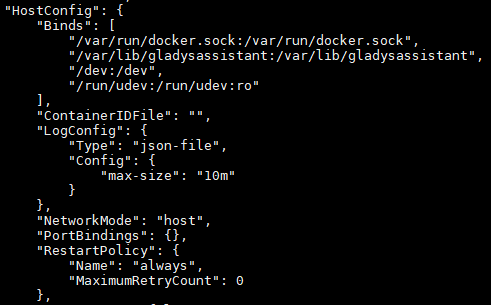
I ran a docker inspect gladys and everything looks correct :
However, the data for all of my graphs was not restored  (no metrics from before the Gladys restart).
Should I perform another restore or run checks first?
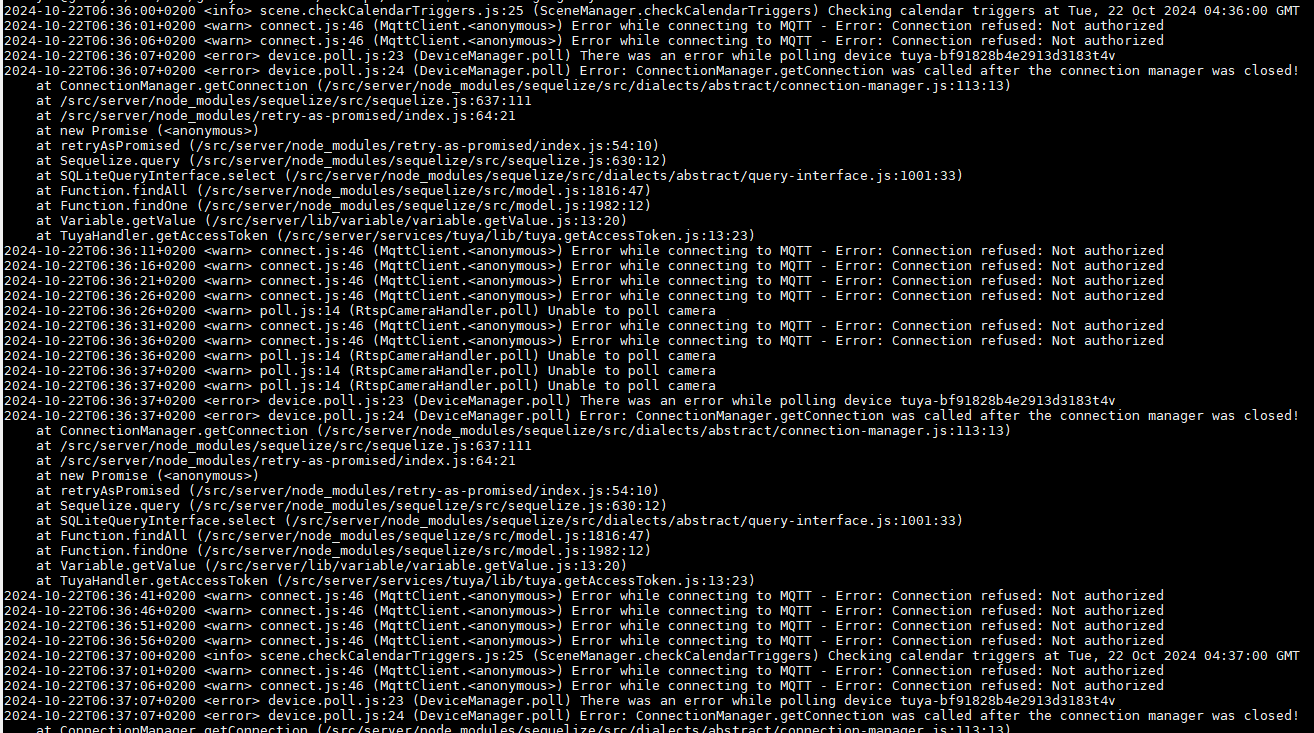
And regarding the logs, I have a recurring Error while connecting to MQTT - Error: Connection refused: Not authorized
Thanks in advance for any help 
Which date is the backup you restored?
If you restored a backup that dates from before DuckDB ( Gladys Assistant 4.45 : DuckDB, une révolution dans Gladys ! ⚡ ), then your instance needs to redo the migration to DuckDB locally and then you’ll recover the historical data.
Otherwise, you can look at the restore logs and see if everything went well (check your Gladys logs, you should have it)
Another possibility: redo a restore and watch the logs live to verify that everything goes well Maybe there’s a particular case in your historical data that causes the restoration of those data to fail.
Are you using the MQTT integration via the Docker container launched by Gladys or one that you started manually?
You may need to restart the integration; normally it’s supposed to get back on its feet after a restore (the container should restart by itself if you use the container launched by Gladys), but maybe in your case it didn’t work.
Given everything you’re encountering, it’s possible that the restore failed in your case; the logs will tell us more about what happened
In answer to the question
Which date was the backup you restored from?
It was the backup from 21/10/2024 (migrated data)
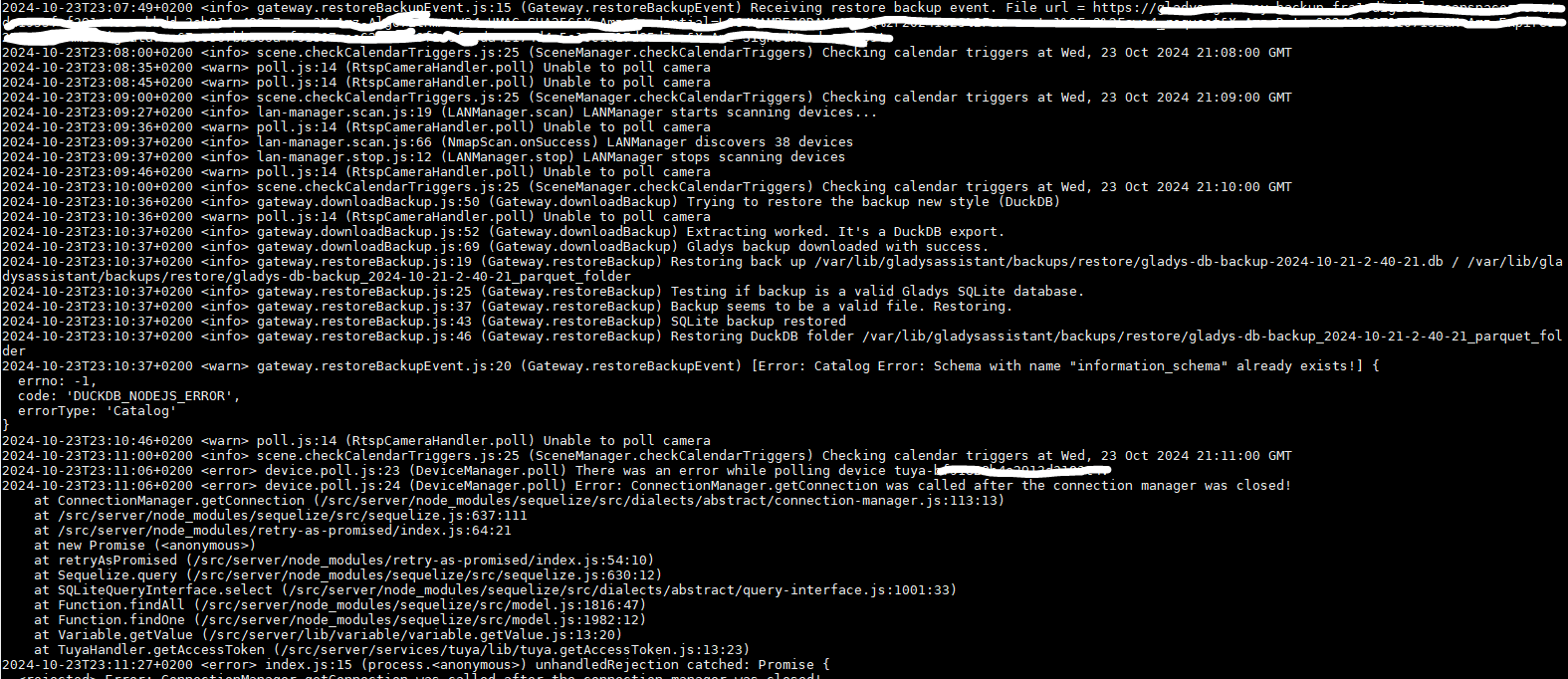
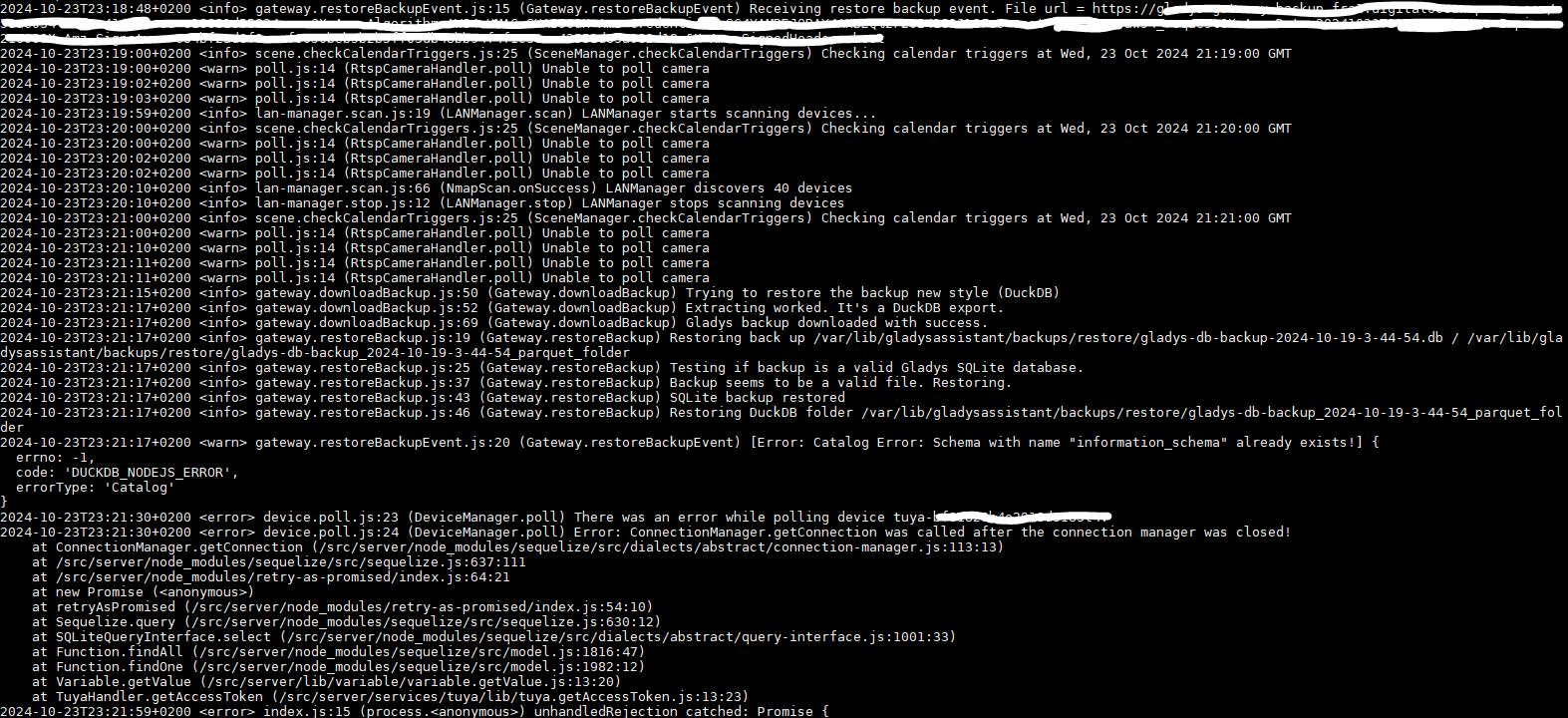
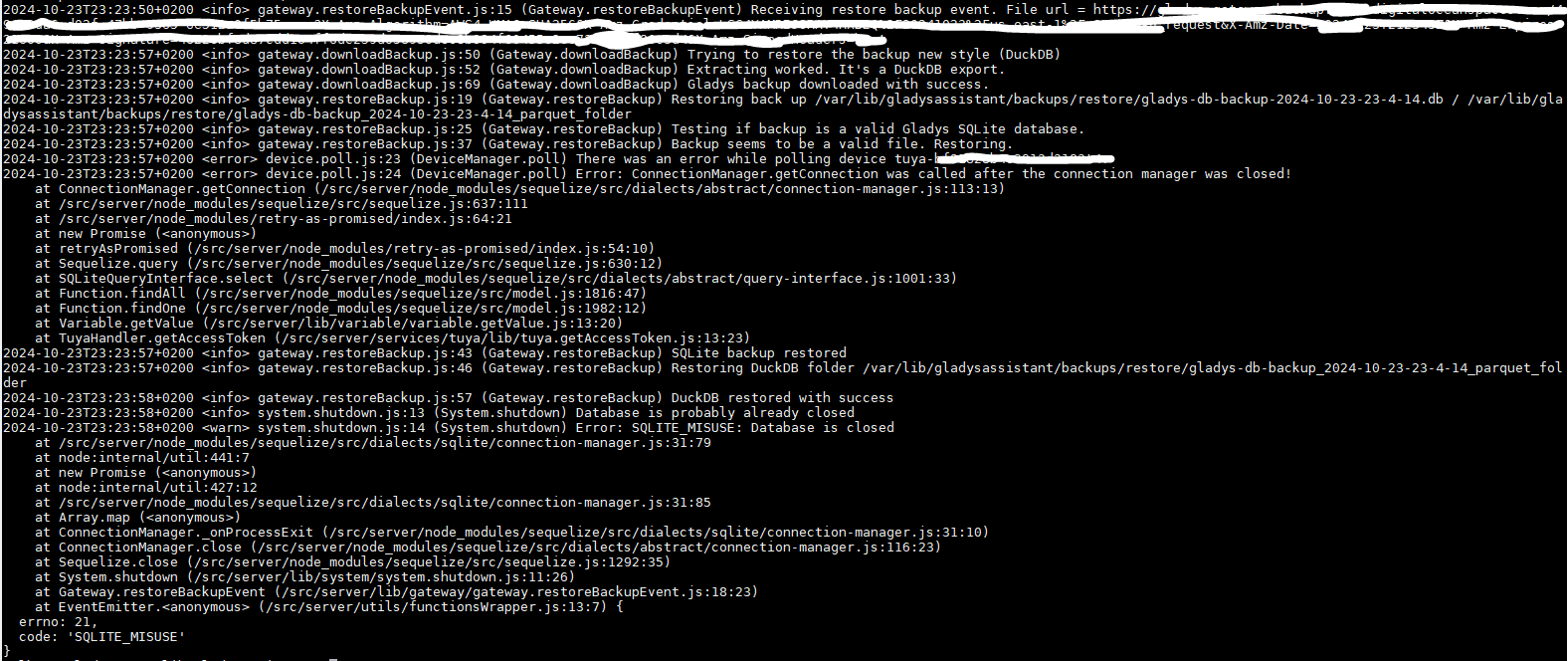
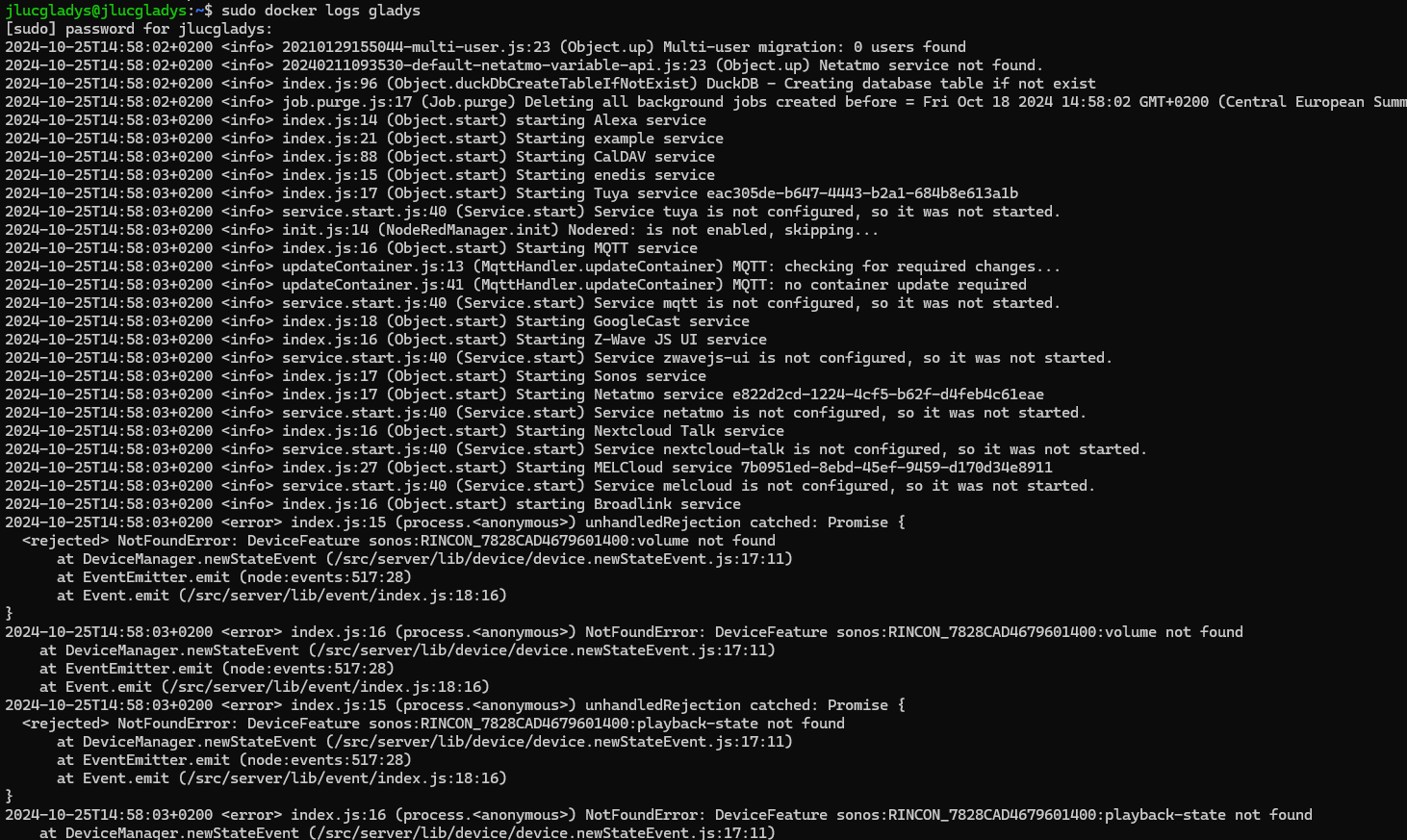
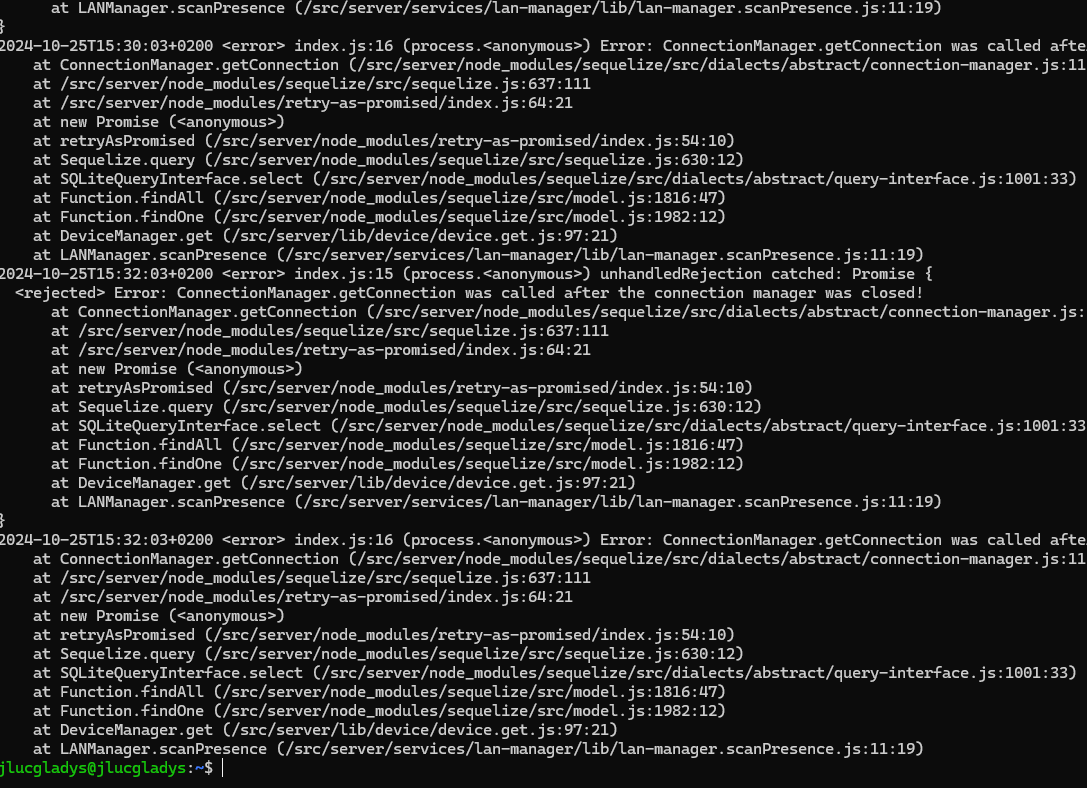
I did some restoration tests of the database from 21/10, 19/10 and the one just before these tests, here are the logs :
Following the restoration of 21/10
Following the restoration of 19/10
Following the restoration of the backup before the previous restoration tests
In response to the question
Do you use the MQTT integration via the Docker container launched by Gladys or the one you started manually?
Yes, I use the MQTT integration via the Docker container launched by Gladys.
In view of the logs, there seems to be a problem during the restoration of the migrated database. Is it possible to perform a manual restoration of the lost data? 
Thanks a lot for your feedback, I investigated and it’s a bug in DuckDB, I found a GitHub issue that talks about this problem and apparently it was fixed in DuckDB version 1.1:
The fix:
I’m working on Gladys tomorrow, I’ll look into updating DuckDB and it will go out in the next release!
With this fix you should be able to restore without problems.
It’s entirely possible, but it requires a bit of gymnastics
If you go to the /var/lib/gladysassistant/backups/restore folder, you should find a folder « _parquet_folder », which contains the sensor data in Parquet format.
If you retrieve this folder somewhere (on your personal computer for example), and you install DuckDB, you can import these Parquet files into a .duckdb file:
Then you need to reimport this file into the /var/lib/gladysassistant folder with the name gladys-production.duckdb (don’t forget the wal file as well).
But if you’re a bit patient, I’ll update DuckDB and that should fix your issue in the next Gladys release
Hello,
I have the same problem with the restoration of gladysplus and would prefer not to delete all system histories. Normally all scenes should be available after the next release.
The question is: when will it be released?
Hi both of you @Tolkyen and @Jluc!
I worked on this issue this morning.
Despite my efforts, I couldn’t reproduce this bug; I tested on different types of servers, and the restore consistently worked for me.
Nevertheless, I updated DuckDB to 1.1.1 in the latest Gladys release hoping that this will fix the issue for you:
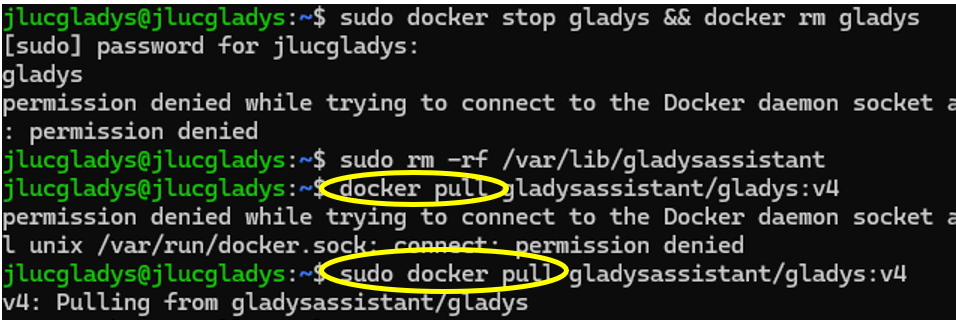
If you redo a Gladys restore, perhaps starting from a « clean » base would be advisable; I would recommend doing:
docker stop gladys \u0026\u0026 docker rm gladys
Delete all Gladys files by doing:
sudo rm -rf /var/lib/gladysassistant
(Warning, run this command only on an environment you truly want to destroy; this command deletes everything)
Pull the latest version of Gladys:
docker pull gladysassistant/gladys:v4
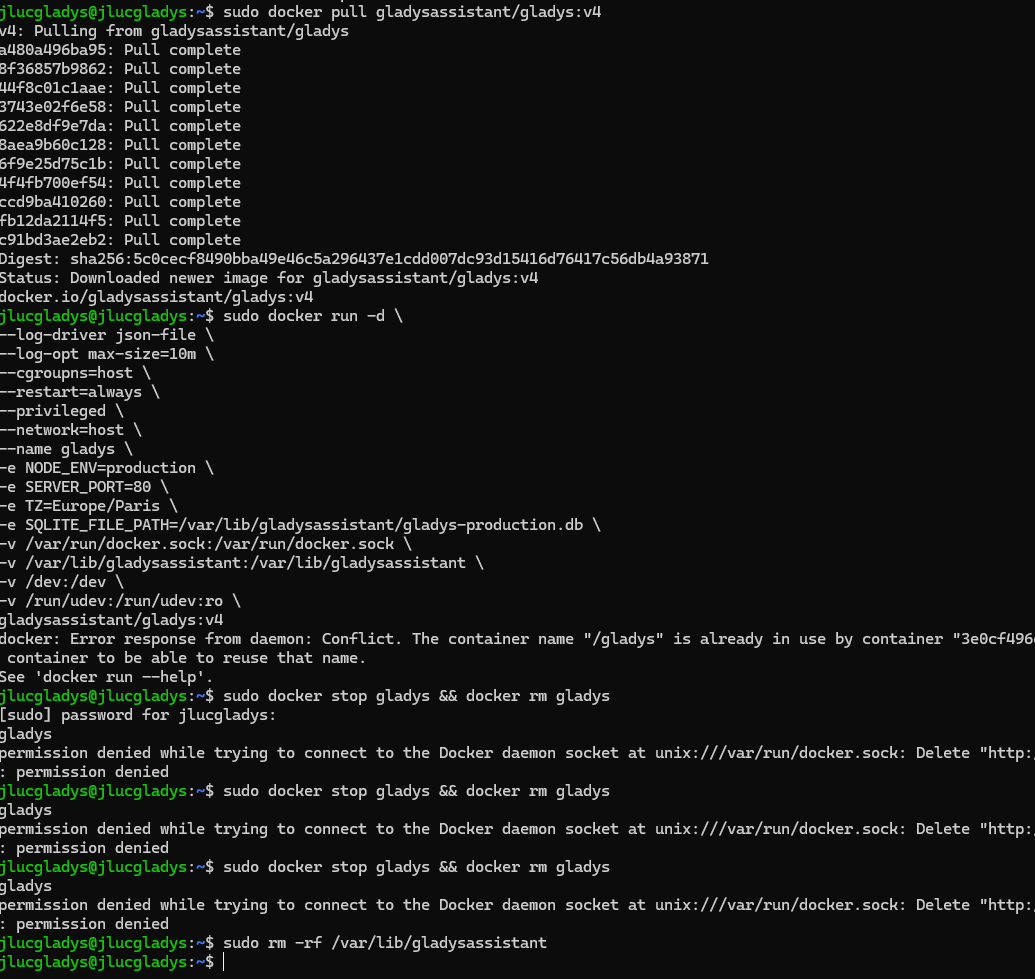
Then restart Gladys with the command from the site:
Keep me posted, I hope this will work well for you with this update 
Hello,
First of all, a big thank you to you, @pierre-gilles, for the quick handling of the issue we’re having with @Tolkyen and also for all the advice that helped me make progress installing Gladys on my new miniPC.
I may have forgotten something or made a wrong move, but these lines appear after running the command:
sudo docker run -d
Yes, you didn’t properly run the first command (docker stop / rm), we can see the error; you need to put a “sudo” before the command
Break down the two commands:
sudo docker stop gladys
sudo docker rm gladys
That should work
Yes, that’s perfect, it worked
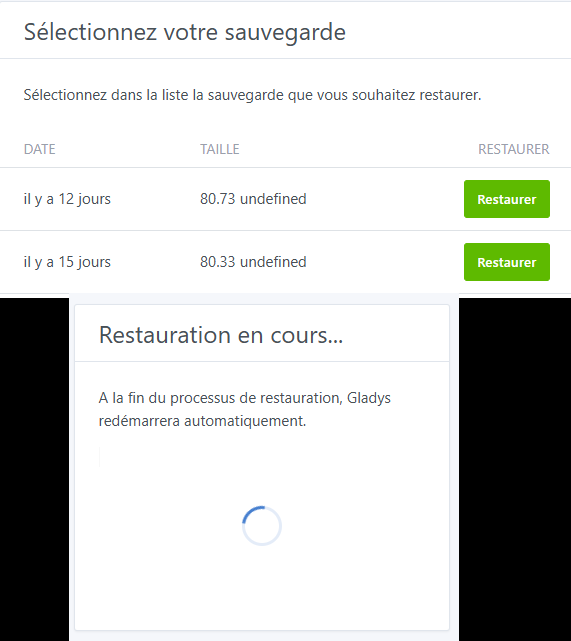
Normally it’s quite fast! It depends on the speed of your internet connection
You can monitor the restoration with:
docker logs gladys
The logs you’re showing are perfectly normal, I don’t see the issue
Look at the end of the logs instead, not the beginning