Various bug reports

Greetings!
I suppose I’m supposed to do this via GitHub but I have no idea how it works and I’m afraid to make a mistake, but I would like to report some small bugs/errors that would be interesting to fix (maybe delete this post afterwards?).

In the dashboard, two typos:
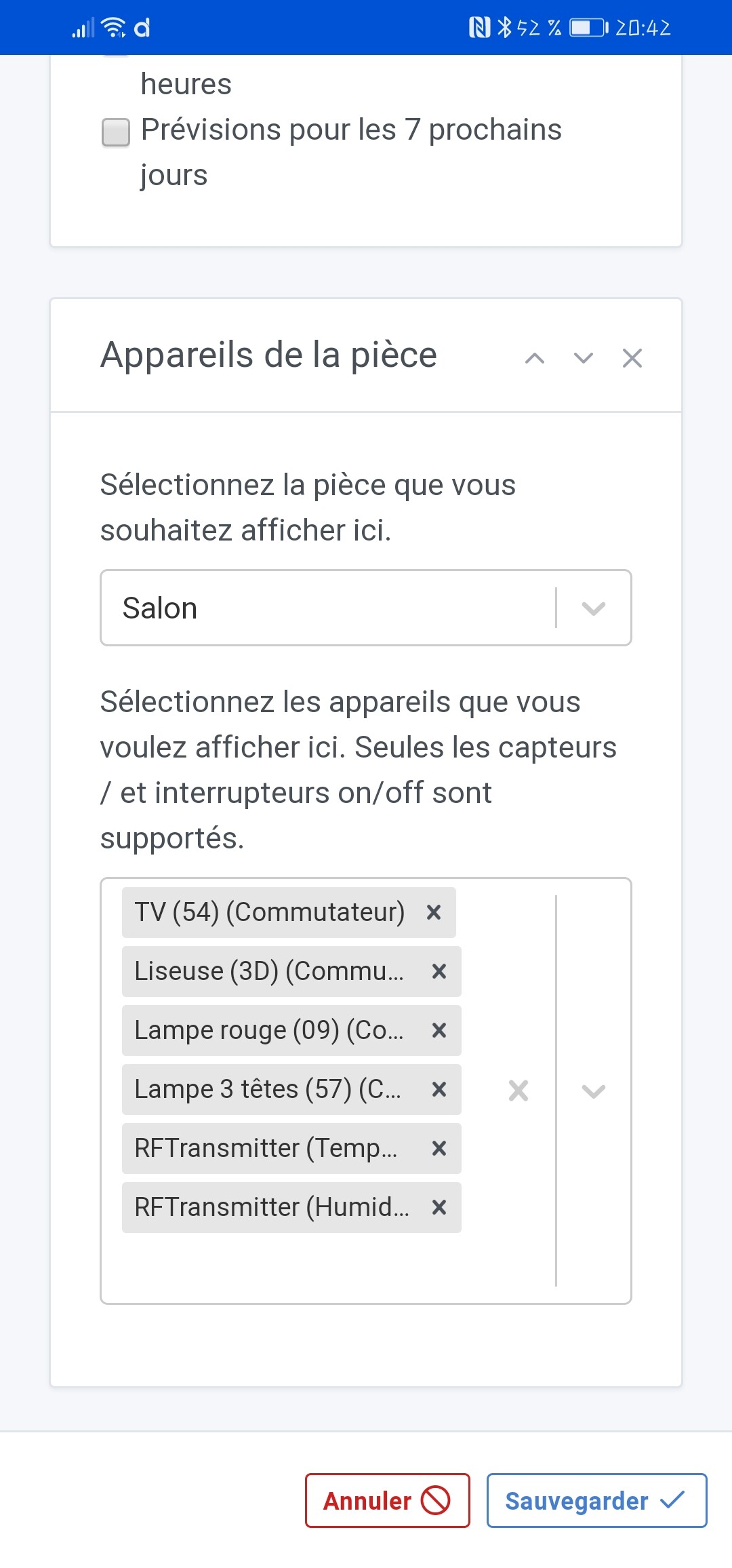
'Seuls les capteurs / ’
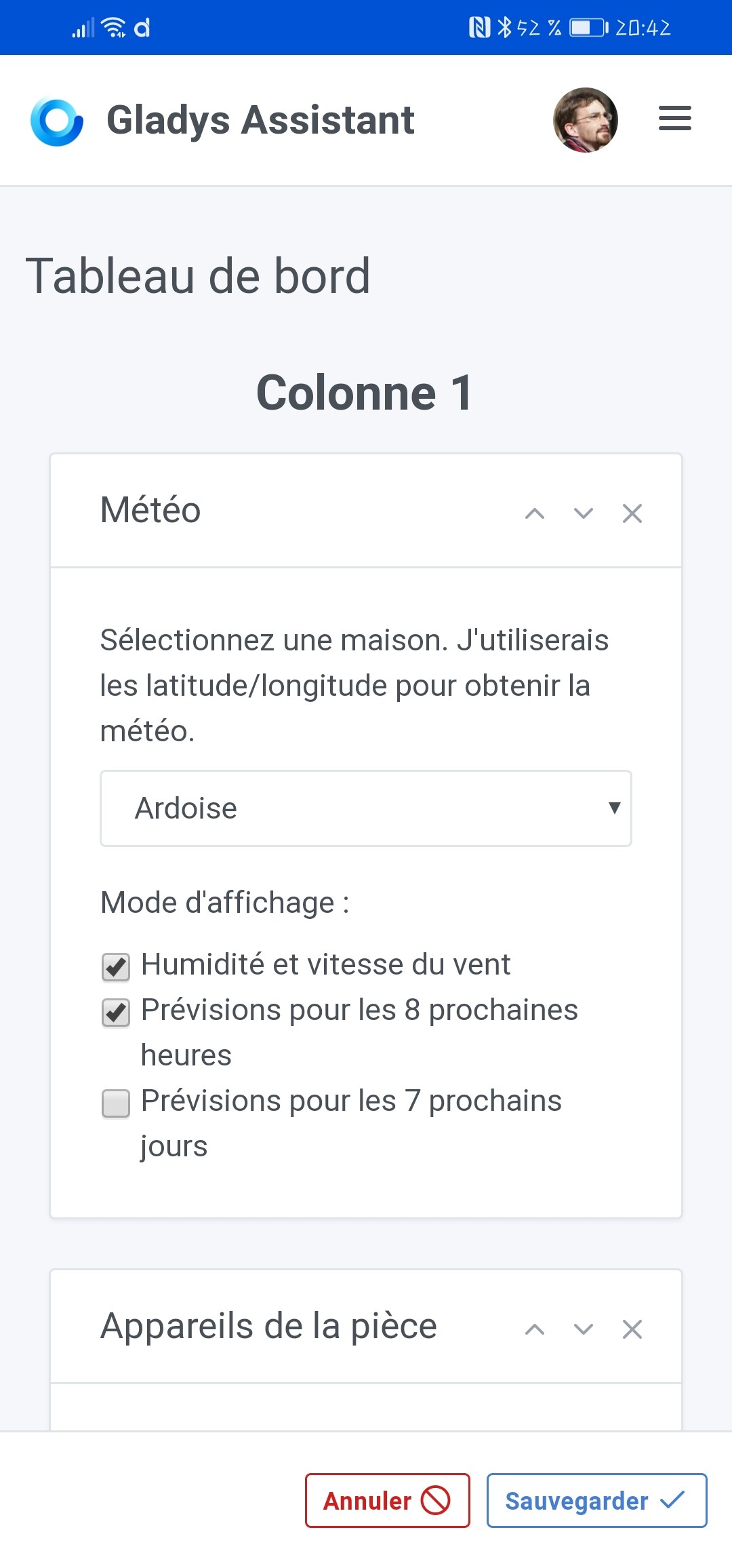

’ j’utiliserai ’

In the scenes, the date is in the wrong format:
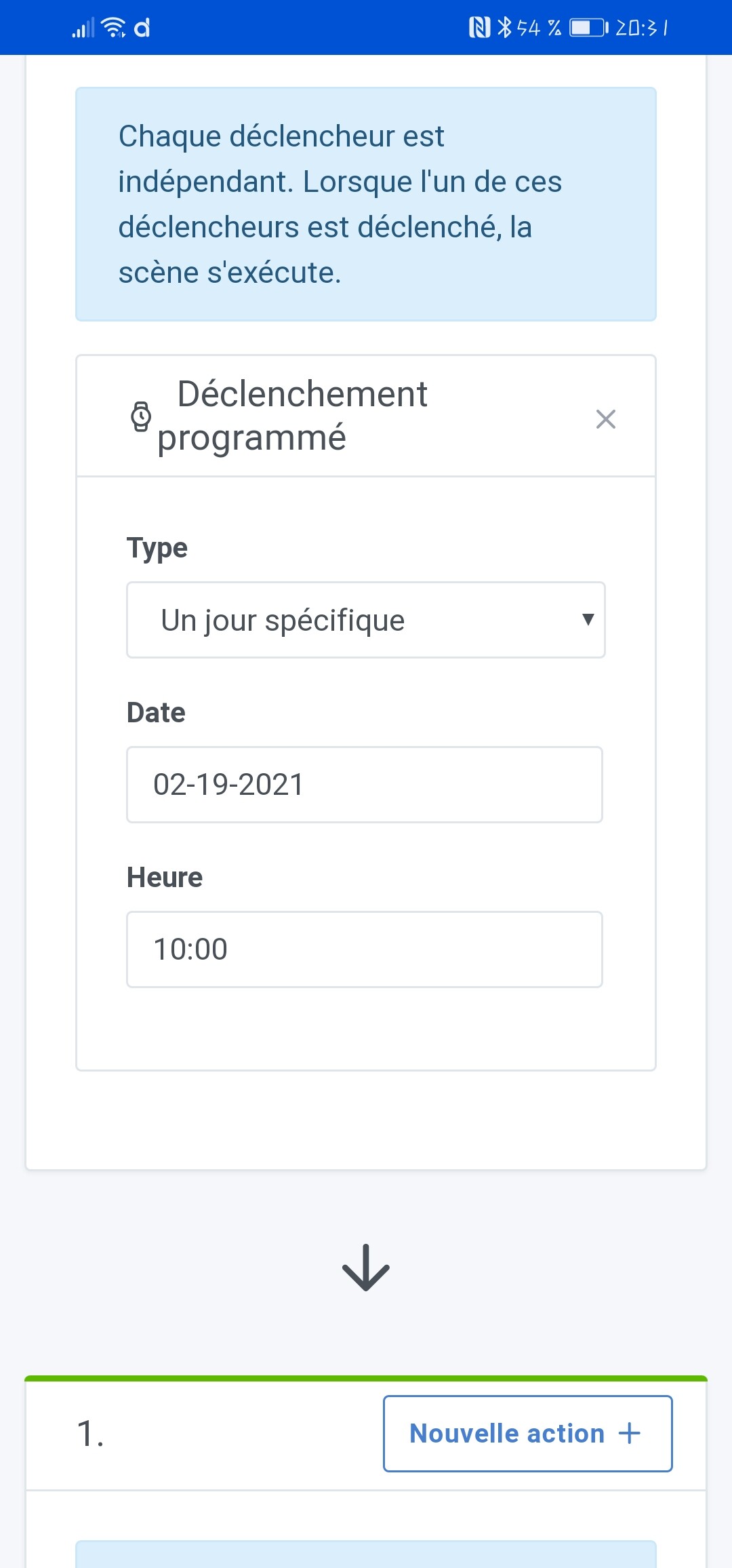
And ‹ a trigger triggered ›, that makes sense :wink:

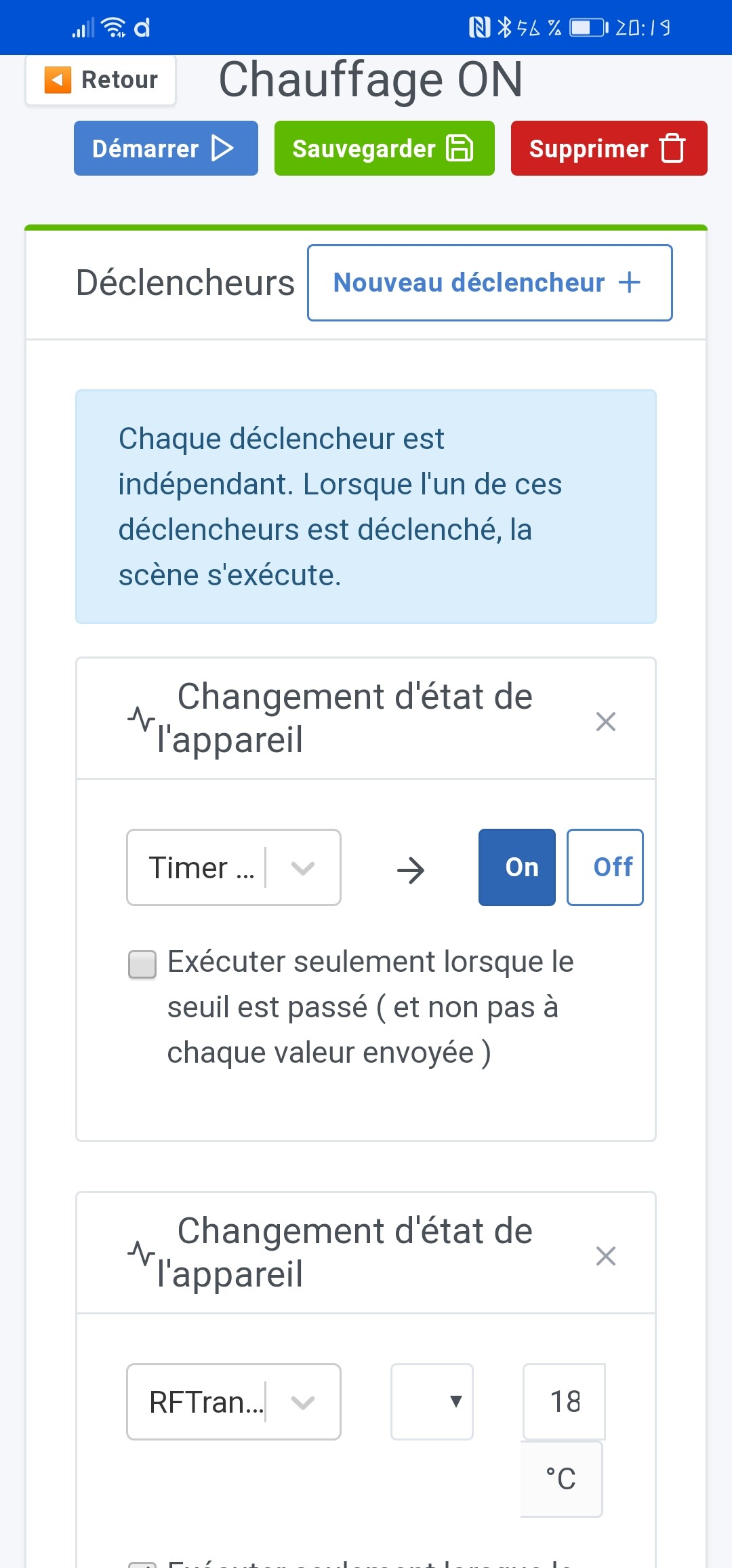
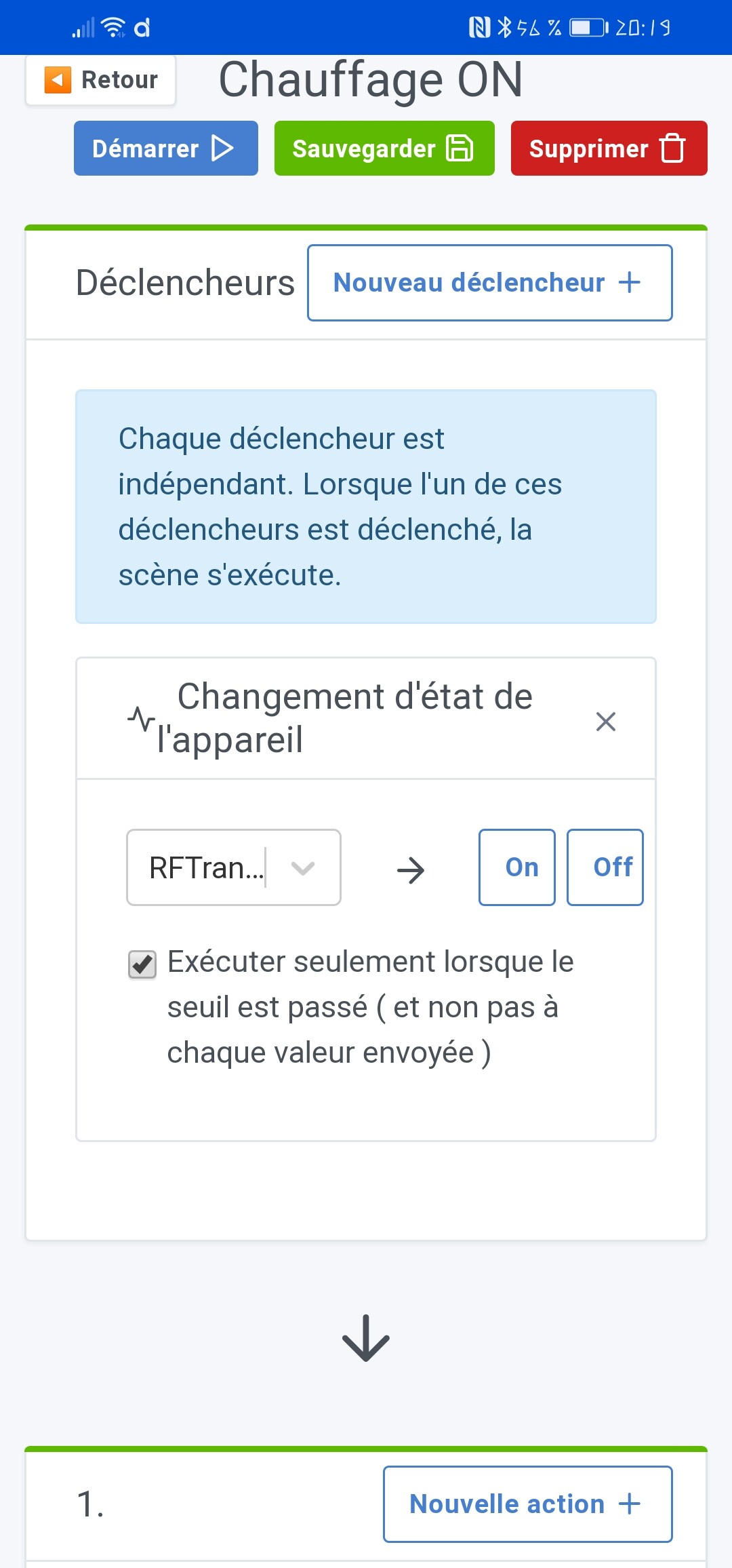
Still in a scene, if you delete a trigger, this is what happens:

If I delete it, the element below (temperature sensor) becomes:
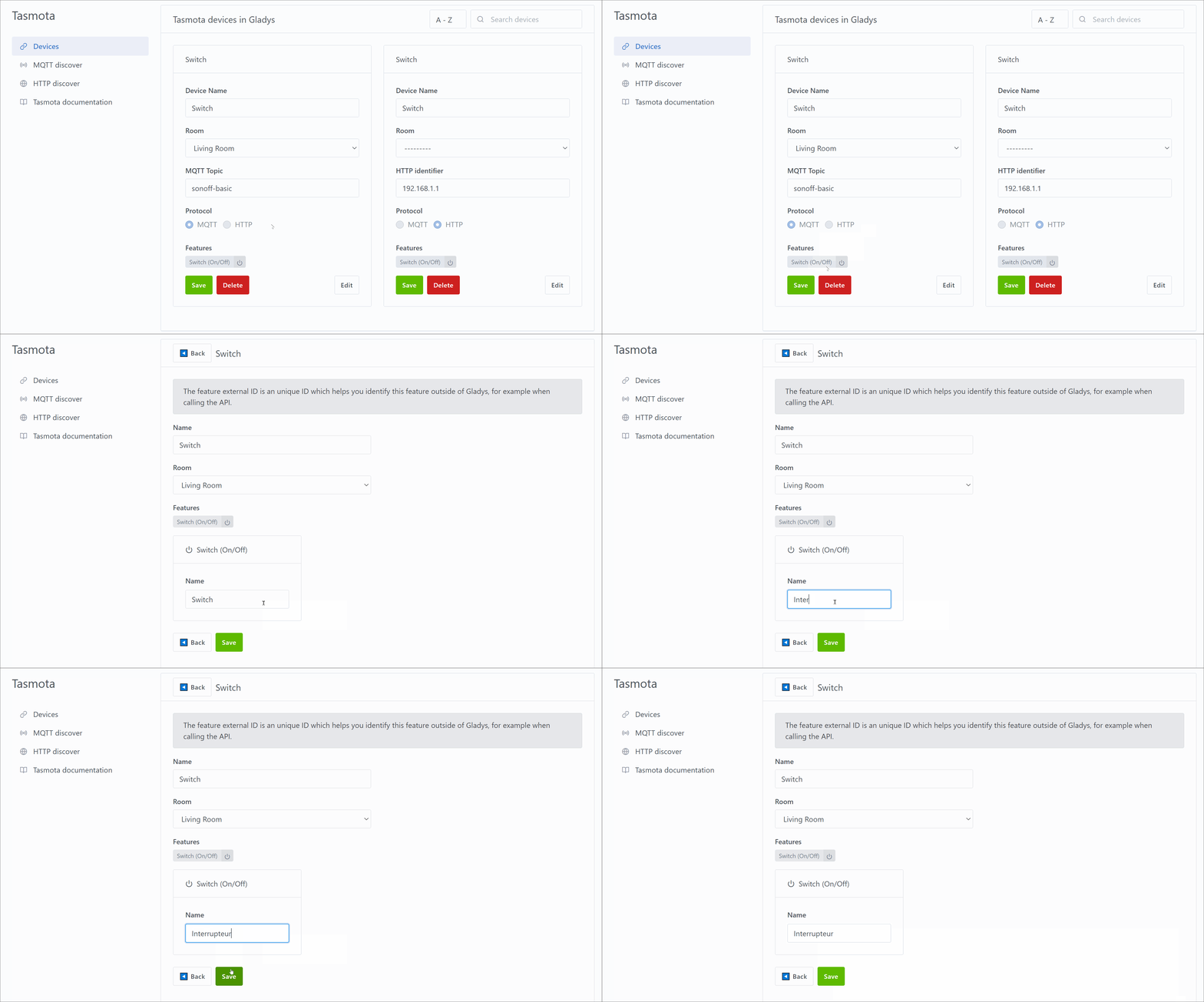
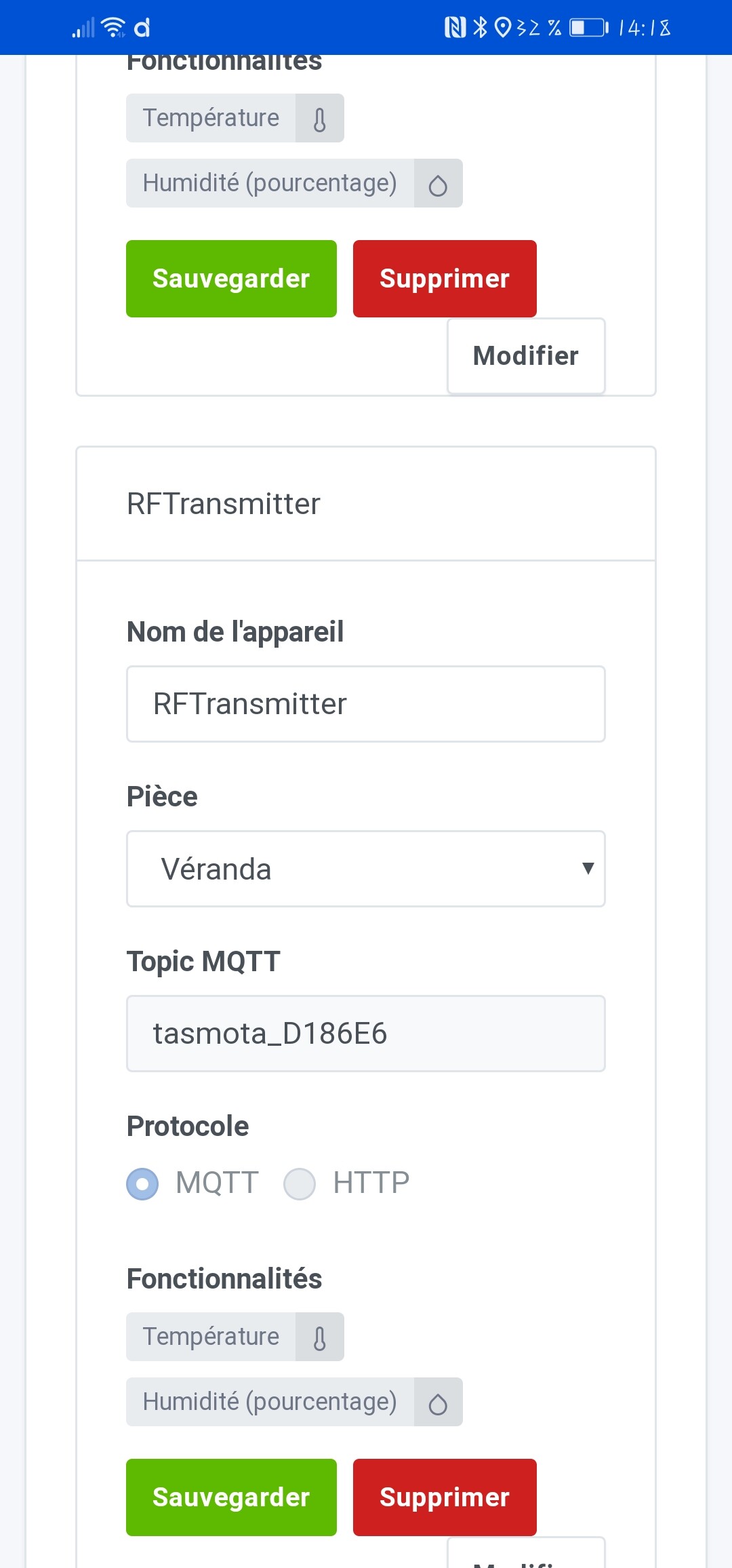
The temperature and humidity sensors (Tasmota) speak English:
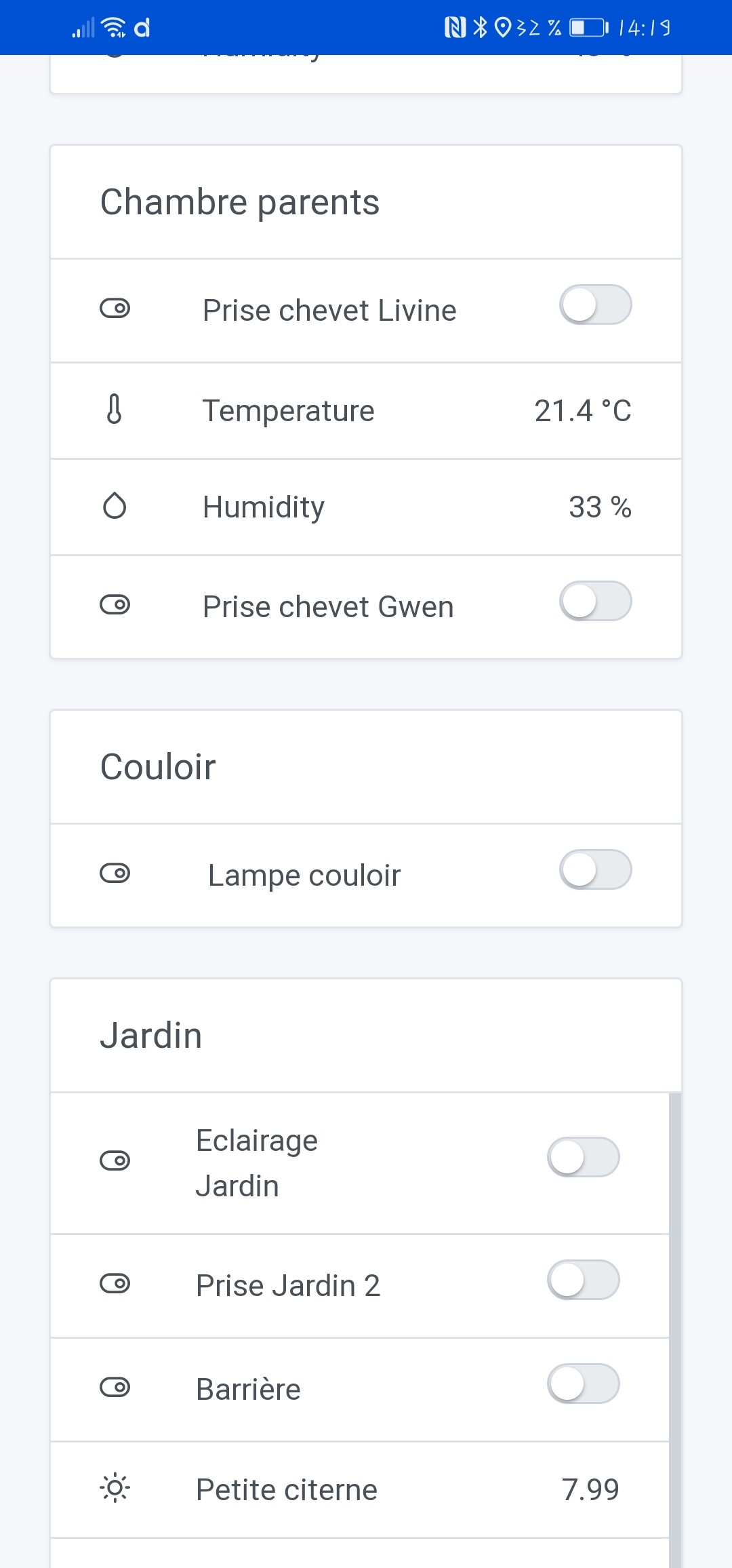
While they are well taken in French in the integration:
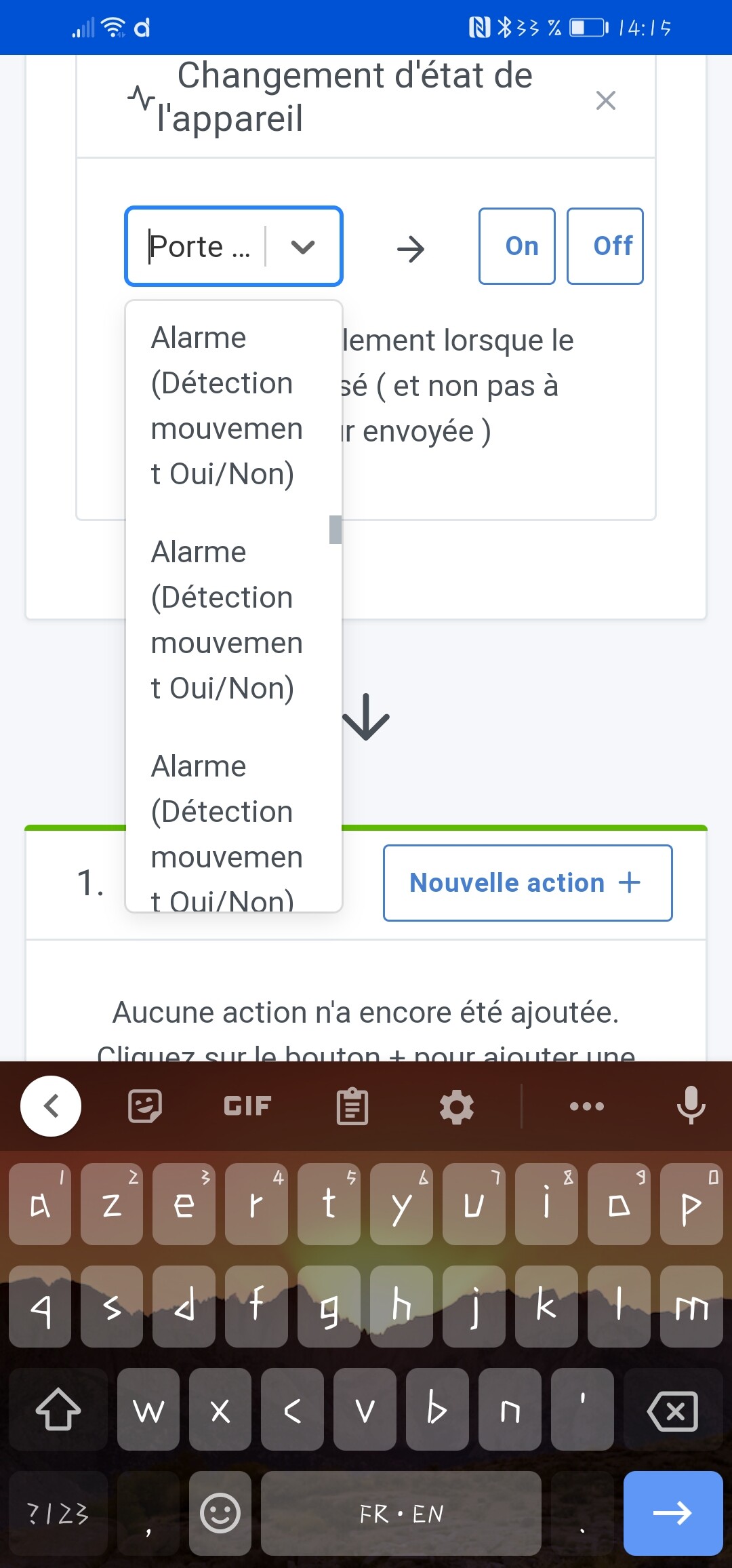
In MQTT, there is a problem with the display of the sensor name (open yes/no)
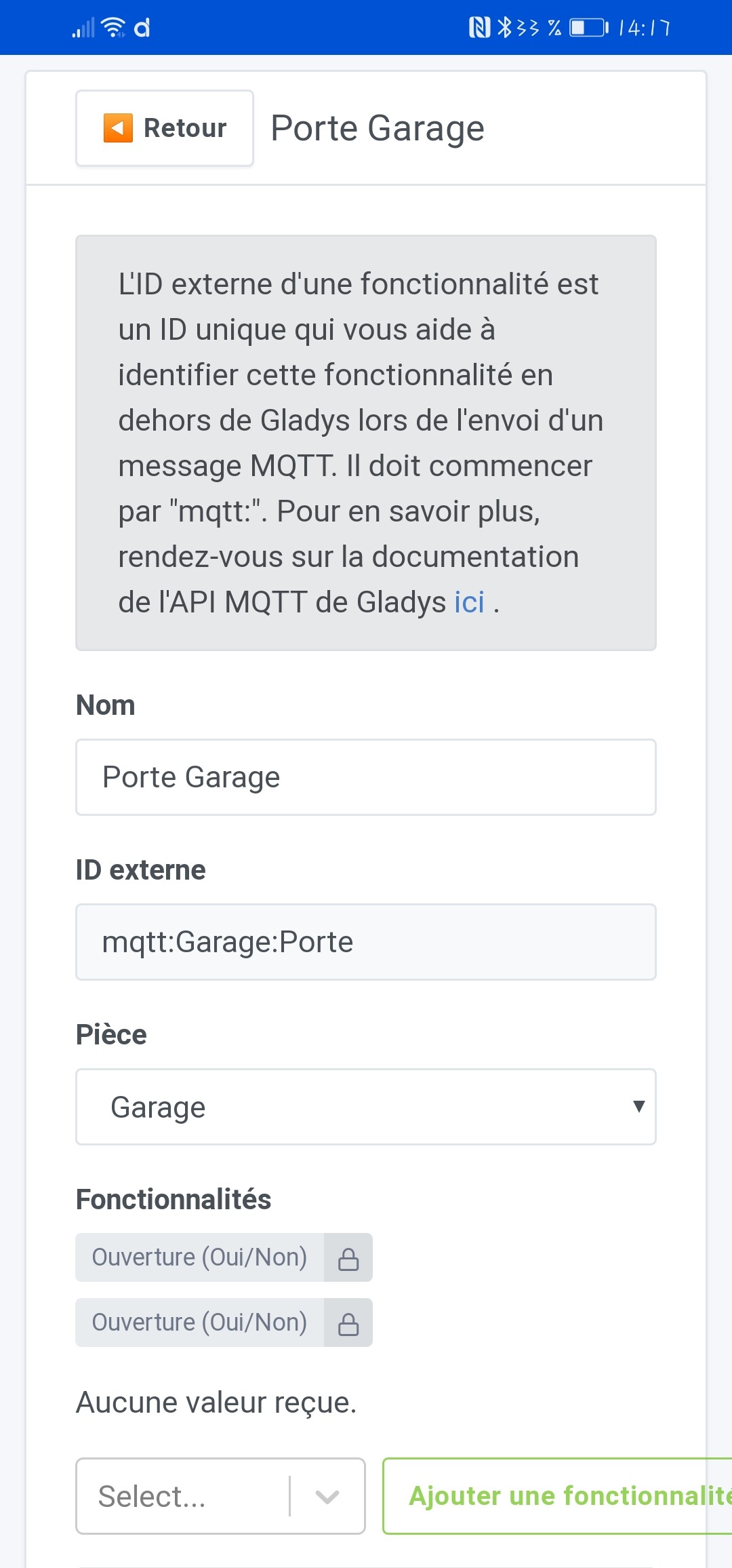
While in fact they are called
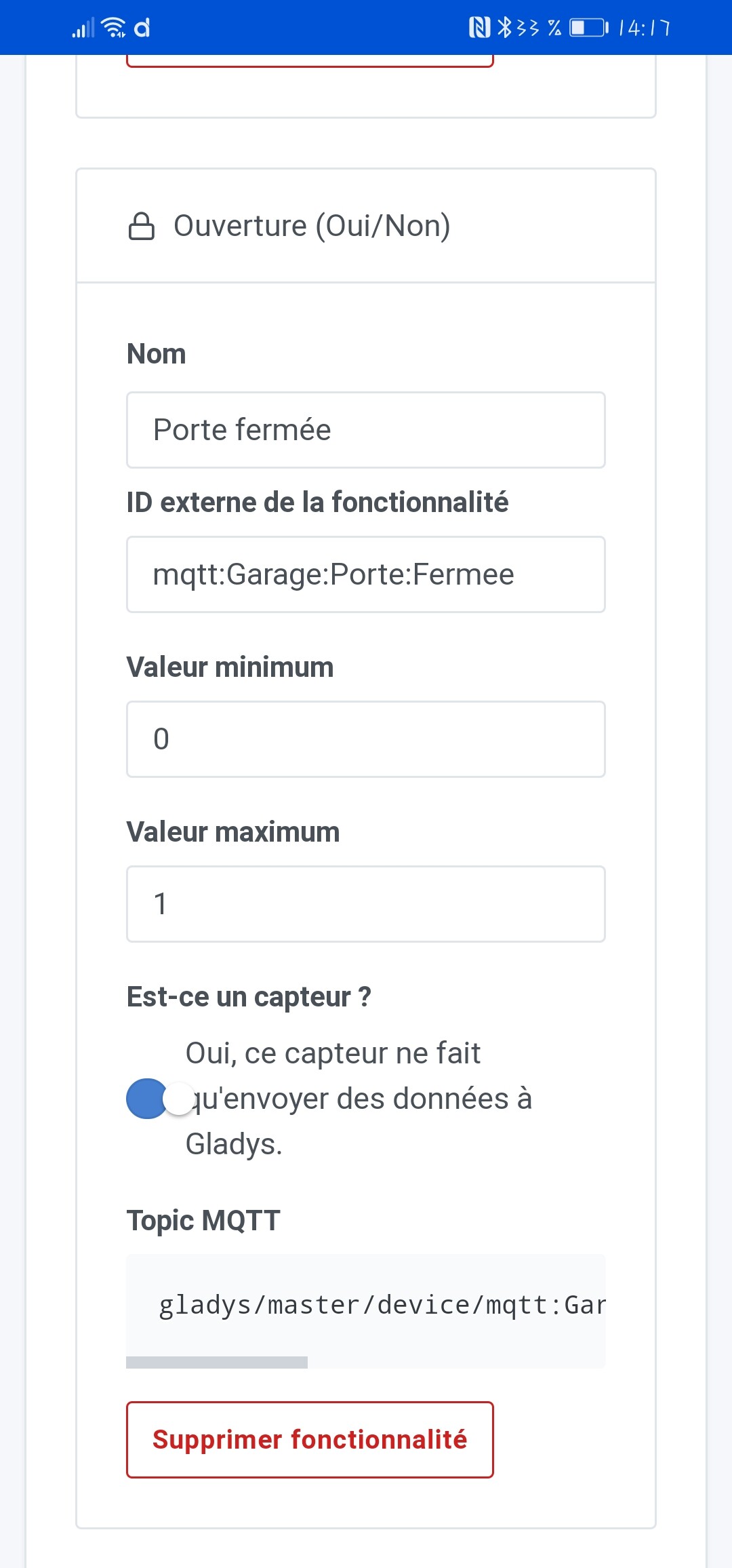

And
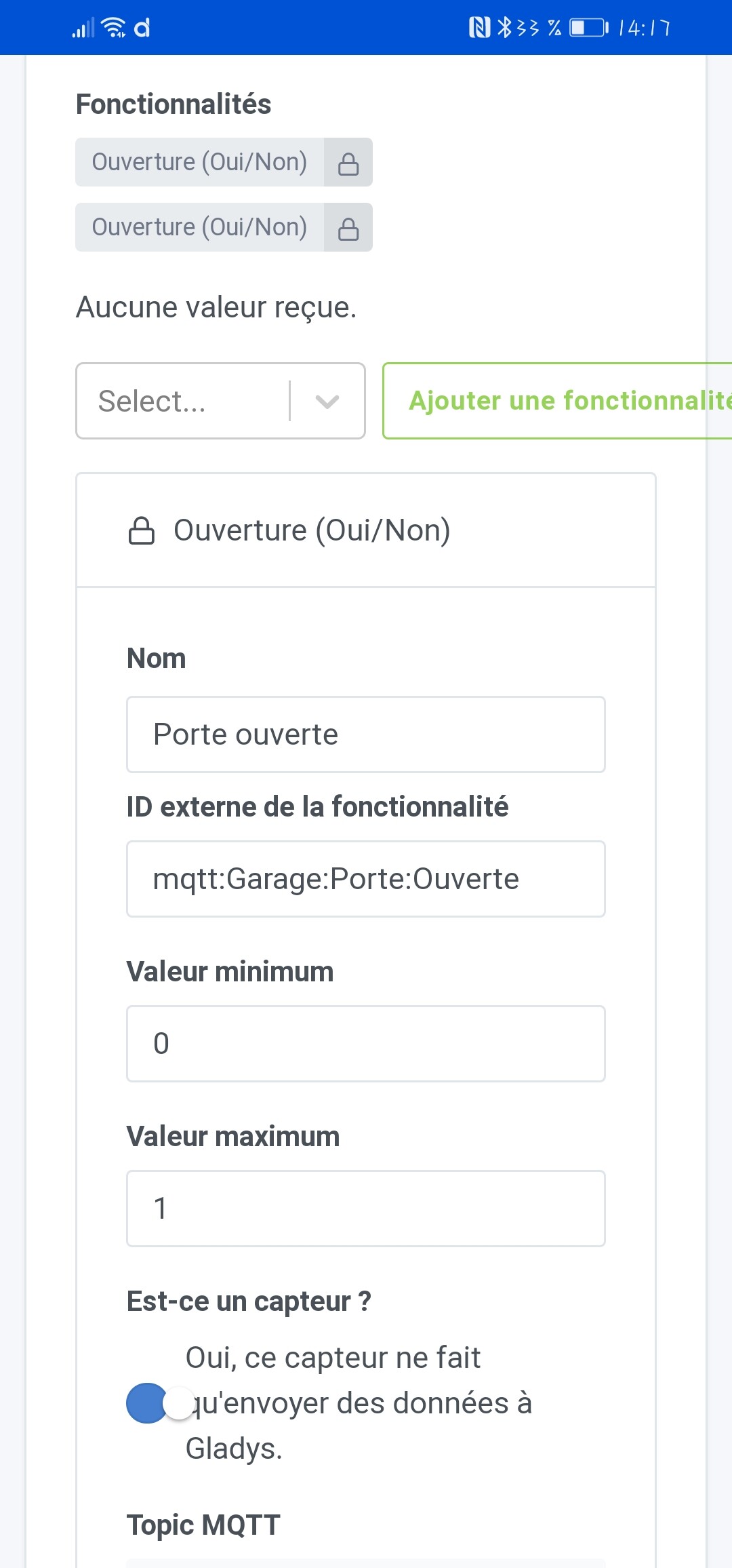
(The reason for these two sensors is to have an ajar position for the cat to pass)
The problem is that it results in difficulty identifying:
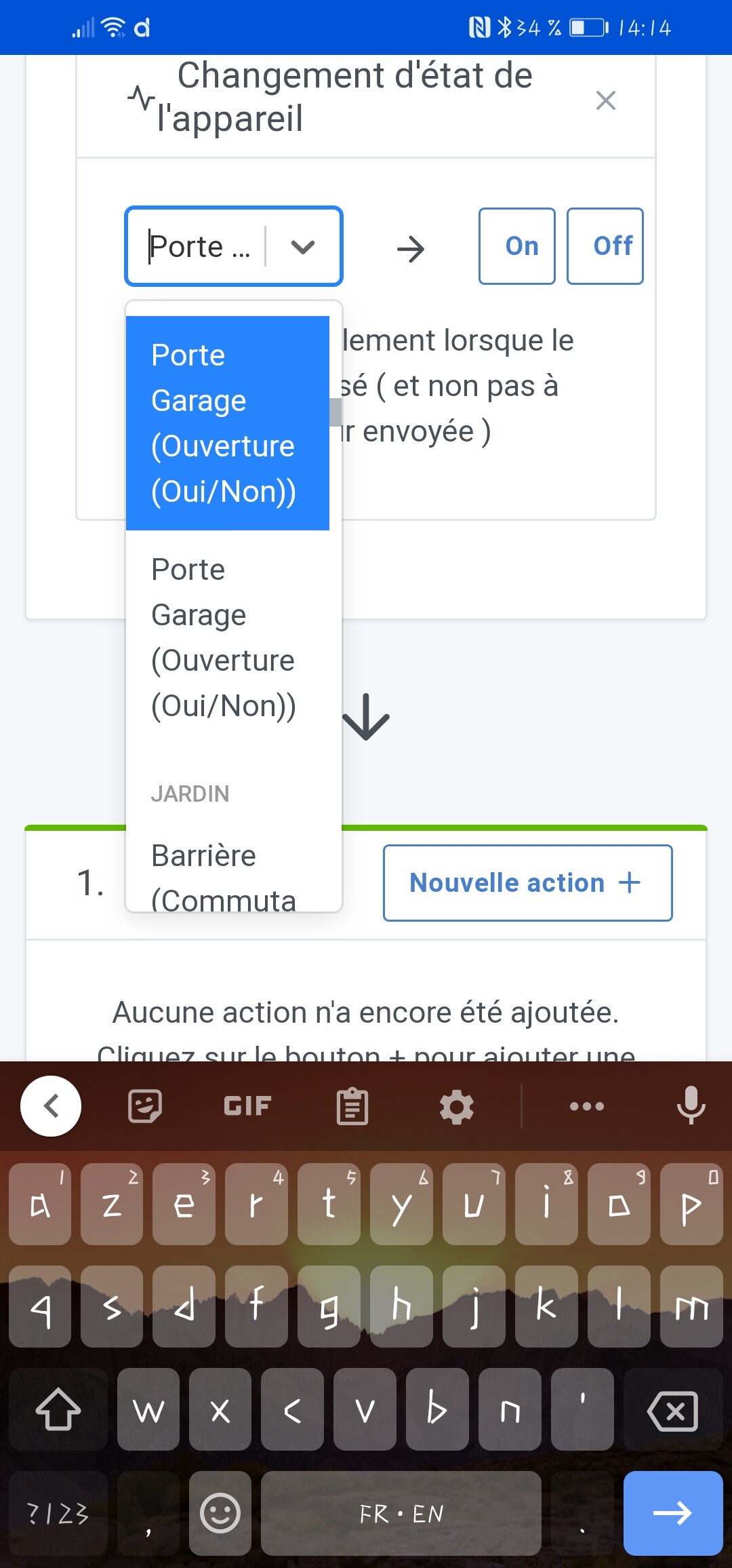

Another example:
Another thing. I made my garage door opening system and barrier associated with an RFID badge scanner integrated in Tasmota+MQTT myself. Would anyone be interested if I wrote a tutorial?

Hi,

For beginners like me, I’d love to see this kind of installation yes :slight_smile: and then it allows us to see everything we can do with gladys, most of the time, at a low cost!
Wow, great,
(but it’s too early) but we’ll take it point by point and create a ticket for each one in GitHub, or I’ll explain why « it’s normal ».

Great job :wink:

Thanks

Hello everyone,

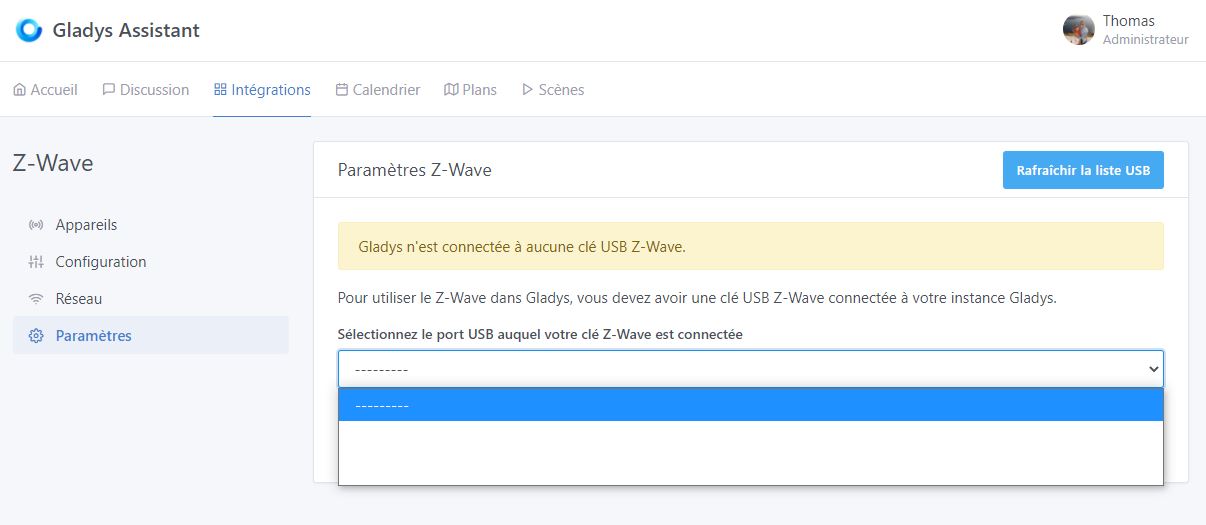
I’m taking this opportunity to show you what I noticed a few days ago. While trying to change my Z-Wave key’s USB port, this is what appears:

I should mention that my Z-Wave key is still connected at the moment.

Hello,

Why change the USB port? Have you restarted your Raspberry Pi? Since it’s in a container, you might need a reboot for your key to be recognized again…

Thanks @GBoulvin for your very precise feedback! We’ll break it down point by point, it’s great :slight_smile:

@VonOx @cicoub13 could it be due to the recent changes in the USB API?

Hello,

It’s to be able to plug in my Zigbee key. The Z-Wave key prevented the connection of another key where it was connected. I will try a reboot but I think it would be better if it didn’t disappear :sweat_smile:

I don’t think this is a reboot issue @Mastho, rather a bug on Gladys’ side. I can reproduce it!

@cicoub13 I think the change in the USB API on the zigbee2mqtt PR broke the Z-wave integration!

@Mastho I confirm that this is a bug recently introduced in Gladys.

I have made a fix that will go out in the next release:

https://github.com/GladysAssistant/Gladys/pull/1160/files

Thank you again for your feedback, I have created GitHub tickets to keep track of them and address them point by point.

The tickets are open for modification or additional information.


For French language issues:

Dashboard: Only sensors /
Dashboard: j’utiliserai-s-
Scenes: trigger triggered


Scenes: incorrect date format

https://github.com/GladysAssistant/Gladys/issues/1162


Scenes: removal of a trigger

https://github.com/GladysAssistant/Gladys/issues/1163


Scene: feature name in addition to type

https://github.com/GladysAssistant/Gladys/issues/1164


@GBoulvin for the other points, I have some answers, which are debatable :wink:

Temperature and humidity sensors (Tasmota) speak English

When creating the device in Gladys, features have a default name (in English). It is possible to modify it by editing the device on the Tasmota page.

tasmota-feature-name

But it is also possible to try:

  1. either to put the default name in the user’s language
  2. or add a screen when adding the device for the first time, in order to list the features and rename them

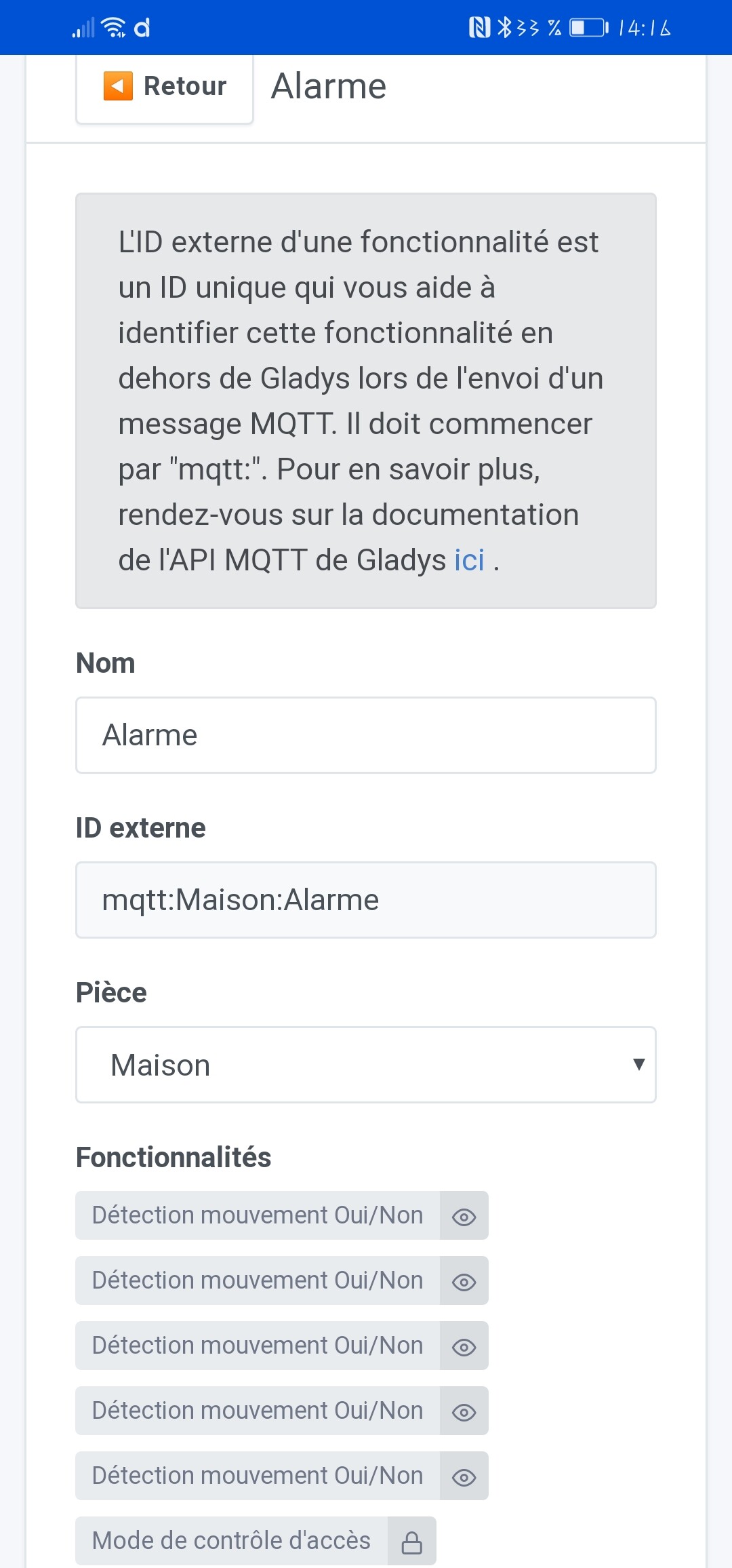
In MQTT, there is an issue with the display of the sensor name (open yes/no)

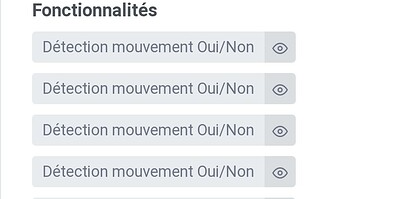
Here, in these gray boxes, it is not the name of the feature that we see, but the type.
This is a summary of your device, which contains n motion detectors (and others).


I think I haven’t forgotten anything, but feel free to complete.

Thanks for taking the time @AlexTrovato for the GitHub issues :slight_smile:

Indeed, I’m also curious to understand, @GBoulvin, how it happens that you have a device with 5 motion sensors? Is that possible? ^^

I don’t know if it’s the same for me, but I have exactly the same use case:
5 motion sensors connected to an Arduino.

The same goes for Arduinos with multiple contacts (like the barrier). The problem in the scenes is that, unlike lights, the « Turn On/Off Outlet » action does not take into account the features but the devices. It is therefore impossible to control 1 feature. For the moment, I have to improvise. I have prepared a PR (functional on the pro) but not necessarily the time to implement it on git.

Why not create 5 different devices in Gladys in this case?

For me, the Arduino is more of a « Gladys pod » than anything else, and each sensor would be a separate physical device.

Yes indeed it’s very close to a pod. After all, it’s not the same role. But it remains a remote point that acts as a node.

I’m only speaking for myself but for:

  • the case of motion sensors, it just allows grouping a set of common devices from the same source (in my job we call that a family). If these 5 sensors control the same devices and are in the same room, it’s easier to find your way around. On my side, I already have about 60 mqtt devices, some of which have pieces of names that are close in the search bar. It also allows having a common MQTT subject for 1 family and to code the Arduino. But it is certain that it can be done differently. Sometimes you have to adapt ^^ :grinning_face:
  • for the control of the barrier… as we had already talked about it, for me the barrier is 1 device with 4 possible controls.

I’m revisiting the various feedback you provided @GBoulvin. I’ve just fixed some minor bugs in this PR (Multiple minor bug fixes (typo, date format) by Pierre-Gilles · Pull Request #1166 · GladysAssistant/Gladys · GitHub):

  • Various French typos
  • The issue with French date formats
  • Fixed a responsive bug on the signup (I don’t remember if you reported this, but it’s fixed)

I’ll make a dev build with the changes and it will be included in the next release.

Regarding the issue with triggers jumping, it’s a bit more complex to fix. I made a PR that seems to correct the problem, but I’d like feedback from @AlexTrovato: Fix scene trigger render issue by Pierre-Gilles · Pull Request #1165 · GladysAssistant/Gladys · GitHub

By the way, if there’s a CSS expert, I’m stuck on a bug with the « color picker » component that’s bugging on mobile Safari on iOS →

I made an RF433 bridge (transmit/receive) with a Wemos D2 mini, flashed with Tasmota. According to its rules, it posts an MQTT event when a motion detector is activated. I use it for the alarm (one device with five sensors) and a Chacon remote control (one device and eight buttons).
Actually, it bothers me to see that our devices only use one feature when they are capable of more. I tend to modify them and use all available pins. This is how Sonoff S26 outlets are also temperature sensors, scene activation buttons, etc.

@GBoulvin and in that case, why not create 5 different devices in Gladys? In your case, maybe that would make more sense, right?

Hello,

I just noticed that I no longer have the option to add a USB camera on Gladys (4.2.4).
To be sure, I installed the Docker version of MotionEye, the USB port address /dev/video0 is the same as Gladys and it works fine. No issues with the http link :slight_smile: it works well.

Oh, do you get an error when you add a USB camera? Are you using a manual Gladys installation / Raspberry Pi OS image?