Possibilité de catégoriser / grouper les scènes

Feature description

Hello :slight_smile:
Quand on commence à avoir une installation assez fournie avec Gladys on commence aussi à avoir beaucoup de scènes !

Je pense que se serait plus lisible est simple d’utilisation si on pouvait mètre nos scènes dans des catégorie (visible sous forme d’un bandeau par exemple) que l’on peut masquer et afficher.

Ou à la manière des Dashbord avec une liste déroulante ?

Merci :slight_smile:

Ce qui est compliqué je pense c’est de savoir si on veut des catégories prédéfinies… ou bien la possibilité de créer soi-même des catégories. Car comme chaque utilisateur va avoir envie de faire une scène qui lui est propre, il va en aller de même avec les catégories.

Je trouve aussi qu’il faut trouver comment organiser les scènes pour mieux les gérer.

J’avais de mon côté songé à la possibilité de les afficher sous forme de liste dont on pourrait changer l’ordre en drag&drop.
Cela permettrait d’en afficher plus sur une seule page, avec une meilleure lisibilité.

D’autant qu’en les nommant de manière adéquate on peut s’y retrouver assez facilement :

[LUMIERES] Eteindre toutes les lumières en cas d'absence
[LUMIERES] Diminuer la luminosité le soir
[ALERTE] Courrier boite aux lettres
[ALERTE] Température < 15°
[INFO] La gamelle du chien est vide

Etc…

Oui pour moi je pensais déjà à des catégories créées par les utilisateurs comme on le fait pour les Dashbord.

Le but je pense serait de pouvoir avoir une séparation possible entre les scènes de son choix.

Par exemple dans mon cas je pourrais séparer les scènes de mon aquarium, de l’éclairage du salon et des scènes du système d’alarme.

Pourquoi pas, je vois bien un système de tags filtrable par exemple ! A réfléchir :slight_smile:

@Checconio Vu que tu dis que ton installation devient assez fourni, serais-tu intéressé pour que je t’interview pour ma série Youtube “Gladys Assistant chez vous” ? ( Gladys Assistant chez vous ! - YouTube )

(On peut en parler en privée si ça te dit, pour pas polluer le sujet ici)

1 Like

Ça c’est une super idée :+1: d’autant que pour l’utilisateur c’est généralement tout bête à utiliser, et c’est très flexible : une scène peut avoir plusieurs tags.

Yes un tag pourra permettre d’afficher une même scène dans plusieurs “affichages” ce qui est effectivement mieux que ce que j’avais en tête :slight_smile:

Small bump because this point is starting to interest me :smiley:
I’ve got a parent scene that is triggered by a motion sensor.
This scene only triggers scenes in // which themselves trigger others ^^
So I end up with a lot of scenes and it’s quickly confusing :smiley:
![Screenshot_20220813-225015_Chrome|180x500, 100%

1 Like

I’m learning the same tech as Gladys for a personal project.
Once I’ve mastered it, I might look into developing the feature to test it ^^

4 Likes

Quick bump to keep this in mind for development.

Also, the feature request already existed since October 2021:

@Pasdesushi, @PhilippeMA, @Psoy (I see that you voted for both), @syper and @Kalvin maybe could you group your votes on this one and we’ll close the other (the discussion will remain accessible)?

2 Likes

Hello,
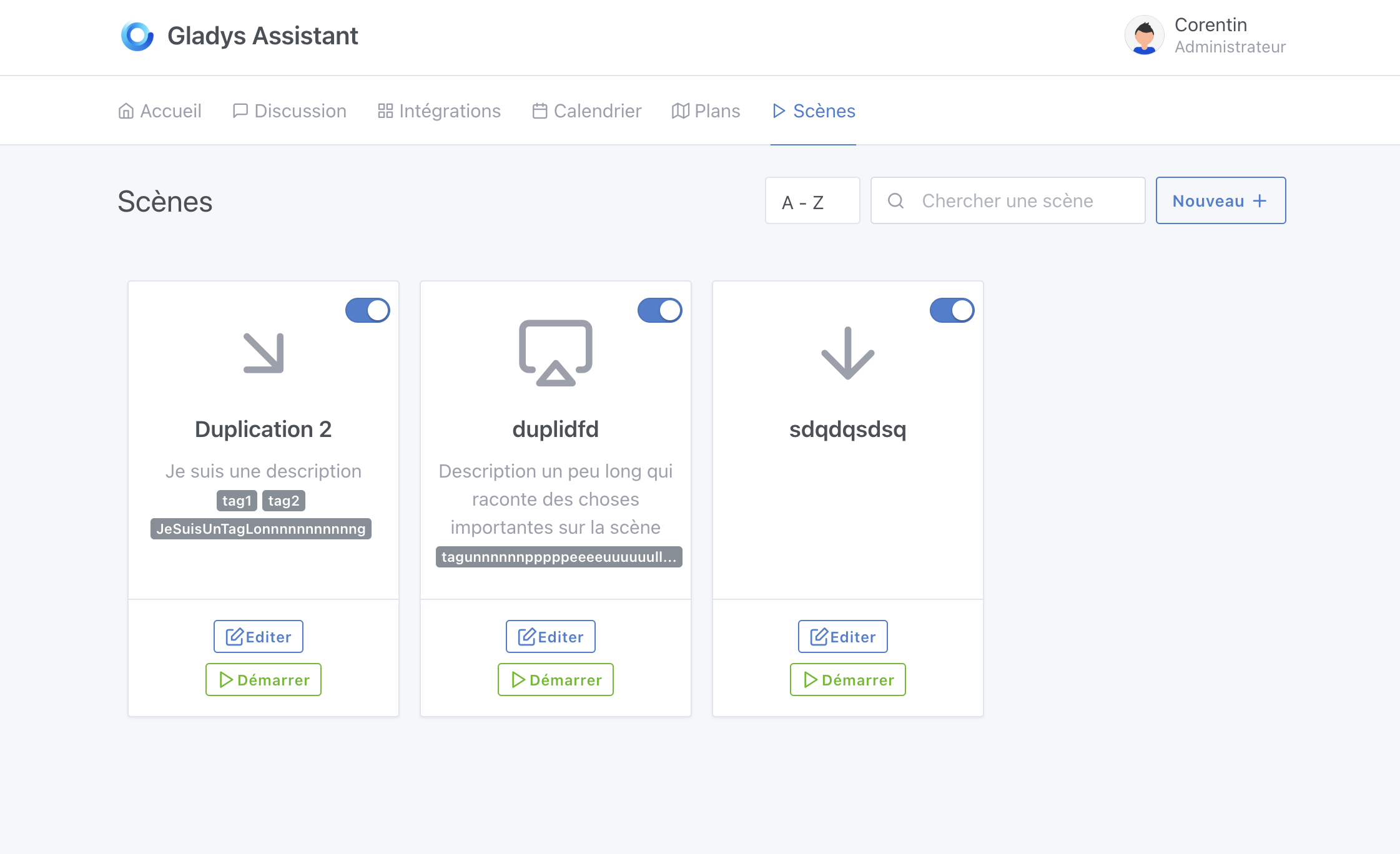
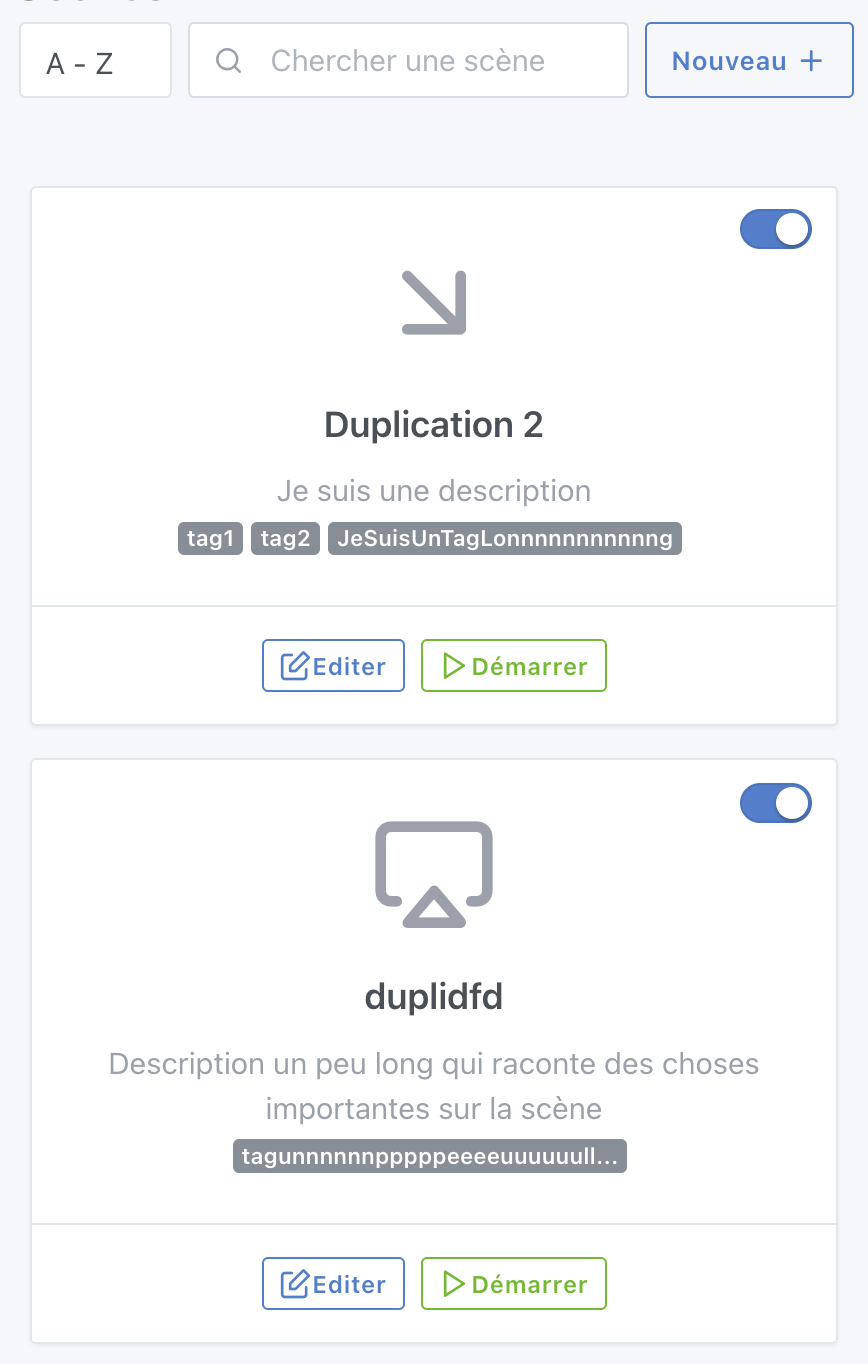
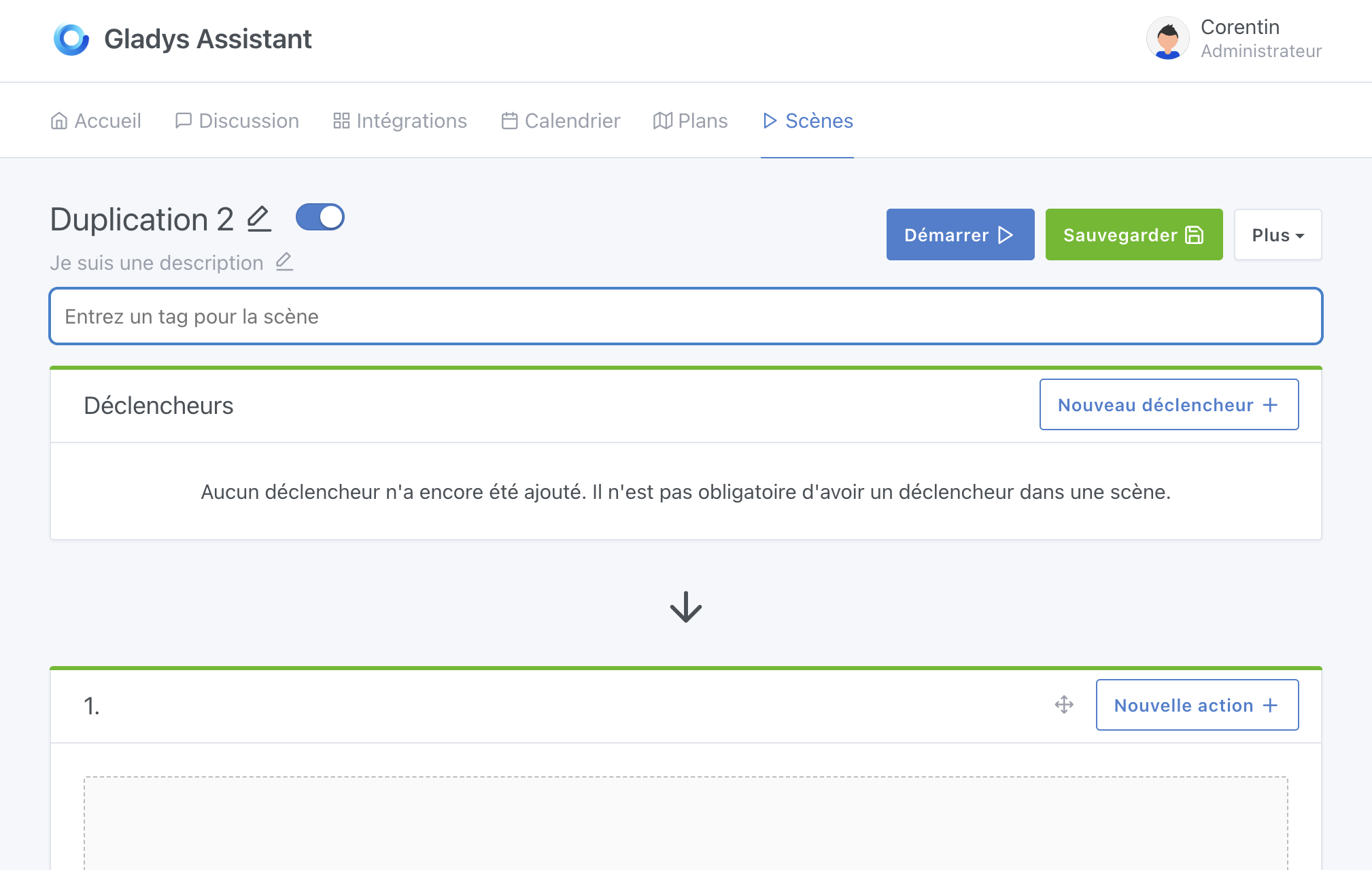
I did a small test by setting up a tagging system in the scenes.


I’ve modified the search to filter by tags and titles.

Does this meet your needs?

1 Like

I think it’s great; for me it meets the request.

Small aesthetic question: I think the tags should be aligned differently, not centered / or not in that spot on the boxes.

Great work on the development, functionally it’s nice but I think there’s a bit of design work to do :smiley:

Editing

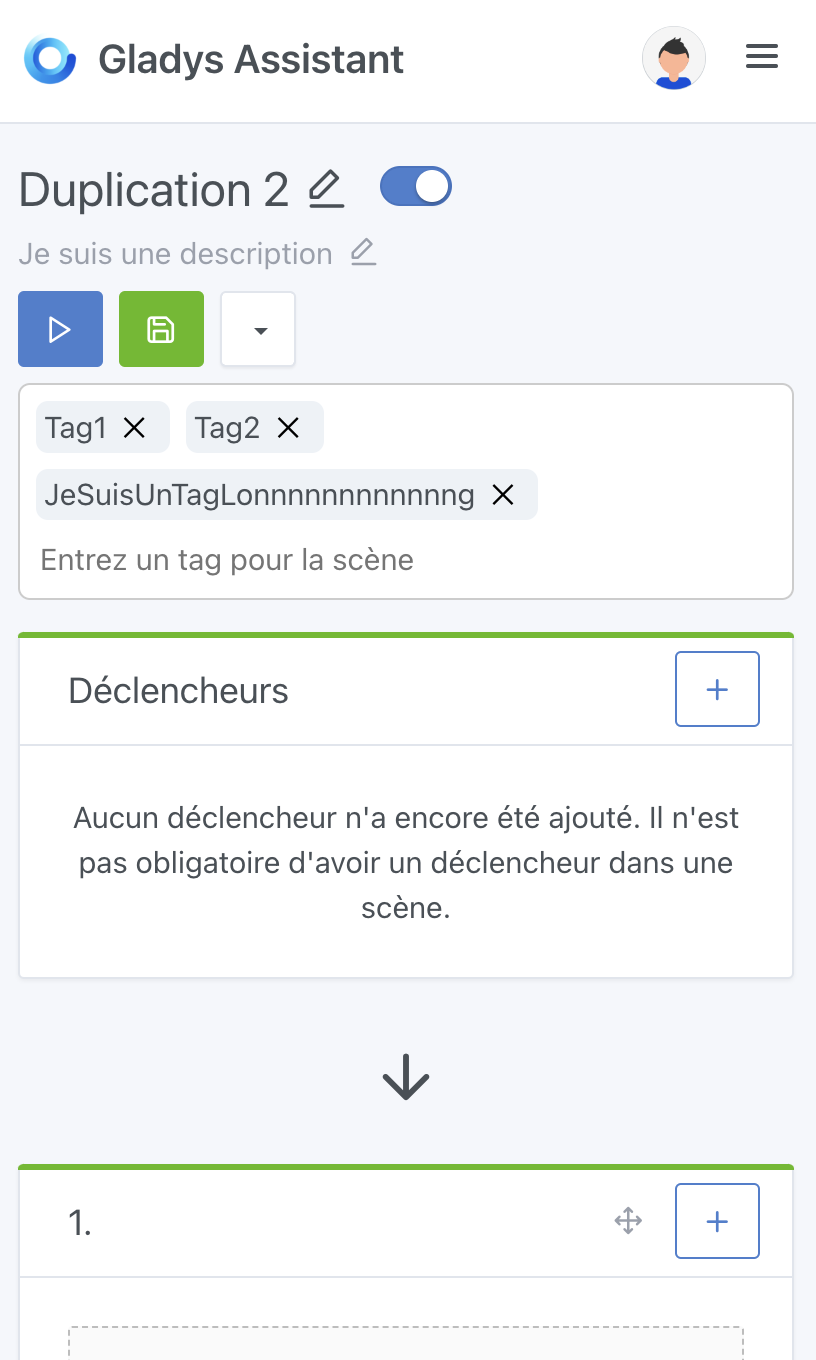
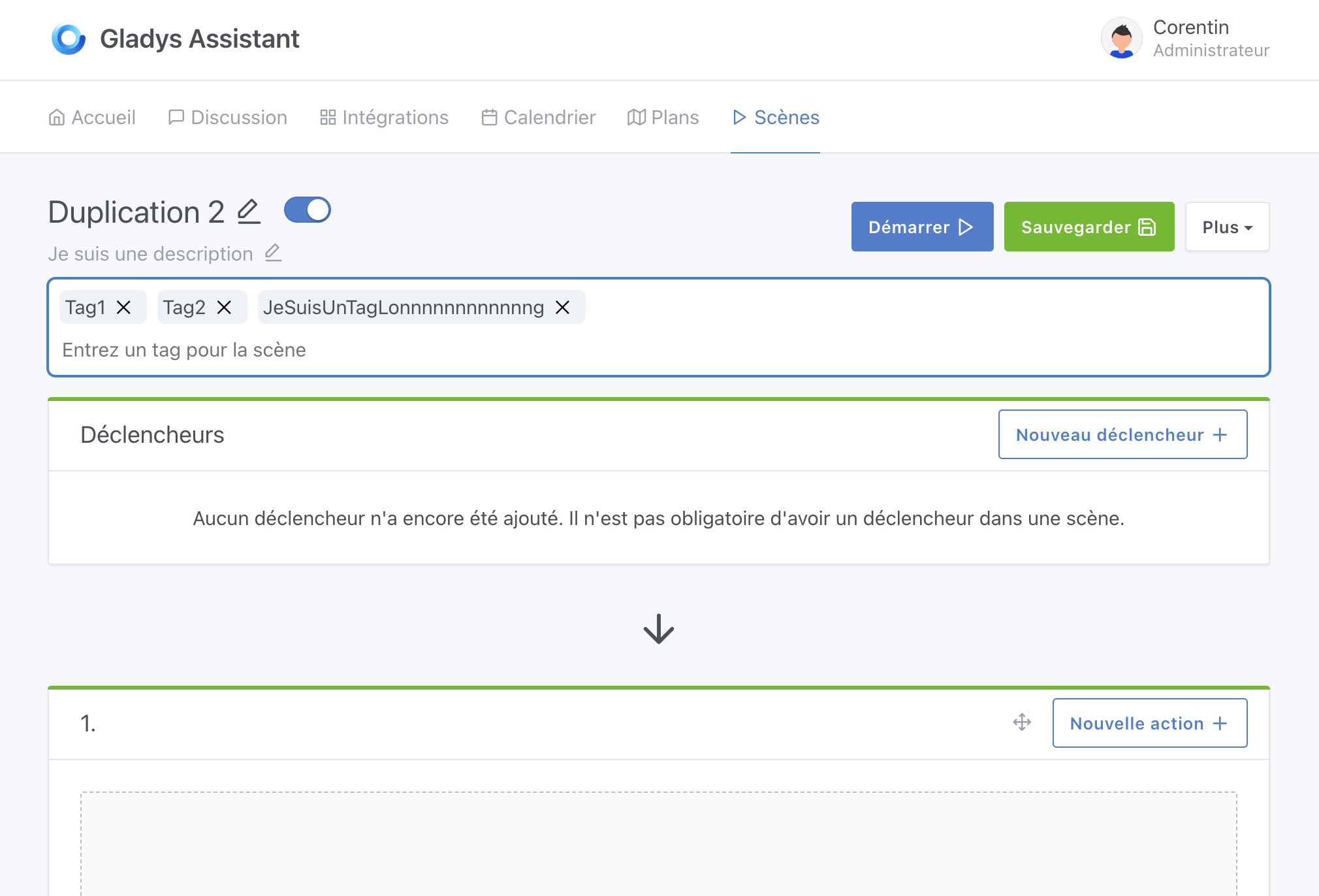
In terms of editing, it’s weird to have tags inside a looong textarea that takes 100% of the width of the screen

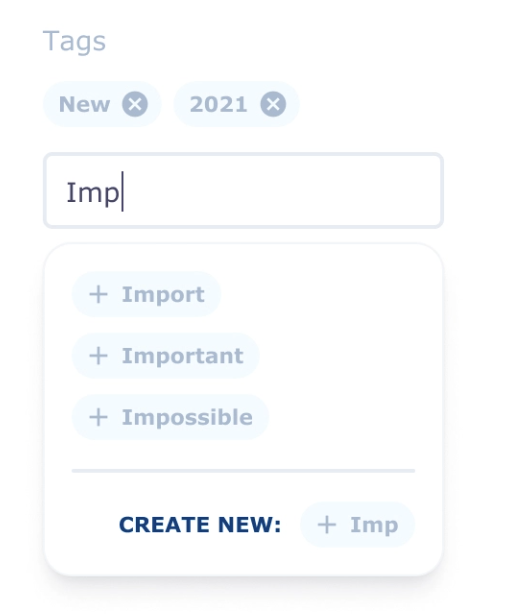
Maybe the tags could be displayed « normally » on a grey background, and there could be a small « + » button to add tags (and an « x » on each tag to remove it)

Something along these lines:

I think it’s important to see existing tags in order to be able to attach a scene to an already existing tag.

Filtering

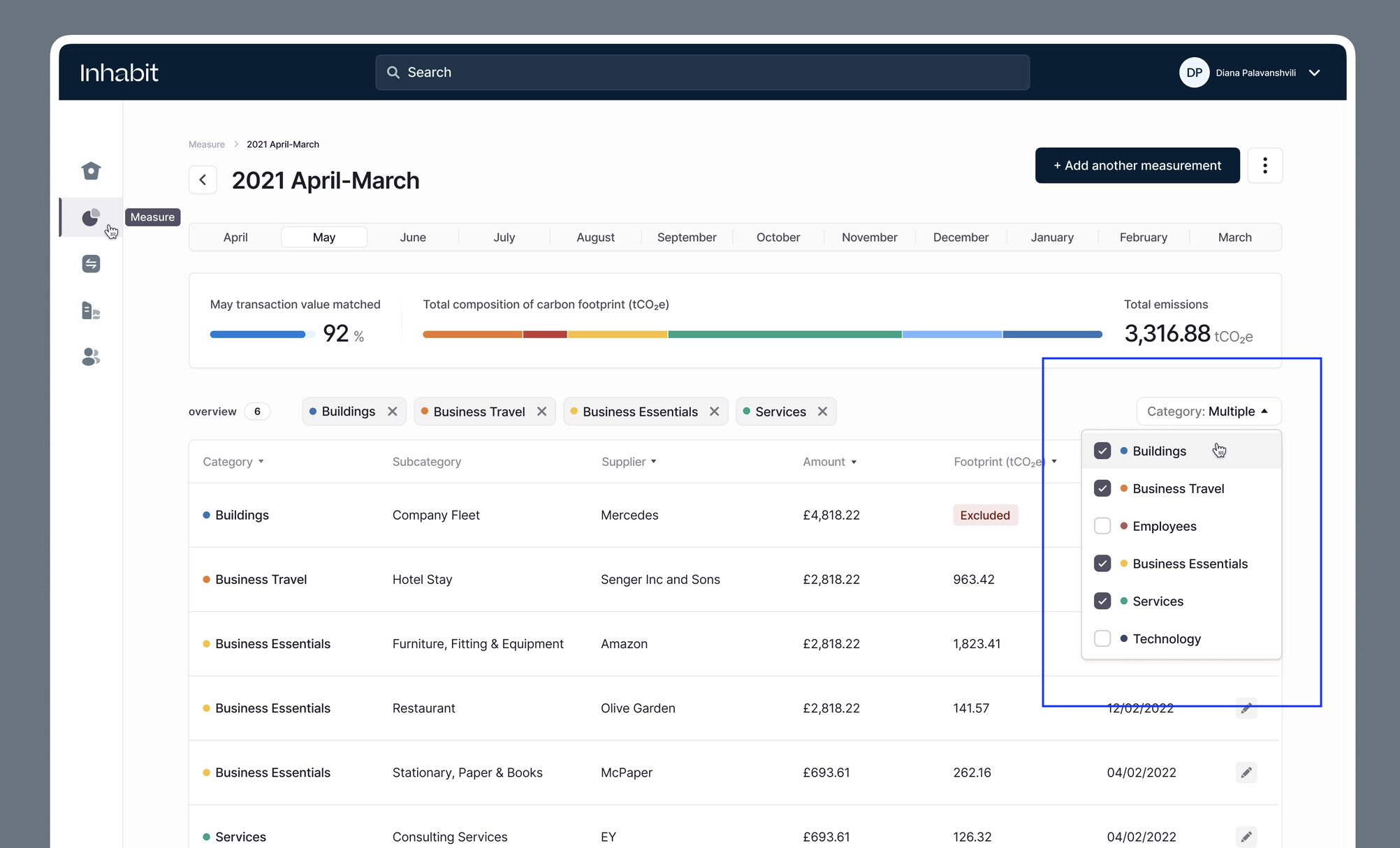
We should think about a tag-based filtering system, something like this:

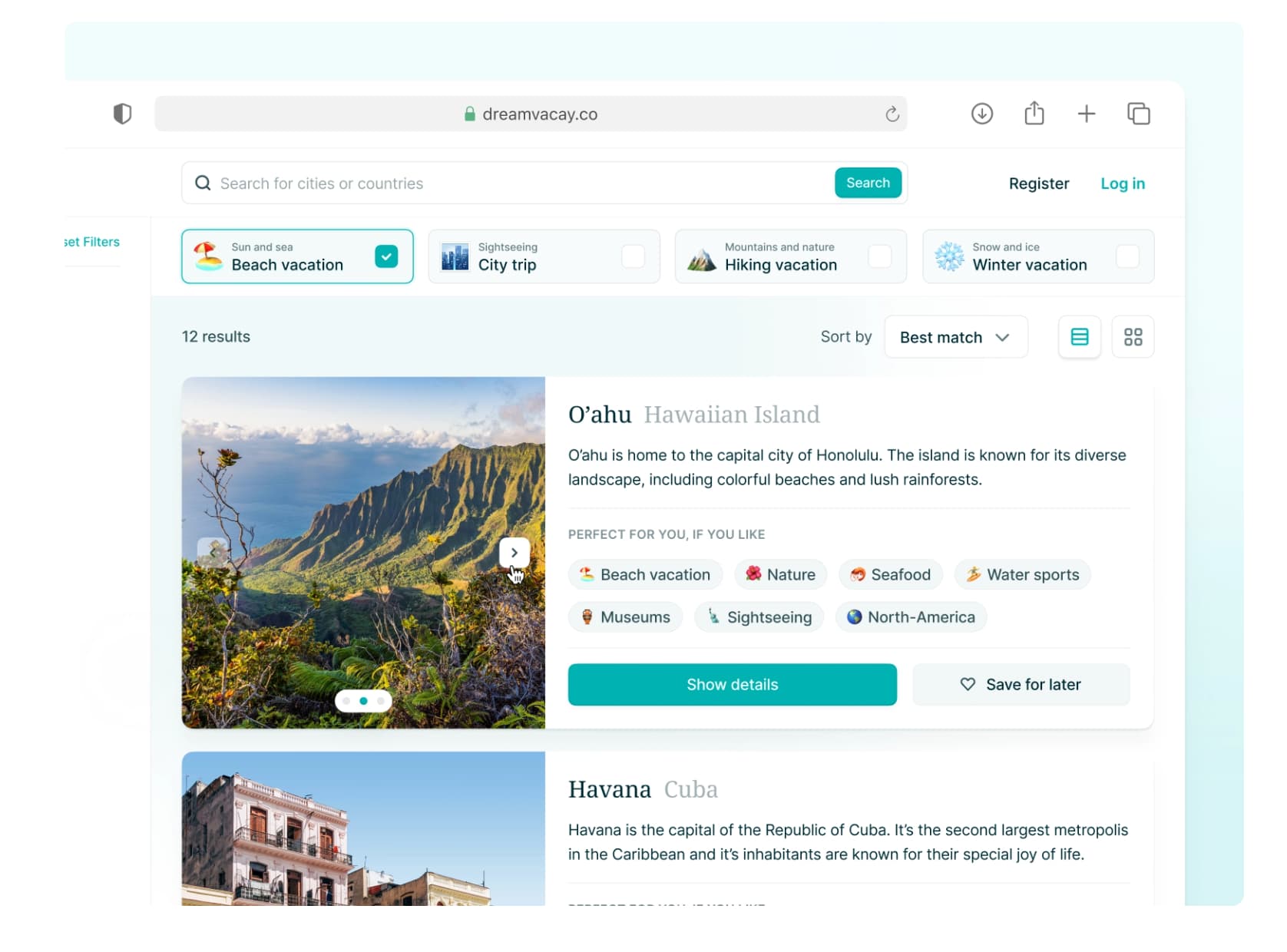
Regarding the cards, I think there’s some reorganization to do to make it more visual :slight_smile:

An example found on Dribbble:

(I don’t want to do that at all, it’s just to show an example :stuck_out_tongue: )

2 Likes

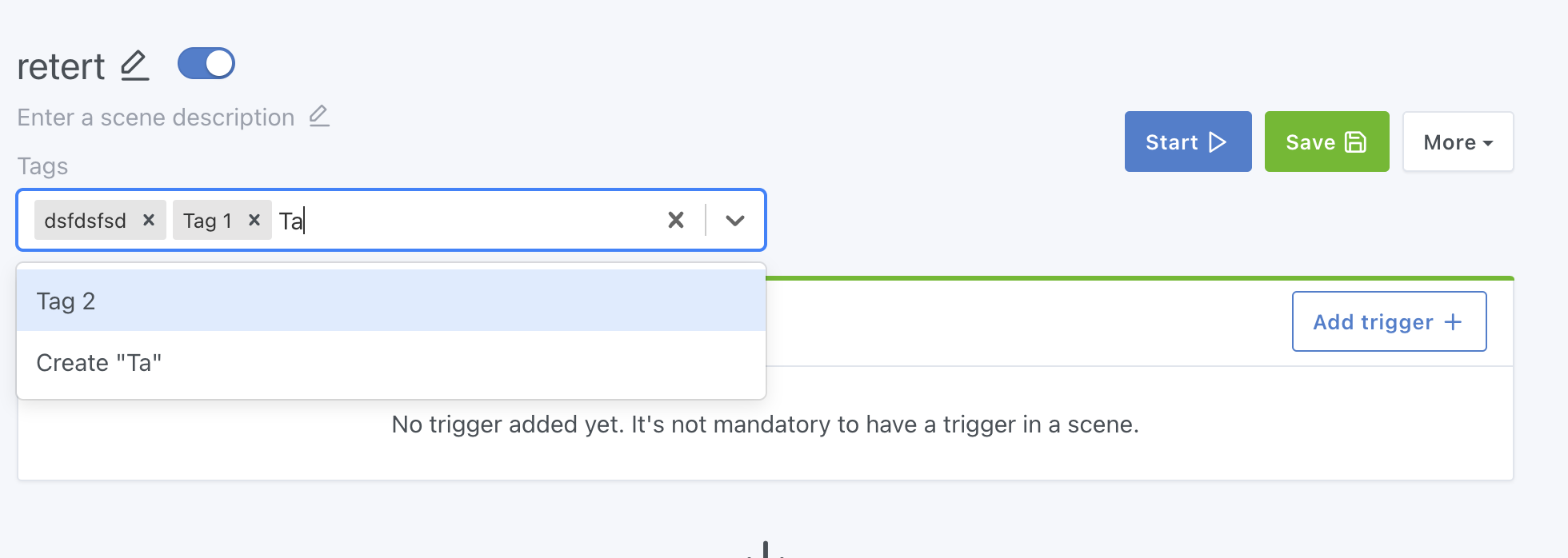
You’re right, I just used a lib « react-tag-input-component »

Ok I don’t see anything similar as a lib on the internet. I’ll probably create my own component. Should I try to make it as generic as possible so we can use it elsewhere?

Yes, now that you say it it’s obvious.
I think I’ll have to make changes in the models for that because for the moment I had gone with an array of strings in the devices. But to have access to all the tags of all the scenes I think I’ll have to create a « tags » table and a « device_tag » table. And therefore add new CRUD routes to manage the tags, what do you think?

Again, I think adding a « tags » table is important because that will avoid having to go through all the scenes to get all the tags.

Wouldn’t it be better to abandon the table view of scenes for just a list? Because we’re adding more and more things to the scenes display and we have less and less space.

That’s better, yes :slight_smile:

I imagine you mean « scenes » and not device

Indeed I prefer a relational approach, we’re rather relational on the project :slight_smile:

I see 2 options:

  1. Either as you described, a « t_tag » table, and « t_tag_scene »
  2. Or a single « t_tag_scene » table, making the relation between a scene and a tag (as text)
t_tag_scene:
- scene_id uuid
- name text

To find all available tags, simply do:

SELECT DISTINCT name FROM t_tag_scene

The option with the relation table is good if we ever wanted to really add additional options to the tags, but in our case here it might be overkill

I’d lean more towards option 2 personally, what do you think?

I don’t think so, we just need to rethink the display inside the card :slight_smile:

@pierre-gilles :
I’m making a small suggestion using the « react-select » lib that we already use in gladys.


But I’m not yet a fan of the result. What do you think?

Your solution is not bad, but it looks « odd » within the rest of the editing interface.

Just my two cents, personally I like it this way :slight_smile: it’s not intrusive, it’s easy to use, it gets the job done, I think

The relational table is surely a good idea; reading that I thought it could be useful to be able to work on the devices!! I’m thinking specifically of MQTT devices that are also used virtually. Being able to link virtual devices to physical devices via tags, for example group the virtual ones, etc!!

Not a fan either, functional but it looks a bit like a « big block » in the middle of the screen, it doesn’t really fit into the existing design

If you don’t have many ideas, what I usually do is see how other products handle it: open a few products you use that have this kind of tagging system, and see how they do it. There’s no point reinventing the wheel when designers from big companies have already worked on this for hours :wink:

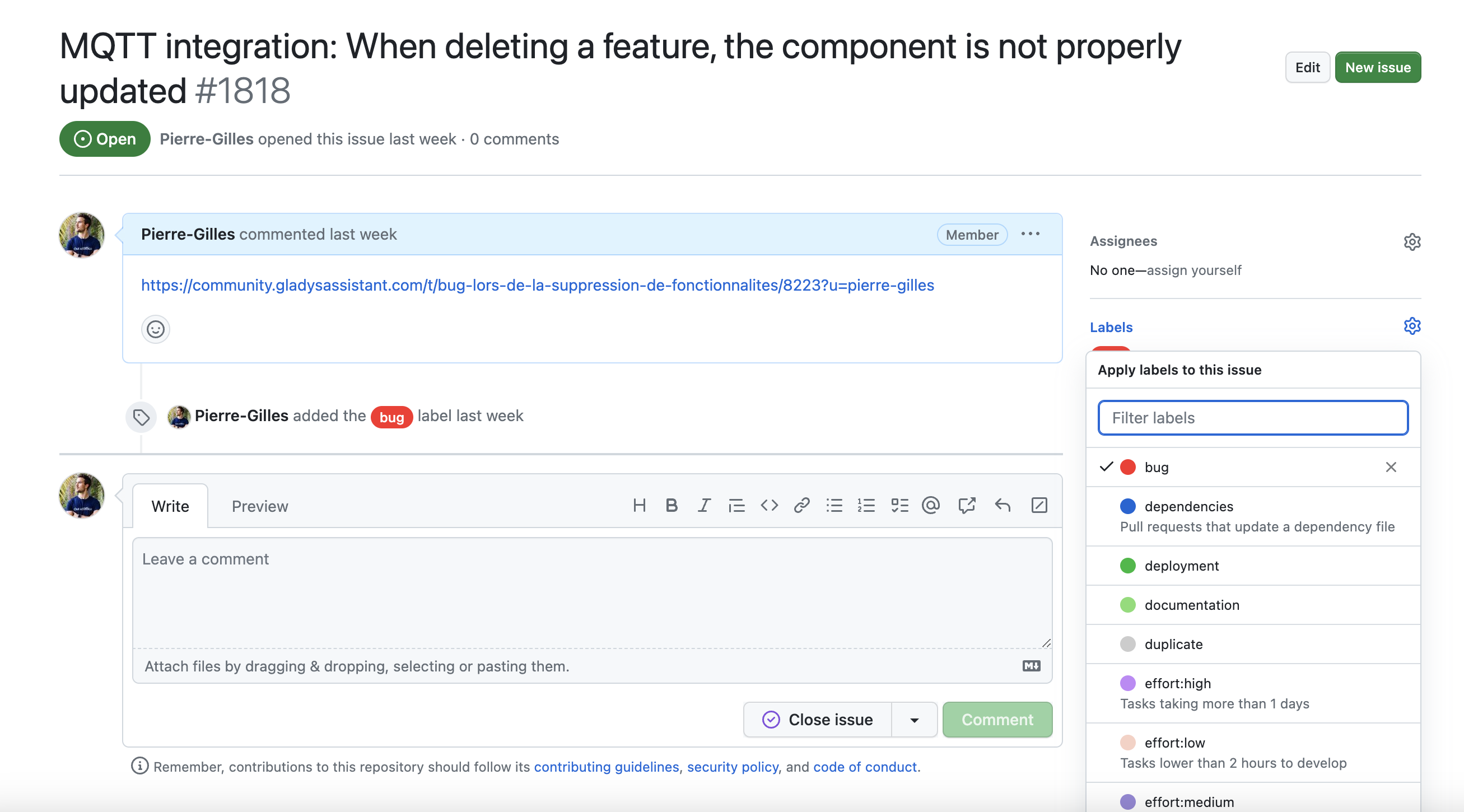
For example, GitHub has split their « issue » page into 2 parts:

With the editing on the right (tags, etc..)

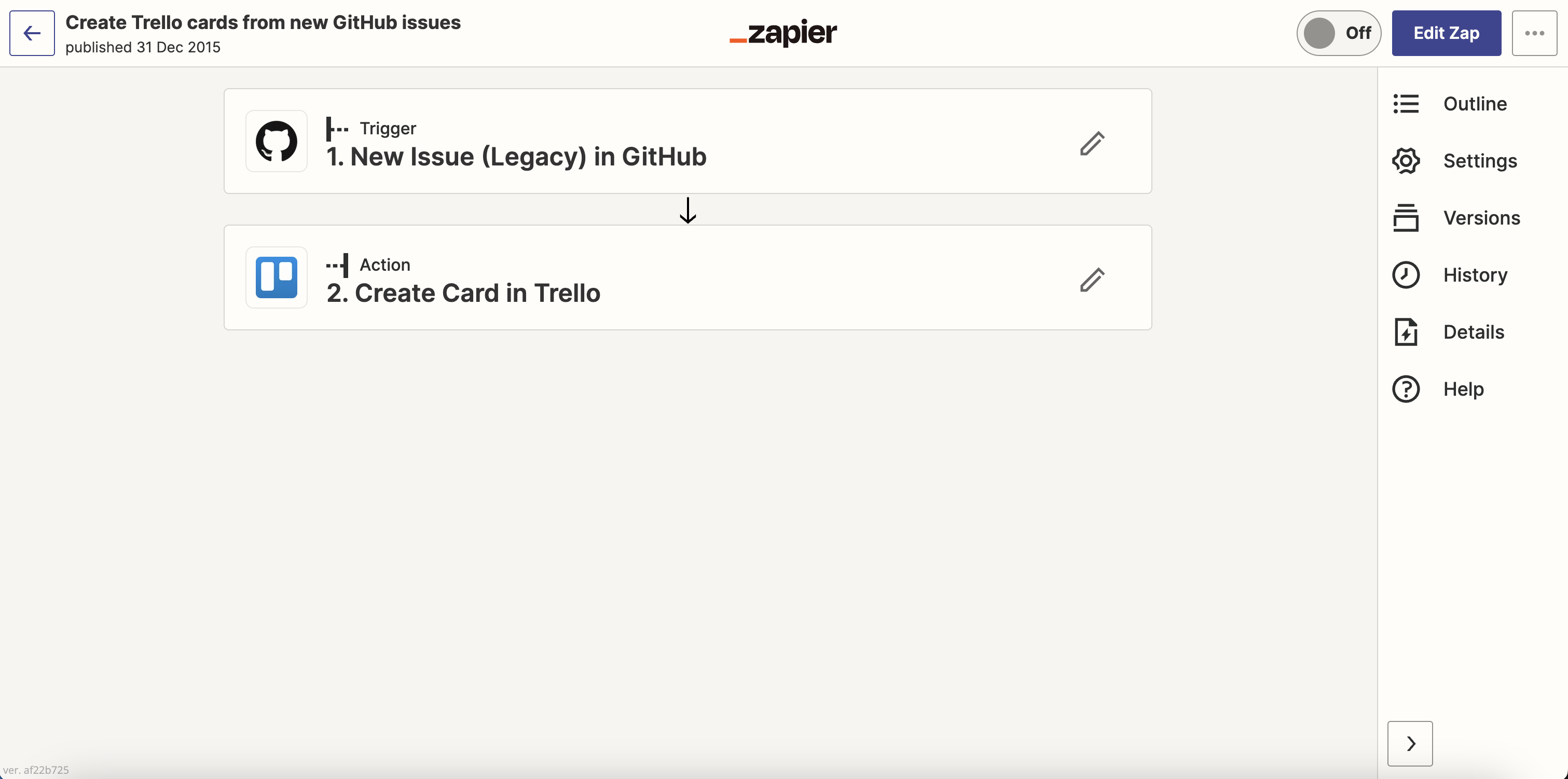
If you look at Zapier (which does the same thing as us: scenes), they have the same behavior as GitHub, a bar on the right:

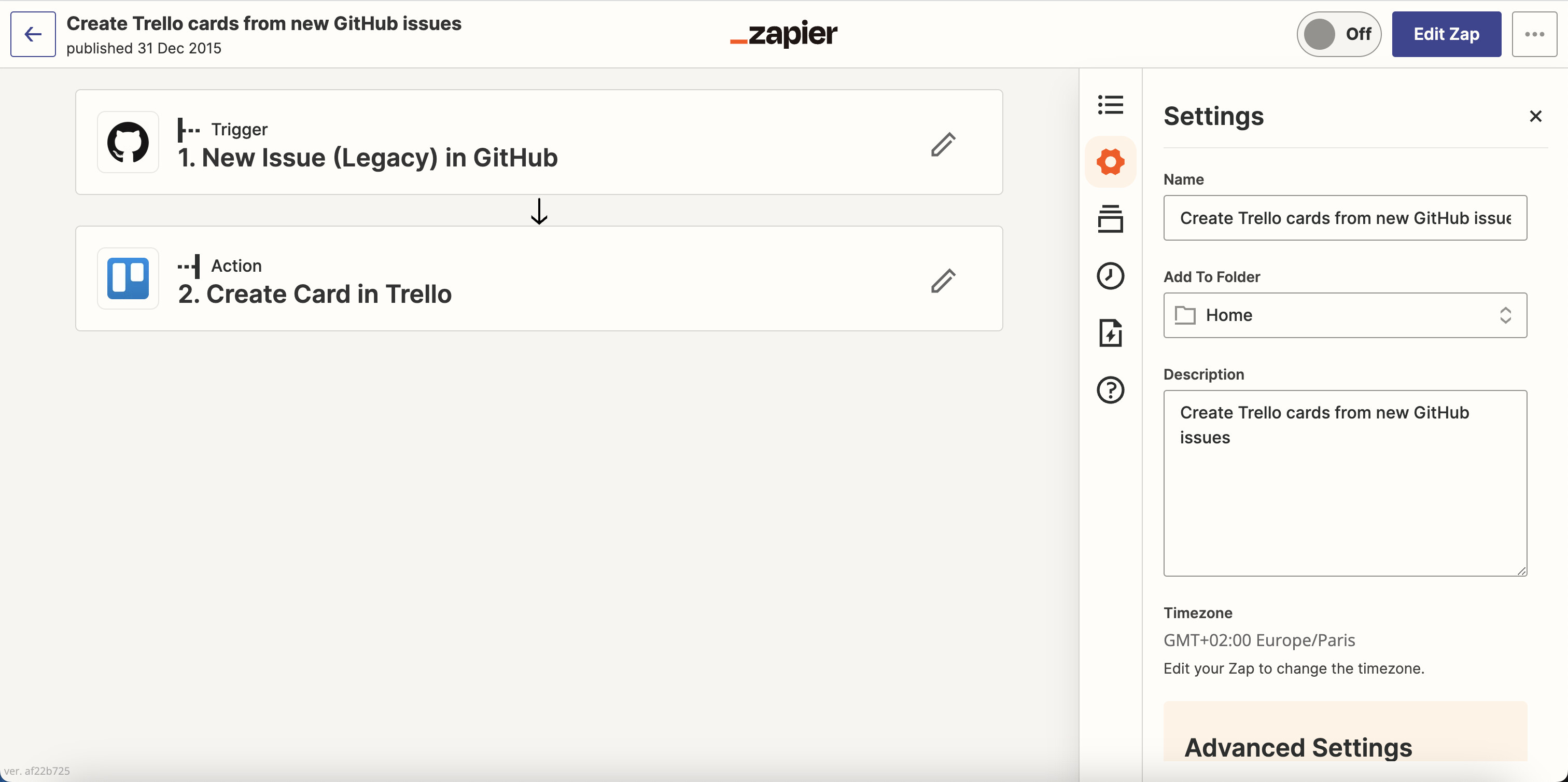
If you click on « Settings », it looks like this:

I’m not saying it’s the solution, but in my opinion it’s worth exploring! It would allow you to put your component « react-select » in a sidebar that would be « delimited » and wouldn’t take 100% of the width.

I have quite a few projects in mind for the scenes: viewing the execution history of the scenes, with what happened in each run, and that could fit in this sidebar :slight_smile:

What do you think?

One thing at a time, let’s stay focused here.

1 Like

Very promising!

This morning I was thinking that we could add filters to the scenes view.
For example: active / disabled / by type of triggers (selection of devices) / etc.

1 Like