Thanks @pierre-gilles for the support and for understanding what could make Gladys Plus unstable.
Origin of the problem
To explain to everyone in detail, I have a Sinopé connected thermostat (Sinopé TH1123ZB control via MQTT | Zigbee2MQTT), which seems to have a bug preventing it from sending me consumption values. So when the heating turns on, it always shows « 0 W » consumed instantaneously.
Since the heating period runs in 15-second intervals, I had to retrieve this value very frequently to avoid missing a cycle.
Workaround with a scene (cause of the problem with Gladys Plus)
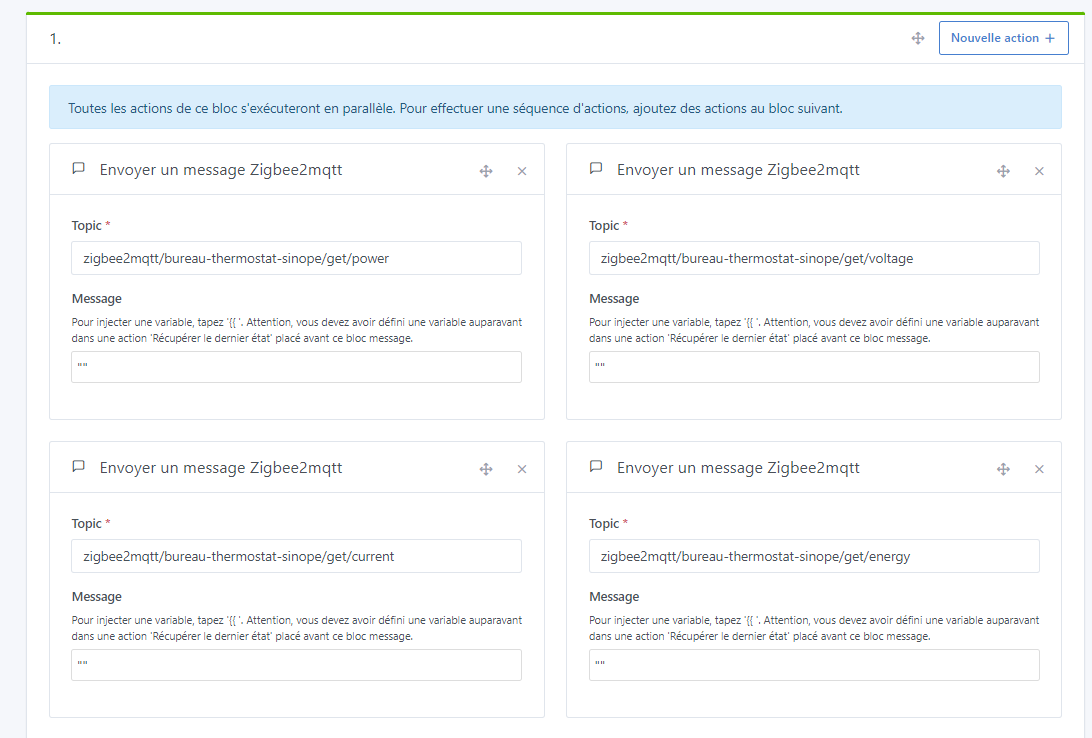
I had created a scene like the following image, but applied to 3 thermostats (only one is shown there). This scene ran every 5 seconds.
Gladys running locally didn’t complain, it ran fine without instability and without using too much CPU. But when I used Gladys Plus, it was another story — I sometimes experienced delays of up to 30 seconds to command a plug!!
Final solution
To force my thermostats to resend their up-to-date data regularly, without asking Gladys to do the work (since it causes side effects), I did the same thing but directly with Zigbee2MQTT.
Extensions
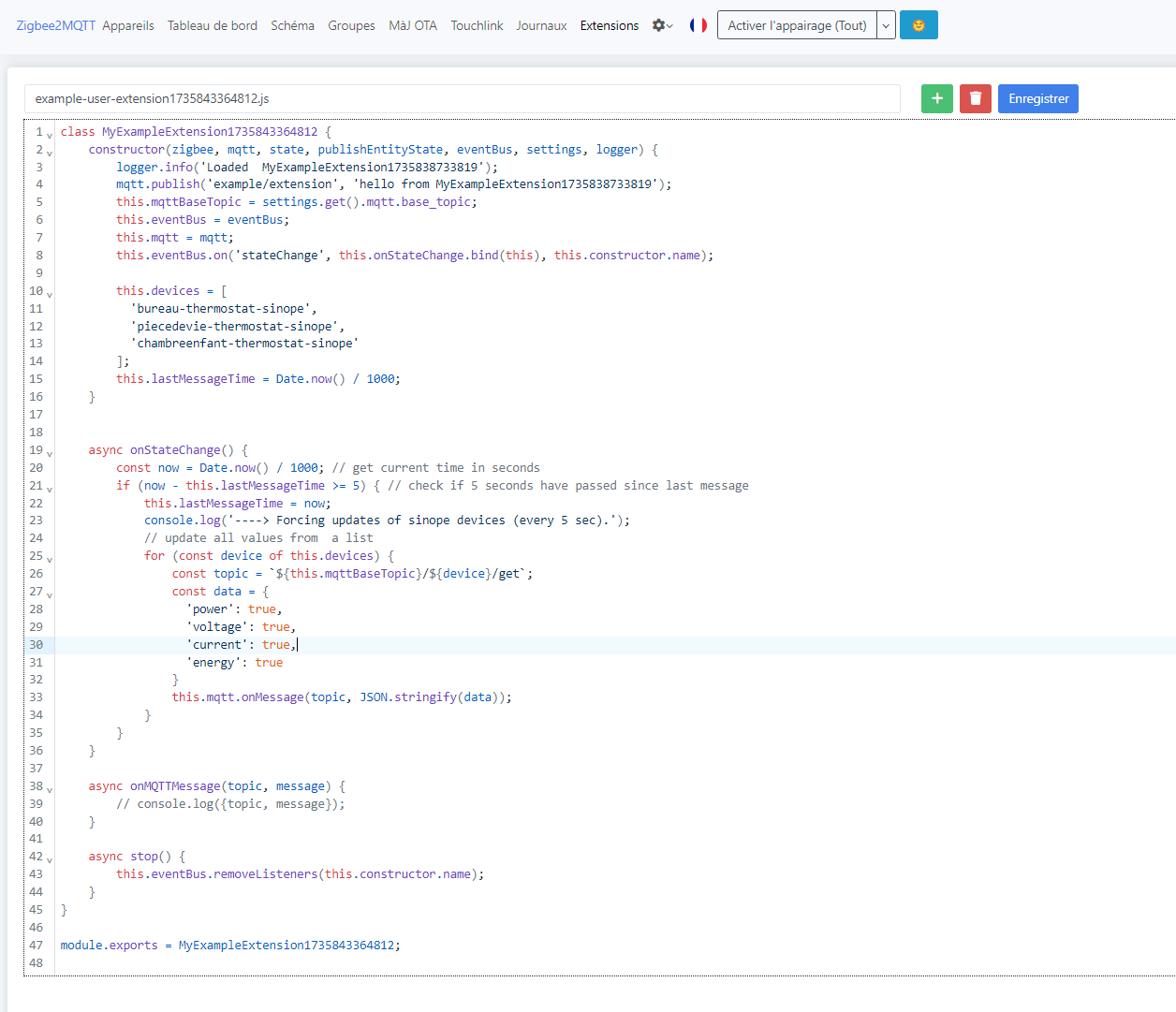
Zigbee2MQTT offers an extensions system, allowing you to add features. You need to write JavaScript code that will be executed on different events.
In my case, I made it so that every 5 seconds, my three thermostats are forced to be updated for their power consumption values.
Result: no more slowdowns on Gladys and I now get my data regularly.
Here is the code as text:
class ForceUpdateSinopeExtension{
    constructor(zigbee, mqtt, state, publishEntityState, eventBus, settings, logger) {
        logger.info('Loaded  ForceUpdateSinopeExtension');
        this.mqttBaseTopic = settings.get().mqtt.base_topic;
        this.eventBus = eventBus;
        this.mqtt = mqtt;
        this.eventBus.on('stateChange', this.onStateChange.bind(this), this.constructor.name);

        // List of devices to update
        this.devices = [
          'bureau-thermostat-sinope',
          'piecedevie-thermostat-sinope',
          'chambreenfant-thermostat-sinope'
        ];
        this.lastMessageTime = Date.now() / 1000;
    }


    async onStateChange() {
        const now = Date.now() / 1000; // get current time in seconds
        if (now - this.lastMessageTime >= 5) { // check if 5 seconds have passed since last message
            this.lastMessageTime = now;
            console.log('----> Forcing updates of sinope devices (every 5 sec).');
            // update all values from  a list
            for (const device of this.devices) {
                const topic = `${this.mqttBaseTopic}/${device}/get`;
                const data = {
                  'power': true,
                  'voltage': true,
                  'current': true,
                  'energy': true
                }
                this.mqtt.onMessage(topic, JSON.stringify(data));
            }
        }
    }

    async onMQTTMessage(topic, message) {
        // console.log({topic, message});
    }

    async stop() {
        this.eventBus.removeListeners(this.constructor.name);
    }
}

module.exports = ForceUpdateSinopeExtension;
 You are the first Canadian user (woohoo!), so there may be a bit of fine-tuning to do aha