Hi everyone,
I’m having an issue with my scenes and after banging my head against it I just noticed a strange behavior.
When I want to use a « control a device » block and I want to turn it off:
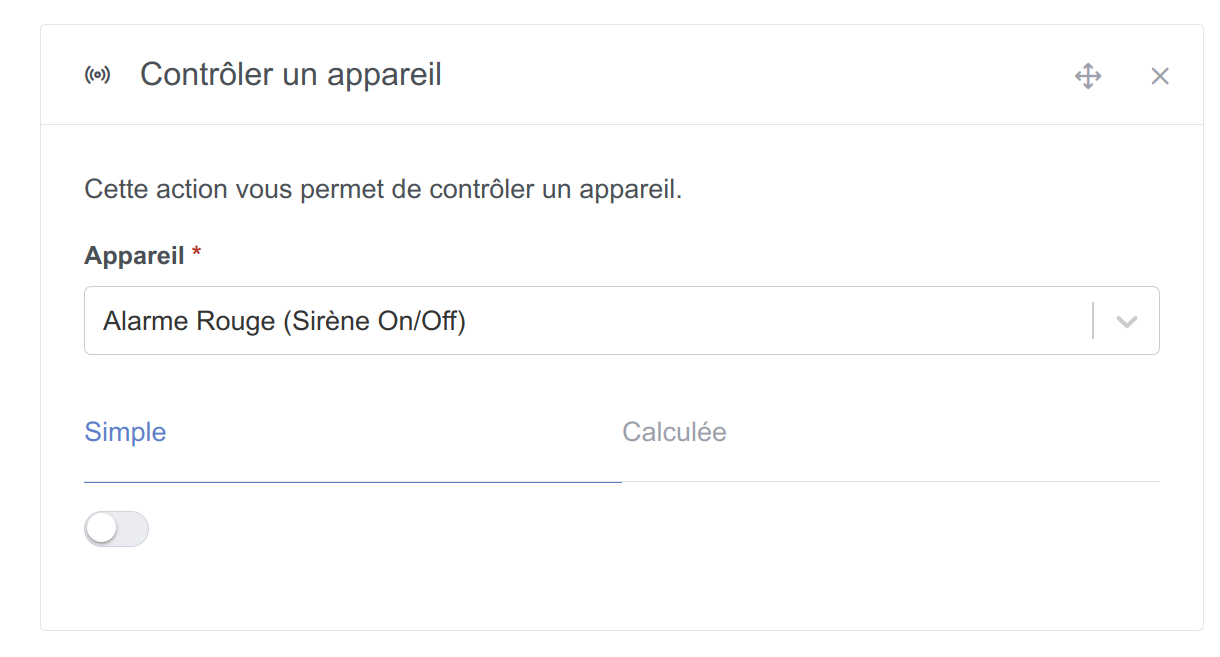
For the scene to run as expected, when I create my scene I have to click the toggle twice, first to set it to ON, then again to OFF.
If I don’t touch the toggle and leave it as it is (OFF) then my scene stops.
I noticed this by sending messages at each step of my scene.
I wonder if this has been the case since the introduction of variables in these blocks.
Anyone able to test this?
Details:
Computer running Ubuntu / Chromium browser

