Yes and no — for me it’s also the activation of the scene, the event.
My scene is: I request the activation of the alarm and the fact that all sensors are OK triggers the continuation towards the activation (or not, if a sensor is KO) of that alarm (that’s my logic, maybe it’s not correct).
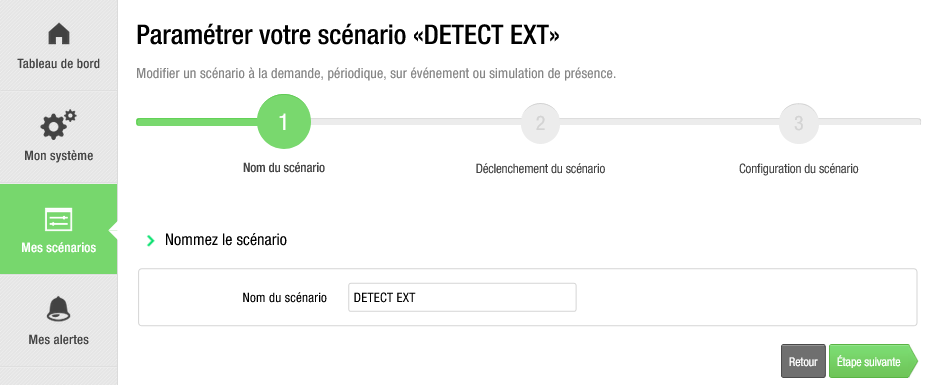
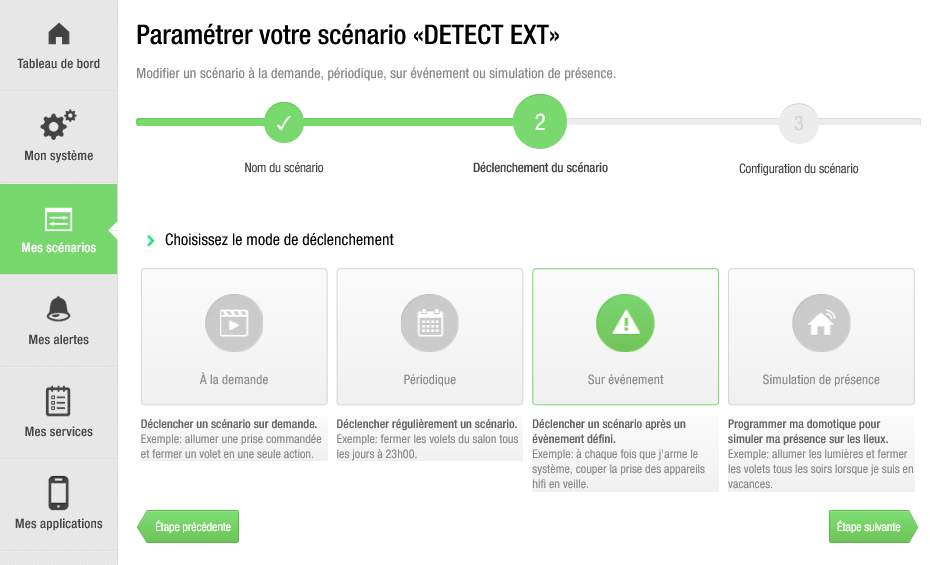
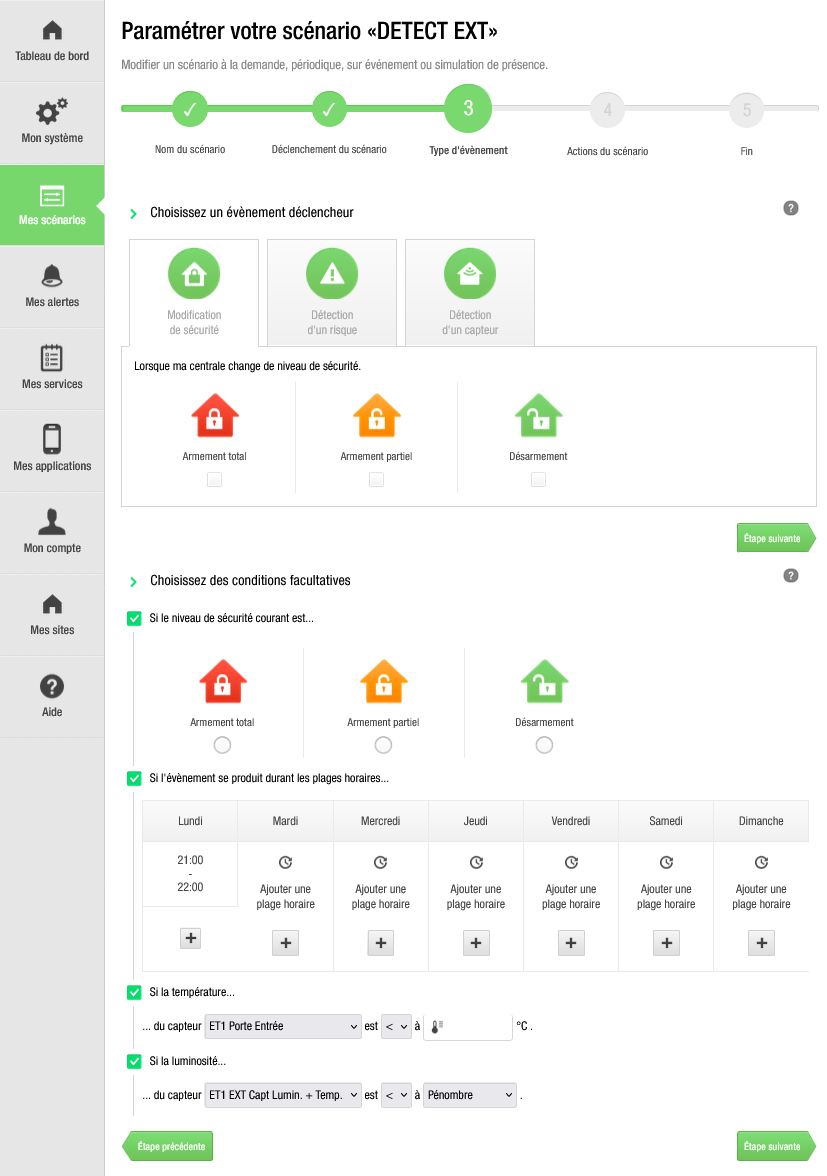
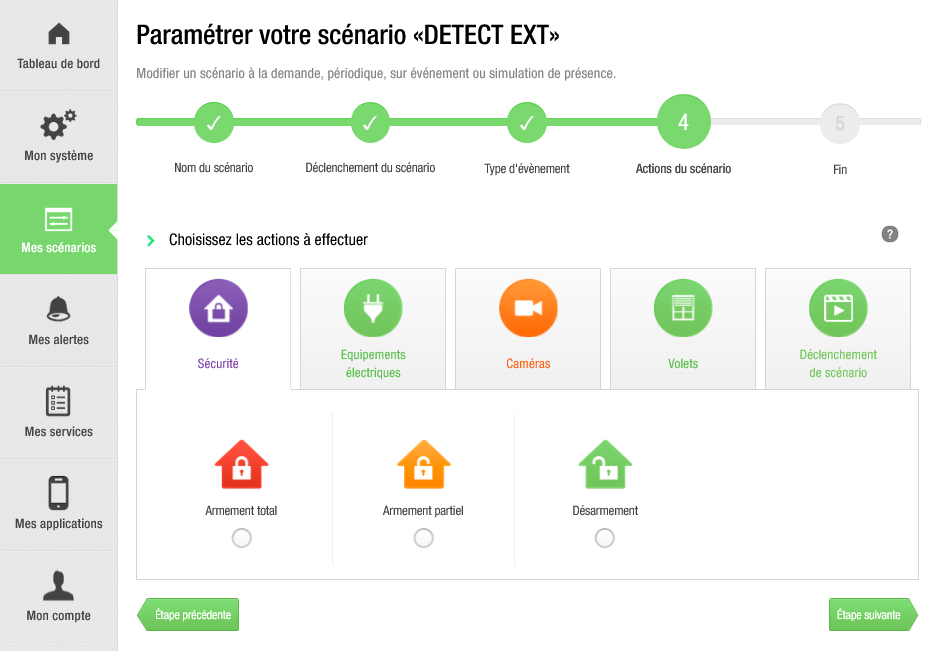
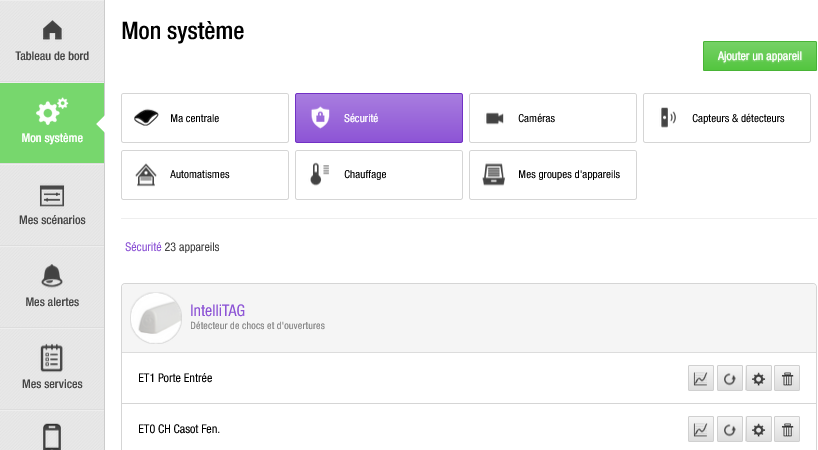
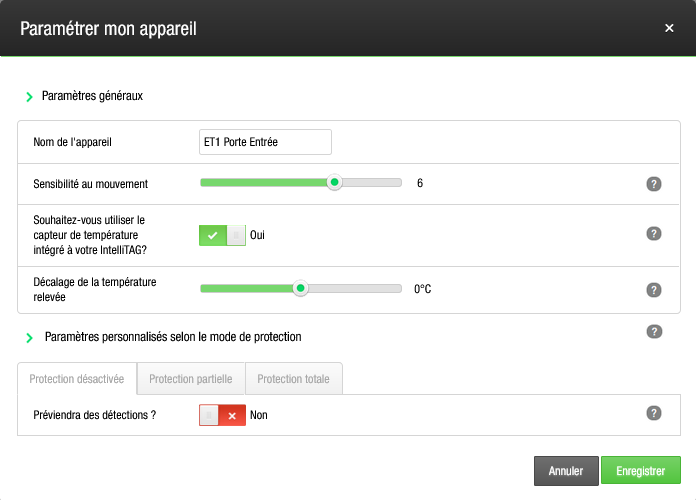
To give an overview of what I currently have with my Myfox HC2 control panel which was bought by Somfy but for which they no longer provide hardware, only maintain the website — so as my devices fail/will fail it’s over (problem notably with smoke detectors which must be replaced every 10 years) I therefore need to turn to another solution. I looked at the main solutions Domoticz, Jeedom, Home Assistant and I must say that by far Gladys is the simplest in terms of setup but for some needs it is also the least powerful because limited in that configuration. Finding the right balance between the two is certainly not the easiest task for developers but Gladys has the advantage of having development that, as much as possible, follows user requests.
To give an example of what I currently have
Nice, well-designed but closed system and since it dates from 2013 and is no longer maintained, it may soon be down either on the control panel side or the sensors’ side — hence my turn toward Gladys…
The advantage of Gladys is that it’s open at the code level (so adaptable), in terms of the technologies it supports (so future-proof), it’s not a bloated/overcomplicated system to use or configure, and the dev team tries to respond to user needs (even if sometimes the dialogue is not always simple because it’s long in writing and sometimes requires the same approach to understanding things: on one side the devs who know Gladys code so know what is possible and the complexity to do it, and on the other side the users who request changes and whose knowledge ranges from a novice discovering Gladys to a Gladys developer — changes sometimes justified and useful to Gladys with a time constraint sometimes impossible to meet technically, sometimes because the operating logic of Gladys is not properly understood, my case sometimes, but for me if it is not understood it can also perhaps put off a future user from adopting it).
There, I was long but hope I was clear (this time).
For me you can close this request, I thought it would simplify the programming of scenes (here in the case of an alarm) but maybe the request is poorly formulated.
Perhaps the ideal would have been to be able to create a virtual device that gathers all the sensors assigned to the alarm thereby simplifying scene creation… but I won’t make that request, rest assured!
PS: one of Gladys’s advantages is also the simplicity of remote control — just look how to do it with HA or Jeedom to be convinced.
It’s an asset not always highlighted, what Gladys can do simply that is much less easy for other solutions…
I think we’re having trouble understanding each other.
I thought the event (in fact the scene’s trigger) was leaving the house… so I ultimately don’t understand the rest.
At first you present adding a toggle to require ONE or ALL of the trigger criteria.
Except that among these criteria there is leaving the house (an event) and checking the state of an outlet (a state). It doesn’t make sense to put these two things in the DECLENCHEUR block.
Logically, leaving the house should trigger the checking of the outlets’ state. Adding the toggle cannot change the logical functioning of the scenes. Do you see what I mean?
yes actually it’s more in a block after the block (the user leaves the house) at most it would be useful to simplify the programming of scenes, in my mind it was
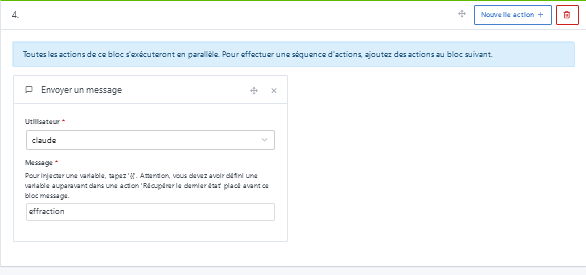
IF (the user leaves the house AND all the present sensors are ok)
THEN ('the alarm activates)
ELSE (send a message to warn)
Currently ELSE doesn’t exist
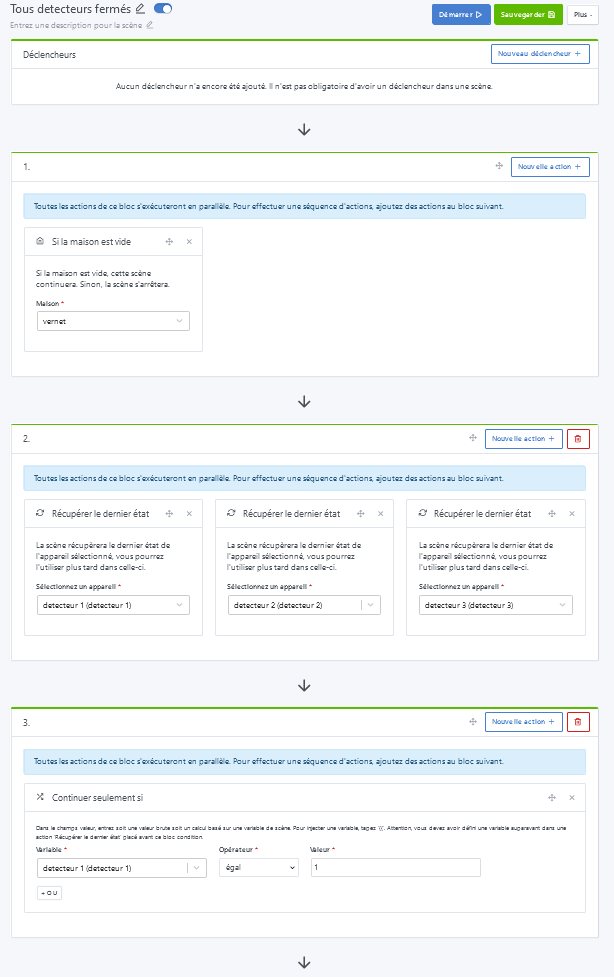
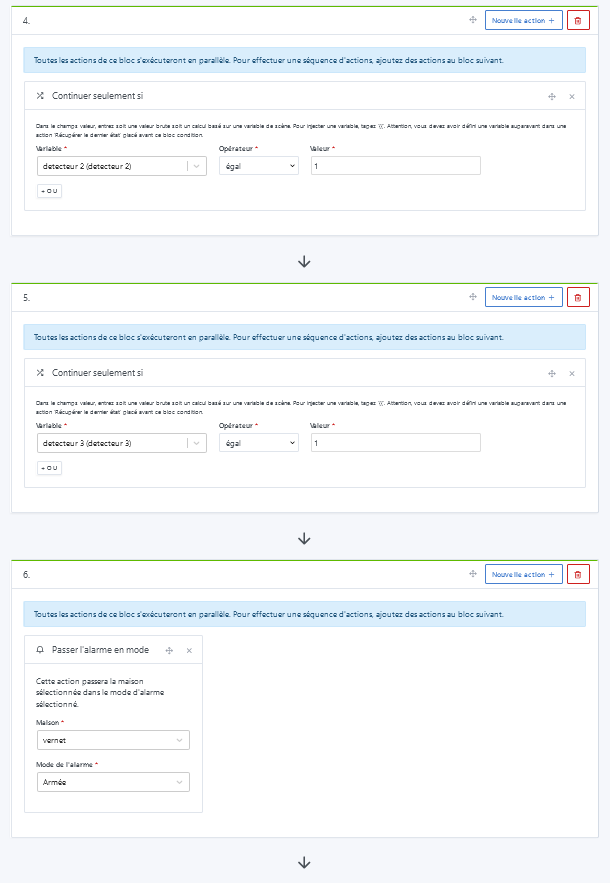
IF (the user leaves the house)
THEN (retrieve sensor 1 state)
CONTINUE IF (sensor 1 is ok)
THEN (set the alarm to « armed » mode)
IF (alarm and mode disarmed) 'following failure
THEN (send a message)
the part
THEN (retrieve sensor 1 state)
CONTINUE IF (sensor 1 is ok)
being dependent on the possible number of sensors it must be repeated as many times, it can become tedious…and a source of errors!
As I told @pierre-gilles, the ideal would be to be able to create a virtual device in the MQTT integration to group the state of the sensors necessary for alarm management and use it in a scene it would become
IF (the user leaves the house)
THEN (retrieve virtual state)
CONTINUE IF (virtual is ok)
THEN (set the alarm to « armed » mode)
IF (alarm and mode disarmed) 'following failure
THEN (send a message)
and in my mind this would become
IF (the user leaves the house AND virtual ok)
THEN ('the alarm activates)
ELSE (send a message to warn)
Ok I think I understand your request, even though there remain a few points that bother me in your logic
In the end we get a bit lost because in this thread you express 2 distinct requests.
Your request No.1 :
Create a virtual device that groups the features of several physical devices, so that there is only one left to test within your scene. (maybe this ties into the notion of a « super device » I had already mentioned here > Créer un super device virtuel (which was a brain fail for me ^^)
Request No.2 :
Change the way a scene works > the famous toggle ONE <<>> ALL which cannot make sense insofar as, even if I understand your logic, Gladys must process information one after the other to move forward logically. In other words, a sensor’s state cannot be a trigger. Only the change of state of it can be a triggering event.
So your logic which is:
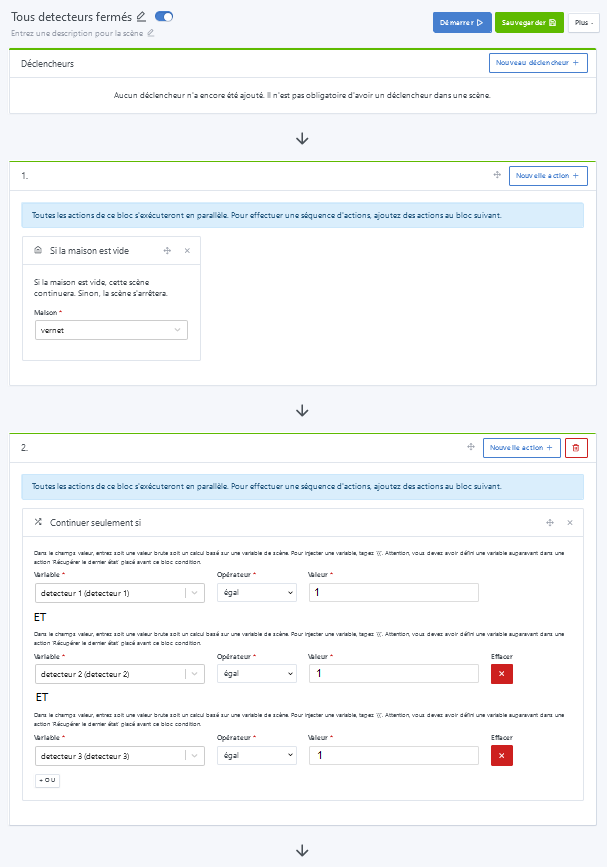
for the scene to execute, meaning for the alarm (total in this case) to activate, it requires « user absent » AND « all total-alarm sensors OK »
We can turn it around any which way, it cannot take this form in Gladys (nor elsewhere I think).
that we reuse in other scenes.
there we have
Event (user leaves) CONDITIONS (user absent + sensor ok) => ACTION (arm the alarm)
This allows scenes that are triggered by an event and scenes that are triggered on demand like above (but whose execution will depend on conditions) but I hadn’t noticed that it was possible
it was a suggestion made afterwards since my request seemed impossible but it’s exactly the idea (it would be interesting to have this possibility in the MQTT integration to create a device that would reflect the state of several others)
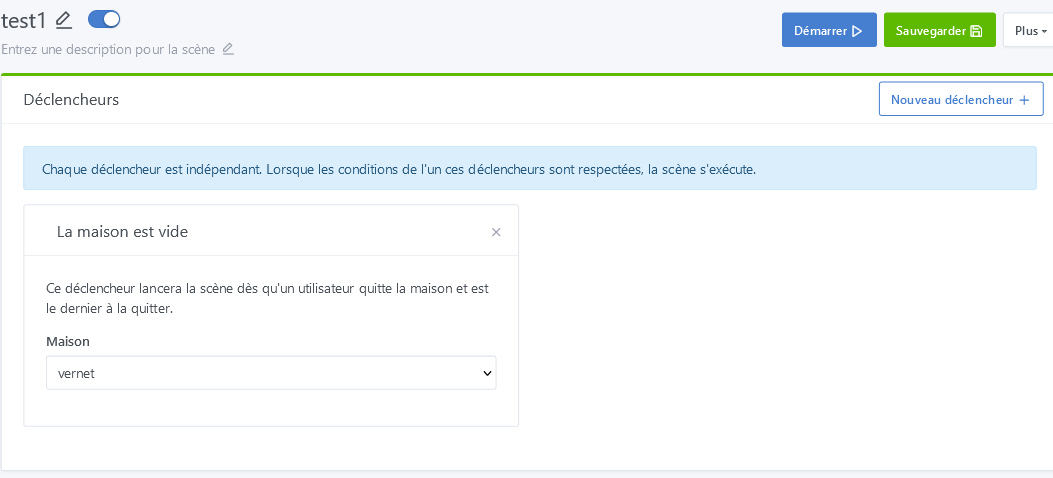
Well yes, here we are indeed dealing with a state, not an event… Besides, I find that « Events » would have been more appropriate or clearer than « Triggers »
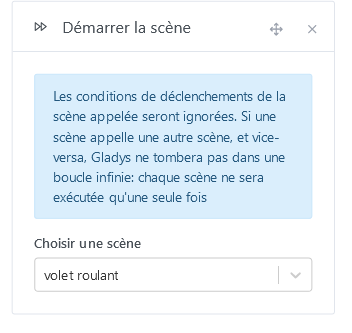
In fact, logic would dictate, since scenes can trigger other scenes while ignoring the triggers section, that this be done in part 2
with the possibility of having AND in addition to OR and there, it fits exactly what I wanted to do and would be the simplest way to do it… I don’t even dare ask for additional features anymore
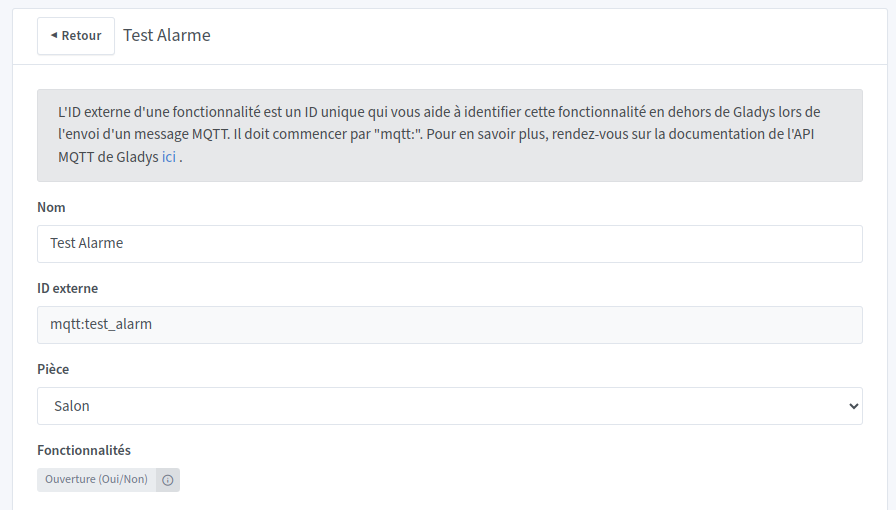
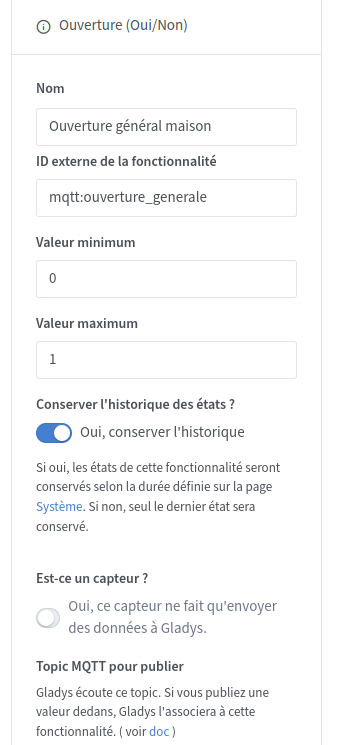
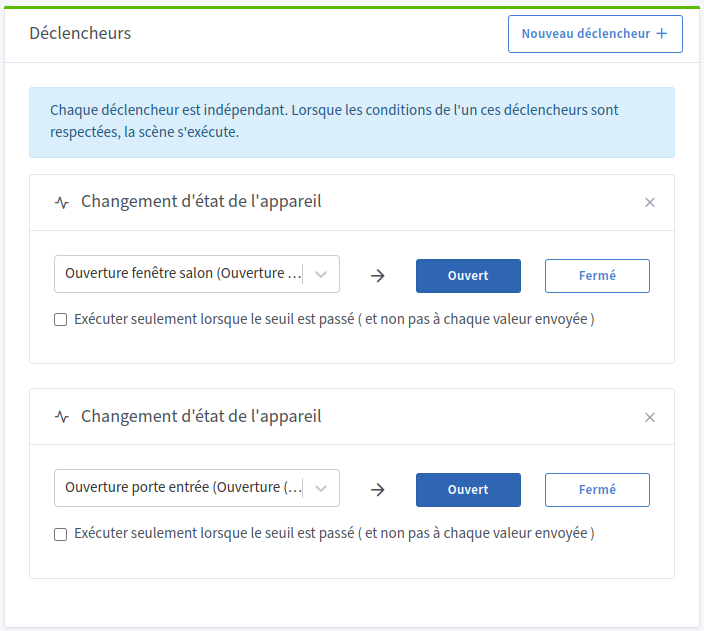
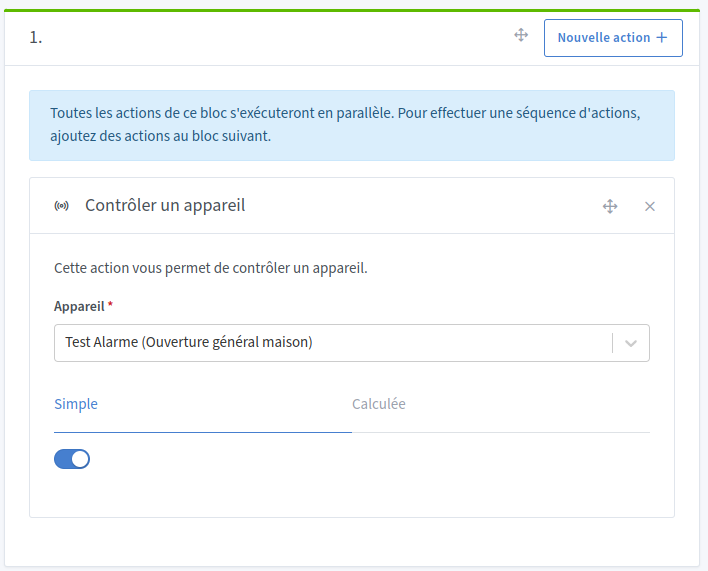
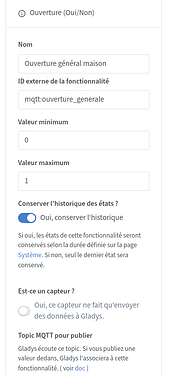
Next you need to create 2 scenes to control the MQTT device
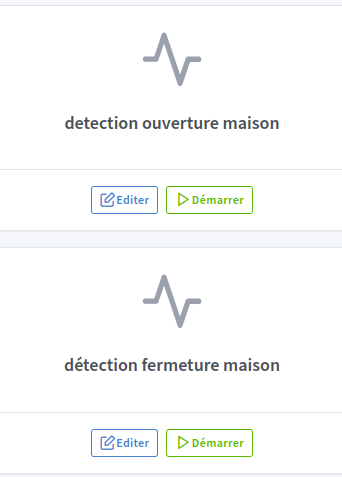
One opening detection scene that will detect the state change of an opening sensor for example. In this case we will set the MQTT device to value 1.
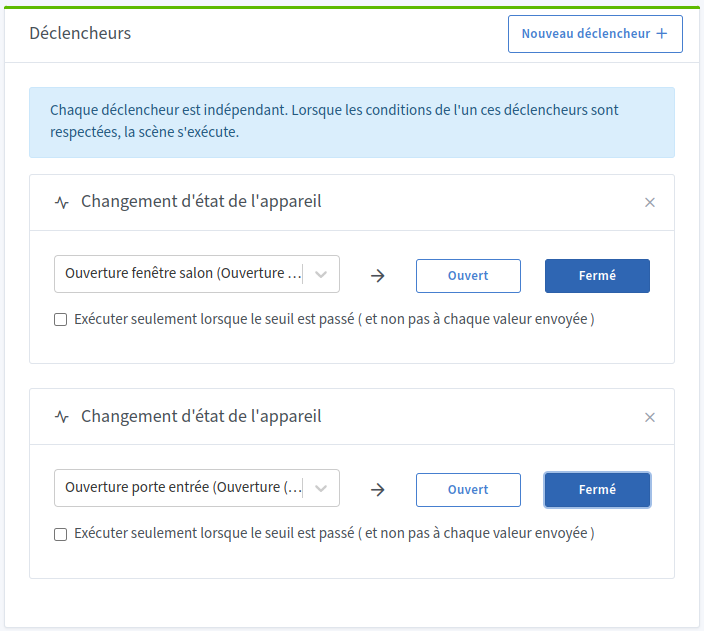
The second scene will detect the state change of a sensor and thus we will set the MQTT device to 0.
You can invert the MQTT device values if you want. This is only an example.
ATTENTION: Here I have a bug on the state change trigger. I will put here the real way to do it but it will not work because of the bug. For it to work you will need to invert the open / closed choice.
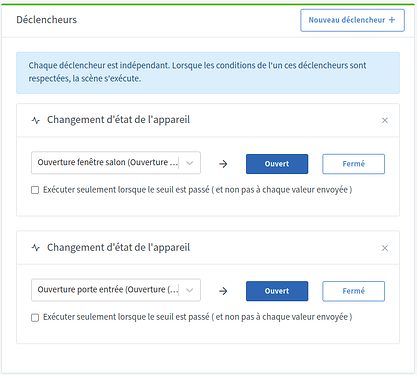
Here put in the triggers all the sensors you want to test. So if one of the sensors goes to the open state then that means your house is open. For the example I only put 2 sensors.
ATTENTION: Here I have a bug on the state change trigger. I will put here the real way to do it but it will not work because of the bug. For it to work you will need to invert the open / closed choice.
Here put in the triggers all the sensors you want to test. Thus the scene will be executed each time Gladys receives a closed state from one of the sensors. For the example I only put 2 sensors.
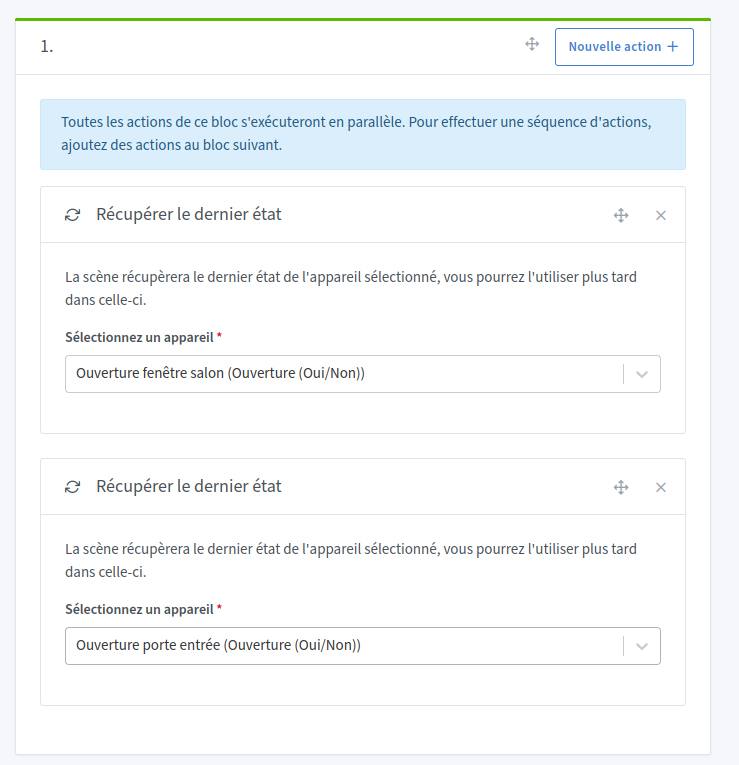
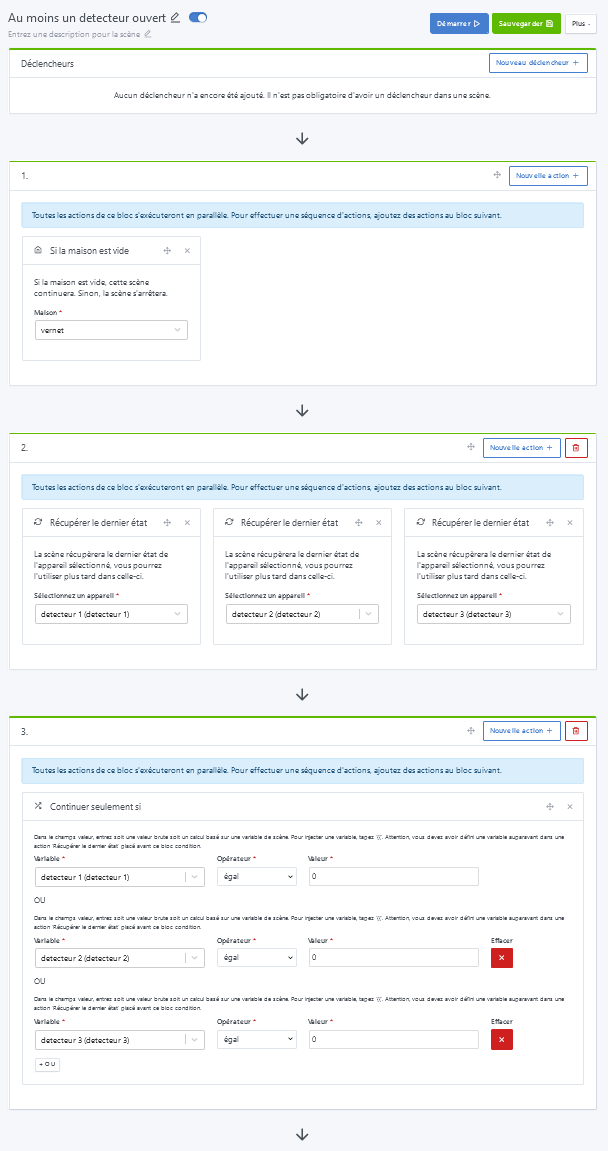
In a first action block we will retrieve the state of all sensors.
Unlike the opening scene, here all sensors must be closed to consider the house closed!
For example make a scene with the trigger Leaving the house.
In a block below retrieve the state of your MQTT device
In another block add a Continue and only if action to check the value is 0 or 1 of your MQTT device
Then add other blocks depending on the purpose of your scene.
There you go, I hope this is clear for you and that it can help.
the 1st one remains simple (test detection of an opening)
the 2nd one is devilishly tedious
And I’m surprised by the logic underlying the 2nd; in the first case it’s a change of a state that’s tested, in the 2nd it’s a state of states!
Although since we have the checkbox « execute only… » that allows testing on a change of state
The label should be « device state », the opening sensor regularly sends a state and only a state or also an event: state change, and is that what is detected? (both according to the checkbox above certainly, but it doesn’t matter — it’s internal tinkering )
So actually in the triggers area we have
Case 1
« Each trigger is independent. When the conditions of one of these triggers are met, the scene runs. »
which is suitable to test if at least one of the sensors is open
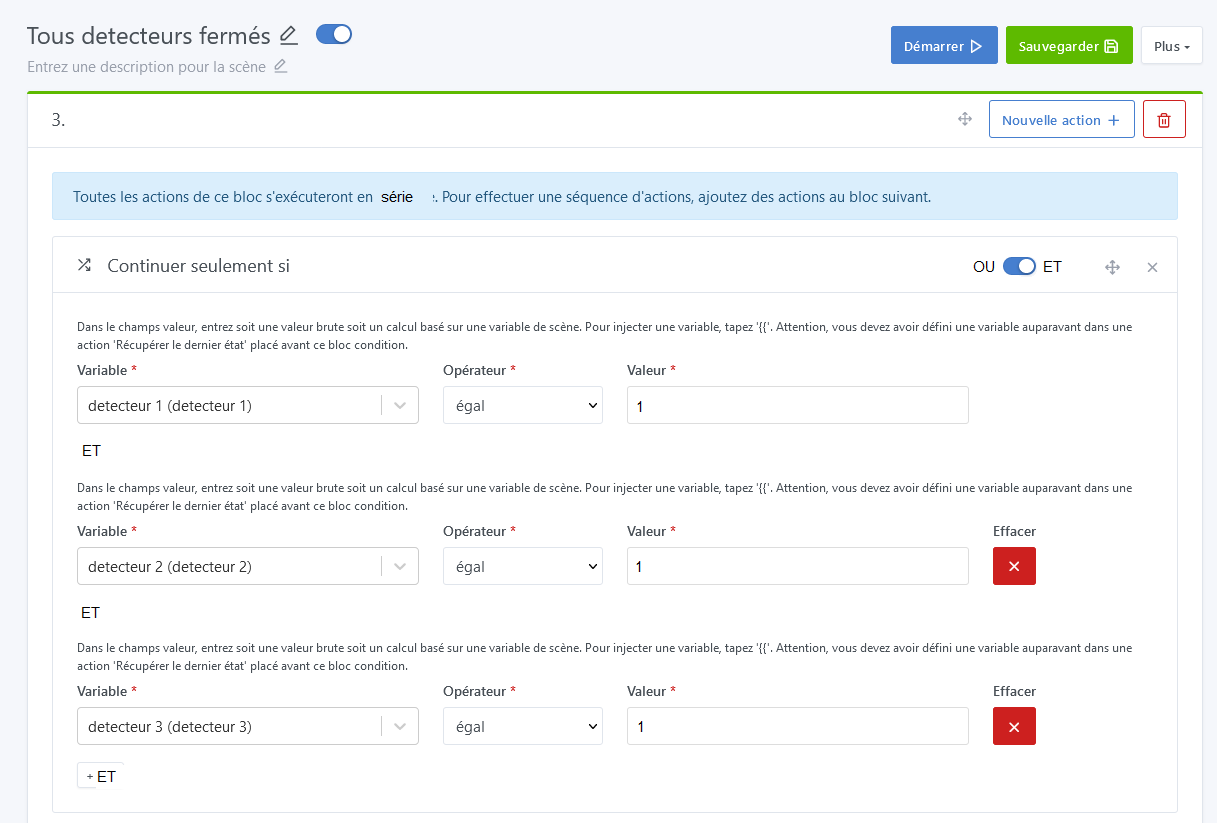
If we could have had the toggle I suggested
Case 2
« Each trigger is independent. When the conditions of all of these triggers are met, the scene runs. »
which is suitable to test if all the sensors are closed
You could duplicate scene 1, set the toggle to « all », change the sensors from open to closed and it was ok
we would remain within the same logic of operation and not have to use
« retrieve last state » and « continue only if » (I have 20 sensors, 3 smoke detectors )
But well, I was too ambitious on this one!
But I think the idea of offering a more elaborate virtual sensor
I’m taking the liberty of pasting the link to a message written elsewhere, which might work here as well.
I tend to think that @cce66 you tend to ask that Gladys adapt to your way of thinking when that’s not the most relevant (and I’m not saying you think badly! I had a bit the same kind of problem at first).
No no, I had ultimately agreed earlier that indeed the event was the trigger « the user leaves the house » and then that the « conditions » section lacked the ability to choose between « AND » and « OR » in the conditions
Comme ça on peut avoir :
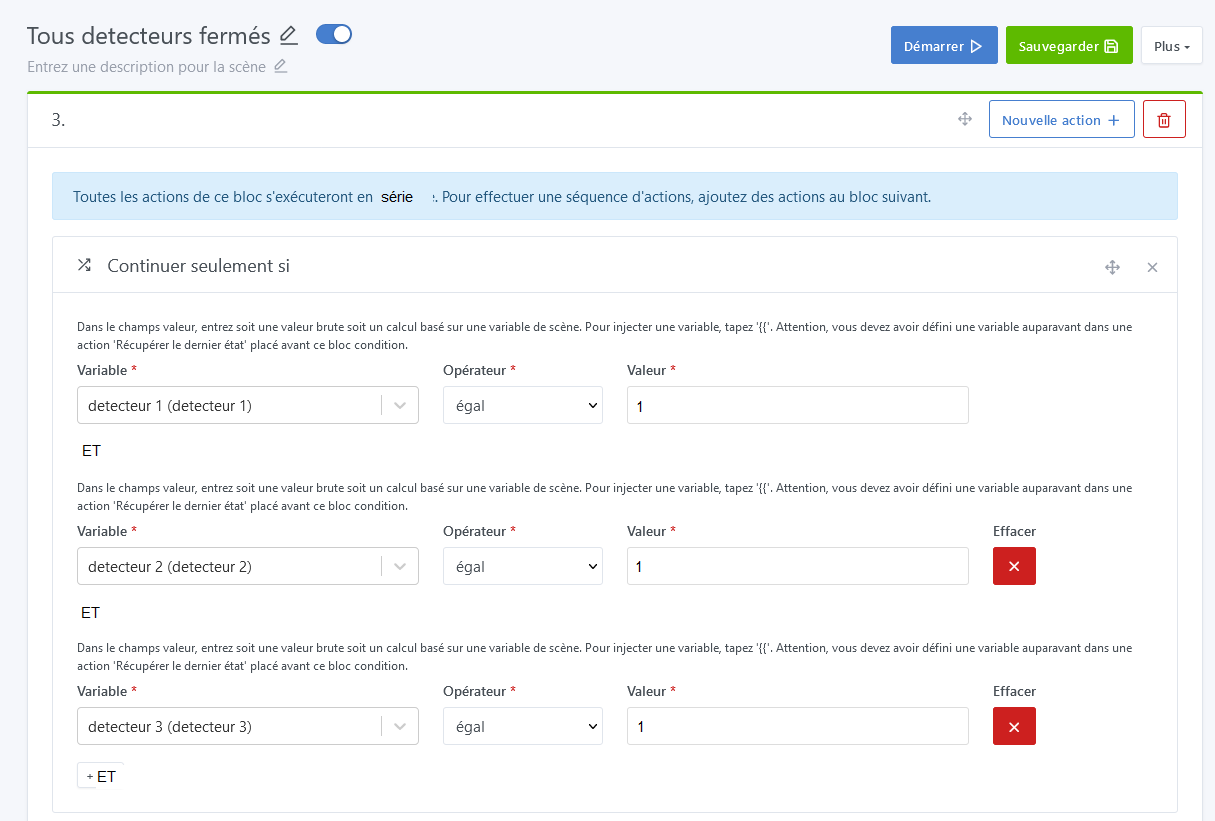
Sensor1 closed AND sensor2 closed AND sensor3 closed etc => CONDITION all sensors are closed ACTION (we can arm the alarm or alarm armed and everything is fine)
Sensor1 open OR sensor2 open OR sensor3 open etc => CONDITION at least one sensor is open ACTION (we cannot arm the alarm or if the alarm is armed then intrusion, so trigger siren or send a message, etc)
Don’t you think that would be clearer and simpler?
[quote=« cce66, post:26, topic:8448 »]
In fact, it would make sense, since scenes can trigger other scenes while ignoring the triggers section, to have it in part 2
with the possibility of having AND in addition to OR and that would exactly fit what I wanted to do and would be the simplest way to do it…I don’t even dare ask for feature requests anymore
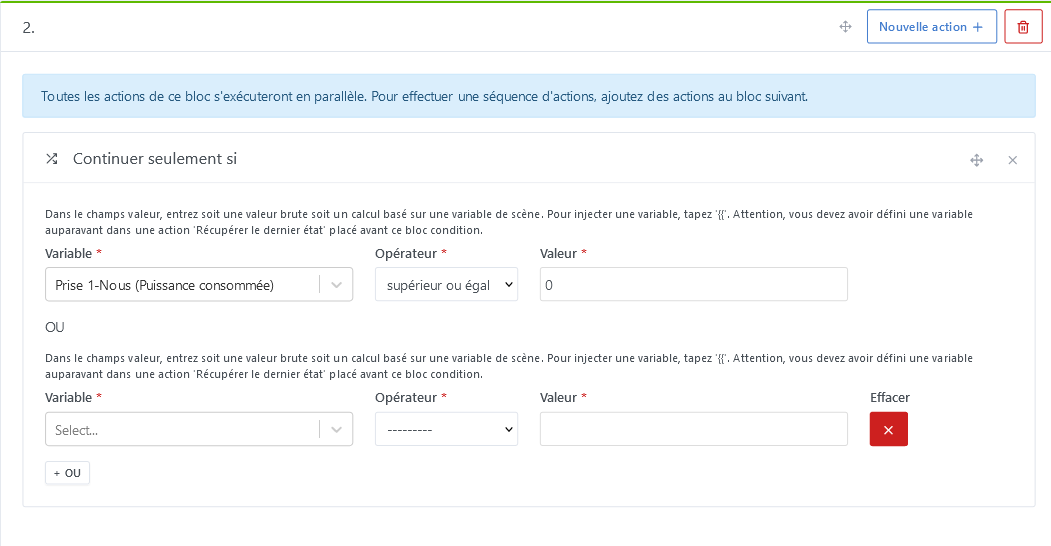
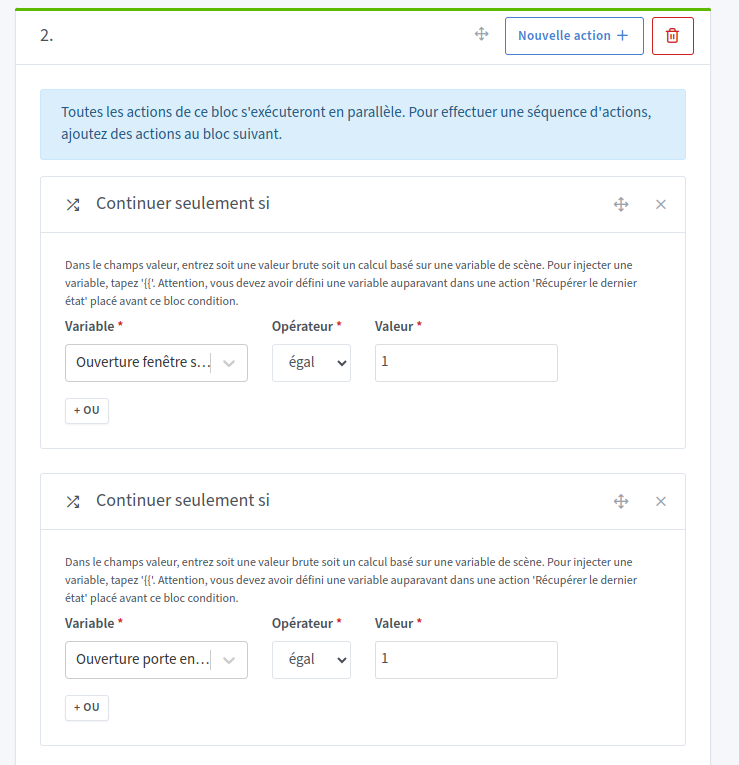
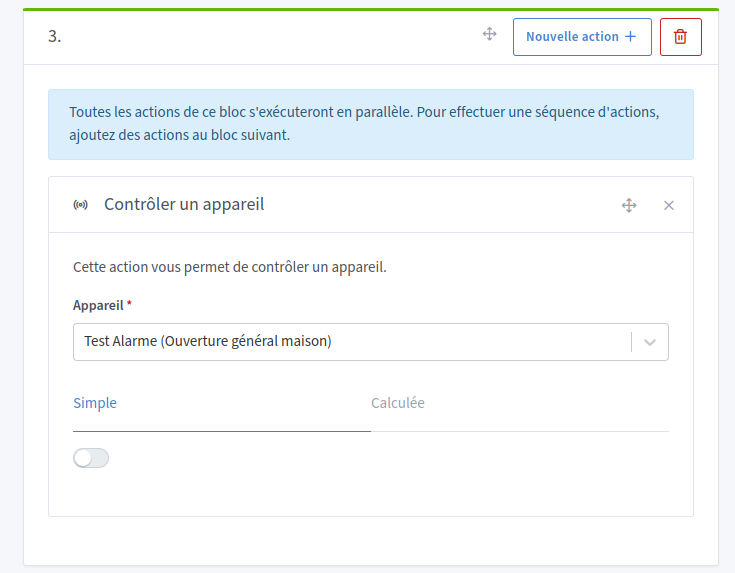
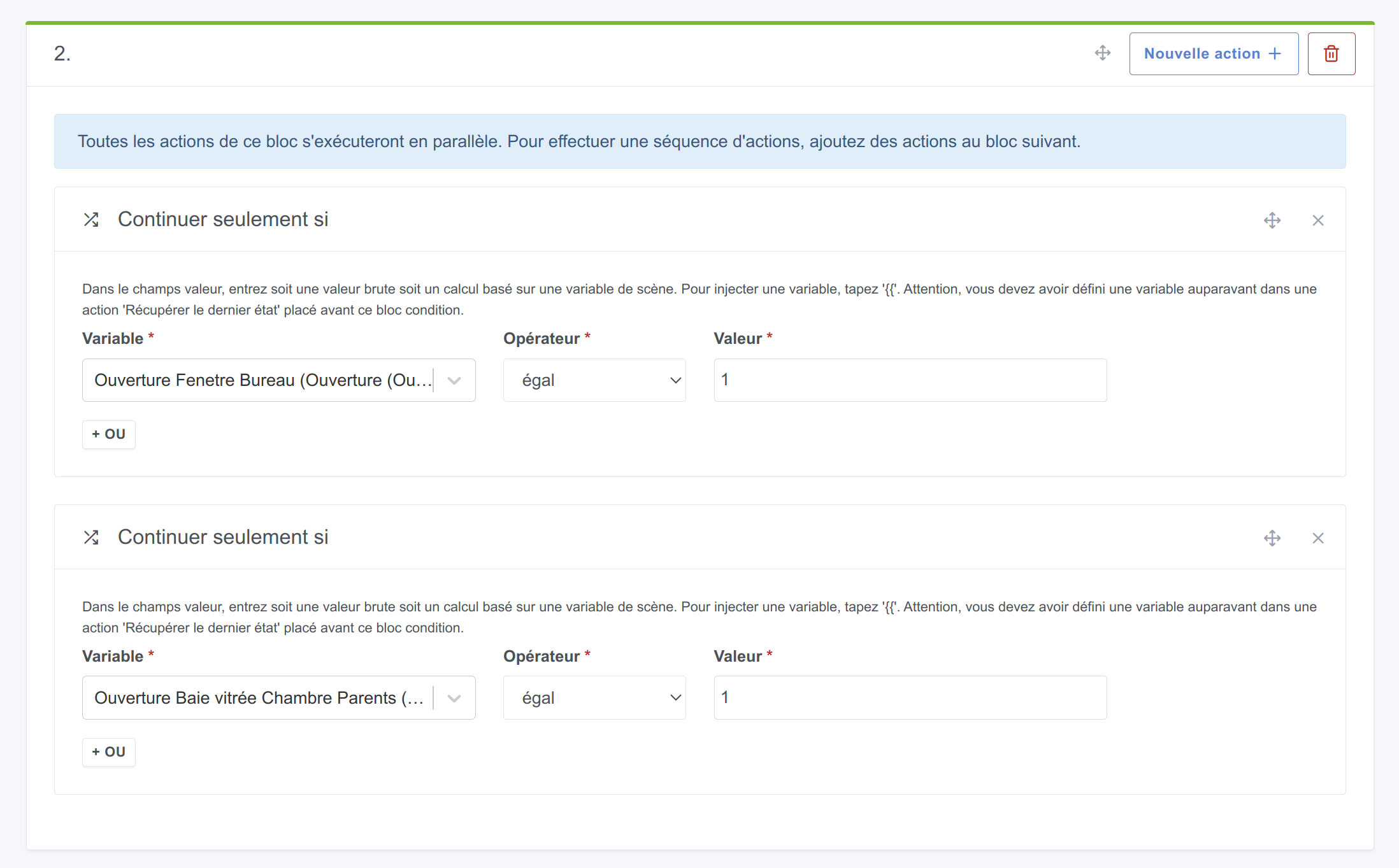
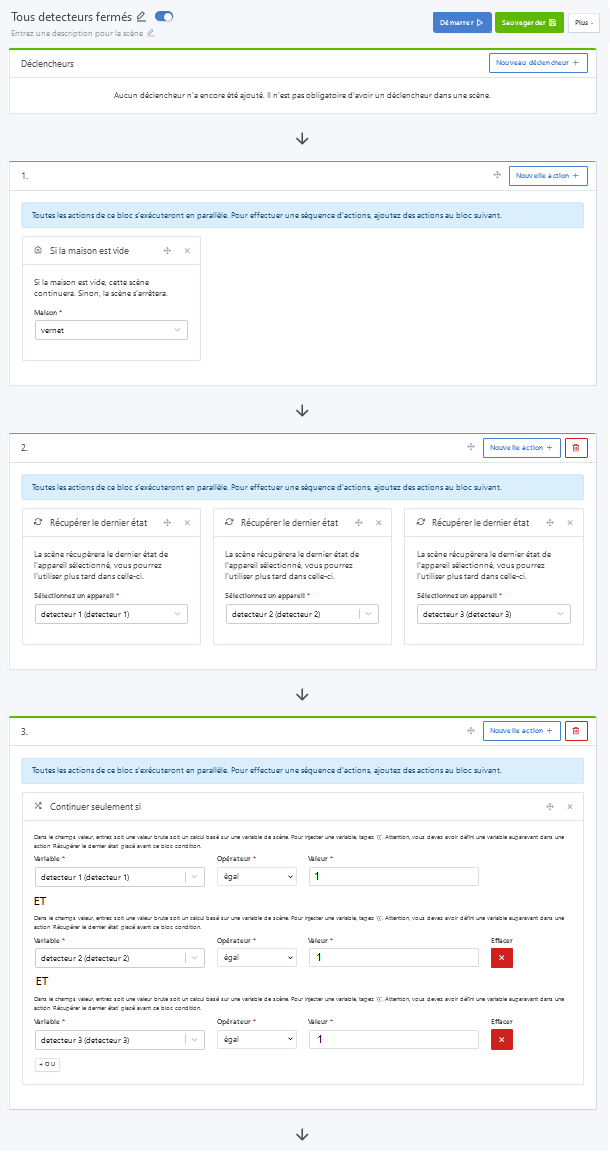
Instead of adding an AND button in addition to the OR button, which requires development, you can just add a box Continuer si et seulement si next to it, in the same block; it will work like an AND.
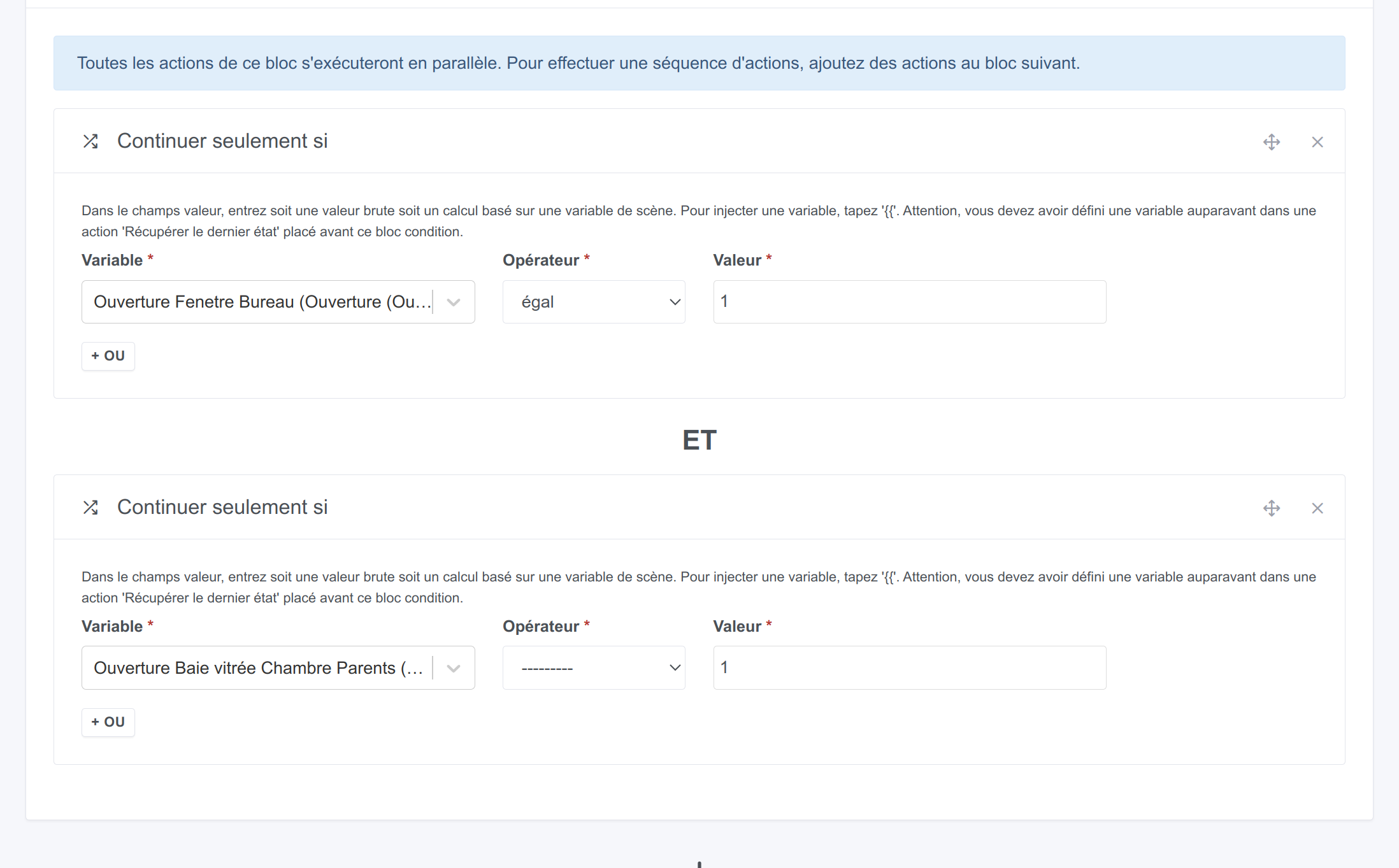
Maybe what would be more explicit would be to implement @Tlse-vins’s suggestion (they’re good, the guys from the South ;)), a simple cosmetic change, so that it looks like:
I hadn’t considered the solution you proposed because it was outside my way of thinking, it’s true
Now I’ll go with how it is; my proposal was only meant to improve things if they can be! There was neither urgency in the request nor any attempt to impose my vision or my way of thinking, just a suggestion (very poorly phrased at first, it’s true, but it’s not always easy to put into writing when there are visual or functional elements!) I join the majority’s decision without issue, but I’m a bit surprised by the reaction it provoked…
If I’d been told
that’s true, it’s clearer, we’ll keep the idea on the back burner because for now we can do it another way and we have other priorities in development
or
it’s not possible for technical reasons or because of the current code
you can do it like that (but to me it still looks ugly )
So I’ll try to summarize, because in the end we talk a lot about not much
The version I proposed corresponds to what you suggested as « All sensors closed version that I find simpler ».
It’s just that you need a few extra clicks (not many honestly).
So in the end we’re almost completely on the same page.
The direction to take would be to ask Pierre-Gilles whether adding a simple text ET when adding an action in the same block seems interesting to him, or if he has another suggestion.
Small digression:
I’m coming back one last time to the misunderstandings. It was very difficult to follow you on the forum, because in my opinion you wrote your messages as you were thinking, following what your logic told you.
And when someone replied that you were wrong / that you were on the wrong track, you insisted, as if you always had an answer, which is not easy to handle for your readers.
Moreover, as you say, it’s complicated in writing.
I understand you because I know that at the start here I had lots of ideas, lots of suggestions… and I was super frustrated when Pierre-Gilles told me that it wasn’t interesting or aligned with the project, or that I was off-topic.
I felt misunderstood
Ultimately, the more I understood how Gladys and its forum work, the better I participated (well, if I’m still talking crap, tell me, okay ^^).
You seem passionate and that’s a very positive thing; it just needs a slightly more structured framework to facilitate our exchanges.
So my advice: take the time to really understand what Gladys does, and in what logic it operates, and you’ll see all its potential. Your suggestions to improve it will be all the more relevant !!
The ideal version you’re proposing you can already do, except that it’s not marked AND. You add three Continue only if actions in the same box and it does what you’re asking, actually.
Totally agree with you (aside from the click, exactly the same thing)
As for the rest, I made a request to meet my need and I was told it’s not possible or you have to do it differently; because that’s frustrating I made other proposals around that might work as a workaround until @_Will_71 suggested a solution that works (thanks again ). So yes, my thinking did evolve depending on the answers given and what I understood along the way with the answers (who said there’s a Macron supporter in the room? « Only the Sith are so absolute. » )
Besides, that’s the purpose of a forum… and sometimes you have to persevere; otherwise I wouldn’t have managed to connect Gladys to my IPX800V5 via Node-RED and control my roller shutters (VR) based on the sun’s position. I found how to do it and shared my experience through mini-tutorials whereas initially I had made requests to @pierre-gilles (or on the forum in the feature requests, I don’t quite remember) and the answer at the time was that it wasn’t possible. During discussions (because I hadn’t understood that the MQTT syntax isn’t standard) with @pierre-gilles among others, I understood how Gladys worked and thus how to do it via Node-RED. Same for the sun position: I had requested that; I was told it wasn’t possible for now, I worked around it with Node-RED and now I can control the roller shutters in Gladys taking into account the sun’s position!
My approach is « I want to do something; if I can do it through the door then fine, but let’s try to see if I can do it through the window » and if I succeed I share it with others!
I don’t understand your remark there: internally it’s not the same logic. On one side we have
OR in the scene which detects if ONE detector is OPEN
and on the other an AND in my 2nd scene which detects if ALL my sensors are CLOSED; that changes the internal processing logic — it’s not just adding text
in the 1st case OR in algorithm
FOR EACH BLOCK
IF CONDITION MET THEN EXIT-SCENE
UNTIL NUMBER-OF-BLOCKS
in the 2nd AND in algorithm
TESTED-BLOCKS=0
FOR EACH BLOCK
IF CONDITION MET INCREMENT TESTED-BLOCKS
UNTIL NUMBER-OF-BLOCKS
IF TESTED-BLOCKS <> NUMBER-OF-BLOCKS THEN EXIT-SCENE
To test I asked ChatGPT
« write me with comments with in the second loop the possibility between a serial or parallel processing according to a toggle called SceneSerieParallele in the UI the following program » and I put the code from the GitHub Gladys/server/lib/scene at master · GladysAssistant/Gladys · GitHub (at least by searching the GitHub code it seems to me that’s where it happens)
It returned this (thanks ChatGPT ) I’m stunned! After, not sure that it would be usable as-is nor feasible in Gladys (true that there’s related database structure) but it allows me to discover and understand the code (this language is not my cup of tea ) and, honestly, seeing what ChatGPT manages to do for me who grew up watching black-and-white TV and had to get off my butt to choose between channel 1 and 2 is striking even if it was part of my dreams (« Forbidden Planet »!)
@param {object} self - Reference to the SceneManager.
@param {object} action - An Action from the db.
@param {object} scope - The scope passed to all actions.
@param {number} [columnIndex] - The X index of the action in the array of actions.
@param {number} [rowIndex] - The Y index of the action in the array of actions.
@returns {Promise} Resolve if the action was executed with success.
@example
executeAction(this, action, {});
*/
async function executeAction(self, action, scope, columnIndex, rowIndex) {
// Check if the action type is supported
if (!actionsFunc[action.type]) {
throw new Error(Action type "${action.type}" does not exist.);
}
// Send a message to inform the UI that the action is being executed
if (columnIndex !== undefined && rowIndex !== undefined) {
self.event.emit(EVENTS.WEBSOCKET.SEND_ALL, {
type: WEBSOCKET_MESSAGE_TYPES.SCENE.EXECUTING_ACTION,
payload: { columnIndex, rowIndex },
});
}
try {
// Execute the action
await actionsFunc[action.type](self, action, scope, columnIndex, rowIndex);
} catch (e) {
if (e instanceof AbortScene) {
throw e;
} else {
logger.warn(e);
}
}
// Send a message to inform the UI that the action has finished being executed
if (columnIndex !== undefined && rowIndex !== undefined) {
self.event.emit(EVENTS.WEBSOCKET.SEND_ALL, {
type: WEBSOCKET_MESSAGE_TYPES.SCENE.FINISHED_EXECUTING_ACTION,
payload: { columnIndex, rowIndex },
});
}
return null;
}
/**
@description Execute an array of array of action.
@param {object} self - Reference to the SceneManager.
@param {object} actions - An array of array of actions from the db.
@param {object} scope - The scope passed to all actions.
@param {boolean} isParallel - Whether to execute actions in parallel or series based on the UI toggle.
@returns {Promise} Resolve if the action was executed with success.
@example
executeActions(this, actions, {}, true);
*/
async function executeActions(self, actions, scope, isParallel = true) {
// First level of the array should be executed in series
await Promise.mapSeries(actions, async (parallelActions, columnIndex) => {
// Then, the second level is executed based on the value of isParallel
if (isParallel) {
// Execute actions in parallel
await Promise.map(parallelActions, async (action, rowIndex) => {
await executeAction(self, action, scope, columnIndex, rowIndex);
});
} else {
// Execute actions in series
for (const [rowIndex, action] of parallelActions.entries()) {
await executeAction(self, action, scope, columnIndex, rowIndex);
}
}
});
return null;
}

 )
)

 )
)
 I’ll do it like that
 )
)


 « Only the Sith are so absolute. »
  )
) whereas initially I had made requests to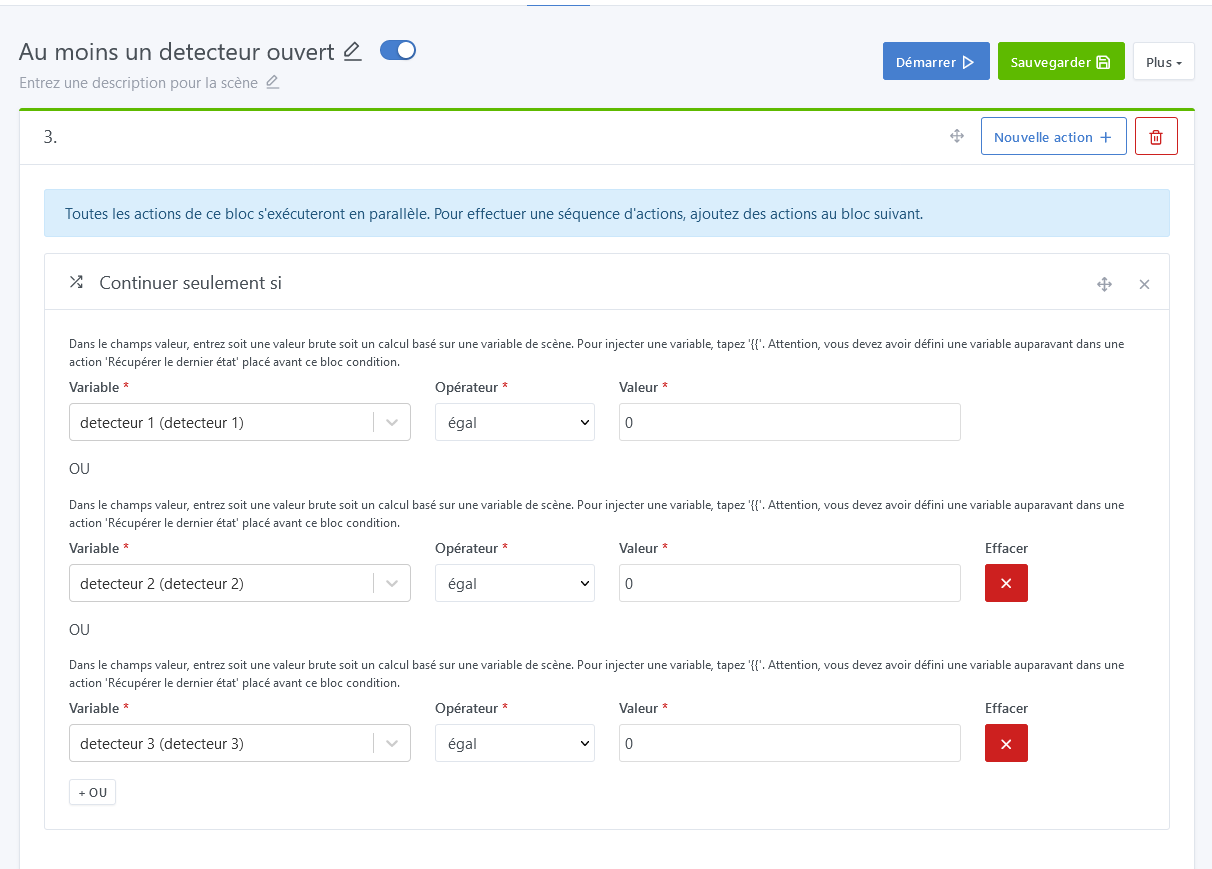
 ) and, honestly, seeing what ChatGPT manages to do for me who grew up watching black-and-white TV and had to get off my butt to choose between channel 1 and 2 is striking even if it was part of my dreams (« Forbidden Planet »!)