Here’s the idea: in scenes I think it would be useful to be able to trigger something (start a scene, an MQTT event or other) or send a message when you determine a condition for executing a scene but that condition is not met.
2 examples to illustrate and clarify my request:
When activating my alarm mode, I want to do a quick check on the open/closed state of my doors and shutters. In my scene I would therefore like to say:
. Retrieve the last state of my X sensors
. Continue if and only if the sensors are closed
. If this condition is not met, send a message « Sensor X is open »
. If this condition is met we continue (as usual)
In my garden, I’d like to be able to start automatic watering, but for that I need to determine whether my valves are open or not before starting the pump. So:
. Retrieve the state of the valves
. Continue if and only if the valves are open
. If this condition is not met, send a message « Valve X is closed, aborting automatic watering »
. If this condition is met, we continue
Those are two small examples that might perhaps inspire forum members!
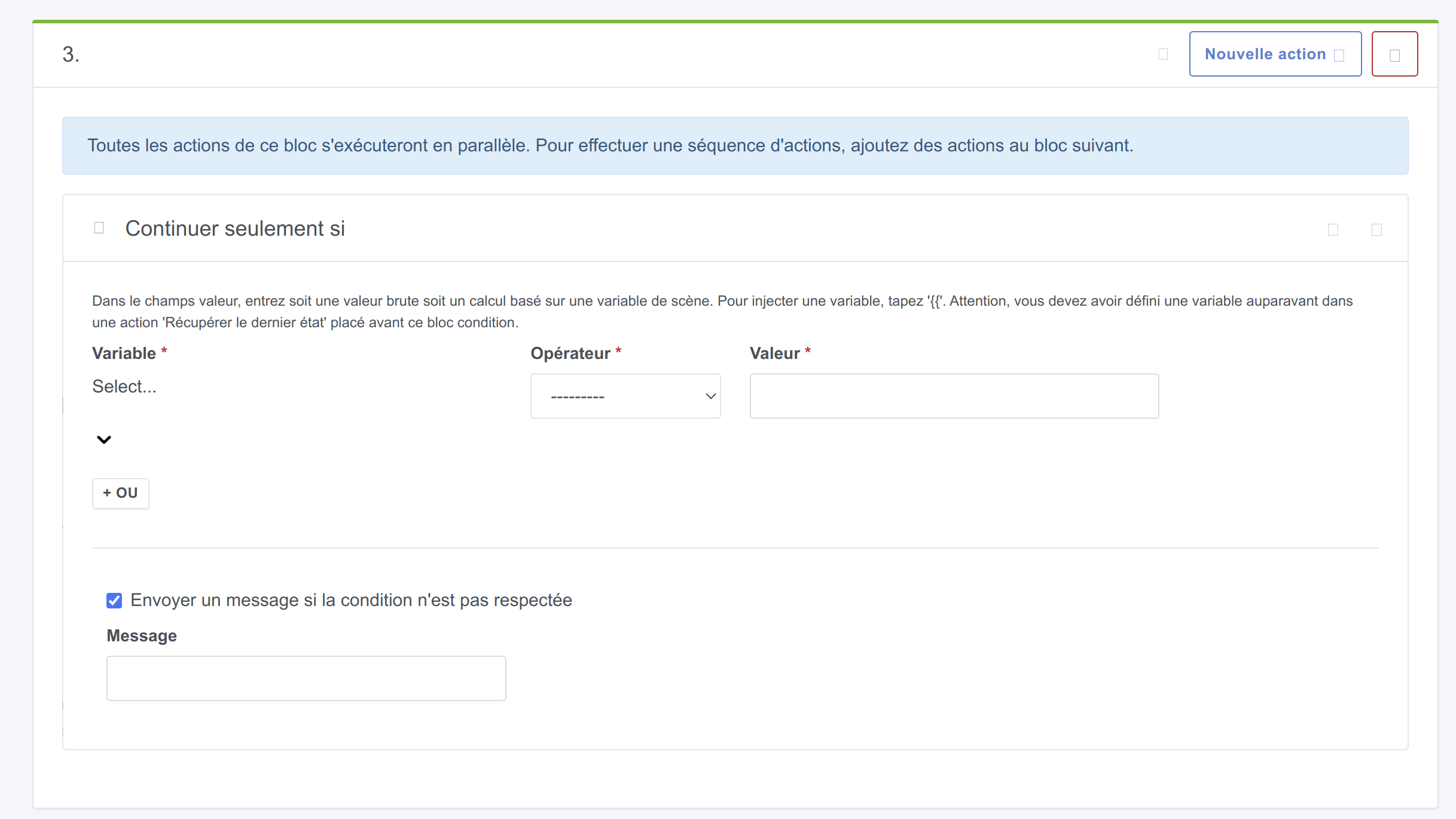
As I like to envision things, I imagine at the UI level it could be a simple checkbox in the Continue if and only if block like « If the requirement is not met, send a message » which would display a text field when checked.
So indeed there are already requests that are similar… But I didn’t want to deviate from the original topic.
The other posts suggest a sort of workaround for a toggle, or that if a condition is not met, then we go to another flow of the scene (or another scene), which would be quite complex to create I imagine.
Here I was imagining a much more « simple » version that’s just a kind of feedback when testing the condition.
That seems very, very specific to me, what you’re proposing; we can’t go around handling every case like that, it has to be a generic solution that allows for conditionals
Yes I understand what you mean. Isn’t that where a more global view of the scene flow might address the issue?
I know we’ve already talked about this in several places, but do you think radically changing scene management would be conceivable? In the sense of opening up its possibilities/features? And above all, would that be in line with the project?
I imagine that changing the way a scene is created with other styles of blocks, or other columns, etc., to handle multiple conditions, is no small matter.
Anyway I’m rambling a bit, but I have the impression that debates about creating scenes, their use, information about their activation, etc., regularly resurface on the forum, so I’m wondering and I’m sharing my questions!
After testing Microsoft’s no-code solution (Power Automate) quite thoroughly, I felt very frustrated and ended up writing code rather than using no-code
That’s interesting feedback for my part I only see the UI part which is very appealing, I don’t have any idea at all about what’s going on behind the scenes

 and I’m sharing my questions!
 for my part I only see the UI part which is very appealing, I don’t have any idea at all about what’s going on behind the scenes