Coté PR Intégrations Gladys, juste la PR n°1, mais tu l’as déjà review ^^ :
Je te redirais pour la station météo (j’ai repassé les PR liées en [WIP]), il faudra que @PhilippeMA puisse refaire un test complet. Je suis obligé de passer par un sélecteur pour rester propre. En fait ça aurait été trompeur de la sortir comme ça. Si quelqu’un a du mix comme moi en plus de la station météo ça fonctionne. Mais si quelqu’un à seulement une station météo comme @PhilippeMA alors elle n’est pas trouvée.
Yep I’ve got you in mind for that upcoming PR. I’m pretty far along (it’s working).
But I had to pause because of tests on the weather station. Something was missing ^^
I’ll let you know when I get back to it @spenceur (probably next weekend !!)
I finished the update and reviewed the Configuration section. I can retrieve the station data. For now I’ve focused only on the station (not the modules); if you can try again and confirm that you can retrieve it successfully. I’ll do the rest afterwards; it will be faster, the whole base will be done (if functional).
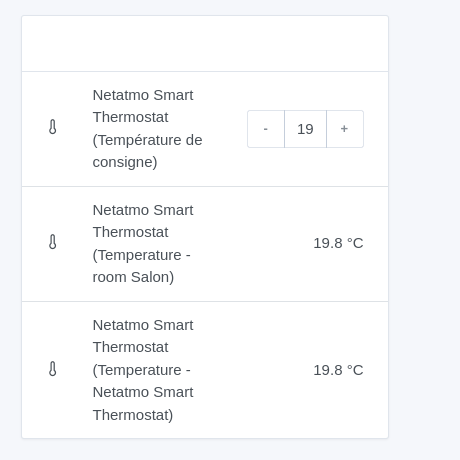
You’ll notice that your station therefore doesn’t have a feature for room temperature because from this API there’s no access (since there are no other types of equipment):
You can retest directly on the image terdious/gladys:netatmo-features-nrv-weather after all!! It’s currently being built, it should let you see your station in full (in any case I can see it fine )
Make sure to completely delete the old version beforehand to be sure.
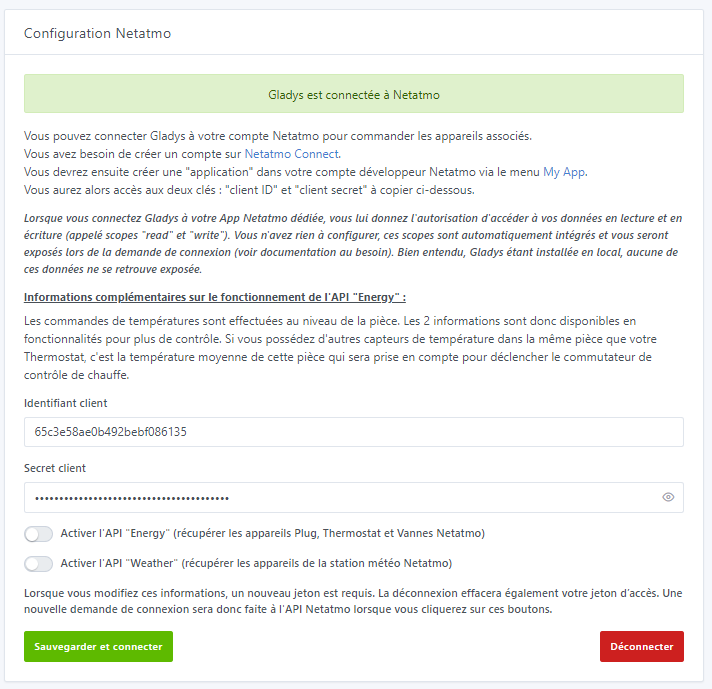
I need some functional feedback. Following @PhilippeMA’s discovery during his tests, I have to add a way to select which connections we want to make to the various Netatmo APIs (and yes, it’s segregated, partly…). So I added checkboxes on the configuration page:
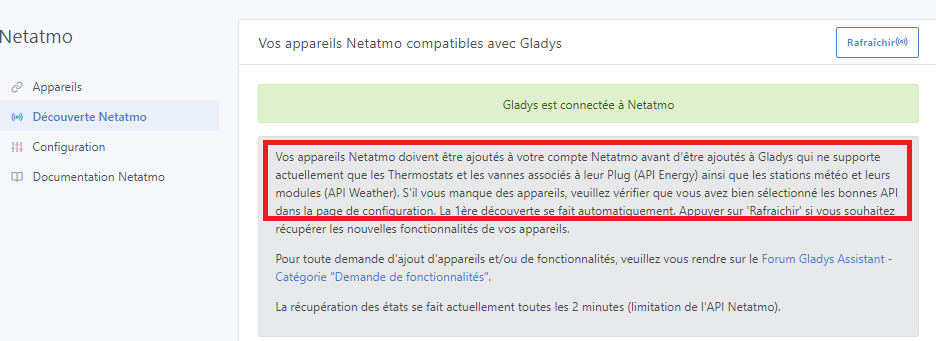
if no API is selected, I still run the requests once to retrieve all possible devices, then I prevent saving the devices and notify that the API must be selected on the configuration page
if only the Energy API is selected but a weather station is detected, I only notify for the stations that they cannot be saved and that the Weather API must be selected on the configuration page
To me this seems very clear: the texts you’ve written in the various places are quite ‹ pedagogical ›, with a good balance between technical language and everyday language.
Looking forward to being able to use this (I’m concerned with
Yes indeed, we noticed it during testing. But it’s not related to the integration after all. A GitHub issue is open. It appears when one of the box names is too long.
If you want to run the tests, you can rename all your lines to just 1 or 2 characters and it will pass.
No issues or difficulties with the rest otherwise?
I looked at the roadmap, one thing that could be cool is to retrieve the different schedules I didn’t see it but it could be nice. I’ll see about potentially making a PR!
Indeed, it was in my head but not yet on the roadmap.
More complex to develop, I wanted to first finish support for all types of equipment… even if, in the end, integrating the weather station revealed a few additional subtleties ^^
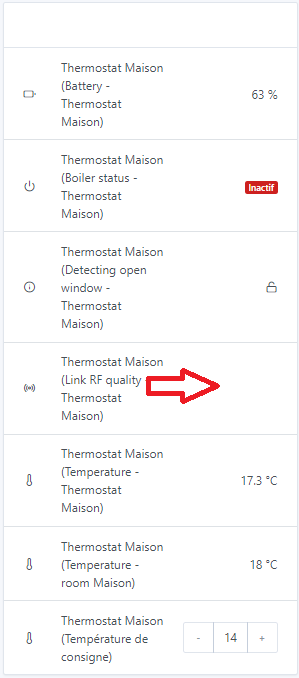
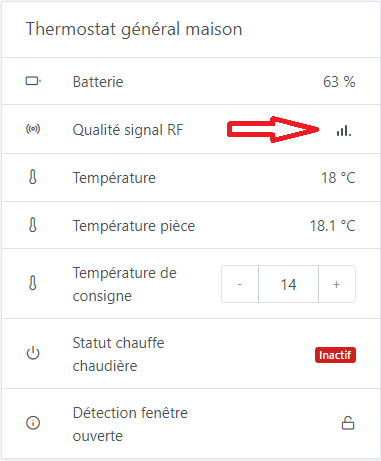
Tell me, since you installed the image, are you experiencing this issue as well. I have the same issue on Chrome; I didn’t have it on Firefox (the icon displayed correctly) but for some time now it’s the same on Firefox — the bars no longer appear.
By the way, @pierre-gilles, would you have a possible explanation for — for now I’m going to call it — « this phenomenon »? I absolutely don’t understand the reason; I haven’t touched that part of the code at all. When I add spies, the correct icon is called… and yet nothing is displayed. But I don’t even know how to hunt for the issue at that level.
Edit: Unless this is due to this:
HTML code on the dev side :
HTML code on the prod side :
the href is not the same…
Edit2: Okay that’s it … but I don’t see the reason … I just rechecked the changes on the PR … I don’t understand ^^
No no it’s not the same issue ^^ (I couldn’t log in via the Gladys Plus interface as I told you in private)
This is local and it’s just the signal quality icon that doesn’t display even though everything is fine (and I certainly didn’t touch anything on that side. And it worked for a while on Firefox and then suddenly stopped) :
Hello
I’m encountering the following problem: after connection issues, I reset my login and password in « my apps » Netatmo, but now I can’t integrate it into Gladys (the new credentials are systematically overwritten by the old ones), which keeps the old values. At the bottom of the Netatmo config page on Gladys, I no longer have access to the save icon. Could someone guide me to reconnect my Netatmo station?
Thanks in advance.


 )
)