Okay, I’ll try that. Have a good weekend. Thanks..!!!
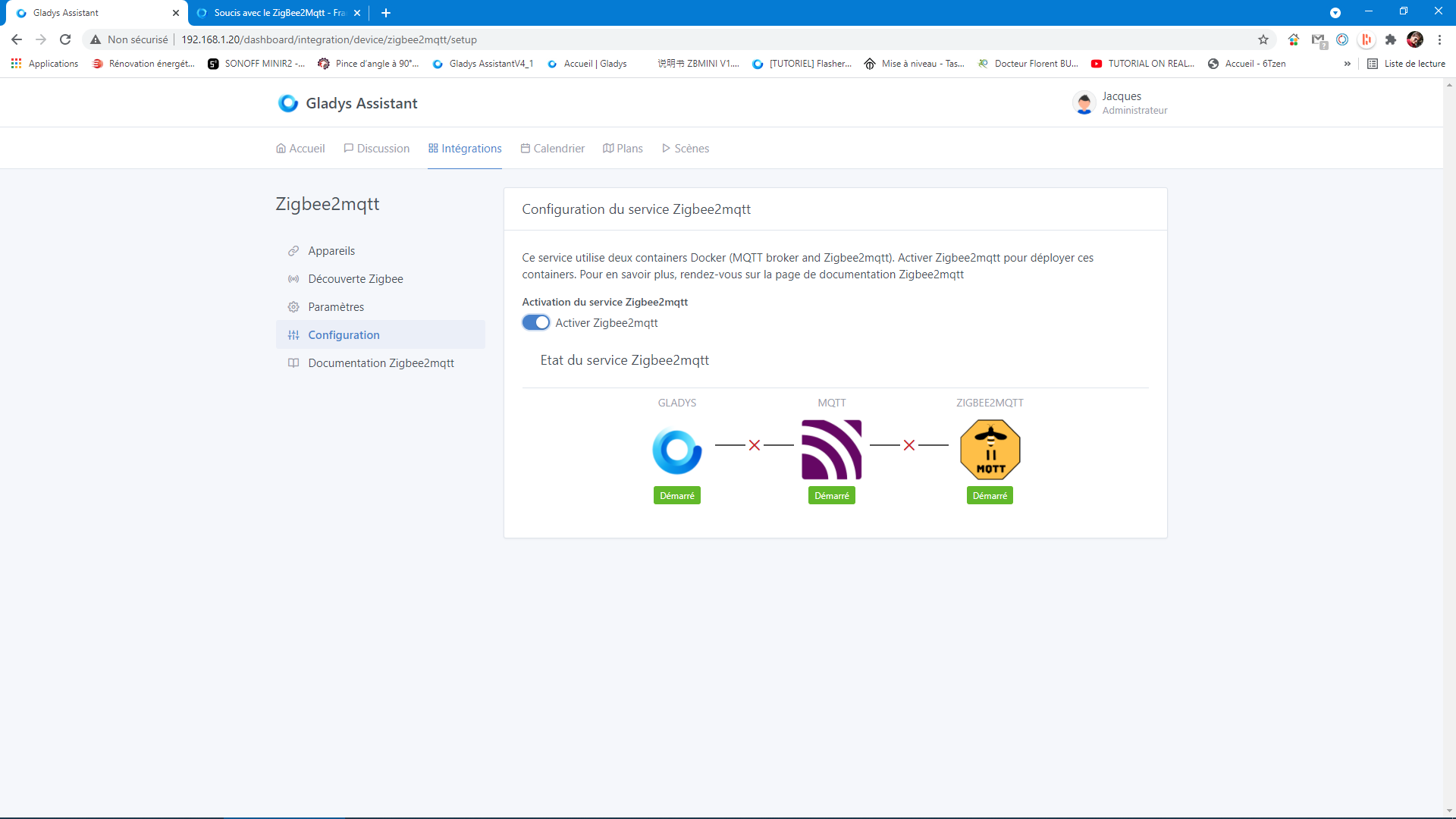

You should check the logs at the moment you activate it, and do this several times during installation and configuration. Personally, that’s often how I do it when it fails…
To avoid a 500km log, you can run this command:
docker logs -n 50 gladys
Only the last 50 lines will be displayed.
I would disable the service, wait 2-3 minutes, enable it, and then go directly to PuTTY to run this command every 30 seconds.
If you’re really struggling, I can take a look for you via TeamViewer or AnyDesk 
Hello, I typed your command after the activation/deactivation steps, but I got a response from Gladys, the argument « -n » in your command line is not accepted. So I ran the command without the « -n », well I couldn’t interpret all the messages but I noticed something that often comes up is: connecting to MQTT - Error: connect ECONNREFUSED 127.0.0.1:1884
2021-04-30T21:57:24+0200 connect.js:35 (MqttClient.) Error wh, and it’s endless or almost. I think that as long as the mqtt service is not launched zigbee2mqtt there will be no connection with Gladys. However, it is started.
Hello,
Brand new to Gladys, I’m stuck on the same problem …
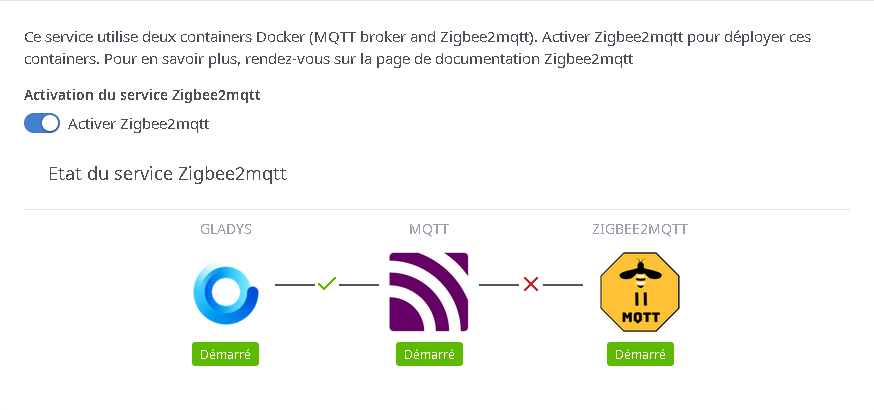
the MQTT bridge to zigbee2mqtt is not active
and below is the gladys.z2m-zigbee2mqtt log file
Zigbee2MQTT:info 2023-05-21 13:48:00: Logging to console and directory: ‹ /app/data/log/2023-05-21.13-47-59 › filename: log.txt
Zigbee2MQTT:info 2023-05-21 13:48:00: Starting Zigbee2MQTT version 1.30.4 (commit #b2dd21e)
Zigbee2MQTT:info 2023-05-21 13:48:00: Starting zigbee-herdsman (0.14.111)
Zigbee2MQTT:error 2023-05-21 13:48:20: Error while starting zigbee-herdsman
Zigbee2MQTT:error 2023-05-21 13:48:20: Failed to start zigbee
Zigbee2MQTT:error 2023-05-21 13:48:20: Check https://www.zigbee2mqtt.io/guide/installation/20_zigbee2mqtt-fails-to-start.html for possible solutions
Zigbee2MQTT:error 2023-05-21 13:48:20: Exiting…
Zigbee2MQTT:error 2023-05-21 13:48:21: Error: Failed to connect to the adapter (Error: SRSP - SYS - ping after 6000ms)
at ZStackAdapter.start (/app/node_modules/zigbee-herdsman/src/adapter/z-stack/adapter/zStackAdapter.ts:103:27)
at Controller.start (/app/node_modules/zigbee-herdsman/src/controller/controller.ts:132:29)
at Zigbee.start (/app/lib/zigbee.ts:58:27)
at Controller.start (/app/lib/controller.ts:101:27)
at start (/app/index.js:107:5)
Using ‹ /app/data › as data directory
Zigbee2MQTT:info 2023-05-21 13:48:26: Logging to console and directory: ‹ /app/data/log/2023-05-21.13-48-26 › filename: log.txt
Zigbee2MQTT:info 2023-05-21 13:48:26: Starting Zigbee2MQTT version 1.30.4 (commit #b2dd21e)
Zigbee2MQTT:info 2023-05-21 13:48:26: Starting zigbee-herdsman (0.14.111)
Zigbee2MQTT:error 2023-05-21 13:48:47: Error while starting zigbee-herdsman
Zigbee2MQTT:error 2023-05-21 13:48:47: Failed to start zigbee
Zigbee2MQTT:error 2023-05-21 13:48:47: Check https://www.zigbee2mqtt.io/guide/installation/20_zigbee2mqtt-fails-to-start.html for possible solutions
Zigbee2MQTT:error 2023-05-21 13:48:47: Exiting…
Zigbee2MQTT:error 2023-05-21 13:48:47: Error: Failed to connect to the adapter (Error: SRSP - SYS - ping after 6000ms)
at ZStackAdapter.start (/app/node_modules/zigbee-herdsman/src/adapter/z-stack/adapter/zStackAdapter.ts:103:27)
at Controller.start (/app/node_modules/zigbee-herdsman/src/controller/controller.ts:132:29)
at Zigbee.start (/app/lib/zigbee.ts:58:27)
at Controller.start (/app/lib/controller.ts:101:27)
at start (/app/index.js:107:5)
Using ‹ /app/data › as data directory
Zigbee2MQTT:info 2023-05-21 13:48:53: Logging to console and directory: ‹ /app/data/log/2023-05-21.13-48-53 › filename: log.txt
Zigbee2MQTT:info 2023-05-21 13:48:53: Starting Zigbee2MQTT version 1.30.4 (commit #b2dd21e)
Zigbee2MQTT:info 2023-05-21 13:48:53: Starting zigbee-herdsman (0.14.111)
Is it a faulty Sonoff Zigbee 3.0 ZBDongle-P?
Thanks for your responses
Hi @GLayris
Can you tell us more about your setup? What hardware are you using? Do you have a sufficient power supply?
Have you selected the correct dongle when configuring Zigbee2mqtt in Gladys?
(Sonoff P in your case if I understand correctly? )
Good evening,
I installed a server on a Raspberry Pi 4, first on an SSD but I had to switch to an SD card for it to work due to a lack of power from the power supply which kept rebooting the SSD.
It turns out that the Sonoff dongle is an E.
I tried a bunch of deletions of the directories for MQTT and Zigbee2MQTT as indicated on the forum (I made a bash file for all the operations), I checked the USB ports used (great forum for all that), but since the final bridge still isn’t being created I’m wondering about the dongle?
Thanks for your replies
I have the same zigbee2mqtt
Are you sure? The error you posted earlier isn’t the same — has it changed?