Save energy with Gladys? Simple!
Have you never forgotten to turn off the coffee machine before leaving?
Do you know that a device in standby can consume up to 75% of the total energy it will use but you always forget to switch off the power strip?
Do you always fall asleep in front of the TV and see no point in leaving it on?
This tutorial is for you!
- Hardware :
A smart plug (with consumption reading, even better!)
You can find one here (integrable via Tuya Smart) or here (integrable via ZigBee2MQTT)
- Preparations
Once integrated (I’ll let you dig through the docs associated with the device), you’ll need to investigate the device (its consumption and cycles). For this, add them to the dashboard of your choice.
What will we observe?
The current (in ampere (A)) or the power (in watt (W)), less often the energy consumed (in kilowatt-hour (kWh)). We often use the « Power » value but some lower-quality plugs display ghost readings. In my case, I prefer to use the current:
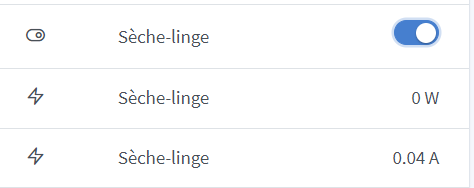
Because P=U.I so in principle I should have 9.4W (the equivalent of two LED spots constantly on for this tumble dryer).
When your device is plugged in and turned off, it uses power, at minimum 0.5W (around 0.002A); this is the case for smartphone chargers for example. If its power is less than 1W, there’s no point in home automating it to save energy!
Note the values read (current and power) when the device is in standby and when operating. Then go to the Scenes tab — that’s where it happens!
- Scenes:
Three scenarios proposed:
- The device is unused (device in standby for x minutes):
Click here to expand
Create a scene with a nice name and icon in which you choose a trigger « Device state change ».
Find the device in the list but especially the value « power » or « current » according to the observations made earlier.
Choose « less than or equal » and enter a value slightly above that of the device when it’s in standby (but not too close to the value when it is operating)
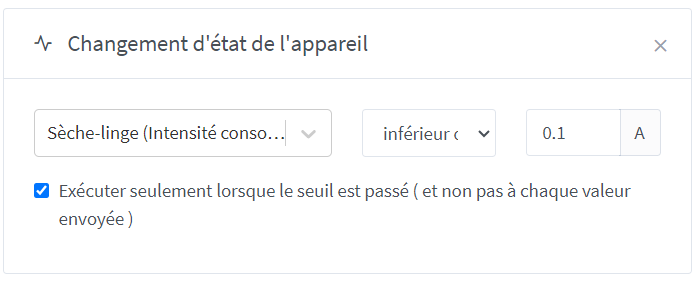
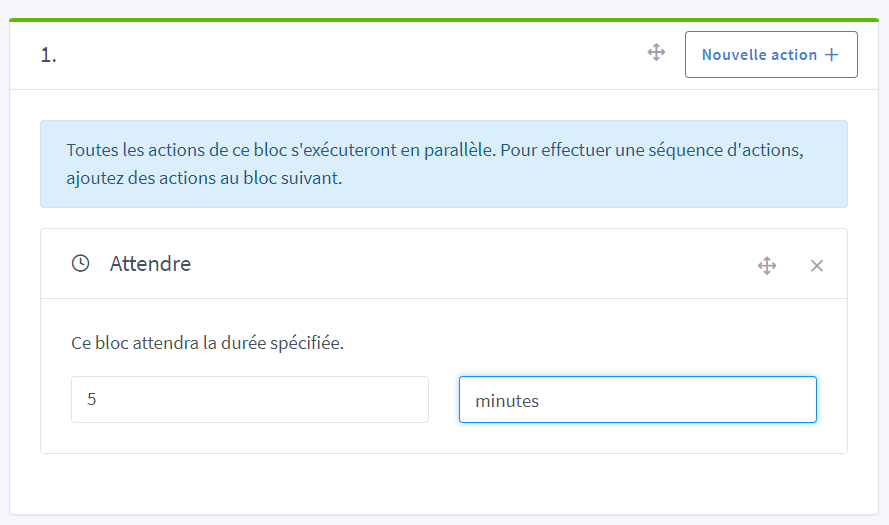
Add a « wait » block (optional) of a few minutes
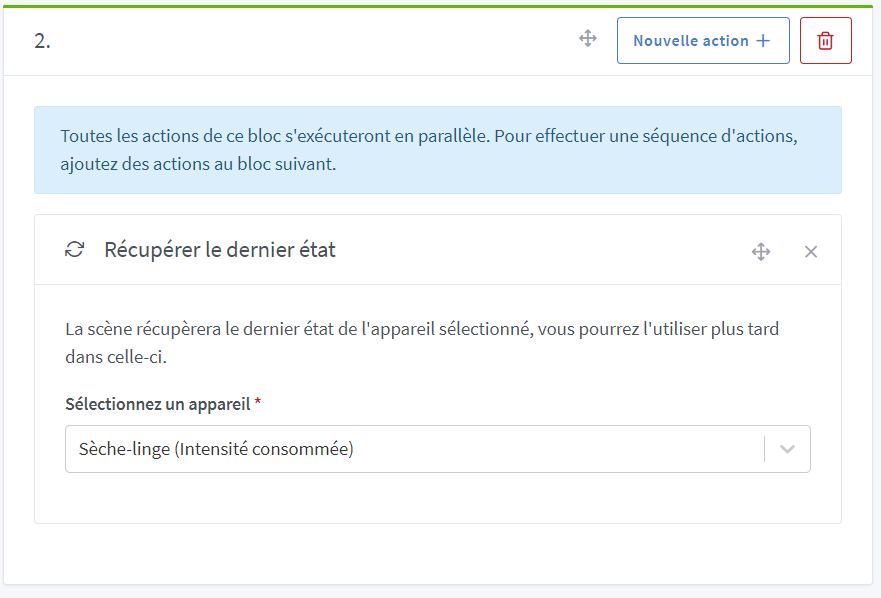
Take another measurement (just in case you have turned the device back on)
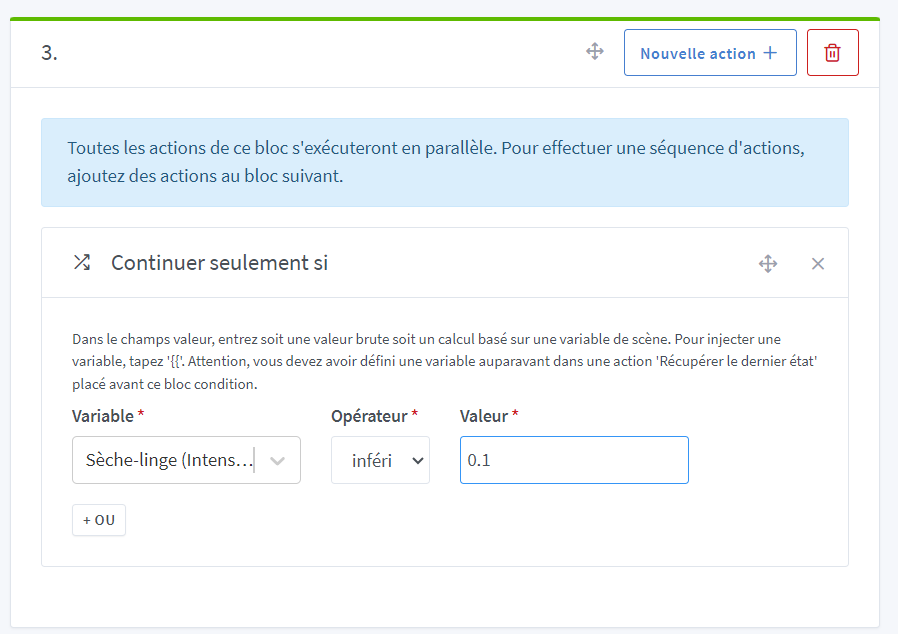
Continue only if the device is still in standby:
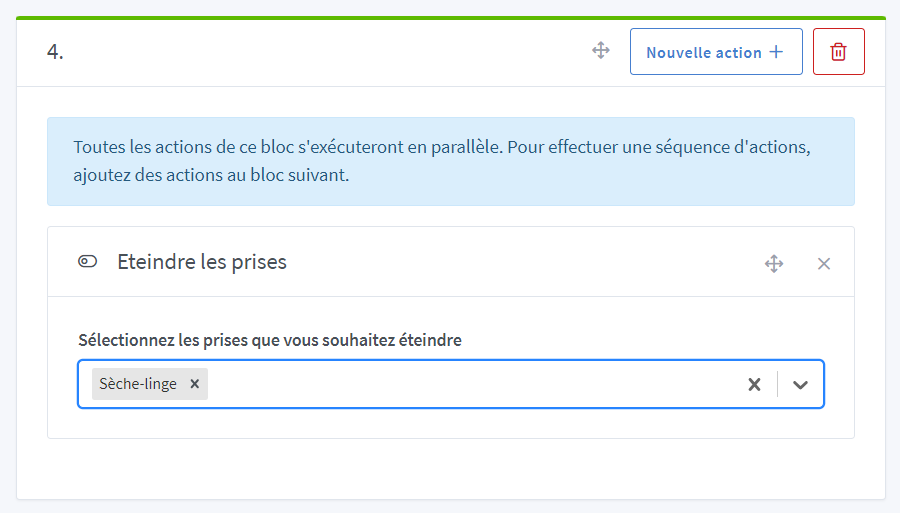
And turn off the device’s plug:
-
The coffee maker was left on (house empty or energy consumed above x):
(Soon) -
The television is on while you are asleep (Telegram confirmation message after temporal conditions — a certain time or x hours of operation —):
(Soon)
