ok thanks, I’ll check it out tonight. In the meantime, I just got another burst of 5 messages at 9 a.m. It’s not coming from 5, my sensor is in the basement where no one or nothing is moving. They must be very sensitive, I suppose.
Hello @pascal_sapin
Amazing your unexpected trigger. I will test I have one and get back to you to see if I have the same case.
hello
here is the continuation of the adventures
I have everything installed correctly, it seems to work but with the sensors close to the ziegbee key
I have 1 outdoor thermometer and 2 presence sensors
problem as soon as I move the sensors away, I lose the reception
I thought that the fact that they are mesh would make everything work much better
My question is whether the mesh is configured by default, I don’t think so, because there are 3 or 4 mesh plans star tree etc..
My question, how to configure the ziegbee modules to be able to extend the network ???
there are many parameters in the console
It seems that after a while, Zigbee devices connect to the nearest router or relay.
I added a plug a few weeks ago and I notice in the Zigbee2MQTT interface that devices are now connected to it. I have no idea when this happened, though.
In your case, it shouldn’t be as blocking, Zigbee is designed to cover several hundred meters thanks to relays 
Yes, it should be automatic, for example in case of signal loss or weakening
I found a diagram in the console, you can see how the modules are connected, I also found a tab that allows you to choose how to connect, but it doesn’t work, errors
I’ll take screenshots when I get the chance
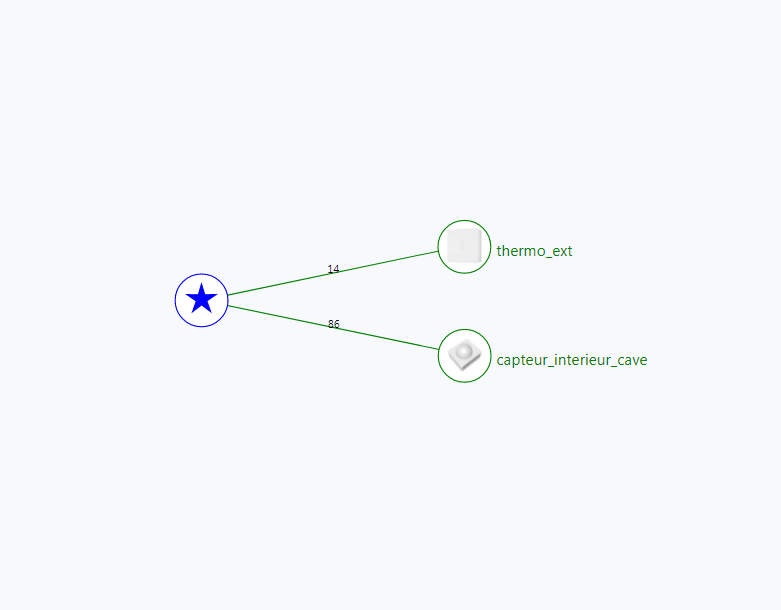
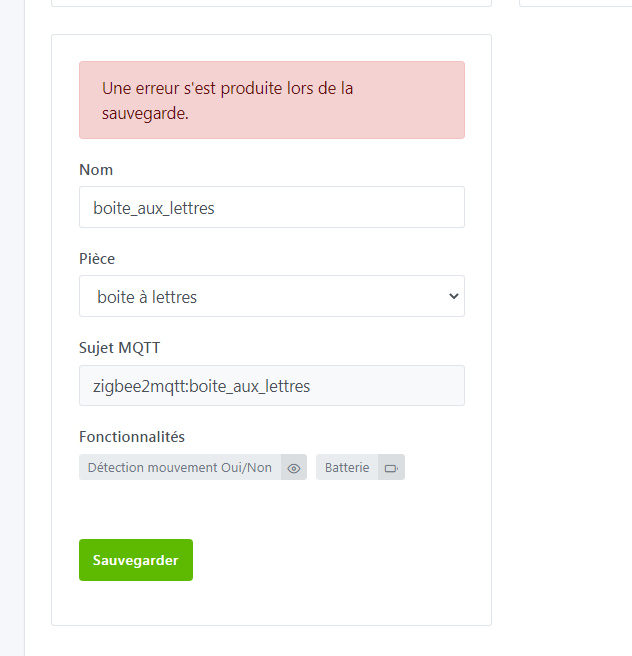
Maybe a problem like I had with a presence sensor and resolved with 4.7.2.
Here is the topic of the failure I had
Create a topic in configuration by giving your sensor model so that the developers can see if there is the same error
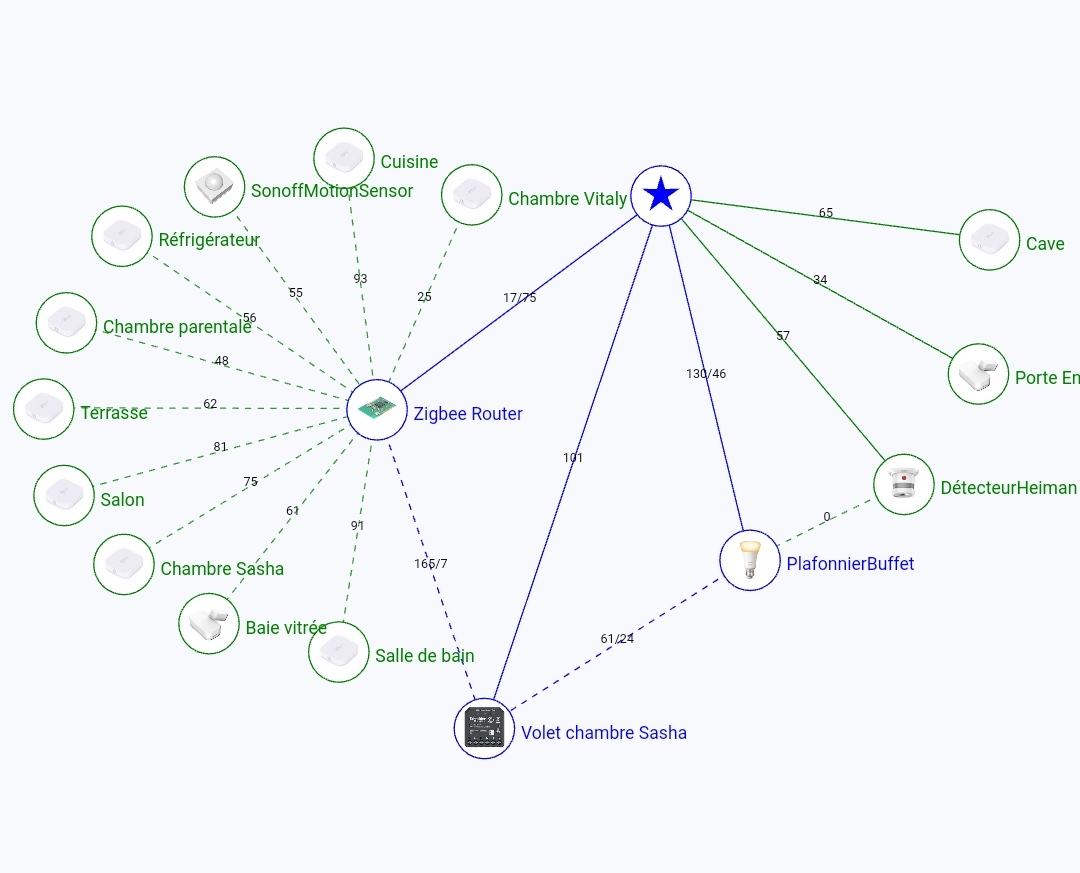
Thanks for the response, that’s what I thought, devices on battery cannot relay otherwise it drains the battery, however in terms of distance it’s really not great, as soon as there’s a wall it’s over, the transmission drops, looking at the diagram there’s an error in the transmission level of 0-255 on the diagram we are often below 100?
My error is fixed, I changed the sensor name and it works? I don’t understand, I put « mailbox » maybe the « à » with an accent.
In any case, I think I will switch to 868MHz or 432 for long distances, I have a plot of 33ares.
Thanks
Can you tell me what type of Zigbee router you are using?
Thank you
Could I also use a device that plugs into the mains to act as a bridge?
@pascal_sapin is right, some Zigbee routers are more powerful than others. Mine has a small external antenna that improves reception.
On my end, I have 2 walls of 3cm of concrete and it works fine without any issues.
However, I have a sensor in the same room that has poor reception…
Almost everything on the sector acts as a relay
Example on my graph, a Philips hue bulb, a Schneider shutter module, a diy router
Fine, I know what I have left to do LOL
Well, after trying all day, it’s not very conclusive
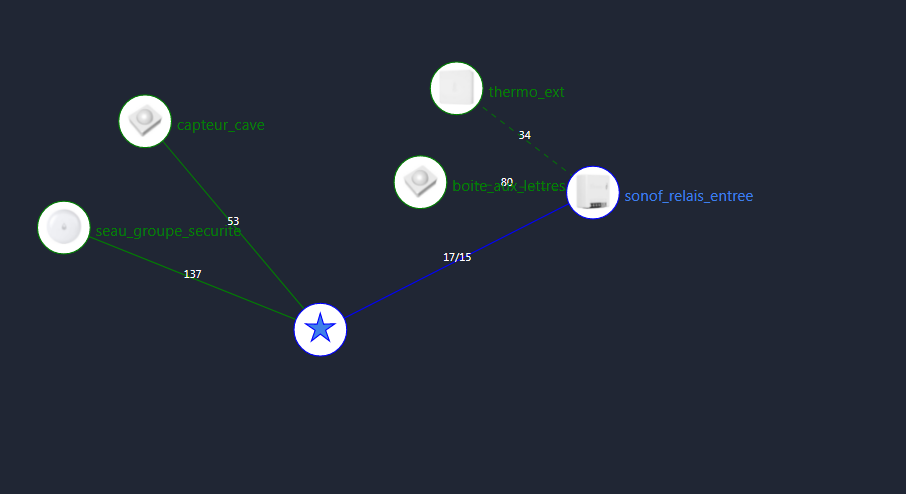
I give up on Zigbee, it doesn’t work correctly, connection loss or impossible to know if the modules are correctly connected, I try testing the connections with the panel below, even unplugging the module I get 80 connection lol or maybe there’s something I don’t understand, I bought a power module to act as a relay, you can see it on the diagram but it changes nothing
I think I’ll switch to Z-Wave or go straight to 435MHz
However, your mailbox sensor is a presence sensor, not an opening sensor.
It has nothing to do with it, look at the tutorial photos, it has nothing to do with it. That’s why it doesn’t trigger.
Yes, but no, because when opening the box, the sensor did trigger. I remain doubtful about the diagram, which in my opinion only shows the routing. The connection values don’t mean anything, and even after removing the battery from the sensor, it still detects. I just measured the distance from my mailbox, 16m to the facade of the cellar where I have the relay just on the other side of the wall.
So I didn’t understand what’s wrong
Okay, sorry if my explanation is a bit scattered. The issue isn’t the motion sensor in the mailbox; it’s the reception.
Let me recap: to pair my motion detector, I need to be near my computer; otherwise, it doesn’t work (interview error or it doesn’t connect at all). At the access point or relay, even if I manage to connect, when I move my sensor further away, the system still indicates it’s connected, with the same reception strength or quality (your choice), even though I’m convinced the sensor is offline. I’ve done tests all day, but nothing works. Zigbee is only designed for short-range connections without interference. After several days of testing, I conclude that Zigbee has a maximum range of 10 meters in open space, and even then, it’s hit or miss.
Attention, the sensor values are those of the last transmission; it’s not real-time, so it can skew your analysis.
10 m in open field seems low.