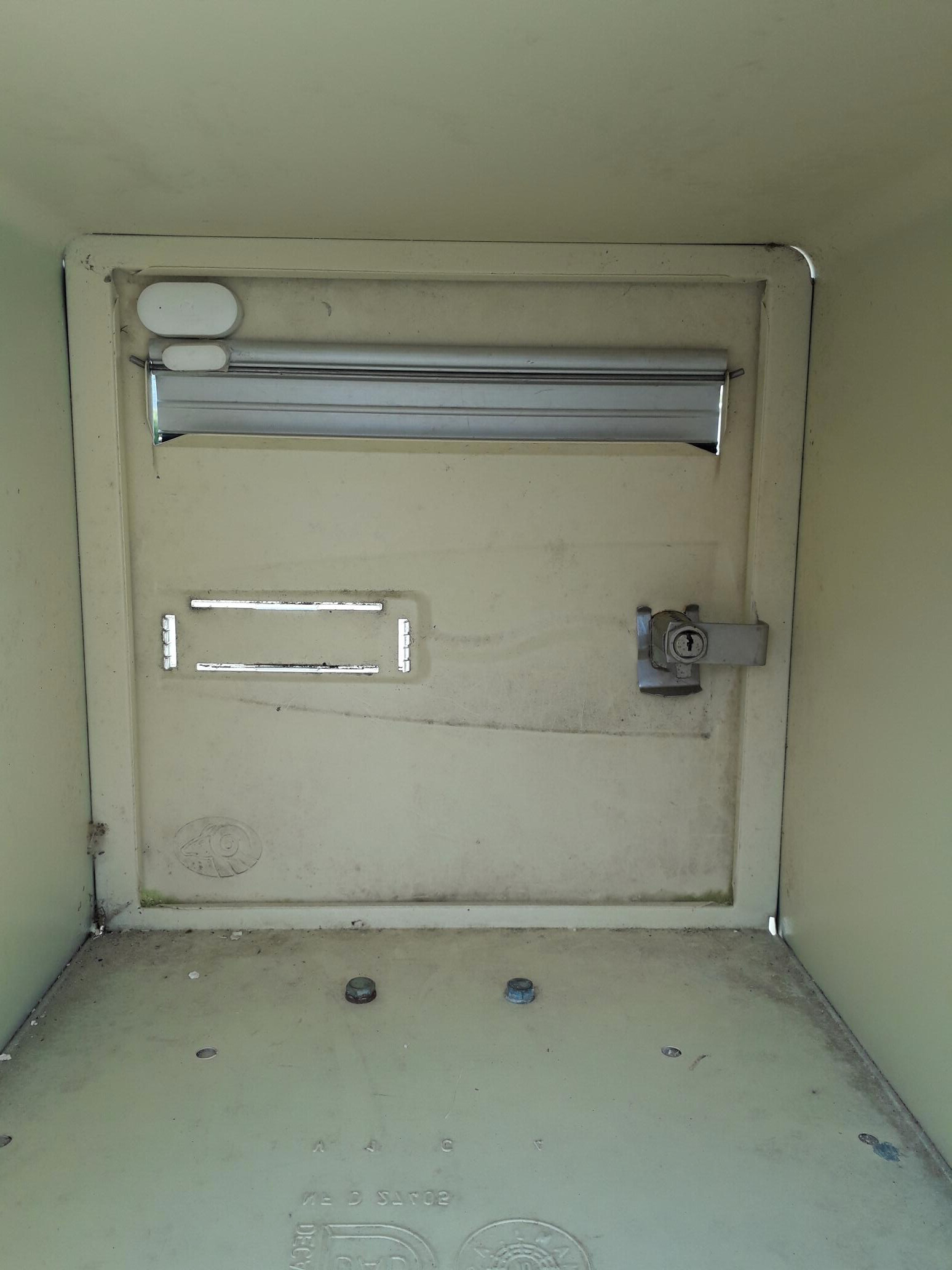
Today I present you a very simple and very inexpensive tutorial but which provides many services, especially when it rains as often as it does in Normandy.
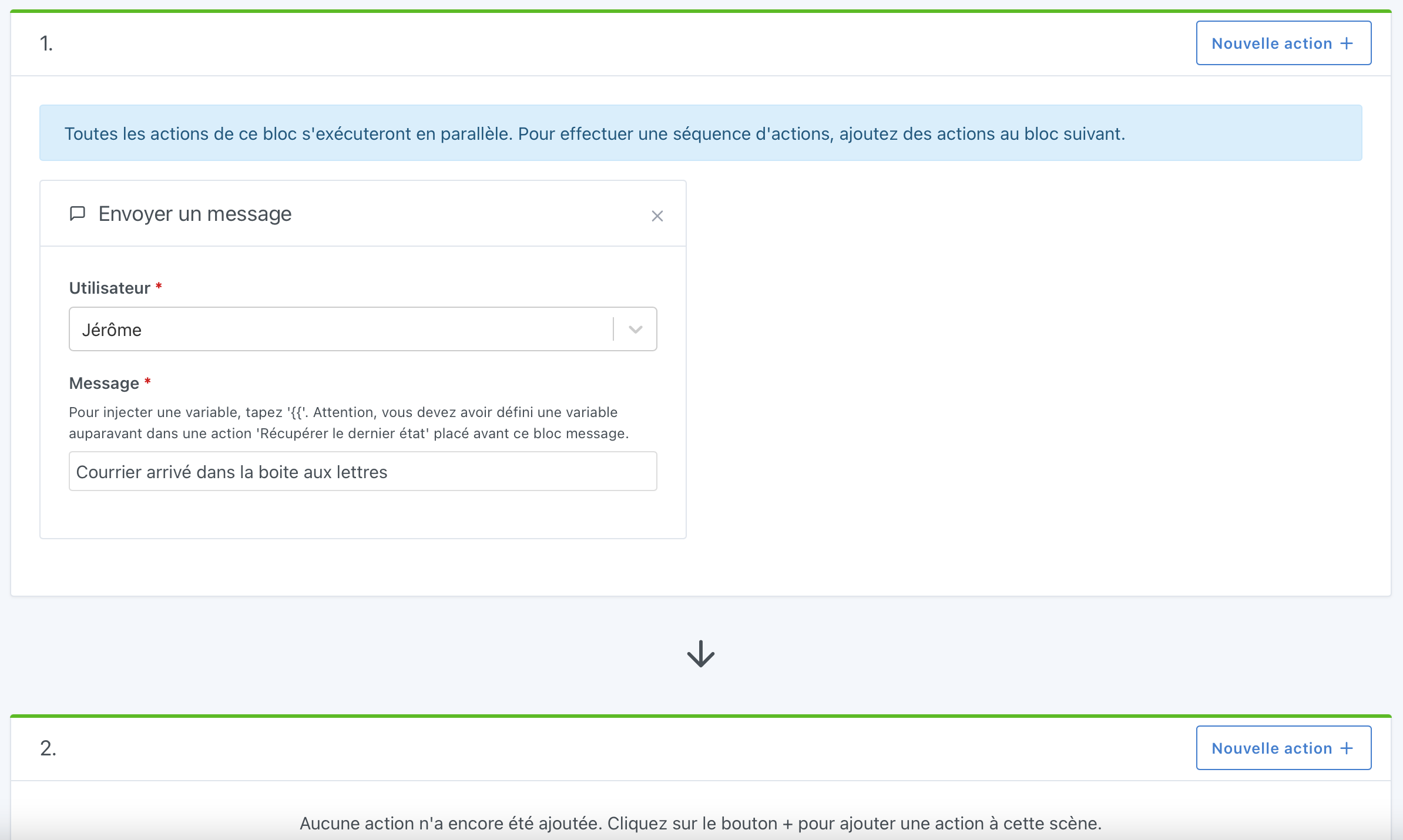
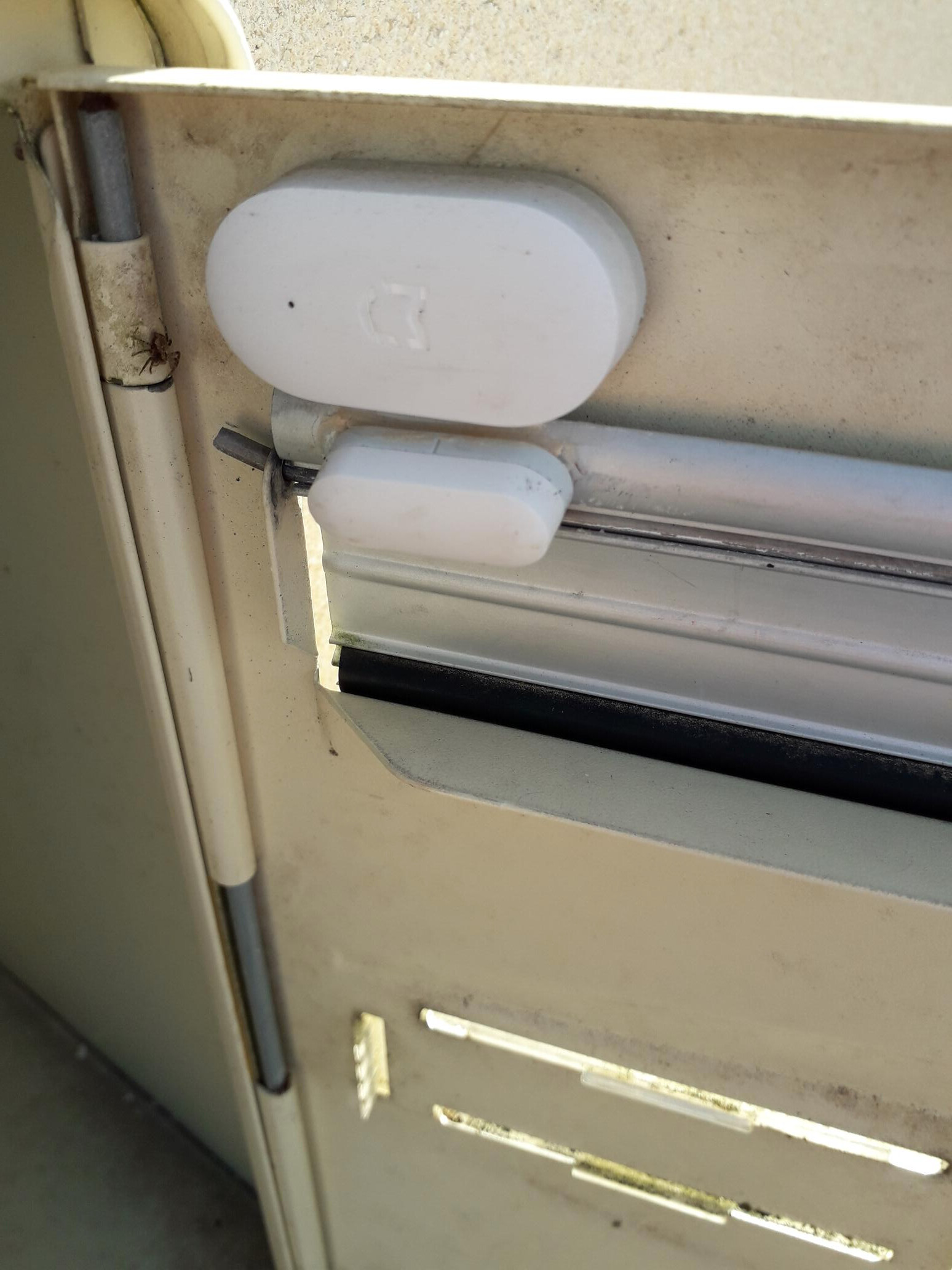
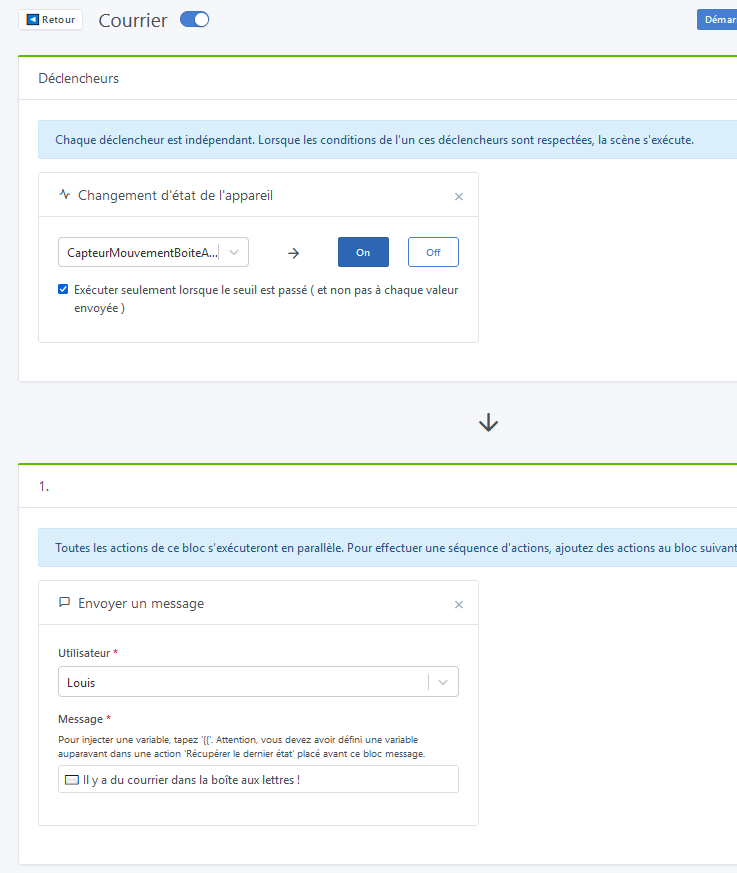
I assume I’m not the only one who hates going to the mailbox in bad weather and to see that the mailbox is empty. So I had the idea of integrating a sensor and then Gladys notifies me via a notification and via Telegram.
For this project, if you are interested, you will need:
Hello, it seems like another topic… But explain to us in detail what you have done, from the beginning. And if I’m right, I will write an article for you.
I suggest you open this topic on the forum if you can’t or don’t find an answer and come back to this topic later if you have questions about this tutorial to avoid going off topic please.
Thank you, good luck. By searching, we always end up finding. Believe me, I sometimes spend hours on it.
Hello
Thank you for this tutorial, I did everything today, but I am using a presence sensor.
My problem is that I sent a message but nothing arrives or leaves???
Did I miss something?
Pascal
I also use a presence sensor: be careful, it’s not always functional when you receive a simple letter. I have a Xiaomi that doesn’t always alert me when I receive a letter or a flyer, but it does every time for a package
Is the Telegram service well configured? Do you have messages in the « discussion » part of Gladys?
The door opening detector works great, except when the person who puts the flyers damages the sensor. But alerts are well received as soon as the flap is lifted via Telegram.
No email indeed, to be seen with pierre-gilles if the development is planned but not currently to my knowledge.
Hello
Thank you for the reply,
I created a Telegram account and entered the API key, it works when launching the scene manually, but after sensor detection, nothing happens. This morning, on the other hand, there were many messages from the middle of the night and also this morning but with a lot of delay. I chose the motion sensor option for the mailbox so that I can stick it high up in the box at the back, no risk.
I also took a look at the Zigbee sensor settings in a certain tab « status » I think, it shows false or thru when a detection occurs, so it works, so it’s still stuck somewhere in the chain.
Two tips for you, as I’ve already had these issues:
Place the sensor on the side, at the entrance of the mailbox.
This way, it won’t pick up movements from outside (in my case, there is no « flap » covering the opening).
Make sure to check the option « Run only when the threshold is crossed (and not for each value sent) ». Otherwise, you will receive multiple messages at once for a single movement.