He’s always watching the watchtower (that’s the whole point, actually).
Good evening,
a new image will be ready in one hour, with a major overhaul on device detection.
Please alert me if any regressions have appeared.
Hello.
I haven’t had time to play with Gladys for a few weeks, too busy managing my little boy and the controlled outlets…
So, to be able to assist as much as possible, could you tell me:
- how to cleanly remove the installed Docker images,
- install the latest one to test the Sonoff devices.
Thanks a lot,
Looking forward to reading you,
Jean
On me corrigera si nécessaire
I did this procedure because my image from @AlexTrovato was not updating with Watchtower.
You need to know the image id for this:
edit df -l (I’m not sure, I’ll check this evening)
After that, you need to stop the image
docker container stop number id
Then delete it:
docker container rm number id
After that, check if it’s ok with:
edit df -l
And you can do the procedure from @AlexTrovato again
docker run -d
–restart=always
–privileged
–network=host
–name gladys-sonoff
-p 80:80
-e NODE_ENV=production
-e SERVER_PORT=80
-e TZ=Europe/Paris
-e SQLITE_FILE_PATH=/var/lib/gladysassistant/gladys-production.db
-v /var/run/docker.sock:/var/run/docker.sock
-v ${PWD}/gladysassistant:/var/lib/gladysassistant
-v /dev:/dev
atrovato/gladys-sonoff:4.0.0-beta-arm
To list the containers
docker ps
To stop the container (the ID is not mandatory, the name is sufficient)
docker stop gladys
To remove the container
docker rm gladys
Then you also need to delete the image to be sure
docker rmi gladys
Then you can run the last command mentioned earlier by @Tlse-vins
I add the very useful command:
docker system prune
Which removes all unused images/containers!
Hello,
Thank you for your precise answers.
A question about the image dedicated to sonoff tests and proposed by @Tlse-vins:
Is it compatible with my hardware, as I am currently using the following image:
gladysassistant/gladys:4.0.0-beta-arm64v8
How can I get a list of available images, and thus be able to select the appropriate image?
Thank you 
The answer is in the question 
The list of builds by @atrovato is available at https://hub.docker.com/r/atrovato/gladys-sonoff/tags
So for you, it’s arm64v8 presumably.
Only for testing as these builds are temporary.
I just tested your latest version, the Sonoff RF433 is well integrated.
- for info: when you only put Sonoffs, there is no on/off button on the box on the dashboard.
- the name in the box is the Sonoff device name, it would be nice to have the switch name.
- I haven’t tested this technique, I haven’t had time to flash my last device yet.
- Can this technique be used for other services?
I can’t wait for this service to be integrated into the official version.
@VonOx: The answer is often in the question for those who already know the answer… But that’s not my case, hence my question When I visit your link, I see that the arm64v8 image does indeed exist. I thank you for that, as I was able to easily install the dedicated Tasmota version 
I don’t understand the part « only Sonoff » because I only have Sonoff devices and I see the on/off button on the dashboard.
What do you mean by « the name of the switch »? The device model? Today it’s the name that was configured in the device interface, the « friendly name ».
The latest version does this for all Tasmota devices. It has been integrated and detected for devices that have sensors/actuators: the on/off switch, color, intensity (dimmer/brightness), color temperature, temperature, humidity, energy consumption.
That’s a good question. It will be the case for Bluetooth, to be seen according to the information provided by other protocols.
Thanks for all this feedback.
If it’s stable enough, I will request integration into the RC release.
@AlexTrovato: I can only bow before the simplicity of adding a device with your version of Sonoff management… Two clicks and it’s in place, bravo!
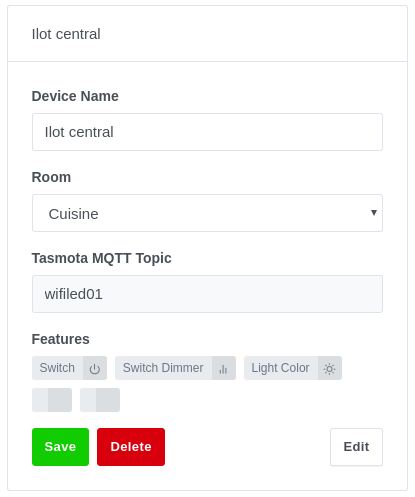
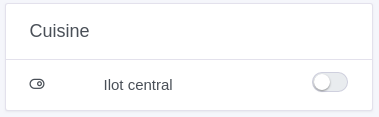
However, my Sonoff AL-LC01 (LED strip manager) is detected and created, but ultimately not fully controllable: you can turn it on/off, but nothing can be adjusted (color, power, etc…).
Below is the device detection:
And its display in the dashboard:
Would you like me to send you logs?
At your disposal,
Jean
General on/off. I can’t turn off all the Sonoff at the same time like the Hue.
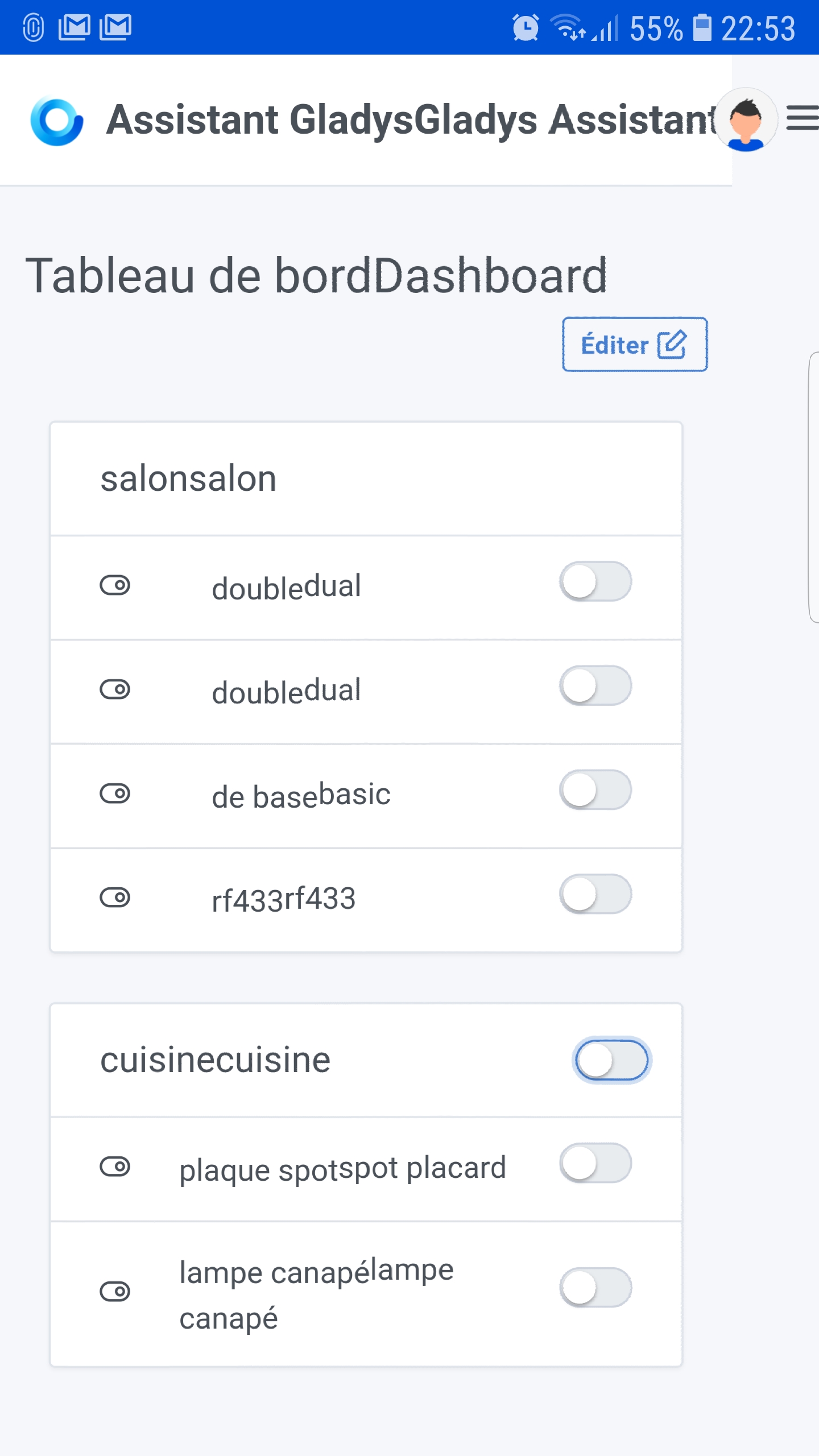
I’m talking about when you edit the Sonoff settings, you have the switch name. By default, there is switch 1 and switch 2 for the dual, but it’s not used.
If you look at my screenshot, you see the dual twice, how can I differentiate them?
Imagine you have a 4-channel Sonoff, they will have the same name?? Strange, right??
Edit: all the writings are doubled because it automatically translated for me, I didn’t see it, it’s not a bug.
If I don’t say nonsense, it’s the case for all the lamps, discussion in progress to manage the colors and the saturation. I didn’t find the topic on the forum 
Thank you, I am flattered.
For the identified issues, we are more focused on ongoing reflections on the core of Gladys, outside of the service itself.
Ok I understand. We are only focusing on the dashboard, right?
This then relates to the previous issue linked to the display managed by the Gladys core, not by the service.
The subject is still open and under consideration.
I found a draft part
It’s still me, I’ve fixed the issues with the unnamed features, and the display of the name on the dashboard.
I think my next mission will be to make proposals for the dashboard display with all the missing features, but this will be on another branch.
I’m still waiting a few more days for more feedback on the Tasmota part, then I will request the integration of the service.
I must conclude that you validate its proper functioning??
I also installed Tasmota on an ESP, specifically to test as many cases as possible. I thought I had handled the multi-relay case (here 4).