Hello, I have some Sonoff Mini modules at home that I had flashed with Tasmota, and I had one left unflashed that I was able to test with the eWeLink module, which allowed me to compare a bit. I noticed a small bug in the state feedback in the Gladys interface. When I turn on my Sonoff Mini from the switch, the feedback works well in the interface, but not when I turn off the Sonoff. I tried changing the delays in the settings, but nothing changes except when I set it to every second, where nothing works.
Hi @adrien-cardinale, I’m tagging here @Pti_Nico who is the developer of the eWelink service. Thanks for your feedback!
Thank you for the feedback 
For your information, I just fixed a detection bug that was reported to me and I’m taking this opportunity to improve the service.
Perhaps you could test this new version once it’s available?
@pierre-gilles a quick technical question about Sonoff modules with multiple channels (image below).
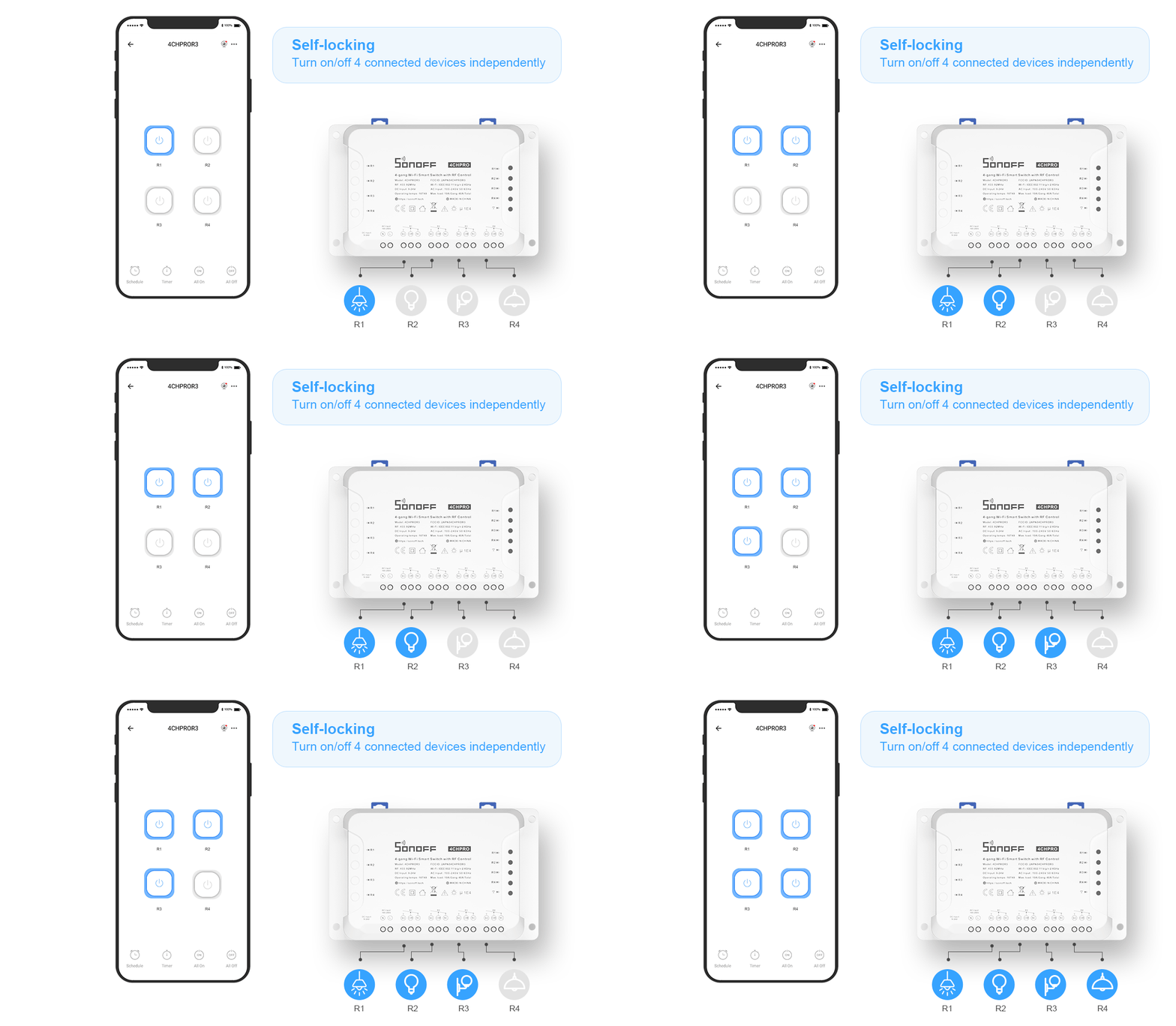
Should we create 4 devices with 1 « Power » feature each or 1 device with 4 « Power » features?
Hello everyone,
I just received my Sonoff Mini R2, and I was wondering what the difference is between the Ewelink service and Tasmota? By using Ewelink, requests are sent to Chinese servers, whereas with Tasmota everything is done locally, right?
So I think I will use Tasmota. Am I reasoning correctly?
That’s exactly it. You need to flash them with Tasmota.
Super thanks for the quick response!
To flash the Sonoff mini R2, I saw that you need to switch to developer mode. I found a tutorial (in French) that explains how to do it for this model, in case it can help someone: Sonoff DIY Mini R2 - #13 par Arnaud_Massart - Objets connectés - Communauté Jeedom
It may be possible to control the modules without using the cloud or flashing Tasmota:
https://sonoff.tech/product-tutorials/diy-mode-to-control-the-sonoff-device
Yes, with a Rest API on the local network.
So, it’s less cool for status updates, you constantly have to poll…
@AlexTrovato, by the way, any thoughts on my question earlier about multi-channel devices?
@Pti_Nico: For me, it will take 4 devices
If I understand how Gladys works, a device is linked to a room. Except that one could imagine that the 4 controlled devices are in different rooms.
So, a device can only have one feature of each type…
Yes, I will keep you informed. Will it be in the next Gladys update?
In theory, we should have one device with 4 features, but for now, we haven’t solved the problem of « if these 4 features are in 4 different rooms, » which we want to solve with virtual devices. See:
https://community.gladysassistant.com/t/pouvoir-modifier-les-pieces-des-divers-features-composant-un-device-avec-multiples-relais/5935/17?u=pierre-gilles
So it’s up to you to decide if this is blocking for now. If so, we can start with a first approach « 4 devices with 1 feature » and migrate to the other as soon as the virtual device topic has progressed. If it’s not so serious in the meantime, you can go straight to the approach « 1 device with 4 features. »
What do you think?
I agree that a device is a physical apparatus and can therefore have 4 features of the same type.
But if we consider a device as the apparatus that is controlled, then it changes the game, as the 4 features can be in different rooms and therefore we need 4 devices.
The idea of virtual devices would allow managing this case (1 physical device and 4 virtual ones each associated with a feature).
For information, I tried to create a device with 4 features of the same type and I encountered a problem with the « getDeviceFeature » function (for polling) which only returns the first feature of a type for a device.
For the eWeLink service, I opted for 1 device per feature of the same type.
Don’t use the function in your case, it’s a function that does a line anyway ^^
With a bit of delay, in my opinion, we should not take on the responsibility of creating 4 devices from a single one, this will lead to confusion.