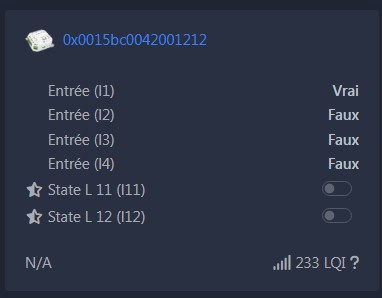
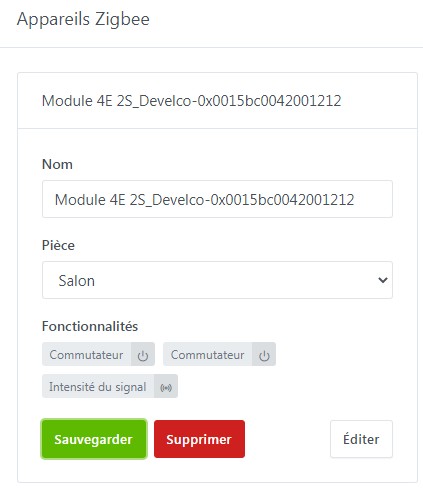
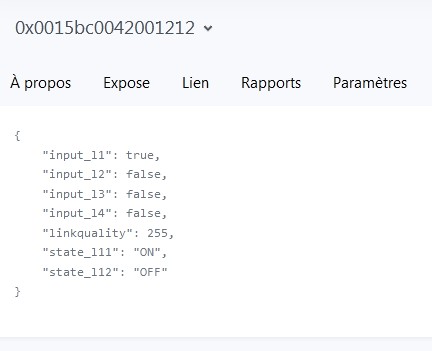
Good evening, with the aim of adding a wireless programmable thermostat to my electric heating installation it has become essential for me to add to Gladys a Zigbee module that has physical inputs. I found a Develco module, model IOMZB-110, that should be perfect except that this module integrated into Gladys appears only with 2 outputs while the 4 inputs are ignored. I am very surprised because in Zigbee2mqtt this module is complete: 4 inputs and 2 outputs and everything is functional.
Is it possible to modify this integration to access the inputs of this module or is that not possible?
It’s possible if someone takes care of adding the features to this device!
Unfortunately it won’t be me — I absolutely don’t know how to do it, I don’t know how to develop.
If it’s just a matter of reading the exposes, that can be done easily. However, where I have a question is about the line To read (/get) the value publish a message to topic ..... I think you have to send this command when you want to read this expose, but I don’t know whether this command is implemented in Gladys.
I think /get is if you ever want to query the state in Zigbee request mode, but otherwise the state is also published we change it to: " Value can be found in the published state on the input_l1 property."
So it’s exactly like what we’re doing right now, with just 4 attributes to read that we’re not currently reading.
Hello, this is indeed the module I would like to use because I didn’t find any other for Zigbee and it is sold by Domadoo so it’s easy to find and delivered quickly.
Thank you for the quick reply.
Alain.
Good evening, after struggling a bit to test a Gladys image I tried but I must have made a mistake because it’s not going as it should.
In PuTTY I sent the following command with the output and the error at the end:
Good evening, I tried several times on an Rpi 3B+ to test the installation which was done correctly but I couldn’t get the test to work.
All I managed was to break my Gladys installation on that board and to put everything back in order I had to take a basic course on Docker commands.
I’m sorry I didn’t succeed but at least Docker is less mysterious to me.
Alain
Hello, yes I put things back in order by stopping the Docker containers one by one, then I removed them with the command docker container rm and the ID of each container, and I restarted the Gladys installation from the beginning without the Docker install since it was already there.
There was no problem getting Gladys running again.
Thank you.
Alain
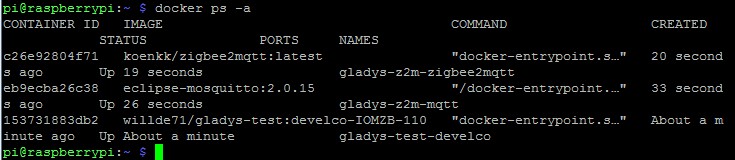
Good evening, I just restarted my test by changing the Zigbee dongle, using a minimal Docker setup and the PR works, but the Develco module is still fine in ZigbeeMQTT and only the outputs appear in Gladys’ Zigbee integration.
Screenshots :