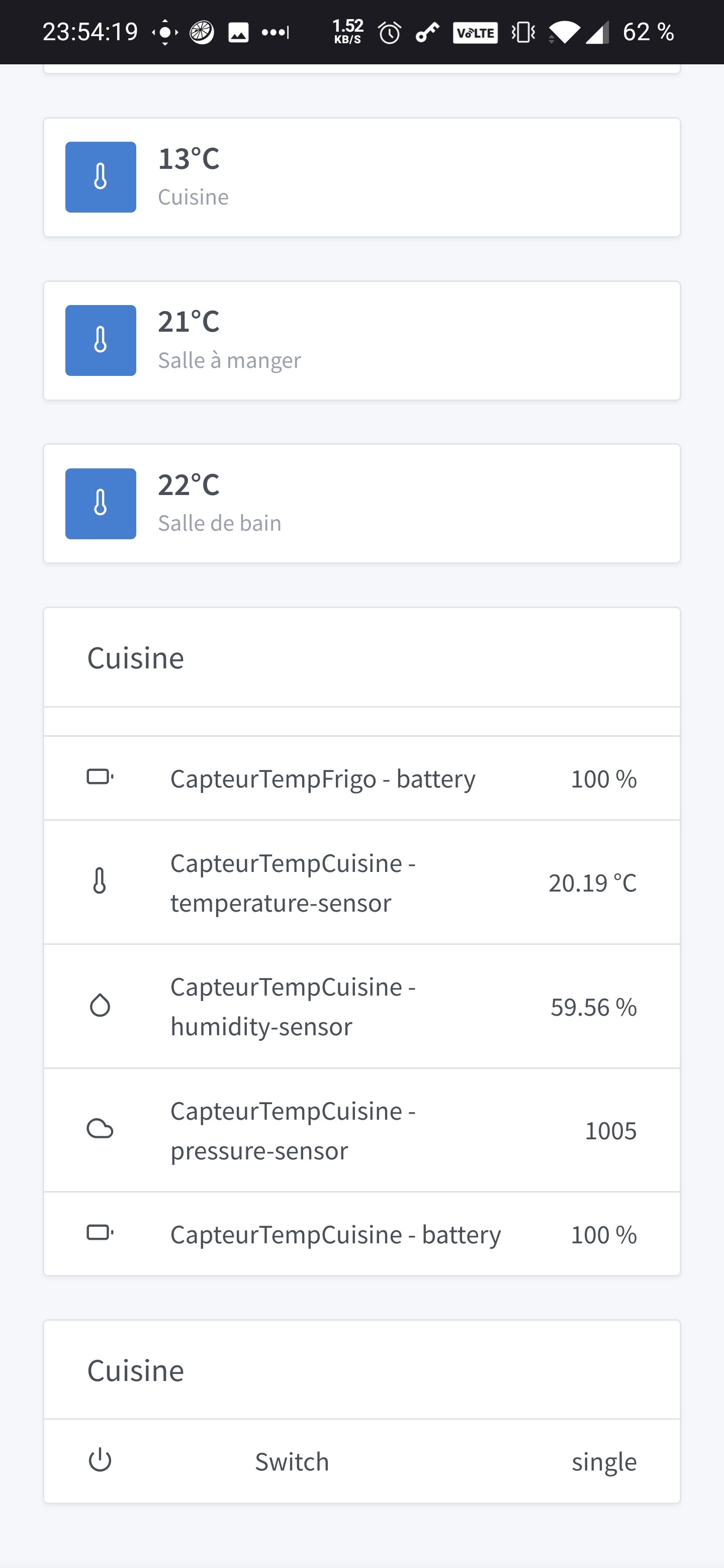
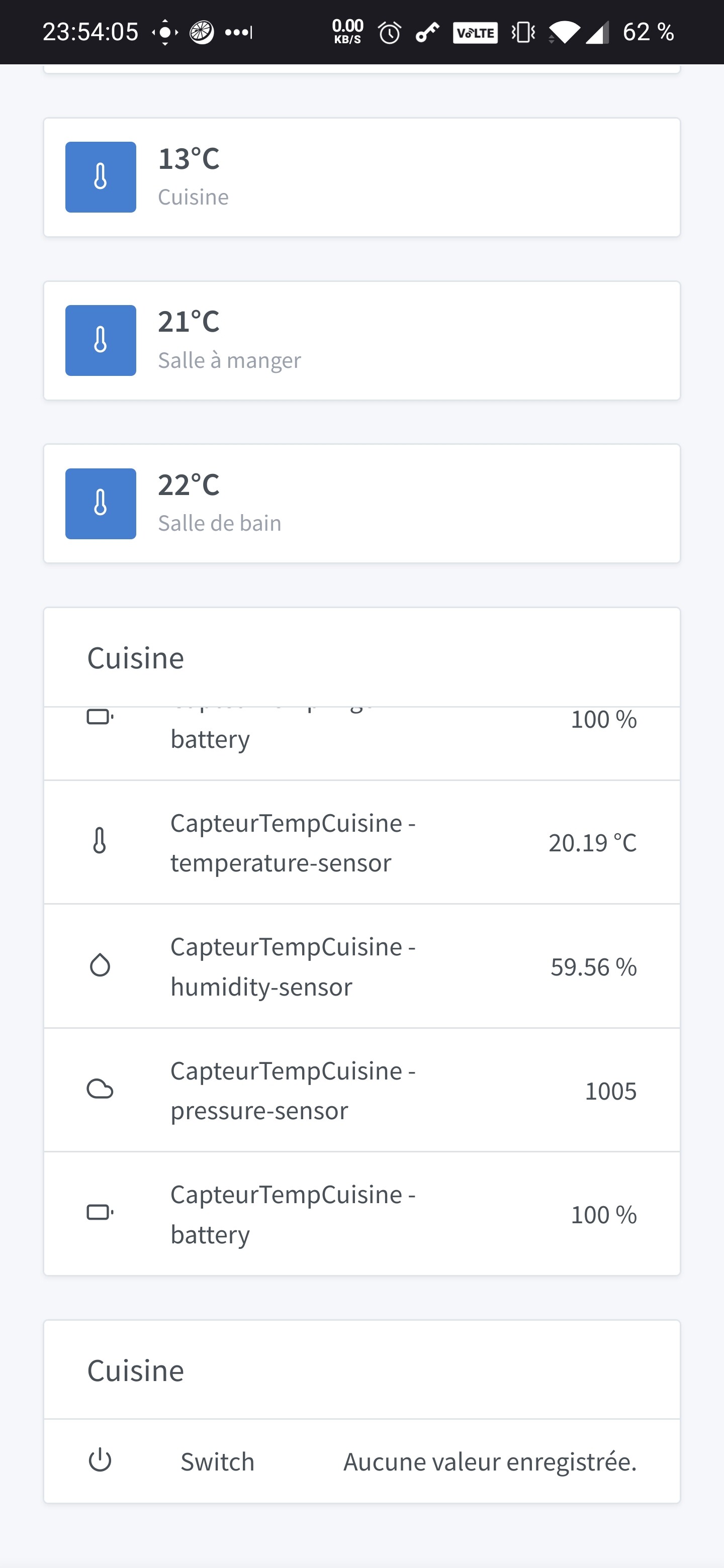
Yes, I had forgotten to exclude the Coordinators and the Routers. I just made the fix and the image should be OK in 1 hour…
I also added your TuYa input  Let me know if it works
Yes, I had forgotten to exclude the Coordinators and the Routers. I just made the fix and the image should be OK in 1 hour…
I also added your TuYa input Let me know if it works
That’s what I just showed and wrote to you yes
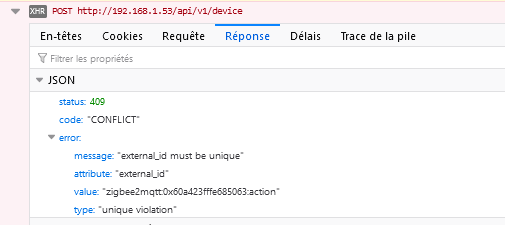
For now when I click on add, I get an error: « An error occurred during saving ».
And nothing on the Gladys side logs.
Hello,
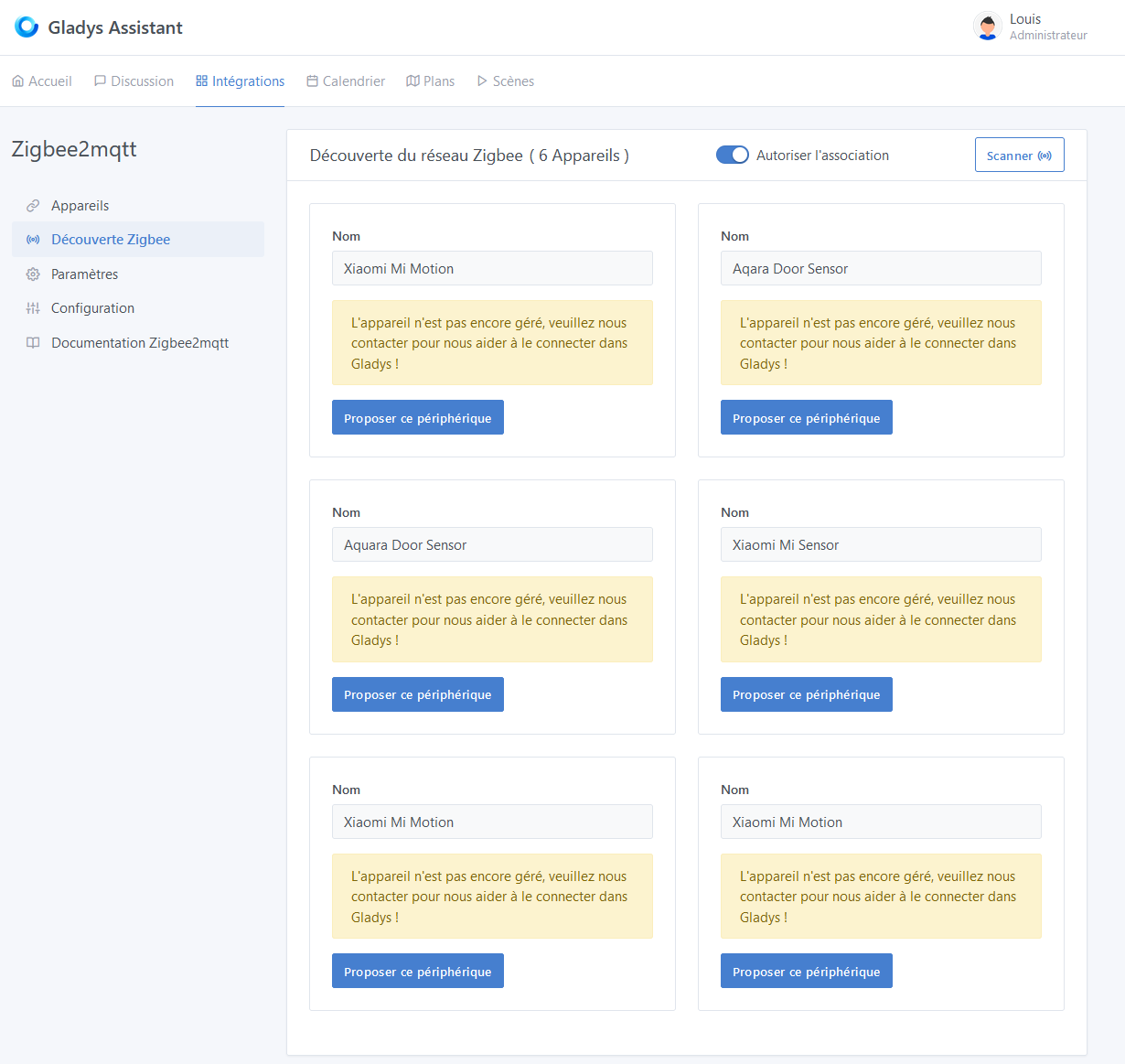
This morning, impossible to integrate or see the outlet (updated image) and therefore to add it:
On the log side, I have a few errors.
These sensors are however functional and configured in Gladys.
Zigbee2Mqtt:
Zigbee2MQTT:info 2021-02-09 08:02:33: MQTT publish: topic 'zigbee2mqtt/0x00158d0004843eb4', payload '{"battery":100,"illuminance":0,"illuminance_lux":0,"linkquality":141,"occupancy":false,"temperature":24,"voltage":3005}'
Gladys:
2021-02-09T09:02:33+0100 <warn> handleMqttMessage.js:87 () Zigbee2mqtt device 0x00158d0004843eb4, feature illuminance_lux not configured in Gladys.
2021-02-09T09:02:33+0100 <warn> handleMqttMessage.js:87 () Zigbee2mqtt device 0x00158d0004843eb4, feature linkquality not configured in Gladys.
2021-02-09T09:02:33+0100 <warn> handleMqttMessage.js:87 () Zigbee2mqtt device 0x00158d0004843eb4, feature temperature not configured in Gladys.
2021-02-09T09:02:33+0100 <warn> handleMqttMessage.js:87 () Zigbee2mqtt device 0x00158d0004843eb4, feature voltage not configured in Gladys.
Zigbee2Mqtt:
Zigbee2MQTT:info 2021-02-09 08:03:08: MQTT publish: topic 'zigbee2mqtt/0x60a423fffe685063', payload '{"current":0.53,"energy":5.33,"linkquality":114,"power":81,"state":"ON","voltage":211}'
Gladys:
2021-02-09T09:03:08+0100 <warn> handleMqttMessage.js:87 () Zigbee2mqtt device 0x60a423fffe685063, feature current not configured in Gladys.
2021-02-09T09:03:08+0100 <warn> handleMqttMessage.js:87 () Zigbee2mqtt device 0x60a423fffe685063, feature energy not configured in Gladys.
2021-02-09T09:03:08+0100 <warn> handleMqttMessage.js:87 () Zigbee2mqtt device 0x60a423fffe685063, feature linkquality not configured in Gladys.
2021-02-09T09:03:08+0100 <warn> handleMqttMessage.js:87 () Zigbee2mqtt device 0x60a423fffe685063, feature power not configured in Gladys.
2021-02-09T09:03:08+0100 <warn> handleMqttMessage.js:87 () Zigbee2mqtt device 0x60a423fffe685063, feature state not configured in Gladys.
2021-02-09T09:03:08+0100 <warn> handleMqttMessage.js:87 () Zigbee2mqtt device 0x60a423fffe685063, feature voltage not configured in Gladys.
[EDIT]
Meanwhile, I deleted everything (database and Gladys folder) to restart cleanly.
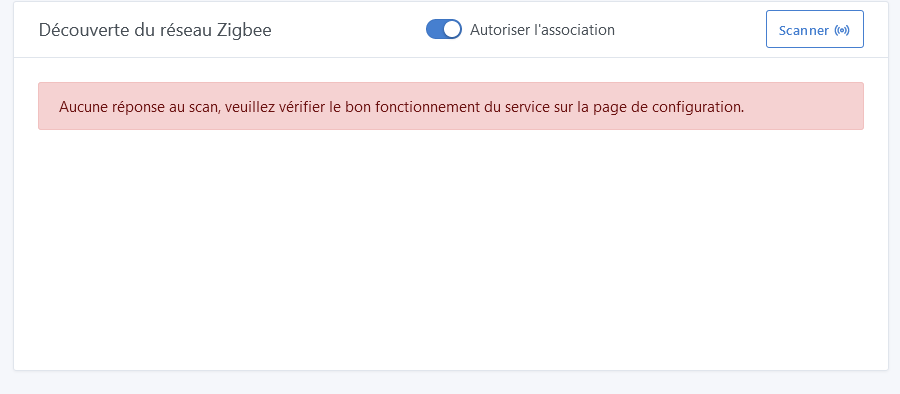
Still impossible to do a scan from Gladys (error), but in the zigbee2mqtt container everything is functional:
Zigbee2MQTT:info  2021-02-09 08:59:16: MQTT publish: topic 'zigbee2mqtt/bridge/config/devices', payload '[{"dateCode":"20201026","friendly_name":"Coordinator","ieeeAddr":"0x00124b0021cc41df","lastSeen":1612861156786,"networkAddress":0,"softwareBuildID":"zStack3x0","type":"Coordinator"},{"dateCode":"","description":"10A UK or 16A EU smart plug","friendly_name":"0x60a423fffe685063","hardwareVersion":1,"ieeeAddr":"0x60a423fffe685063","lastSeen":1612861101843,"manufacturerID":4098,"manufacturerName":"_TZ3000_rdtixbnu","model":"TS0121_plug","modelID":"TS0121","networkAddress":13318,"powerSource":"Mains (single phase)","type":"Router","vendor":"TuYa"}]'
Zigbee2MQTT:info  2021-02-09 08:59:16: MQTT publish: topic 'zigbee2mqtt/bridge/log', payload '{"message":[{"dateCode":"20201026","friendly_name":"Coordinator","ieeeAddr":"0x00124b0021cc41df","lastSeen":1612861156834,"networkAddress":0,"softwareBuildID":"zStack3x0","type":"Coordinator"},{"dateCode":"","description":"10A UK or 16A EU smart plug","friendly_name":"0x60a423fffe685063","hardwareVersion":1,"ieeeAddr":"0x60a423fffe685063","lastSeen":1612861101843,"manufacturerID":4098,"manufacturerName":"_TZ3000_rdtixbnu","model":"TS0121_plug","modelID":"TS0121","networkAddress":13318,"powerSource":"Mains (single phase)","type":"Router","vendor":"TuYa"}],"type":"devices"}'
In the Zigbee2Mqtt project documentation, they explain how to adjust the values of the sensors. I noticed that at night, with the light off, some sensors return 0 Lx and others 7 Lx.
Will this be feasible / difficult to implement in Gladys?
I just made a correction. You can pull and test again 
I haven’t looked into scanning and error handling yet. I think if no event (related to the discovery of a device) comes back within 5 seconds, there is an error.
I’ll check.
I also need to take a look at the issue where already configured devices reappear in the discovery.
There, I think we’re getting into fine-tuning and that it goes beyond the Zigbee2Mqtt service. You are free to install a zigbee2mqtt container, add specific configuration and send all messages to MQTT. Gladys will be able to handle the messages associated with the available features. I think @VonOx did something like that.
Still nothing in Gladys’ scan result, although Zigbee2Mqtt returns my devices correctly…
It’s true that it makes much more sense to do this in Gladys, as it’s general to all devices, Zigbee or not.
I must admit that I didn’t quite understand this configuration story. On my end, apart from the configuration (z2m config file), nothing special.
Are you talking about this? → Zigbee2MQTT
If you’re referring to this:
The idea is to tell Gladys that a sensor is misconfigured. For example, it measures 20°C instead of 17°C.
In this case, Gladys could apply a « -3°C » filter to this specific sensor.
Oh, an offset! Yeah, that can be useful in general.
Yeah, I used to do it on DIY sensors (Arduino/ESP). Since in this case, you can control what you send.
The scan now works, but I can’t click on « Add » (« An error occurred during saving ») for my TuYa plug.
Gladys Logs:
2021-02-10T16:49:30+0100 <warn> handleMqttMessage.js:87 () Zigbee2mqtt device 0x60a423fffe685063, feature current not configured in Gladys.
2021-02-10T16:49:30+0100 <warn> handleMqttMessage.js:87 () Zigbee2mqtt device 0x60a423fffe685063, feature energy not configured in Gladys.
2021-02-10T16:49:30+0100 <warn> handleMqttMessage.js:87 () Zigbee2mqtt device 0x60a423fffe685063, feature linkquality not configured in Gladys.
2021-02-10T16:49:30+0100 <warn> handleMqttMessage.js:87 () Zigbee2mqtt device 0x60a423fffe685063, feature power not configured in Gladys.
2021-02-10T16:49:30+0100 <warn> handleMqttMessage.js:87 () Zigbee2mqtt device 0x60a423fffe685063, feature state not configured in Gladys.
2021-02-10T16:49:30+0100 <warn> handleMqttMessage.js:87 () Zigbee2mqtt device 0x60a423fffe685063, feature voltage not configured in Gladys.
Browser Logs (same error for my other devices):
Regarding models: I realized by chance (via the Zigbee2Mqtt interface on port 8080) that many models are not complete.
I discovered that my motion sensors also act as temperature sensors and can send their battery level (with the following line, I have 2x the battery part in the interface).
File Xiaomi.js:
RTCGQ11LM: [features.motion, features.illuminance, features.battery, features.temperature],
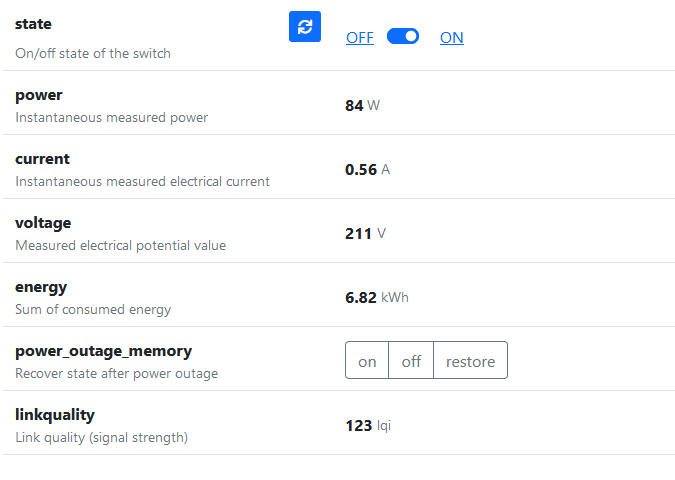
For my TuYa smart plug:
Can we configure the « power outage memory » option? How to do this via Gladys (I think it’s not yet supported)?
For your backup impossible issue, it’s because you already have it in your configured devices → I added a check to not show devices already configured in the Discovery tab.
For incomplete models, feel free to add them in the files of the model folder.
For the battery duplicate, I just saw the issue in the code. I will make a correction.
I don’t think power outage memory is a feature of Gladys currently.
Exactly, I don’t understand because I deleted the entire Gladys Assistant folder on the Raspberry Pi to start fresh.
[EDIT] The scan no longer works with this morning’s image. Impossible to see my motion sensor or my TuYa outlet in Gladys, but I can see it in Zigbee2Mqtt.
Hi @cicoub13
During my last test, it was again possible to connect my Zigbee devices.
But still impossible to add the TuYa plug (error during the addition).
Any idea about the source of the problem?
Don’t hesitate if you want me to do some tests or modifications to the Gladys code to get more visibility on this issue.
We also need to consider more generally how to handle this problem when the service is in place and a user encounters such an issue.
For example, a button to retrieve the container logs?
Or a simple error message in the web interface, with an « extended » error option to open an issue on GitHub?
@pierre-gilles this might be an idea for Gladys in general?
Hi. I’ve added a lot of logs, but to see them, the NODE_ENV variable needs to be set to development. And even by changing it in the command to launch Docker, it doesn’t work…
The command launched is npm run start:prod and therefore cross-env NODE_ENV=production node index.js
Does anyone know if it worked before and this is a regression of the latest Raspbian image?
The package.json indicates that npm run start is enough to run in dev mode. But the docker image also uses the prod marker by default, which I think takes precedence over the environment variables.
Hello, is it compatible with the Zigate?
Hi @cicoub13
Research is still difficult to perform, it often fails.
Suggestions:
In your test Docker image, can you replace the NODE_ENV environment variable to improve visibility?
I have an unsupported device, but I’m not going to open a GitHub issue since Zigbee is not yet official in Gladys.
{
  "name": "0x842e14fffe19ef0c",
  "external_id": "zigbee2mqtt:0x842e14fffe19ef0c",
  "model": "QS-Zigbee-D02-TRIAC-L",
  "features": [],
  "should_poll": false,
  "service_id": "563f6636-a817-48cc-8a3f-1e36078129f8",
  "supported": false
}
Good evening,
I noticed something: When the websocket connection is failing, the device reporting does not work. Try refreshing the page before launching the Detection.
I just pushed an image (just to develop/test) that allows the DEBUG mode. The logs are very interesting with the Zigbee commands launched, the devices detected by Gladys and those managed / unmanaged.
The launch command has changed a bit:
docker run -d \
--log-opt max-size=10m \
--restart=always \
--privileged \
--network=host \
--name gladys-dev-zigbee2mqtt \
-e NODE_ENV=development \
-e SERVE_FRONT=true \
-e SERVER_PORT=1080 \
-e TZ=Europe/Paris \
-e SQLITE_FILE_PATH=/var/lib/gladysassistant/gladys-zigbee2mqtt.db \
-v /var/run/docker.sock:/var/run/docker.sock \
-v /var/lib/gladysassistant:/var/lib/gladysassistant \
-v /dev:/dev \
-v /run/udev:/run/udev:ro \
cicoub13/gladys:dev-zigbee2mqtt
I also added your Lonsonho switch. Let me know if it gives you more information in the logs.
Thanks, that’s great, I’ll keep you posted.
For your information, regarding the context, I use Gladys a lot from my phone. The tab remains open on my phone but reloads when I access it.
Any idea why the switch is not actionable?
It is still recognized as such in the devices.
Edit: For some reason, it is not recognized as a switch and is not actionable. The « turn off the lights » part in a scene is empty, despite the presence of this switch. Is this a bug in your opinion @pierre-gilles?
2021-02-22T08:50:12+0100 <warn> handleMqttMessage.js:97 () Zigbee2mqtt device InterrupteurCuisine, feature state not configured in Gladys.
Edit 2: @cicoub13 the connected plug is still not accepted by Gladys. As soon as I have time, I’ll check the logs.
Edit 3: For the scan to work, I must necessarily refresh the page completely. If I am in the « My devices » tab for example, I still need to refresh and it works again.