Hello,
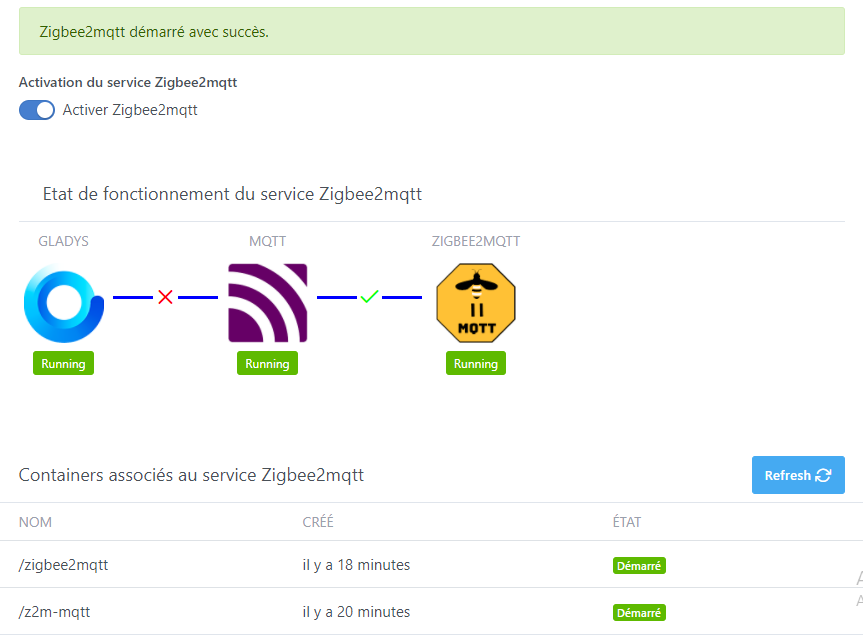
For my part, I continued the tests, it seems that the file access rights issue is due to docker-compose, a simple docker run seems to work on both environments: the official Gladys image and HypriotOS.
I was therefore able to associate two Xiaomi MiJia wireless switches, and a Xiaomi Mi/Aqara smart home cube, so now I just have to test using them to launch scenes
Thanks for these quick tests. It’s nice to get feedback like that.
@Albenss, did you also have the same connection issues between containers at startup?
I had indeed noticed things that didn’t necessarily seem « useful » to me, but I thought I had left everything as is. I’ll take a look and make an update if necessary.
Actually, it’s a frontend that is now integrated into the Zigbee2mqtt service. For testing, it allows you to check the proper pairing of devices, which I find is still quite capricious with Zigbee…
In the long term, I plan to add the network map display directly in Gladys.
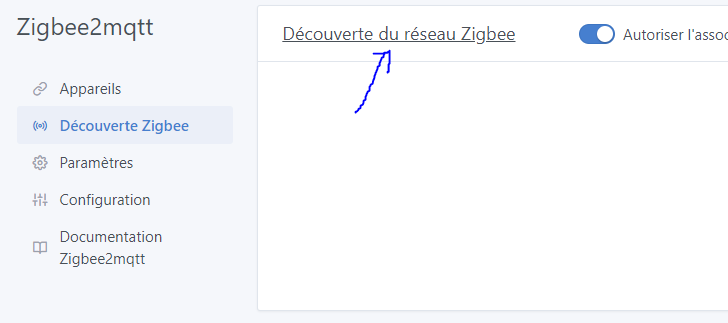
It’s on the title « network discovery ». It might not work on your config…
I’m happy to take corrections, it will help me. Either on the PR or in issues on my GitHub.
For the display bugs, I haven’t tested on mobile so I’m also interested.
Hello, quick question, the MQTT topic listened to by Gladys corresponds to the friendlyName, so if we change the friendlyName from the Z2M GUI, we need to re-associate the device. Wouldn’t it be better to base the topic on the device ID rather than the friendlyName?
I tried to install the Zigbee image but I messed up, so I reinstalled everything from scratch.
I installed Gladys 4, then I entered the Docker code provided by r6n0.
I installed the MQTT service in the integrations, but it doesn’t connect.
I see in the logs that it can’t find my dongle.
I’ll show you the logs right below:
docker logs gladys-zigbee2mqtt
gladys-server@ start:prod /src/server
cross-env NODE_ENV=production node index.js
Initialising OpenZWave 1.6.1051 binary addon for Node.JS.
OpenZWave Security API is ENABLED
ZWave device db : /usr/local/etc/openzwave
User settings path : /src/server/services/zwave/node_modules/openzwave-shared/build/Release/../../
Option Overrides : --Logging false --ConsoleOutput false --SaveConfiguration true
2020-11-17T18:46:54+0100 init.js:38 (Zigbee2mqttManager.init) Zigbee2mqtt USB dongle not attached
2020-11-17T18:46:54+0100 index.js:19 (Object.start) Starting telegram service
2020-11-17T18:46:55+0100 service.start.js:53 (Service.start) Service telegram is not configured, so it was not started.
2020-11-17T18:46:55+0100 service.start.js:53 (Service.start) Service mqtt is not configured, so it was not started.
2020-11-17T18:46:55+0100 index.js:20 (Object.start) Starting Open Weather service
2020-11-17T18:46:55+0100 service.start.js:53 (Service.start) Service openweather is not configured, so it was not started.
2020-11-17T18:46:55+0100 index.js:15 (Object.start) Starting Bluetooth service
2020-11-17T18:46:56+0100 index.js:16 (Object.start) Starting zwave service
2020-11-17T18:46:56+0100 service.start.js:53 (Service.start) Service zwave is not configured, so it was not started.
2020-11-17T18:46:56+0100 index.js:13 (Object.start) Starting usb service
2020-11-17T18:46:57+0100 index.js:19 (process.) uncaughtException catched: uncaughtException
2020-11-17T18:46:57+0100 index.js:20 (process.) Error: listen EADDRINUSE: address already in use :::80
at Server.setupListenHandle [as _listen2] (net.js:1317:16)
at listenInCluster (net.js:1365:12)
at Server.listen (net.js:1451:7)
at Object.start (/src/server/api/index.js:62:10)
at /src/server/index.js:33:10 {
code: ‹ EADDRINUSE ›,
errno: ‹ EADDRINUSE ›,
syscall: ‹ listen ›,
address: ‹ :: ›,
port: 80
}
I feel like I’m missing something but I can’t see what.
Can you help me or am I completely lost? ^^
Hello,
The Reno image is a custom Gladys with Zigbee2Mqtt. In your case, you have installed two Gladys instances, as far as I understand. If you want to run both images in parallel, you need to specify a new port for the Reno Gladys image as well as a new location for the database of this custom Gladys.
You can base your configuration on the code from VonOx below:
So you will have Gladys on port 80, and Reno Gladys on port 1080.
Is your device properly recognized in the Zigbee2Mqtt interface? (You can click on a device to see its information, such as whether it recognizes the brand or model, for example).
She’s amazing this view!!
Indeed, my device appears
EDIT: after some random manipulations, I’m now well stuck.
I thought that to restart cleanly, I would delete the devices from the Zigbee Network Discovery view … the blunder!
Now my peripherals are not even scanned and do not appear anywhere.
In doubt, I did this:
docker restart z2m-mqtt
docker restart zigbee2mqtt
It didn’t do anything. As if I had blacklisted my devices ^^ any enlightened opinion on the matter?

 (I love it
  )
)
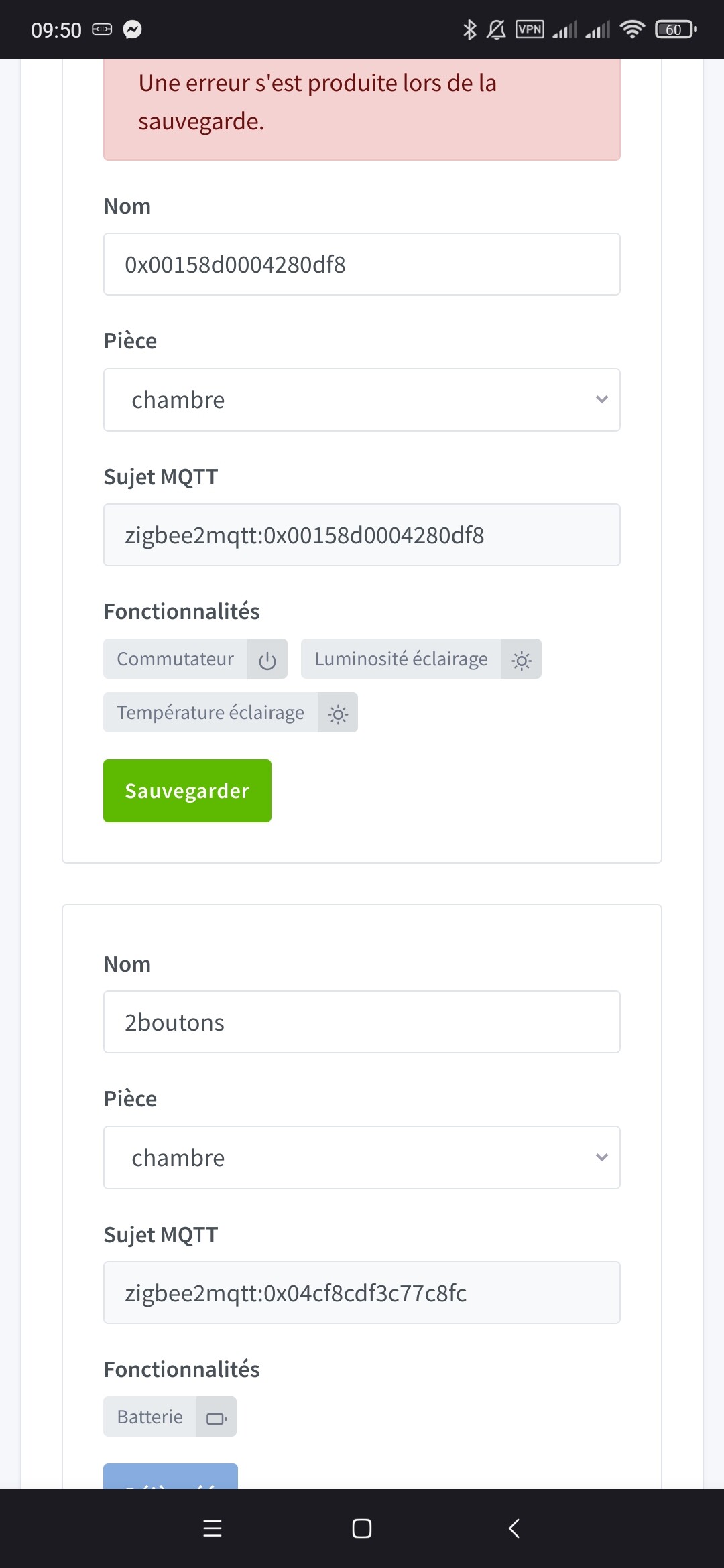

 , in any case, on one of the two devices I did it several times, the other I couldn’t test.