Nothing more to do, even modified with ttyUSB0 every time I activate the « Enable Zigbee2Mqtt » button.
I even used a new database.
Too bad, I was really eager to add my motion detectors + window 
Thanks a lot for your answers @VonOx!
Nothing more to do, even modified with ttyUSB0 every time I activate the « Enable Zigbee2Mqtt » button.
I even used a new database.
Too bad, I was really eager to add my motion detectors + window
Thanks a lot for your answers @VonOx!
I finally found the file that allows creating the faulty container 
In the container: /src/server/services/zigbee2mqtt/docker/zigbee2mqtt-container.json
{
  "name": "zigbee2mqtt",
  "Image": "koenkk/zigbee2mqtt:latest",
  "ExposedPorts": {},
  "HostConfig": {
    "Binds": ["/var/lib/gladysassistant/zigbee2mqtt/z2m:/app/data"],
    "PortBindings": {},
    "RestartPolicy": {
      "Name": "always"
    },
    "NetworkMode": "host",
    "Dns": [],
    "DnsOptions": [],
    "DnsSearch": [],
    "BlkioWeightDevice": [],
    "Devices": [
      {
        "PathOnHost": "/dev/ttyACM0",
        "PathInContainer": "/dev/ttyACM0",
        "CgroupPermissions": "rwm"
      }
    ]
  },
  "NetworkDisabled": false,
  "AttachStdin": false,
  "AttachStdout": false,
  "AttachStderr": false,
  "Tty": false
}
I deleted the zigbee2mqtt container and restarted the Gladys container and tada!
However, now I have an issue within the container itself. It seems related to my adapter:
> node index.js

Zigbee2MQTT:info  2021-01-04 17:01:49: Logging to console and directory: '/app/data/log/2021-01-04.17-01-48' filename: log.txt
Zigbee2MQTT:info  2021-01-04 17:01:49: Starting Zigbee2MQTT version 1.17.0 (commit #07cdc9d)
Zigbee2MQTT:info  2021-01-04 17:01:49: Starting zigbee-herdsman (0.13.46)

Zigbee2MQTT:info  2021-01-04 17:02:00: zigbee-herdsman started
Zigbee2MQTT:info  2021-01-04 17:02:00: Coordinator firmware version: '{"meta":{"maintrel":1,"majorrel":2,"minorrel":7,"product":1,"revision":20201026,"transportrev":2},"type":"zStack3x0"}'
Zigbee2MQTT:error 2021-01-04 17:02:00: Failed to start zigbee
Zigbee2MQTT:error 2021-01-04 17:02:00: Exiting...
Zigbee2MQTT:error 2021-01-04 17:02:00: Error: Adapter doesn't support LED
    at Controller.<anonymous> (/app/node_modules/zigbee-herdsman/dist/controller/controller.js:315:23)
    at Generator.next (<anonymous>)
    at fulfilled (/app/node_modules/zigbee-herdsman/dist/controller/controller.js:24:58)
npm ERR! code ELIFECYCLE
npm ERR! errno 1
npm ERR! zigbee2mqtt@1.17.0 start: `node index.js`
npm ERR! Exit status 1
npm ERR!
npm ERR! Failed at the zigbee2mqtt@1.17.0 start script.
npm ERR! This is probably not a problem with npm. There is likely additional logging output above.

npm ERR! A complete log of this run can be found in:
npm ERR!     /root/.npm/_logs/2021-01-04T17_02_00_501Z-debug.log
Actually, you just need to restart the container for it to take into account the configuration change (it doesn’t happen on the fly).
Yes, what dongle did you buy? (Since you deleted your message earlier, I no longer have the information)
My key is the following: CC2652R stick - slae.sh
No need to flash zigbee2mqtt or any hardware to do this.
I opened an issue on the project on GitHub and the response is as follows:
Remove disabled_led from your configuration.yaml (for this adapter we don’t support controlling the LED)
Hello everyone,
A quick feedback on the Zigbee part to help solve some bugs I encountered and that prevent me from using this part for now.
ttyUSB0), but the Zigbee container is launched with ttyACM0disabled_ledI didn’t find the GitHub repo to open issues. Too bad, I might have been able to create a commit to help 
You didn’t look much 
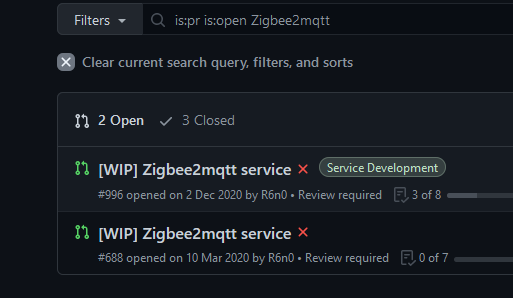
Reno made a PR, you will find his fork.
I was looking for a repo dedicated to the zigbee2mqtt service.
But I don’t think there is one?
You must not confuse with the modules in v3
Gladys 4 no longer has modules, these are services (in the core)
I finally understood that it was another branch on @reno’s fork.
I think I confused it with v3, never having put my hands on it yet.
Thanks for your clarifications!
Hi @Reno
I wanted to open an issue on your repo GitHub, but you must have removed the option as no menu is available.
As soon as I have some free time, I look for a solution to the problems mentioned above. But debugging code that is not your own is neither simple nor fast
For now, the main problem is that the custom_device is always /dev/ttyACM0 regardless of what I select in the web interface.
Also, the docker image contains code in /src/server and in /var/lib/gladysassistant/, I have the impression that I need to modify the code INSIDE the container (/src/server) and restart the container for it to be taken into account.
Finally, when I manage to create the two containers correctly, I have errors of the type:
Zigbee2MQTT:error 2021-01-11 10:54:05: Not connected to MQTT server!
And for z2m-mqtt:
New connection from 127.0.0.1 on port 1884.
Socket error on client , disconnecting.
Has anyone had these errors before?
Hi @Reno
I’ve isolated and understood what the problem was, I’m currently looking for a solution
 The source of the error is an order issue in the code execution (recurring with JS).
The default configuration files are used « as is » to create and launch the containers, then are modified with what the user indicated via the web interface.
[EDIT] The faulty line is the require at the top of the file, which reads the configuration file data before it is modified in the same function.
As a result, in my case, the containers are created with /dev/ttyACM0 instead of what I select via the web interface /dev/ttyUSB0.
If I:
/var/lib/gladysassistant/zigbee2mqtt/z2m/configuration.yaml and /src/server/services/zigbee2mqtt/docker/zigbee2mqtt-container.json (in the container)z2m-mqtt and zigbee2mqtt containersThen only, the two containers are correctly created and everything works perfectly.
[EDIT 2]
There you go, I’ve created two pull requests on GitHub to fix the issue.
It’s your turn now @Reno
Hello and thank you to all the contributors of this Zigbee service, this is the service I was waiting for to get started with Gladys!
I have a Raspberry Pi with the official Gladys 4 installed via Docker. I then installed the Reno Docker image with the modifications explained by VonOx. If I understand correctly, I end up with 2 Gladys images on my rpi. But when I want to access my dashboard, I don’t see the zigbee2mqtt service in the integrations. Am I missing something?
Also, I don’t have a /var/lib/gladysassistant/zigbee2mqtt folder, only /var/lib/gladysassistant/ with files referring to zigbee2mqtt.
Let me know if any information is missing to solve this problem.
Thank you for your help!
Can you change the port in the URL?
Indeed, it works better by changing the port!
For those like me who didn’t know, just add « :1080 » at the end of the Gladys URL (if the port used is 1080)
Thanks @VonOx
Oh yes, sorry
I should have specified
I’m sharing the link to the comment that « listed » the bugs/improvements (not up to date)
PS: I just realized there are 2 PRs
The first one contains tests (but no longer has the Reno branch)
The second one doesn’t, but it contains what was tested on the docker image, + synchronization issue from master.
I had made 2 PRs on Reno’s repo, but maybe I should have done them elsewhere?
I admit I haven’t made many PRs on public repos so far ^_^’
Don’t worry, your PRs are fine. 
To keep it simple, you need to create a new PR by combining Reno’s code with yours.
@pierre-gilles and @cicoub13, it was last night but I don’t remember, we said we would create a branch on the main repo to facilitate contributions?
I admit that it would be simpler, more understandable, and less dependent on a third party.
I hesitated a lot to make a PR on Reno’s repo, as I didn’t know if it was the right place. In any case, I’ll say it again, great job @Reno!!