Hello everyone,
I have a Müller Licht 404049D remote control supported by Zigbee2mqtt. In Gladys, only the « On » and « Off » actions are supported. Would it be possible to support the other actions ( brightness_step_up, brightness_step_down, brightness_move_up, brightness_move_down, brightness_stop, color_temperature_move, color_move, scene_1, scene_2, scene_3, scene_4, scene_5, scene_6) ?
I had started the dev, then got stuck on one point and afterwards went on vacation. Indeed, help would be welcome. I don’t have much time to develop right now. But I’ve been getting back into it for a week, drawing inspiration from your livecoding on Sonos (great performance, by the way)
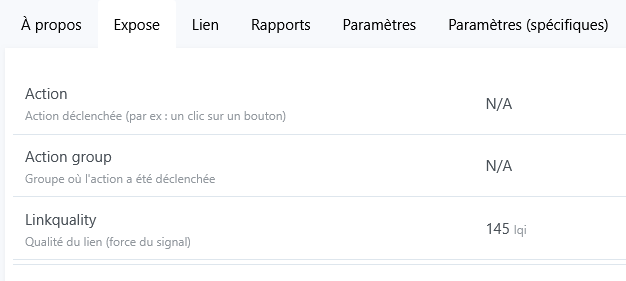
I just realized what I’m stuck on. A large part of this remote’s actions need to be declared in order to be recognized. The sticking point is with the color_temperature_move and color_move actions, which require retrieving information that is not in « Exposes » but in « State », which in my view requires handling something specific while the Zigbee2mqtt integration is meant to be generic. I hope I’ve been clear. As a result, I’m losing interest in color control via the remote
Here are the examples retrieved with an MQTT client (MQTT.fx).
On color_move, I get this: {\"action\":\"color_move\",\"action_color\":{\"x\":0.7,\"y\":0.3},\"action_group\":16387,\"action_transition_time\":0,\"last_seen\":\"2025-02-10T18:30:10.634Z\",\"linkquality\":185}
On color_temperature_move, here is the response: {\"action\":\"color_temperature_move\",\"action_color_temperature\":153,\"action_group\":16387,\"action_transition_time\":10,\"last_seen\":\"2025-02-10T18:32:33.806Z\",\"linkquality\":167}
Good evening, I feel like I haven’t explained myself well or that I’ve missed something. I’ve properly accounted for special cases for elements that are exposed.
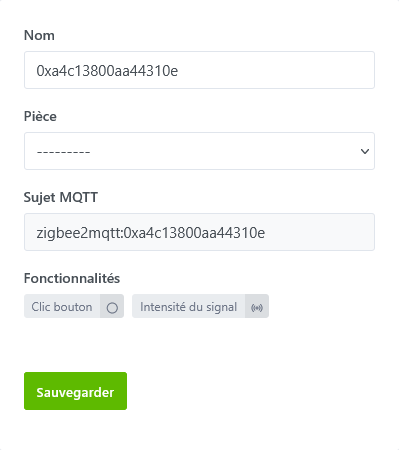
In this case, creating the device only generates the features mapped from Zigbee2mqtt and managed by Gladys that are exposed in Zigbee2mqtt.
Consequently, the remote control does not have features for color or temperature, features to store states and be able to use them in scenes.
The trick could be to force the Zigbee2mqtt integration to add the « useful » features but that seems like a lot just for that.
I don’t want to get into an overengineered setup for these two points.
The goal is to be able to use color management, light temperature, the brightness of an RGB bulb, as well as ambient lighting scenes assignable to the six scene buttons. For scene button management, that works. Same for brightness. The remaining problem is managing the light temperature and color, as explained previously.
Managing a light group (action_group) could be a bonus but it’s not my priority.