Operation of the Ikea E1743 on/off button

hello
I have an IKEA Tradfri E1743 button, well recognized in zigbee2mqtt, in Gladys as well, but impossible to make it work in a scene, in the Z2MQTT interface you can clearly see the changes when clicking, I set Legacy mode to off
but still nothing

thanks

Thanks for creating a thread!

From what you told me, you already created a scene and it wasn’t working?

Can you explain in more detail what’s happening?

  • When you click the button, is the change reflected in Gladys?
  • On the dashboard, what do you see? (Screenshot if possible)
  • What scene did you create? (screenshot if possible)

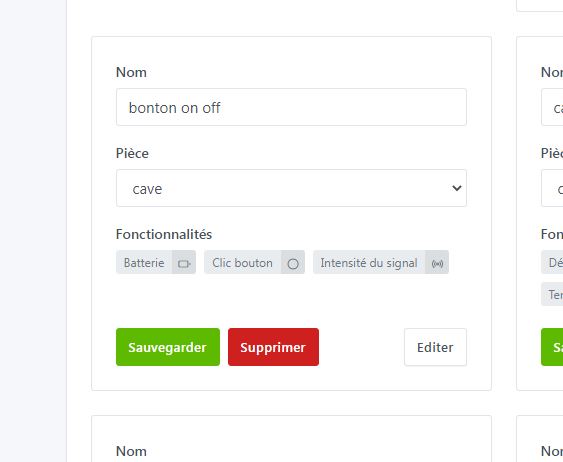
Here are the different screenshots


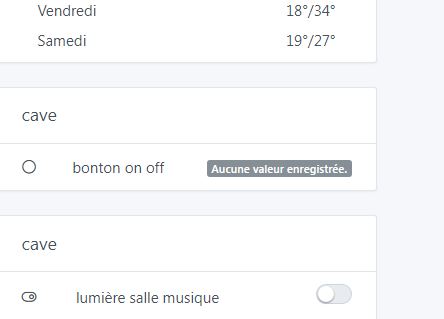
Ok, that’s pretty clear, « no value recorded » on the dashboard

You didn’t manage to get an input value? You told me you see the « React » button?

No reactions on the Gladys side, but yes in the Z2MQTT interface
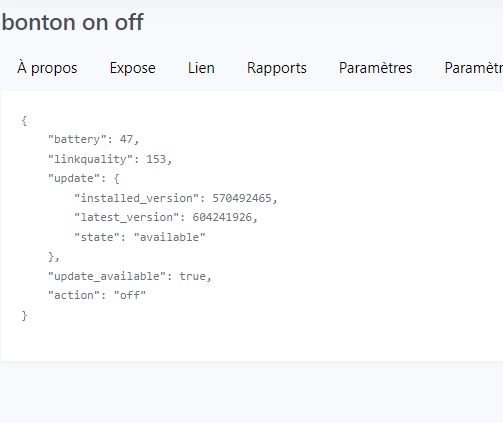
Here is what I see in Z2MQTT

Thanks for sharing the exposé! Actually I’m not sure the current integration supports it

Can you create a feature request? :slight_smile:

Okay, I’ll do that, but I wonder if someone is already working on integrating this button?
It would be a shame to miss out given the prices

No, nobody is working on this topic.

I saw that it was mentioned several times on the forum, but there was no request!

Hi @pascal_sapin, I’m trying to see if it’s easy to add this button to Gladys!

Could you send me a screenshot of each tab of this device in Zigbee2mtt?

Thanks! :slight_smile:

Never mind, I found what I was looking for on the internet, someone shared the full write-up on a GitHub issue :slight_smile:

I’ve started a PR:

1 Like

PR merged, it will be included in the next Gladys release.

2 Likes

I love it when a plan comes together without a hitch :wink:

1 Like

Sorry for replying so late — Étienne and I went away for two days in a yurt lol, thanks so much for the IKEA buttons, I’ll test them and give feedback. You’re the best

1 Like

Thank you for this integration — I’ll be able to buy some buttons
I did a test, it works. Only drawback: one thing I don’t understand — do I have to create a scene for turning on and another for turning off, i.e. one for “on” and one for “off”???

You have 2 ways to do this for these buttons :

  • Either you want a relatively standard setup and to operate « directly » with Zigbee-connected smart bulbs, you can go through Zigbee2mqtt and use the « bindings » ( Documentation : Binding | Zigbee2MQTT ). The advantage of the bindings is that everything works directly including if your home automation is down. @lmilcent uses this setup.
  • Or you want to create your own scenes in Gladys and manage everything yourself, and in that case you do indeed need to create a scene for each « case » :slight_smile:
OK thanks for the reply, in my case it’s the second option because apart from 2 Zigbee plugs, the rest are Sonoff

1 Like