So, the day before yesterday I received a doorbell button from Domadoo, brand Heiman, I wanted to take advantage of the Free integration to get an SMS when someone rings.
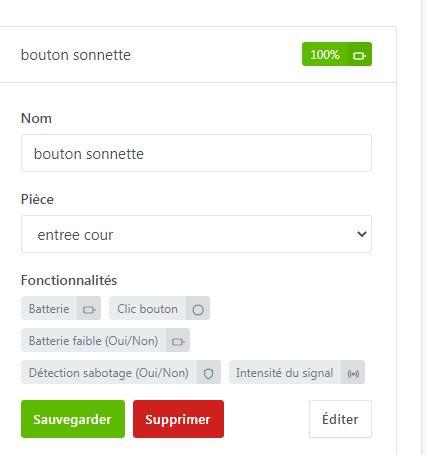
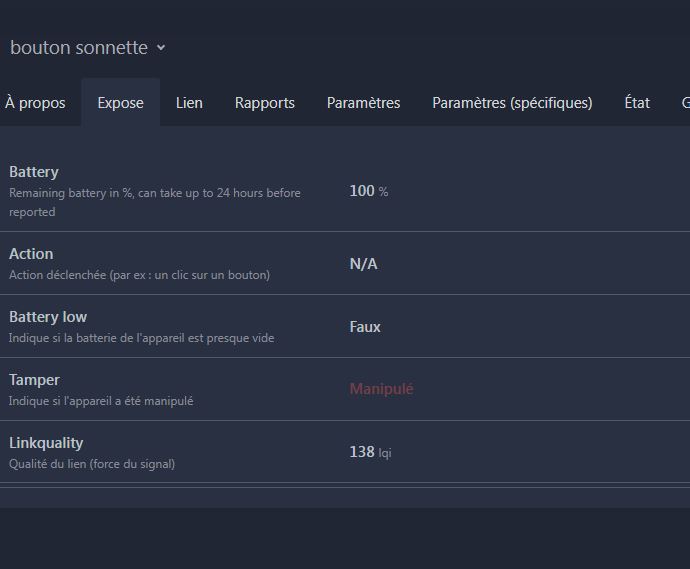
The button is properly recognized in Z2MQTT, and in Gladys (yay)
but disappointment: when I had to create a scene for it, indeed button click doesn’t work. I’ve tried everything: short press, long press, etc.. nothing works
I saw that in Gladys a sabotage action is present, ??? odd for a doorbell button, but anyway I tried it; strangely that works, but another problem: I only get spurious triggers as if someone were pressing the said button.
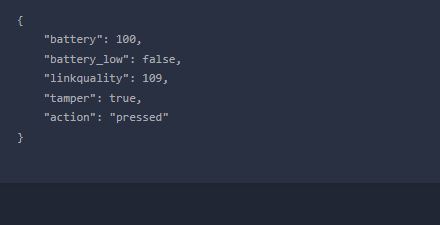
When I look at Z2MQTT it returns the word ‹ pressed › or ‹ manipulated ›.
So I’m stuck — if anyone has an idea or has already bought this model?
I’m sending the screenshots.
Okay, regarding the false triggers I found there’s a sabotage mode — the button must be on its holder, it’s written very small and I’m old so it’s not easy to see.
However no response from Gladys — I think it must come from the « pressed » topic not being handled (this home automation setup isn’t easy with all this different equipment)
Is there any way to do something in Z2MQTT (not Node-RED, I don’t master it)?