Hi @Sescandell
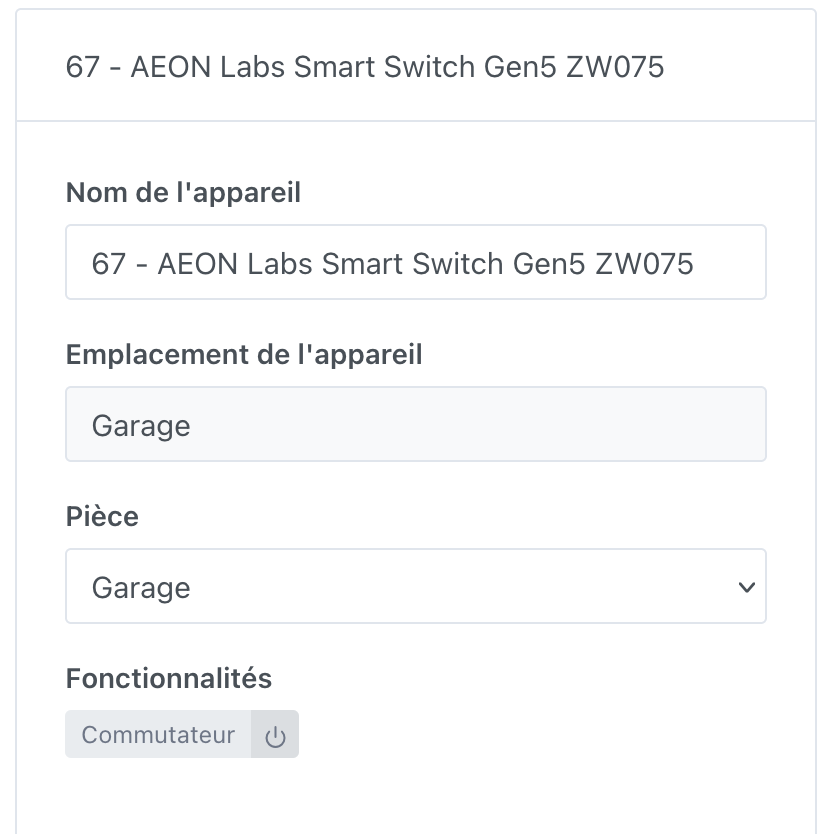
This module (plug-in) only retrieves the switch in Gladys. It would be great if you could add power, energy, voltage, and current if possible:
ZW075 AEON Labs / Smart Switch Gen5
MQTT Explorer
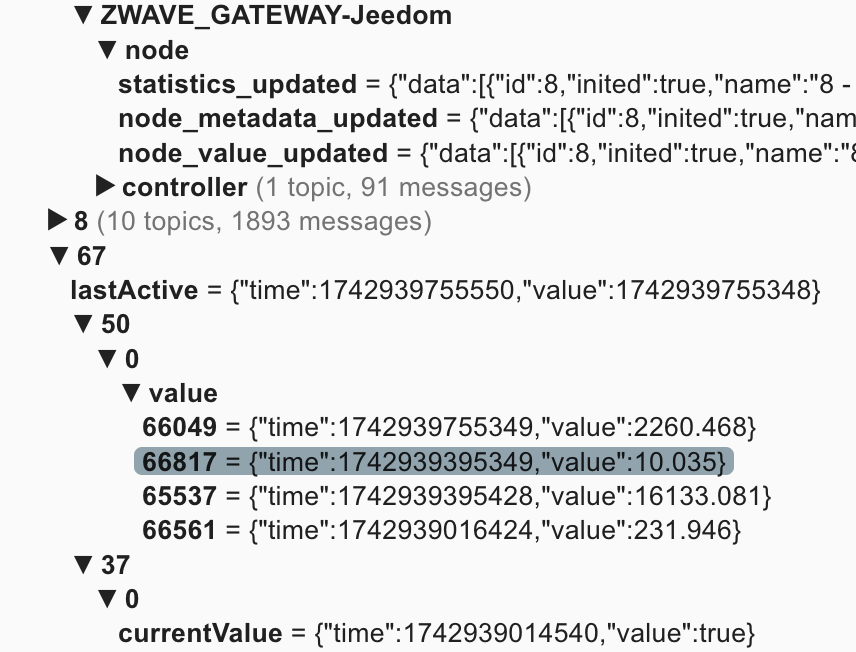
{"data":[{"id":67,"inited":true,"name":"67 - AEON Labs Smart Switch Gen5 ZW075","location":"Garage","status":4,"isControllerNode":false,"interviewStage":5,"deviceClass":{"basic":"Routing End Node","generic":"Binary Switch","specific":"Binary Power Switch"},"zwavePlusVersion":1,"ready":true,"zwavePlusRoleType":5,"isListening":true,"isFrequentListening":false,"canSleep":false,"isRouting":true,"supportedDataRates":[40000,100000],"maxDataRate":100000,"supportsSecurity":false,"isSecure":true,"supportsBeaming":true,"protocolVersion":3,"firmwareVersion":"3.26","manufacturerId":134,"manufacturer":"AEON Labs","productId":75,"productDescription":"Smart Switch Gen5","productType":3,"productLabel":"ZW075","deviceDatabaseUrl":"https://devices.zwave-js.io/?jumpTo=0x0086:0x0003:0x004b:3.26","keepAwake":false,"protocol":0},{"commandClassName":"Meter","commandClass":50,"property":"value","propertyKey":66049,"endpoint":0,"newValue":2264.711,"prevValue":2262.291,"propertyName":"value","propertyKeyName":"Electric_W_Consumed"}]}
ZwaveJS Debug Info
{
  "id": 67,
  "name": "67 - AEON Labs Smart Switch Gen5 ZW075",
  "loc": "Garage",
  "values": [
    {
      "id": "67-37-0-currentValue",
      "nodeId": 67,
      "toUpdate": false,
      "commandClass": 37,
      "commandClassName": "Binary Switch",
      "endpoint": 0,
      "property": "currentValue",
      "propertyName": "currentValue",
      "type": "boolean",
      "readable": true,
      "writeable": false,
      "label": "Current value",
      "stateless": false,
      "commandClassVersion": 1,
      "list": false,
      "value": true,
      "isCurrentValue": true,
      "targetValue": "37-0-targetValue",
      "lastUpdate": 1742936410358,
      "newValue": true
    },
    {
      "id": "67-37-0-targetValue",
      "nodeId": 67,
      "toUpdate": false,
      "commandClass": 37,
      "commandClassName": "Binary Switch",
      "endpoint": 0,
      "property": "targetValue",
      "propertyName": "targetValue",
      "type": "boolean",
      "readable": true,
      "writeable": true,
      "label": "Target value",
      "stateless": false,
      "commandClassVersion": 1,
      "list": false,
      "value": true,
      "lastUpdate": 1742587806457,
      "newValue": true
    },
    {
      "id": "67-43-0-sceneId",
      "nodeId": 67,
      "toUpdate": false,
      "commandClass": 43,
      "commandClassName": "Scene Activation",
      "endpoint": 0,
      "property": "sceneId",
      "propertyName": "sceneId",
      "type": "number",
      "readable": true,
      "writeable": true,
      "label": "Scene ID",
      "stateless": false,
      "commandClassVersion": 1,
      "min": 1,
      "max": 255,
      "list": false,
      "lastUpdate": 1742587806457
    },
    {
      "id": "67-43-0-dimmingDuration",
      "nodeId": 67,
      "toUpdate": false,
      "commandClass": 43,
      "commandClassName": "Scene Activation",
      "endpoint": 0,
      "property": "dimmingDuration",
      "propertyName": "dimmingDuration",
      "type": "duration",
      "readable": true,
      "writeable": true,
      "label": "Dimming duration",
      "stateless": false,
      "commandClassVersion": 1,
      "list": false,
      "value": {
        "unit": "seconds"
      },
      "lastUpdate": 1742587806457,
      "newValue": {
        "unit": "seconds"
      }
    },
    {
      "id": "67-44-0-level-1",
      "nodeId": 67,
      "toUpdate": false,
      "commandClass": 44,
      "commandClassName": "Scene Actuator Configuration",
      "endpoint": 0,
      "property": "level",
      "propertyName": "level",
      "propertyKey": 1,
      "propertyKeyName": "1",
      "type": "number",
      "readable": true,
      "writeable": true,
      "label": "Level (1)",
      "stateless": false,
      "commandClassVersion": 1,
      "min": 0,
      "max": 255,
      "list": false,
      "lastUpdate": 1742587806457
    },
    {
      "id": "67-44-0-dimmingDuration-1",
      "nodeId": 67,
      "toUpdate": false,
      "commandClass": 44,
      "commandClassName": "Scene Actuator Configuration",
      "endpoint": 0,
      "property": "dimmingDuration",
      "propertyName": "dimmingDuration",
      "propertyKey": 1,
      "propertyKeyName": "1",
      "type": "duration",
      "readable": true,
      "writeable": true,
      "label": "Dimming duration (1)",
      "stateless": false,
      "commandClassVersion": 1,
      "list": false,
      "value": {
        "unit": "seconds"
      },
      "lastUpdate": 1742587806457,
      "newValue": {
        "unit": "seconds"
      }
    },
...................

 Some people open PRs before they’re ready, and leave them abandoned for several months, so the only way for me to be aware is to tell me


