Hello,
How can I change the state of a feature without triggering the associated setValue, when I change the state of another feature?
Because I made a deviceFeature that manages colors, and one that manages the state, but in fact the state is fictitious, the Off = black color and the On = color linked to what is happening on the screen.
It’s not really On / Off.
So I can change the color even if, from Gladys’s point of view, the Status feature is Off.
I would like, for consistency, that when I set a color, the binary goes to On virtually.
I don’t know if I’m very clear.. I don’t think I can call an internal lib from my integration.
Hello @Jean-Philippe!
Sorry, I didn’t see your message.
If I understand correctly, you are developing an integration that controls bulbs with multiple features:
You would like the lamp to turn on when the user changes the color?
I would like to know how you expect the behavior to work. Technically, anything is possible. I’ll let you know what I think about it 
Hello,
Actually, it’s to control my ambilight system based on Hyperion.
To put it simply, it’s a strip of LEDs behind the TV that takes the colors from the edge of the screen.
And in the current version, you either choose:
But there is no ON/OFF
The OFF is the black color.
So on Gladys, I put a Binary type with:
- Off, I set all the LEDs to black
- On, I switch to the « color tracking from the TV screen » mode
I also have a Mode type and a Color type.
The thing is, if I set it to Off, it turns off the LEDs.
Then if instead of doing On, I choose a color, it works, but the Binary type remains Off as I don’t really have a status feedback.
So I was wondering what the best approach would be so that when I act on the color or the mode, I come and set the binary to On so as not to have any inconsistency.
For me, you add an On/Off feature in your integration (even if there isn’t really an On/Off behind it), and in the setValue function of your integration, you handle the On/Off case by doing what your device expects (black color for Off).
The goal is for the user to have a transparent experience; they don’t really care about the implementation, as long as they can turn the light on and off
Yes, that’s good, but my question is how to set the binary to On when we directly intervene on a color while the ribbon was black / to Off?
Example:
In the evening, I turned the device to Off, which sets the Binary status to 0 and the color to Black.
In the morning, I directly set the color to full red without going through the binary, which remains Off.
This results in an apparent inconsistency.
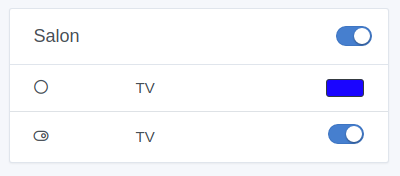
I have this:
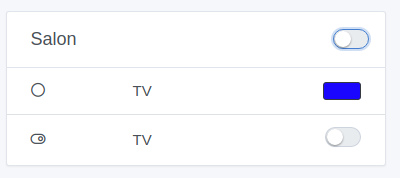
Then I turn it off:
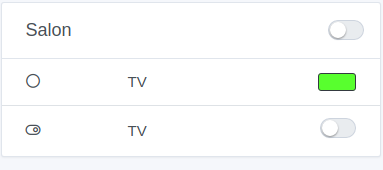
Now I am well black / off.
And if I change the color, which turns the ribbon back on:
I can’t really emit an event binary = On because if I’m not mistaken, Gladys will call the function to turn it On, which will actually clear the color.
By the way, when I turn it to Off, I might also want to see the color picker turn black.
Oops, sorry, I misunderstood.
You can send an event (like a sensor would) in your setValue to synchronize the two states.
Something like this:
this.gladys.event.emit(EVENTS.DEVICE.NEW_STATE, {
    device_feature_external_id: 'YOUR_DEVICE_FEATURE_EXTERNAL_ID',
    state: 1
});
If you look at the code of EVENTS.DEVICE.NEW_STATE (Gladys/server/lib/device/device.newStateEvent.js at dc25cf7ed3ac36a2962e899e4c152ffe10c2c6ae · GladysAssistant/Gladys · GitHub)
This function only records the state, it’s not a setValue! So it won’t create an infinite loop, it won’t call your setValue again.
Perfect, I was wrong in thinking that the call to this event would indeed loop back to my setStatus.
I’ll do that