Create a Tutorial
Hello everyone!
Many of you want to create tutorials on the forum to help the community around Gladys, and we are more than grateful for that. 
This topic is therefore intended to list the best practices for writing a clear and effective tutorial!
Let’s start from the beginning
Before anything else, start with a « Hello », « Hi », « Hello everyone », in short, some form of politeness (it never killed anyone  ).
).
Then, write a short introduction, describe the goal of your tutorial, its advantages/disadvantages compared to another tutorial/another solution already present or not on the forum.
And then?
Write the prerequisites!
If you start a tutorial without prerequisites, you risk losing the user (or getting lost yourself) right from the start, and they will move on or make mistakes and get discouraged… which we obviously don’t want.
It is important to set the context to know where you are starting from and where you are going.
Run Appollo in Gladys to launch Saturn and then type the command truc-muche to install the module machin.
I lost you, right?
But if I had done:
Prerequisites
The module machin requires installing the Saturn library, which is there to make the link between the Gladys module and your truc sensor. The Saturn library requires the installation of Appollo, which is a plugin for Raspberry Pi and runs something.
You must therefore install Appollo first in Gladys:
to do this, type the command…
then…
You will have understood what I was talking about.
You will tell me « yeah but what you wrote doesn’t make sense! », yes it’s true but it illustrates well the importance of the prerequisite!
Write your tutorial
Once you have completed these steps, you can finally start writing your tutorial!
To make your tutorial as readable as possible, use all the means at your disposal.
The forum integrates Markdown use it!
For those who don’t know => Markdown
Try to format your tutorial as best as possible
- Make paragraphs and space them out
- Create titles of different sizes to attract the user’s attention
Look
Look
Look
Look
It is important not to drown the user in huge blocks of text.
- Tag any lines of code (you can do this in two different ways!)
Hi it’s me the tagged line of code! We generally use me for large commands, or important pieces of text because I always take up the whole line no matter the size of my command
Hi it's me again! We generally use me for small commands inserted into explanations because I am delimited
- Use Bold to note the importance of a step in your tutorial.
- Conversely, use italics for useful but not essential information (or a little joke
 )
) - Insert photos/screenshots to clarify your instructions
- An excellent module also for highlighting certain critical steps https://asciinema.org/
Avoid screenshots of your entire screen with a montage worthy of a 5-year-old! 
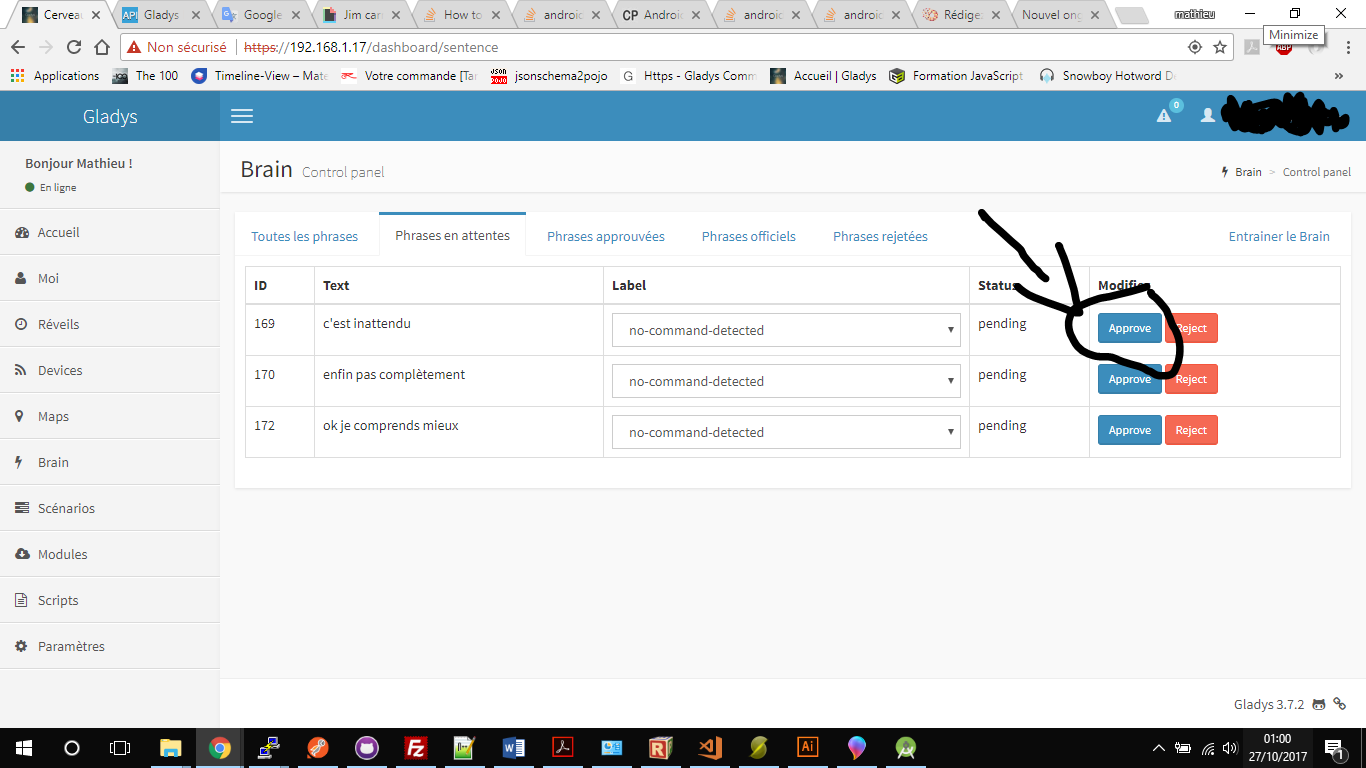
There are all kinds of small free software for editing an image like Paint.net very easy to get started with.
You can also use tools like GreenShot to capture screen areas and edit/share/host them, etc…
Prefer a smaller capture but with a more aesthetic montage.
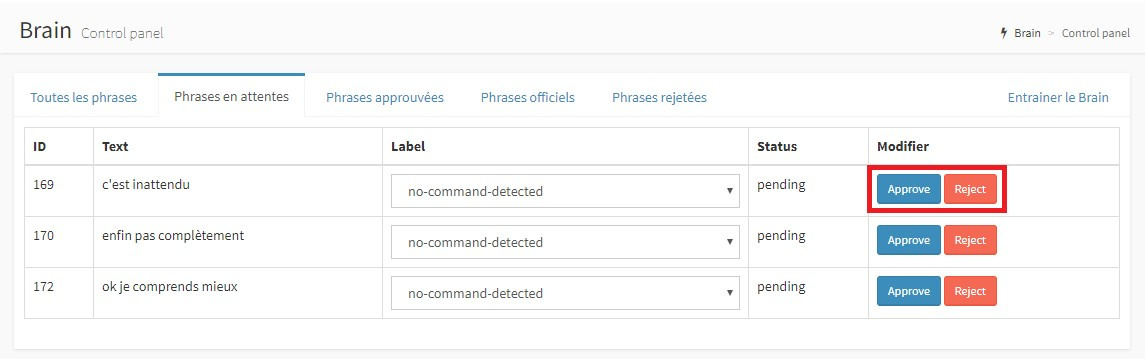
You can also create numbered lists to indicate the order of steps with sub-bullets to indicate sub-steps
- Step 1.1
- Step 1.2
- Step 1.2.1
- Step 1.2.1.2
- And so on…
Use a dropdown list if your tutorial presents several different configurations
Configuration 1
Install Saturn
Configuration 2
Install Apollo
Configuration 3
Okay that’s enough you’re not going to open all the forum lists either!
And all this little world is available here when you write your tutorial (or any message) on the forum
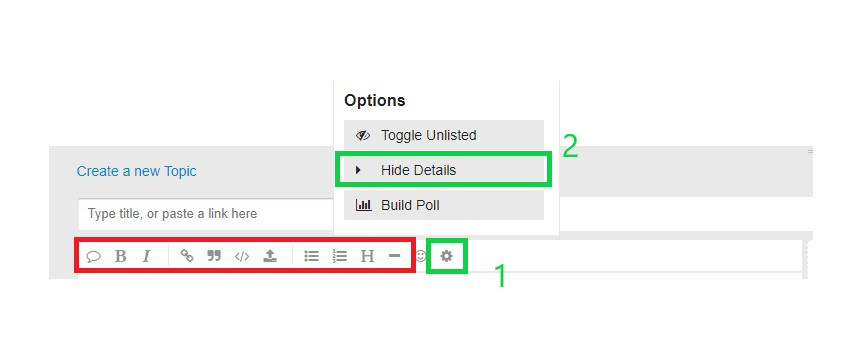
I framed in green the icon (numbered 1) on which you have to click to access the popup menu and thus be able to use the dropdown lists (numbered 2).
You see how easy it is to understand with a nice screenshot that illustrates the steps to follow!
Tutorial finished?
Write a short sentence to close your tutorial or, if possible, make a real usage example to help the user get started!
Important points!
- Proofread yourself! Several times!
- Take your time!
- Pay attention to your spelling!
- Put yourself in the user’s place when you write (not everyone has your level of knowledge)!
- Use your tutorial at home to see if you haven’t forgotten anything or if something might not be clear enough!
- You can use editors external to the forum to better visualize your tutorial before publishing it (I used Stackedit which is an online editor, to write this post)
- Do not hesitate to send us your tutorial to @C4rlit0 and myself (@LepetitGeek) before publishing it to help you format or correct it
That’s it, I think I’ve covered all the best practices necessary to write a tutorial on the forum (and everywhere else)
Well, happy tutoring! 
Spoil
I got you! jim carrey GIF - Find & Share on GIPHY