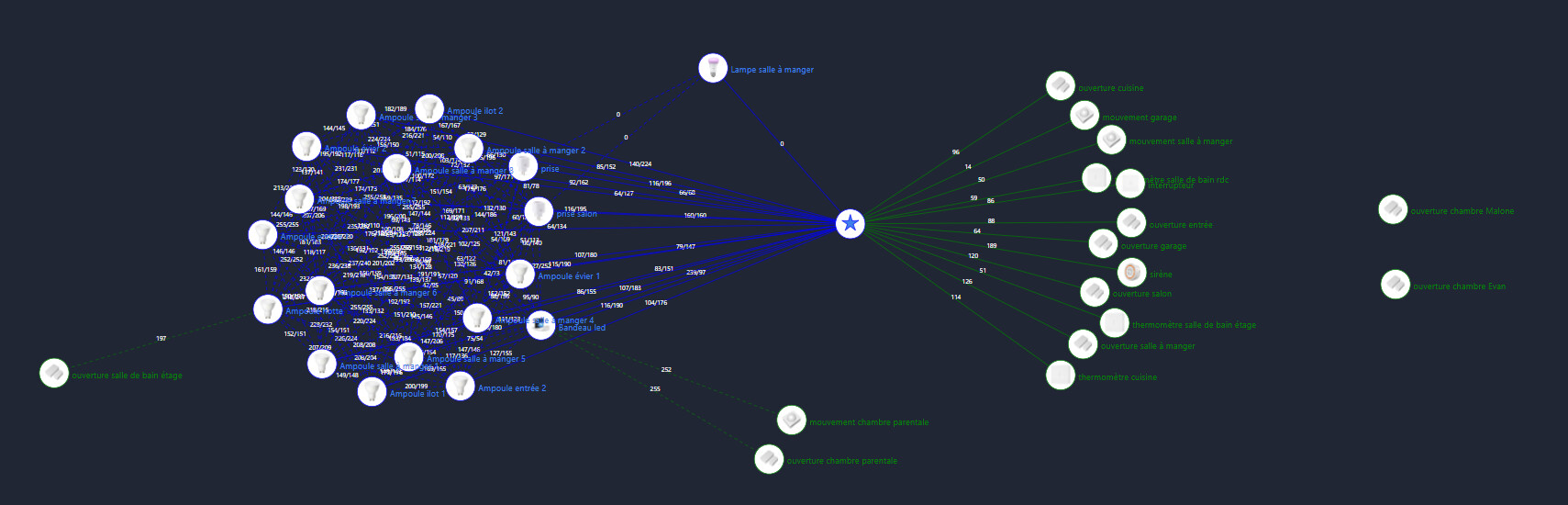
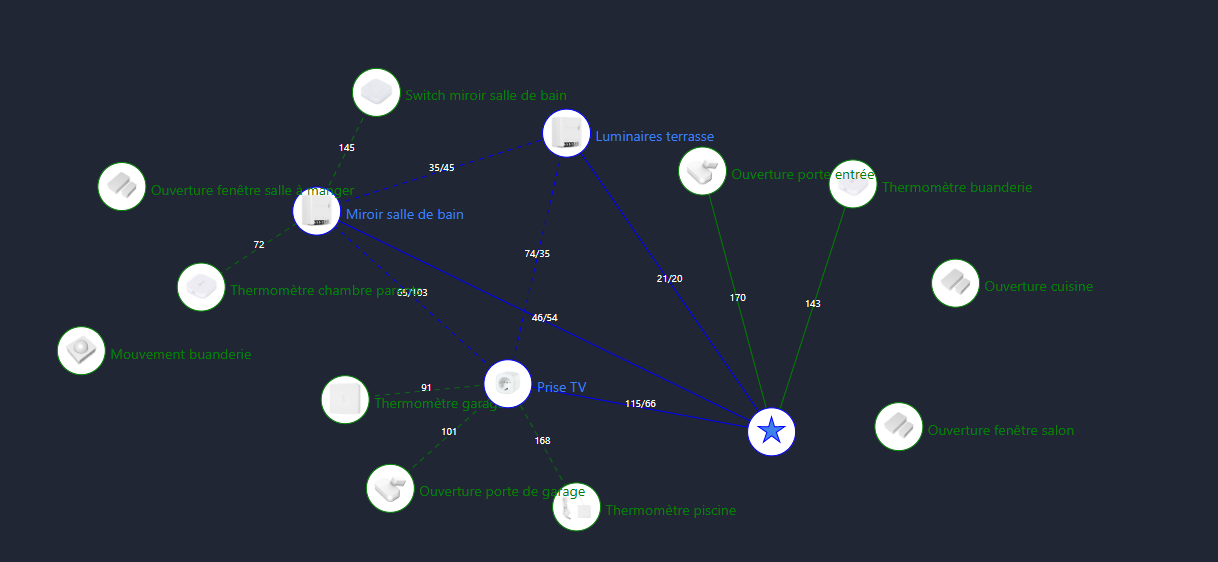
Voici mon réseau zigbee avec tous mes devices.
Comme vous pouvez le voir il y en en pas mal !
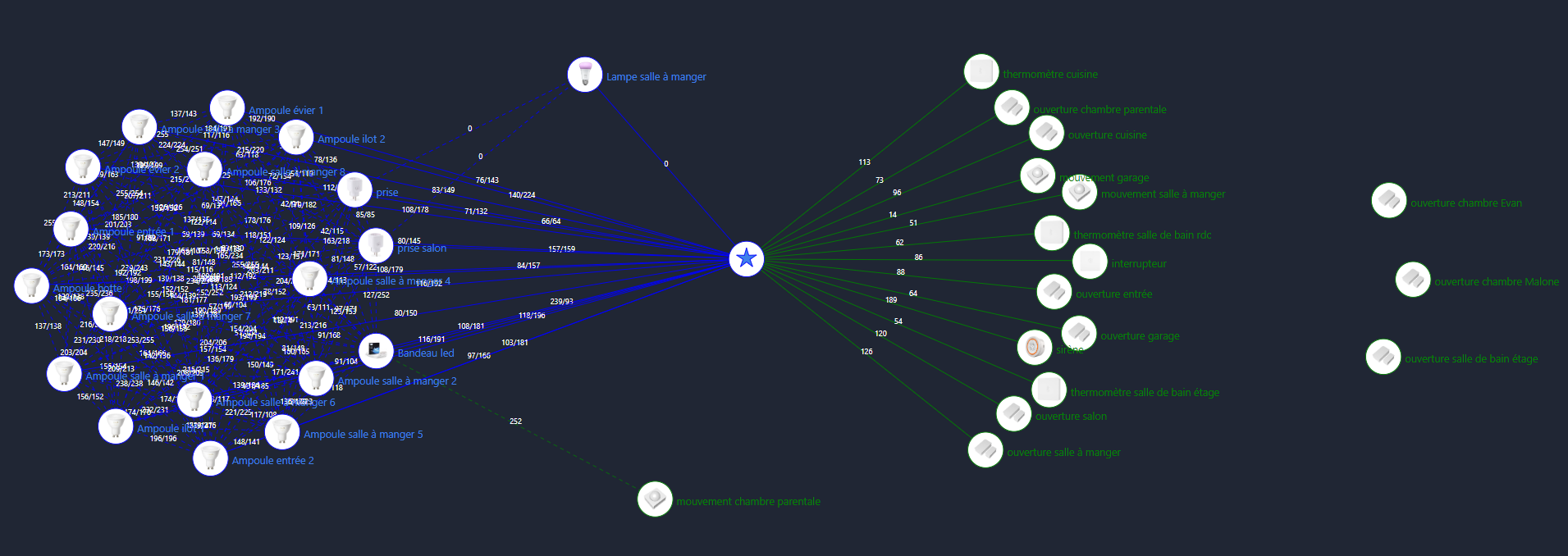
- Sur la droite j’ai 3 devices qui ne sont pas relié au coordinateur et pourtant c’était le cas. Les information ne remontent pas tout le temps dans Gladys.
- En bas on voit le capteur de mouvement que j’ai dans ma chambre lié au bandeau led que j’ai dans ma chambre aussi.
Mes questions sont:
1 - Comment cela se fait que mes 3 devices ne sont plus connecté ?
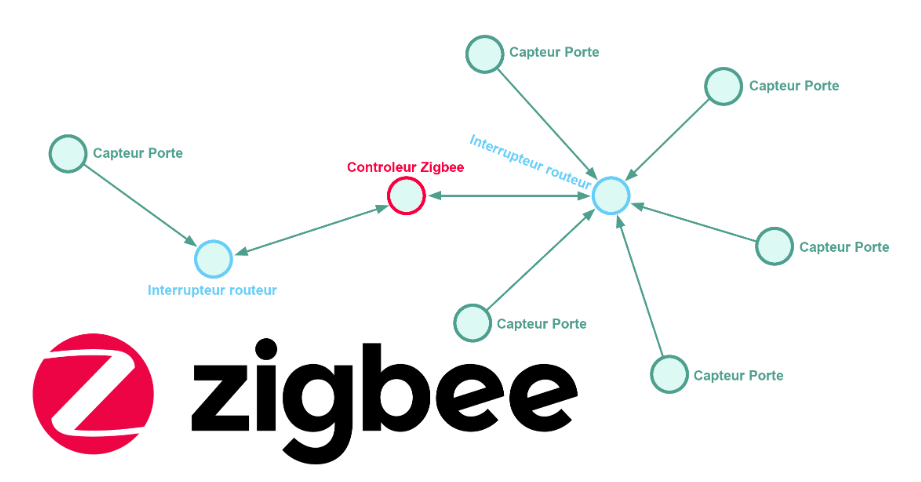
2 - Comment puis-je les connecté à un device qui n’est pas le coordinateur comme le détecteur de mouvement ?
Pour avoir au final quelque chose comme ça.
Réponses:
1 - Je ne sais pas, mauvaise connexion avec le coordinateur, voir trop loin.
2 - Il faut supprimer le device dans l’intégration zigbee2mqtt et dans Gladys et refaire une recherche des devices.
Pourquoi: Les capteurs choisissent un itinéraire lorsqu’ils sont couplés, puis ils ne changent jamais. Ainsi, si vous ajoutez de nouveaux routeurs au réseau, vous devez réassocier les capteurs in situ pour profiter d’un nouveau meilleur itinéraire possible.
Activez simplement l’ajout d’appareils dans zigbee2mqtt et maintenez le bouton sur le capteur.
Voici ce que cela donne, c’est à peaufiner pour rendre ça plus fonctionnel.