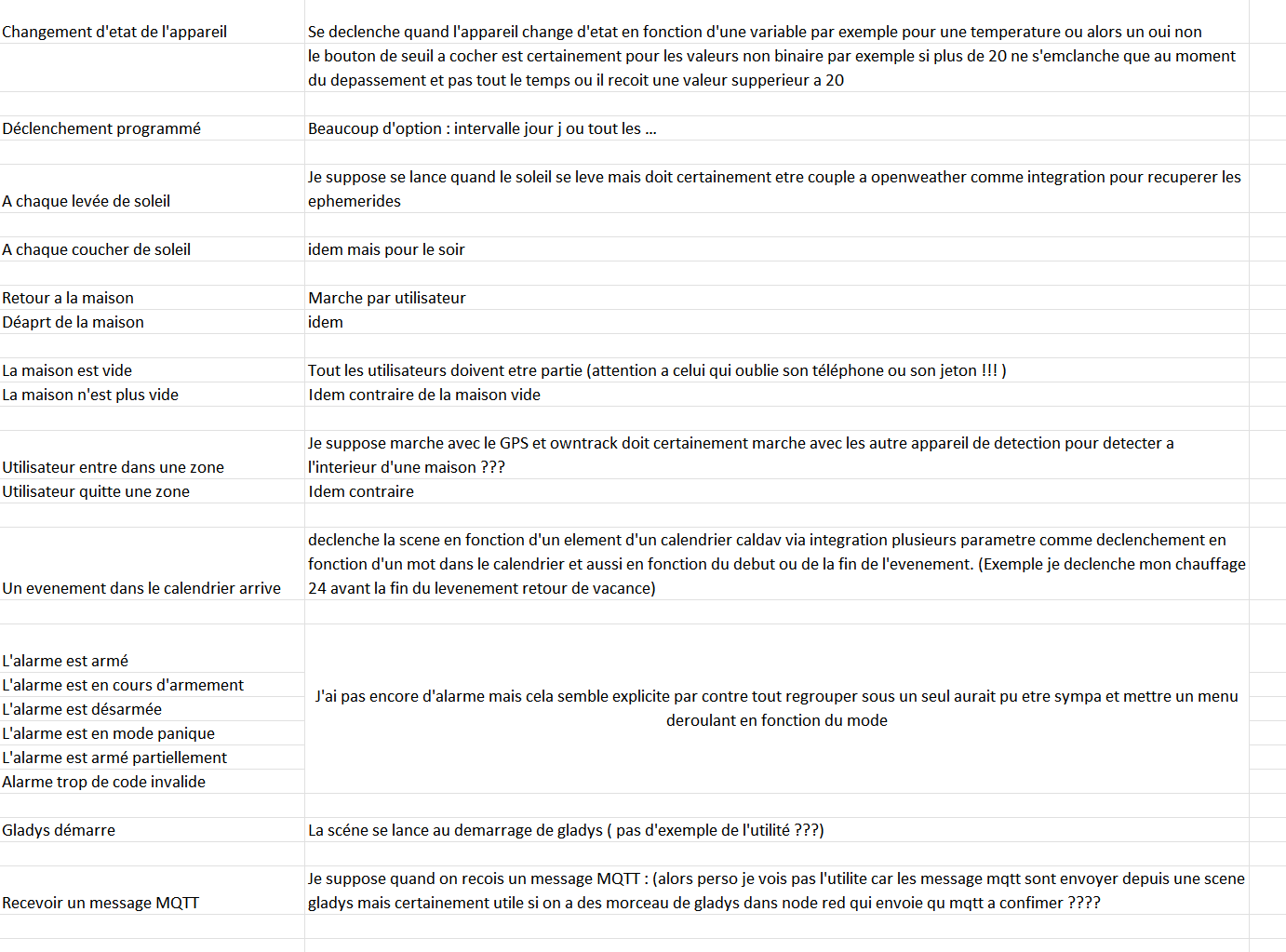
Here’s where I am
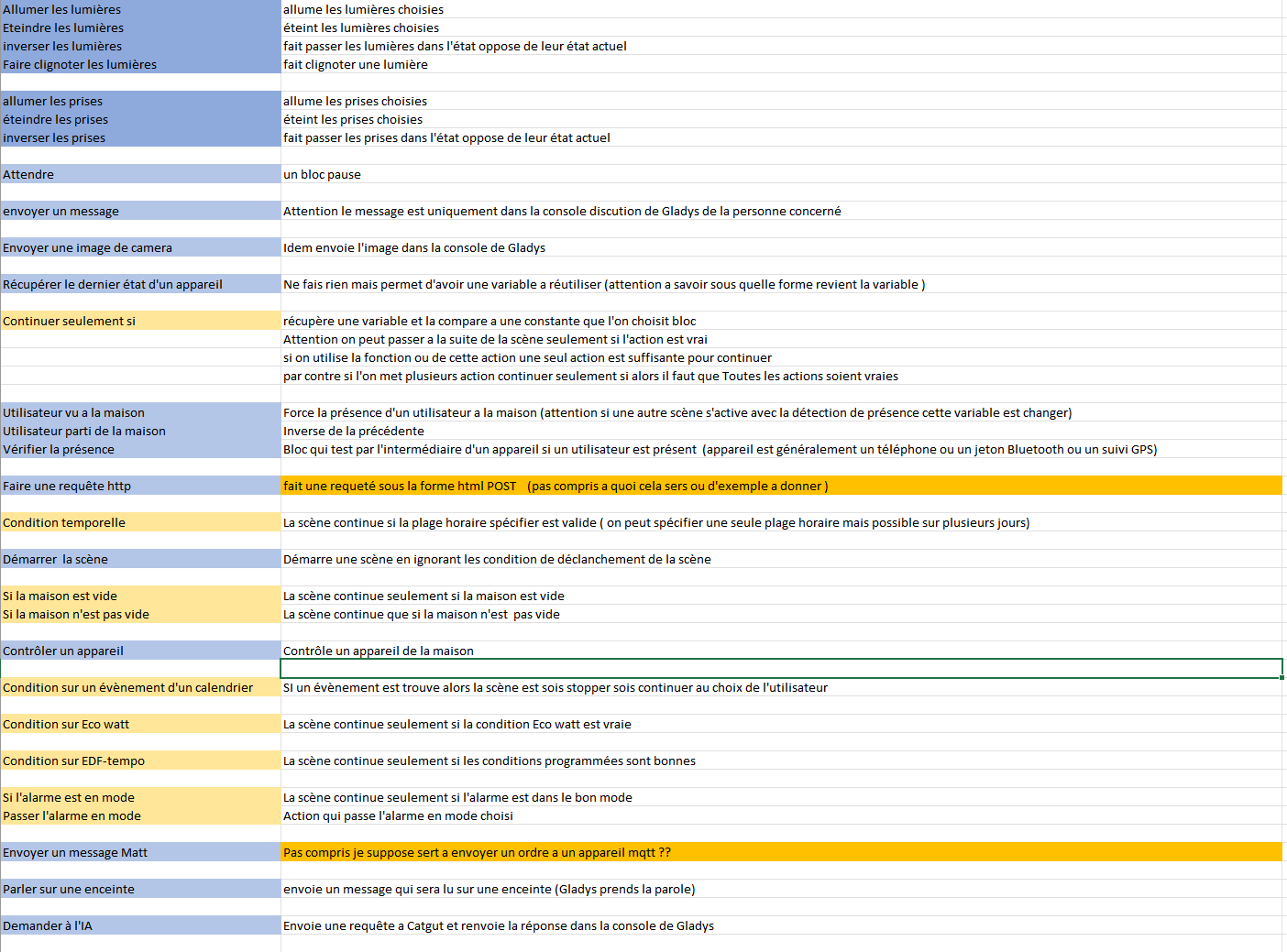
I’m missing the two in orange
for the color code on the left: blue is action and yellow/orange is condition
Thank you for your help in verifying my statements
and helping me understand the orange ones
You’re pretty much all set 
For « Utilisateur entre dans une zone », yes it’s with Owntracks and the zones defined on the map.
For « A chaque levée de soleil », it doesn’t use an API; it’s purely local thanks to a fairly simple formula that calculates the sunrise time based on the date and the latitude/longitude of your home.
For « faire une requête HTTP », it’s an action that makes a request to any API. It can be useful to retrieve data in scenes (e.g., get the weather via a weather API, fetch the NASDAQ price, etc.), or to send data to an API (e.g., control an ESP32 via an HTTP request)
For « envoyer un message MQTT », likewise it’s to contact a device via MQTT; this can be Node-RED, or any MQTT-compatible device.
I’ll update my doc, thanks — I’ll share it afterwards once it’s been tidied up.
I’m missing the purpose of the « Gladys starts » trigger — an example would help because I don’t see it.
It can be handy to know if your Gladys instance has restarted (e.g., a power outage at your place),
So, following up: how do you make a Linux PC restart after a power outage?
You need to go into your PC’s BIOS — it’s not Linux — and change a setting so that it can restart after a power outage.
Exactly!
@Prof_Techno There’s even a chapter on the topic in the Gladys training 
After that it’s relatively simple, you need to restart the PC and in the BIOS menus there’s often an option to indicate what to do in case of a power outage