Detection entrée/sortie de zone géographique (lat/long)

In v3 via Owntracks, you could retrieve the entry and exit zone events (Waypoints - OwnTracks Booklet)

The accuracy is what it is, but this allows detecting the presence of a user at home.

The use case is rather simple, a user having configured Owntracks via open API emits an entry or exit zone event. A scene on Gladys will act to mark or not the user as present. All kinds of scenarios can follow.

Thanks for the post!

Can you tell me exactly about your use case? What do you need it for?

I updated my original post

Oh, I see, so now you’re really talking about managing Owntracks zones.

I thought you were referring to Gladys’s native zones.

Why Owntracks zones vs. Gladys’s native zones?

And what is your use case for using zones in general?

It doesn’t matter, the goal is to have an event.

It’s in my post.

Owntrack sends the location, if I enter the zone then an event is emitted, I can trigger a scene (mark me as at home, turn on the outdoor lights, etc.)

Or even open the electric gate.

Ok thanks for the details!

For me, we need to develop this natively, so if OwnTracks disappears or we want to use another location app, we can still create scenes :slight_smile:

We need to redevelop the entire v3 stack.

Functional Specification:

  • Create a zone in the « plan » view with a name, a color and a radius
  • Edit a zone in the plan view
  • Delete a zone in the plan view
  • In the scenes, I can select a trigger « when user XX enters zone YY »
  • In the scenes, I can select a trigger « when user XX exits zone YY »

Hello,

I’m following up on this post if it interests anyone, I had started on the subject Handle_Owntracks_MQTT_messages and I digressed :slight_smile:

So for the moment I’m at:

  • Updating the user’s position based on an MQTT Topic
  • Displaying the Zones that are in the database
  • Creating a zone in the « plan » view (only front-end)
  • Editing a zone in the plan view (only front-end)
  • Deleting a zone in the plan view (only front-end)

ToDo

  • Should create an « Owntracks » service in the UI explaining how the service works (With Gladys Plus/or with MQTT) (as requested in the ticket)
  • Impact the database with the area events (create, edit, delete)
  • Means to set a name, a color and a radius (in progress with a popup)
  • In the scenes, I can select a trigger “when user XX enters zone YY”
  • In the scenes, I can select a trigger “when user XX exits zone YY”

Technically:

  • Update of Leaflet to 1.7
  • Use of Leaflet-draw to manage the creation of markers&co

I have a branch here.

I’m not very comfortable with this, so it’s not a topic that’s moving fast. Let me know if it’s to be discarded or if someone wants to lend a hand or even take over the subject to move forward faster.

Great! Top if you give us a hand with these features.

Don’t hesitate if you have any questions along the way :slight_smile:

Hello everyone!

I just finished developing this feature, which is currently being built on the Docker dev image :ok_hand:

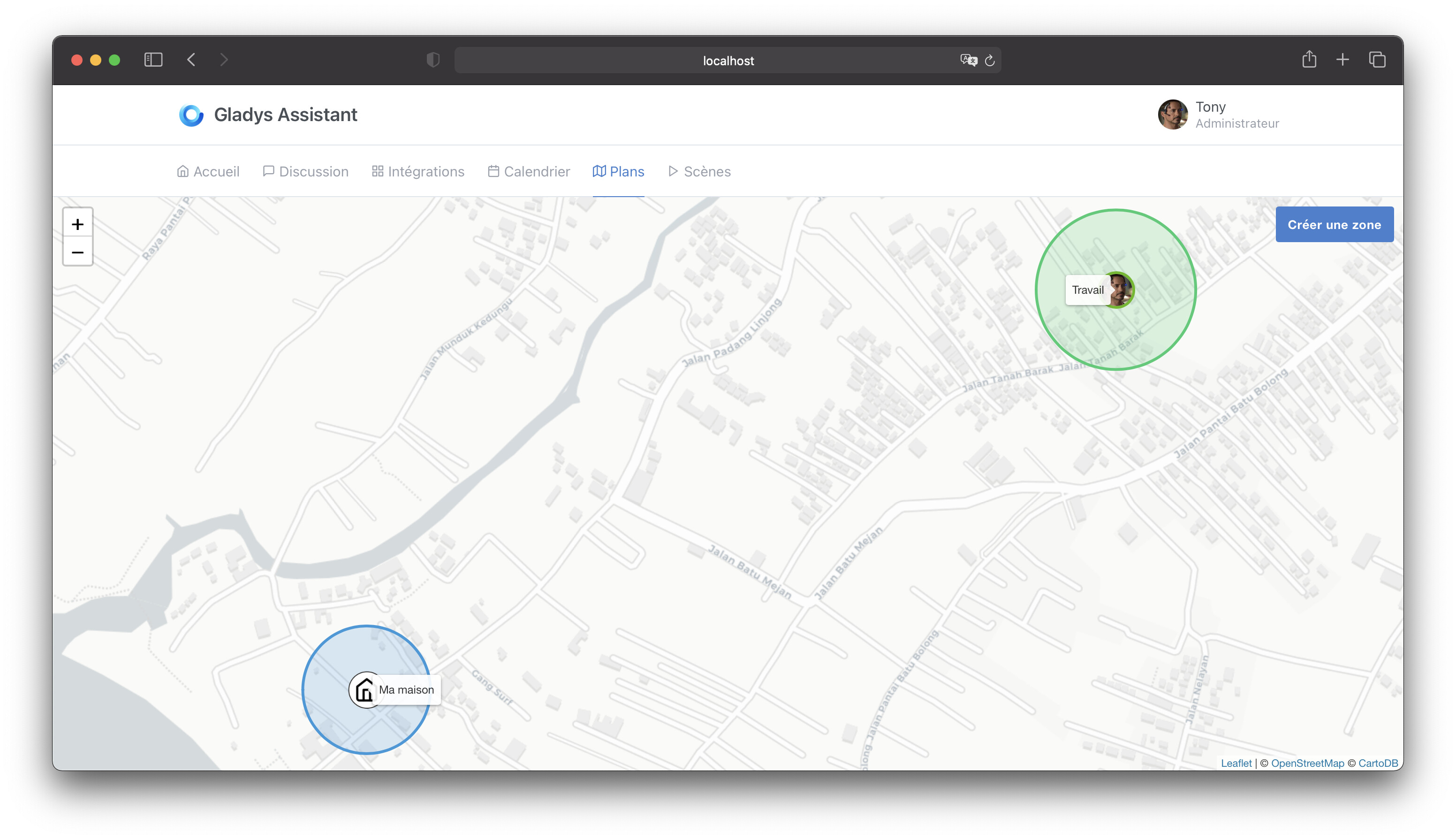
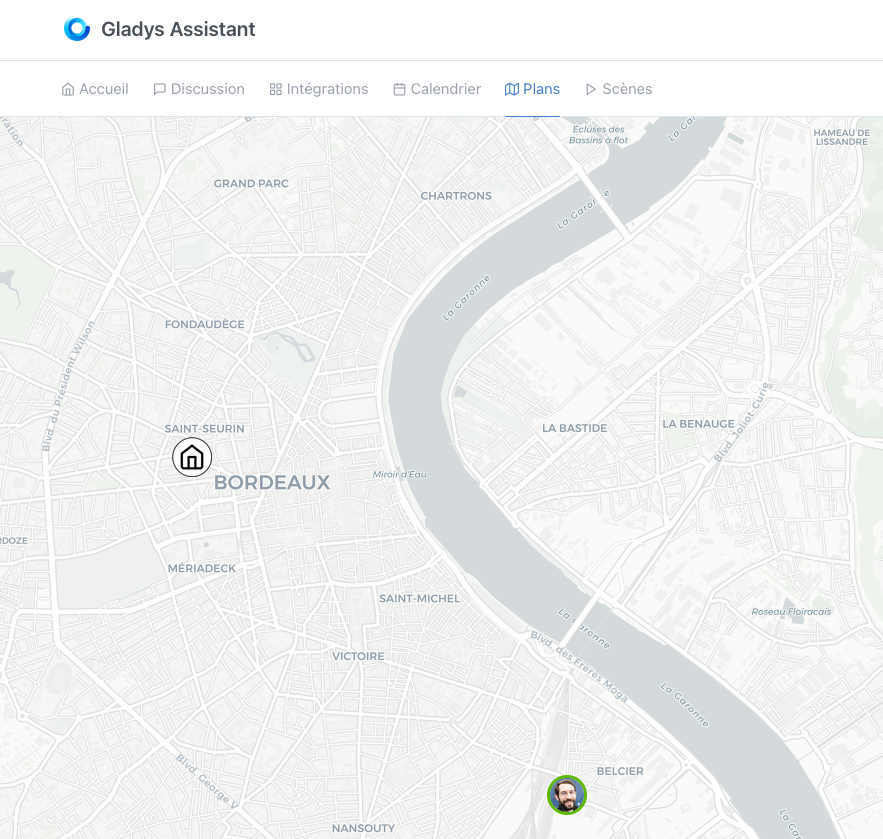
To show you, it looks like this.

The Map tab is now full-screen, with the displayed areas:

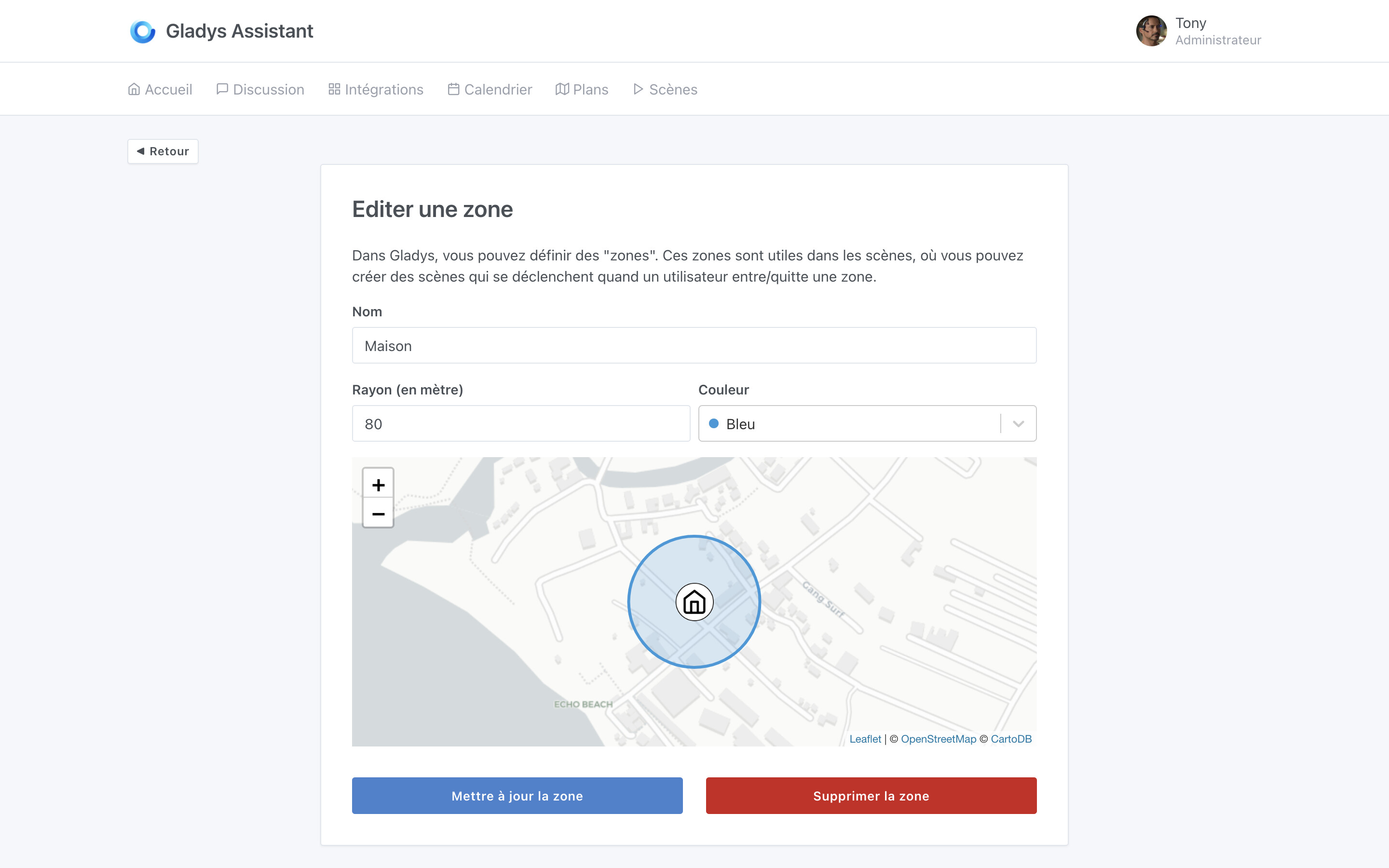
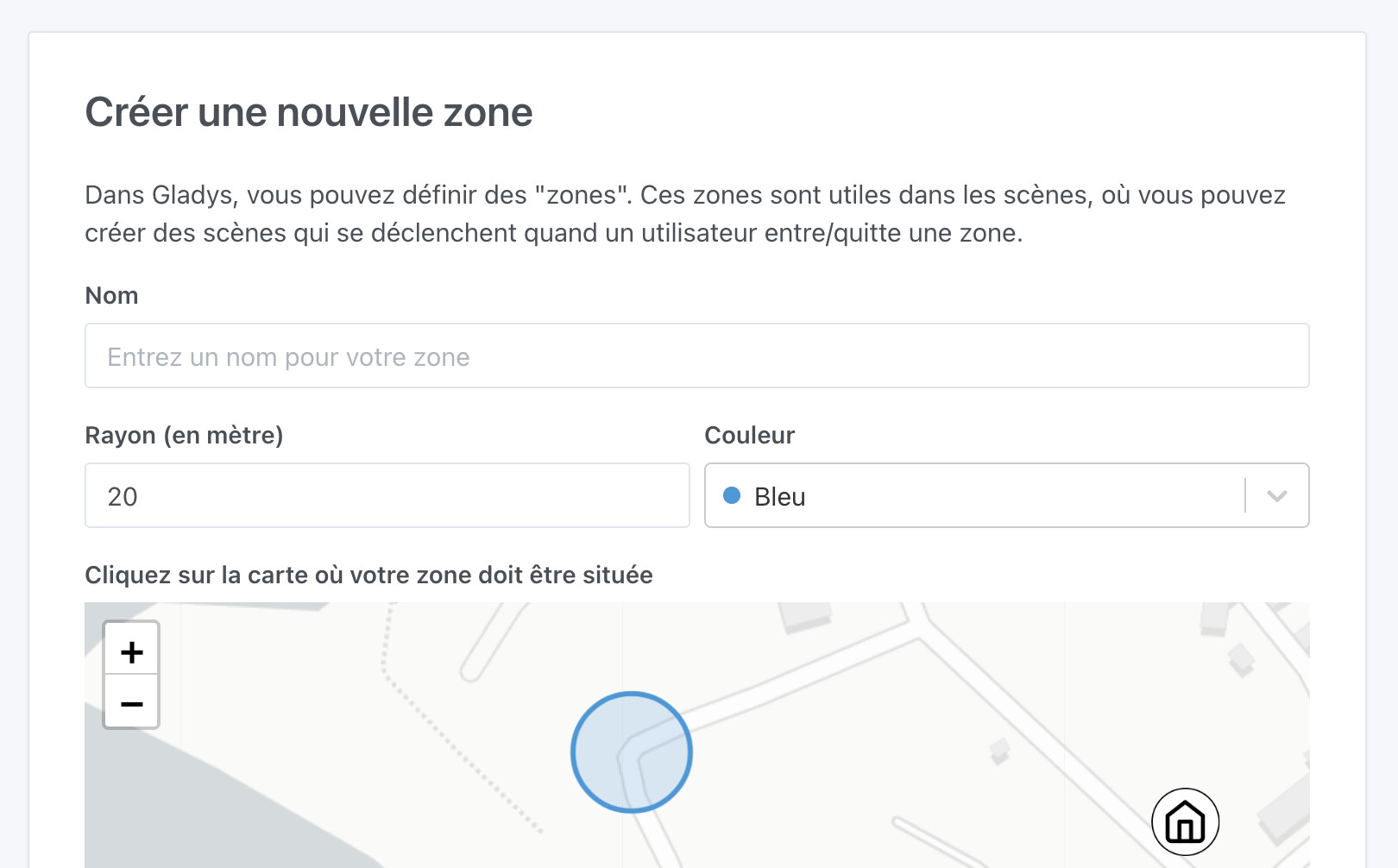
You can click on « Create an area » to display this screen:

And it is possible to edit an area by clicking on the area to edit (simply):

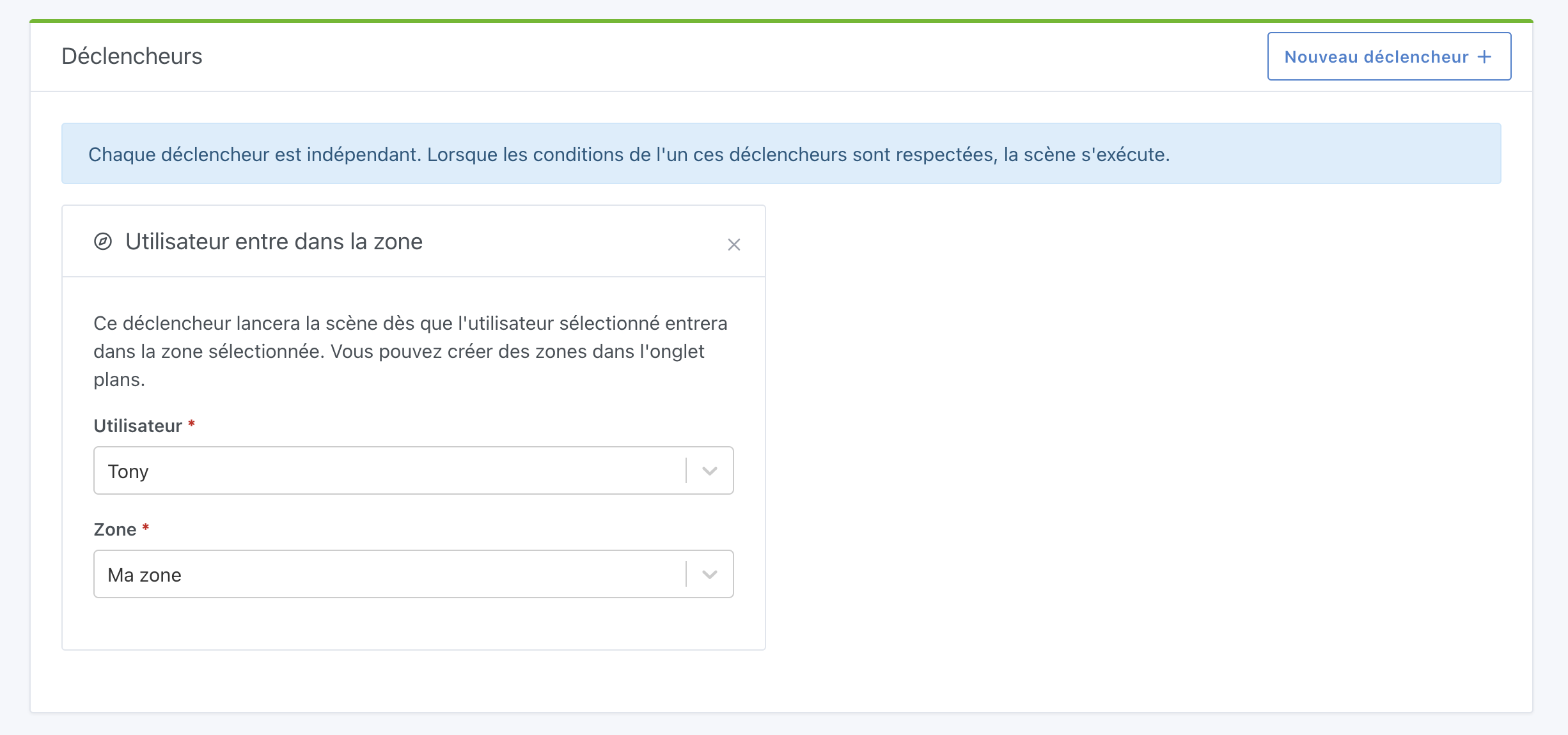
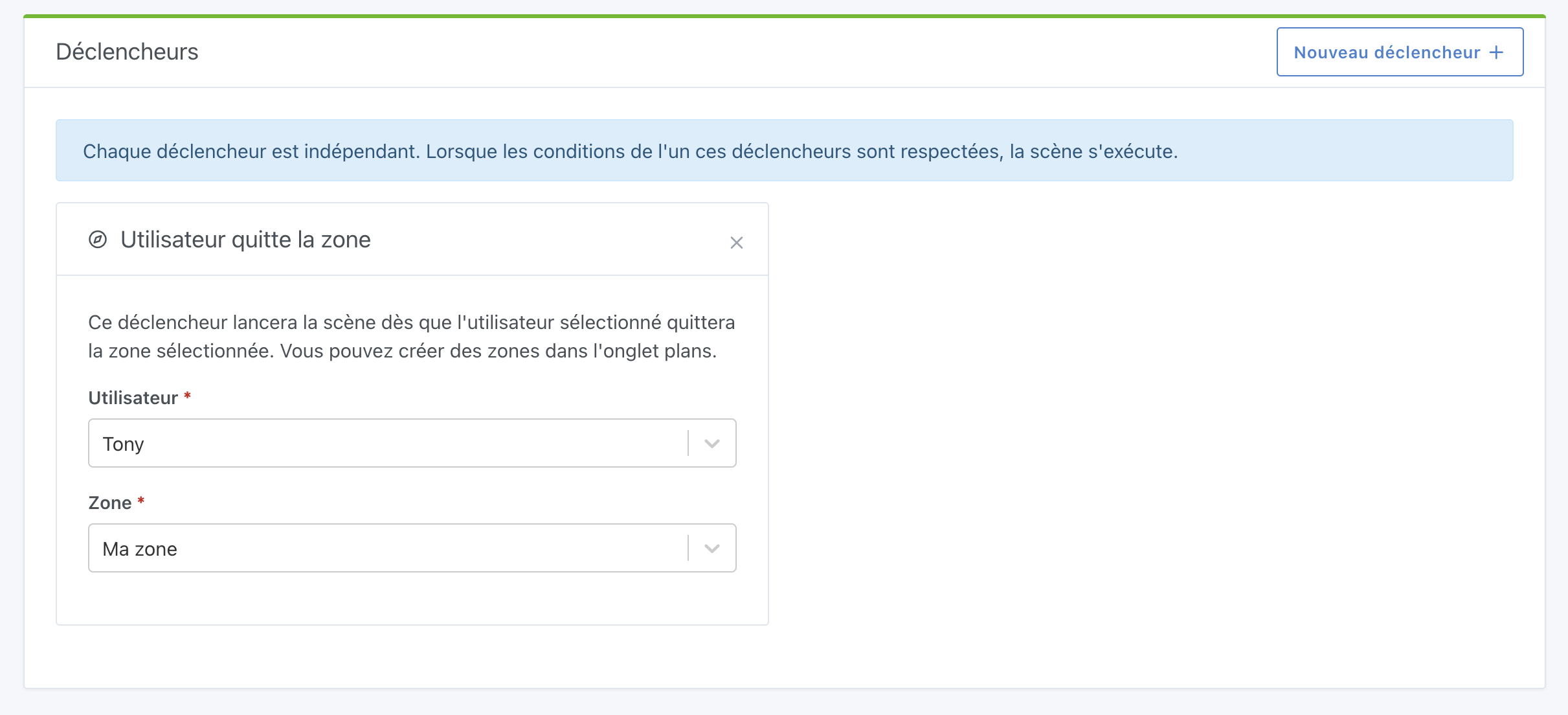
Then, in the scenes, it is possible to create 2 types of triggers.

User enters the area:

User leaves the area:

The PR: Add the ability to create / edit a zone in the map + create scene based on zone change by Pierre-Gilles · Pull Request #1208 · GladysAssistant/Gladys · GitHub

The DEV build is in progress here: https://github.com/GladysAssistant/Gladys/actions/runs/901904397

I developed this feature with frontend tests on Cypress, and honestly it was awesome! :slight_smile: @AlexTrovato Cypress really rocks!!

I’m open to any feedback as usual! :slight_smile:

Hello :wave:

I was able to test this evening and here are my comments:

  • When creating a zone, it’s not obvious that you need to click on the map (and the error message if you don’t do it is not very clear)
  • If I understand correctly, the processing of events from Gladys Plus is developed, but not that from MQTT
  • I quickly coded the retrieval of events from MQTT (to test) and it’s great to see its face on the map

  • Scene triggering works perfectly :rocket:
  • The map does not update in real time (I have the impression that there is no listening/updating of the position via websocket). If it’s not developed, I think it’s a nice feature and not very complicated to develop.

Last point, I find that it’s starting to be complicated to distinguish these notions:

  • The house is empty / The house is no longer empty
  • Leaving the house / Returning home
  • User leaves the zone / User enters the zone

For those interested in Owntracks => MQTT, I can work on this issue (since I already have something that works). But there are still tests, configuration, front-end, documentation …

Hello @cicoub13 and thank you so much for taking the time to test! :slight_smile:

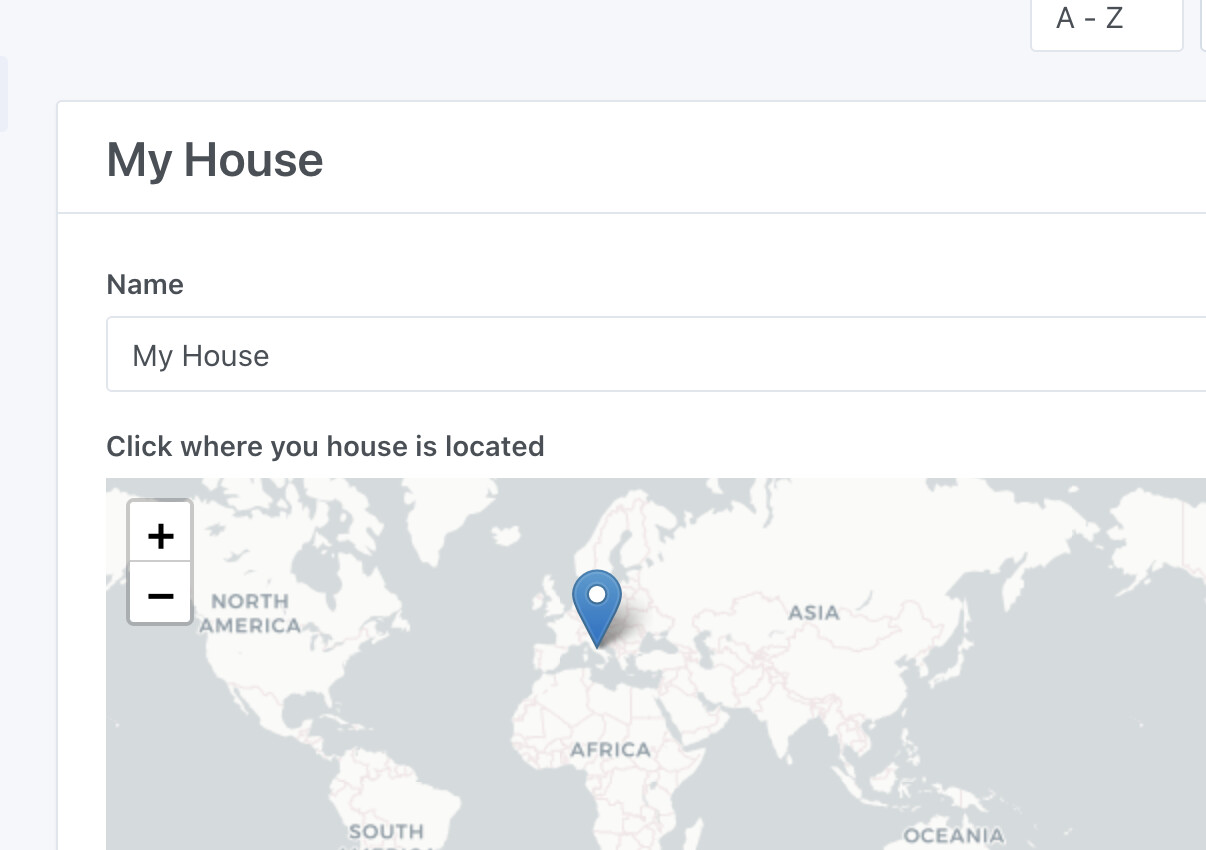
Well spotted, it’s true that in the house we indicate it, I will add it!

Indeed!

Great!

Not bad, this development was done a long time ago and indeed there are no websockets. It can be easily added, I will change that.

What do you find unclear?

I find the names quite explicit though.

After what may be confusing, is the difference between the « house » and the areas. We need to make the user understand that the house is a « concept » in Gladys, and that to make a scene where the user enters/exits the house via an area, you need to make 2 scenes:

  • « when the user enters the area » => mark the user as home
  • « when the user leaves the area » => mark the user as left home

The labels are easy to understand. It’s more about how these actions are triggered.

In some cases, it will be automatic (like the zones).

In other cases, you need to trigger the action via a scene (user presence via a Bluetooth device if I understand correctly).

I haven’t used user presence and empty home much, I will test.

In the case of detecting presence in the house, it’s up to the user’s choice, absolutely everything is possible:

  • Bluetooth
  • MQTT in a script
  • MQTT on your Android phone when your phone connects to the home WiFi/disconnects

Perhaps a link in each box to an explanation in the documentation would be better?

In any case, I try to explain all this as much as possible in the videos I have been making recently. After that, I don’t know if we can do better in the UI, the labels and descriptions of each box seem quite clear.

@cicoub13 I’ve made all the fixes you suggested :slight_smile:

The small hint « click on the map »:

User positions are now updated in real-time with websockets :slight_smile:

The PR is here:

Also, there was a bug I noticed while using the feature, the distance calculation between a user and an area was in kilometers and not in meters, and therefore the zone exit was not working (gladys was comparing meters with kilometers.. :slight_smile: )

I’ll merge this as soon as the tests pass, and I’ll do a new dev build!

Edit: it’s merged, dev build in progress: https://github.com/GladysAssistant/Gladys/actions/runs/927307843

The corrected dev build is available on the Docker dev tag :slight_smile:

Super :rocket: I’m testing tomorrow

Indication « click on the map » :white_check_mark:
Live update via websocket on the map :white_check_mark:
Test zone exit trigger :white_check_mark:

Very intuitive and easy to use (whether on the map or in the scenes)

Thank you for taking the time to test @cicoub13 :folded_hands:

It will be included in the next release!

This feature is now live in Gladys v4.4 :slight_smile: