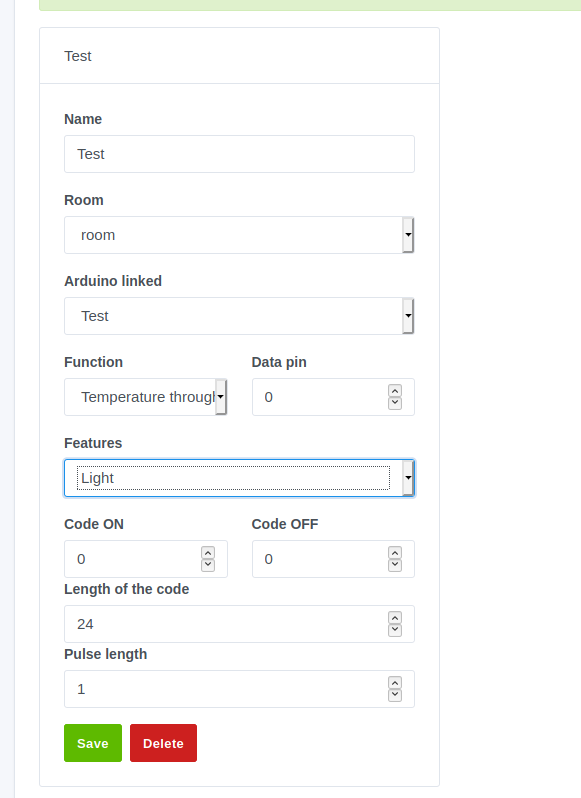
Oh, so you were talking about the detection itself? Like « if the Arduino receives such a 433 code, then the door has been opened »?
Because I haven’t had the chance to code that yet, but the features are there, ready to be coded. 
Oh, so you were talking about the detection itself? Like « if the Arduino receives such a 433 code, then the door has been opened »?
Because I haven’t had the chance to code that yet, but the features are there, ready to be coded.
Well, in my opinion, everything is good for a first version. The biggest thing left to do now is testing! Only downside… I’m having trouble understanding how tests work 
Could a kind soul please guide me on how to write these tests correctly, please?
Thank you very much
Yes! Isn’t that coded yet? It might be a good idea for it to work before a release, otherwise it’s not very useful to deploy 
The goal of tests is to run the code you’ve written and to test the result of your code.
Tests are run by CircleCI on every push to the Gladys repo and help verify that the new code written doesn’t « break » any old code.
For example, if you write a function
// lib/sum.js
function sum(a, b) {
   return a + b;
}
You might want to write 1 test that checks that sum(1, 2) = 3.
Your test might look like this:
// test/sum.js
const { expect } = require('chai');
const sum = require('../lib/sum.js');

describe('sum', () => {
  it('should return 3', () => {
      const result = sum(1, 2);
      expect(result).to.equal(3);
  });
});
When we run this piece of code by launching « mocha » (the testing tool we use), we will see:
 should return 3
Now imagine that in the near future of the project, someone breaks our sum(a, b) function and mistakenly replaces the + with a *.
When running the tests, the test « should return 3 » will return 2, and mocha will cry:
 should return 3
Expected « 2 » to equal « 3 »
Thus, we will know that this PR breaks something.
This example is simplistic, but in reality, it’s very useful. Because right now you’re working on the Arduino, but what’s to say that you haven’t broken the Z-Wave integration while developing the Arduino integration? The tests 
Mocking
But then you’re going to tell me: yes but my code calls a USB Arduino, how do I do that in my tests?
In tests, we don’t want to communicate with the outside world: it’s useless to test the behavior of the serialport library which itself already has tests!
So we will « mock » the calls to external libraries, using a library called « proxyquire » (GitHub - thlorenz/proxyquire: 🔮 Proxies nodejs require in order to allow overriding dependencies during testing. · GitHub)
Or by rewriting the library ourselves by simplifying all function calls to returns
For example, in the Z-Wave service test, I completely rewrote the openzwave lib in 28 lines:
https://github.com/GladysAssistant/Gladys/blob/master/server/test/services/zwave/ZwaveMock.test.js
Each function of the lib is replaced by a « fake » function that returns null.
I invite you to read the tests of all the other integrations (server/test/services), and to familiarize yourself with
A tutorial might also help you:
No, the motion and door detectors are not coded yet… I’ll do that today, it seems relatively simple to do ^^
Thanks for the explanations, it’s mainly the mocking that’s giving me trouble I think ^^ I’ll try to finish a first test script and, if you don’t mind, I’ll put the link here so you can tell me if my approach is correct 
Hello,
A first version for the sensors is done, it may need to be refined in the future but for now the result seems good to me
Regarding the tests, here are the files:
@pierre-gilles if you have a bit of time to check the codes and tell me what would be to add/modify it would be really great 
Thank you very much
Edit: I am working on the demo.json so that the service can appear on the demo site, by this noon I think it can be good ^^
Re-edit: Normally everything is fine.
Apparently I don’t have the rights to request a review, so I put the PR here:
https://github.com/GladysAssistant/Gladys/pull/812
Thank you
Thanks @billona! Great work! I’ll give you a review at the beginning of next week
Hello,
After a lot of hard work, I’m finally making progress on the tests
I would like to mock the avrgirl-arduino library to verify my setup.js script.
Here’s what I’ve done:
And in setup.test.js, I used proxyquire:
However, I feel like my tests are not taking my mock into account:
setup method
2020-06-04T14:16:20+0200 <info> index.js:18 (Server.<anonymous>) Server listening on port 6500
✓ Should upload an arduino code in the board (110ms)
2020-06-04T14:16:20+0200 <warn> setup.js:7 () Error: no Arduino 'mega' found.
at /home/Alexandre/Gladys/server/services/arduino/node_modules/avrgirl-arduino/lib/connection.js:30:25
at /home/Alexandre/Gladys/server/services/arduino/node_modules/avrgirl-arduino/lib/connection.js:70:12
at /home/Alexandre/Gladys/server/services/arduino/node_modules/avrgirl-arduino/lib/connection.js:191:26
at processTicksAndRejections (internal/process/task_queues.js:93:5)
✓ Should return an error (451ms)
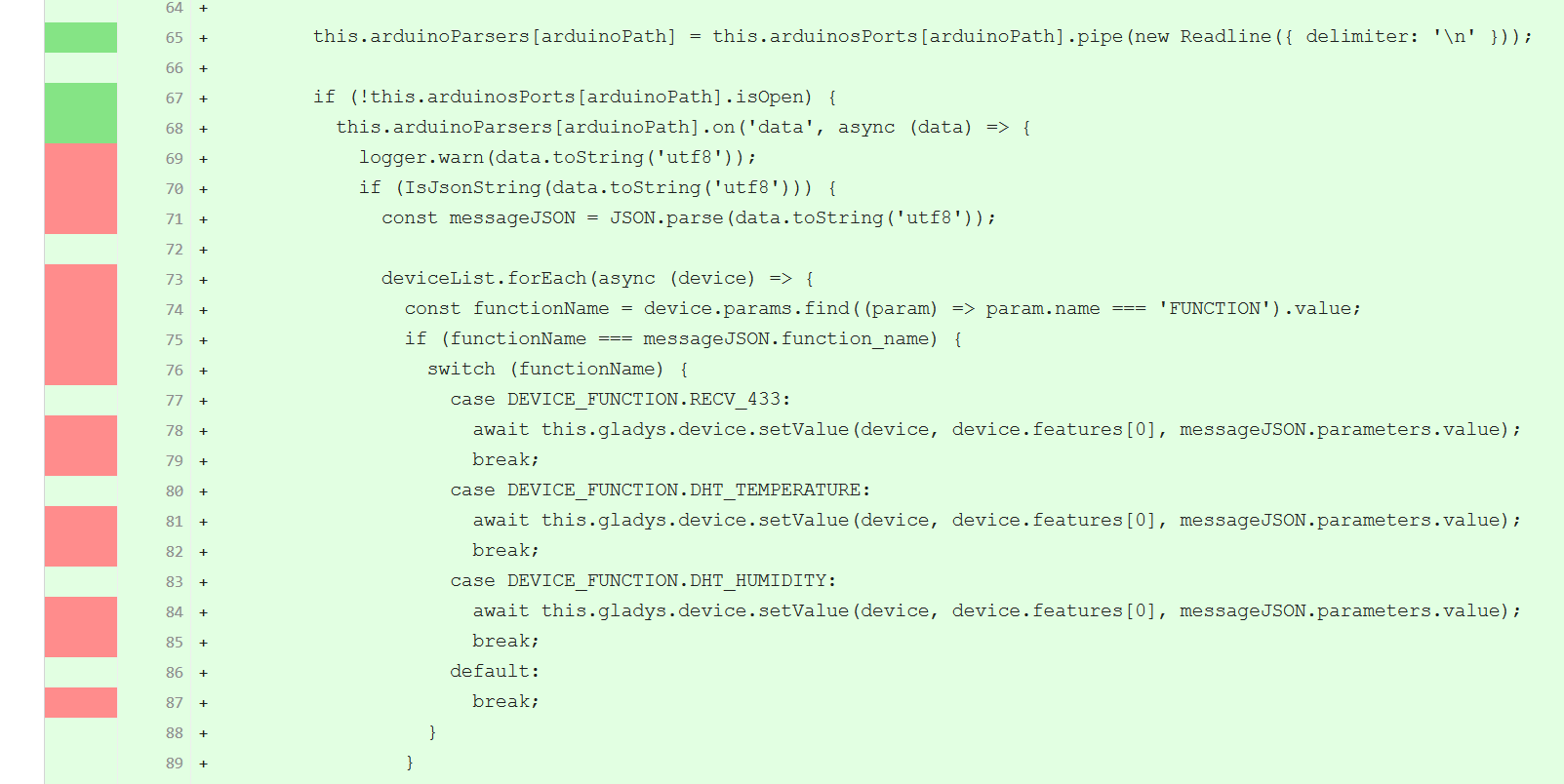
Next, to be able to cover my send and listen scripts, I need to cover the part
 if (!this.arduinosPorts[arduinoPath].isOpen) {
    this.arduinoParsers[arduinoPath].on('data', async (data) => {
of my file. The logic is the same for listen and send.
But in this case, I’m struggling a bit to see how to cover that…
Could someone enlighten me? Thank you very much
It seems to me that proxyquire only works on the file it requires. However, in your file /server/services/arduino/lib/index.js, I don’t see any require for avrgirl-arduino.
Indeed, avrgirl-arduino is only used in the script /server/services/arduino/lib/setup.js, so I did not make a require in /server/services/arduino/lib/index.js. But I don’t see how to solve this, knowing that setup is a method of my ArduinoManager.
Should I test setup.js separately from the ArduinoManager? Include serialport and avrgirl-arduino as properties of the manager and use them to define everything later in my scripts?
Both solutions are possible It’s up to you to choose the solution that seems the simplest to implement and maintain in the future
Usually, what we did was to put all the requires in the « index.js » of the module and inject them as dependencies to the Manager. Example: z-wave service
You’re right, this way of doing things seems much simpler ^^ I’ve modified my scripts to do this, and everything seems to be working fine
Now it seems that my code coverage has strangely decreased in the meantime ^^ I’m working on it and I’ll get back to you when everything seems correct
Well, I’m not too bad at tests usually ^^
The biggest part I have left to cover concerns reading and sending data to the card.
Typically, these are functions
port.on('open', function() {});
For example, in server/services/arduino/lib/send.js:
I just can’t find a viable solution to cover this part of the code. And it’s the biggest part I have left to cover ^^
A solution to help me out?
Great job 
Two complementary solutions:
function onPortOpen() {}
port.on('open', onPortOpen);
port.emit('open');
This will have the effect of calling the function Be sure to also mock « port.write » with fake.returns(0); for example.
I’m afraid I don’t understand some things ^^
In my SerialPortMock, I added
SerialPort.prototype.write = fake.resolves(null);
Regarding
port.emit('open');
Where do I call this?
In ArduinoManager.test.js, I modified my JSON send test
it('should send a JSON to the arduino', async () => {
    const sendSpy = spy(arduinoManager, 'send');
    await arduinoManager.send('/dev/ttyACM0', messageData, 1);
    arduinoManager.arduinosPorts['/dev/ttyACM0'].emit('open');
    assert.calledOnce(sendSpy);
    sendSpy.restore();
  });
But then what?
In my case, port is a SerialPort object… I don’t really see how to perform this test
Hello!
Well then, according to the latest Codecov report, it seems that my tests are finally complete ^^
@pierre-gilles If you see anything missing, I’m waiting for your feedback, otherwise, for me, everything is good for a first version
I also wanted to say thank you! Given that this is my first « real » dev in Node and Preact, I admit I was a bit lost at times. So thank you for your patience, and I look forward to seeing the result of several dev evenings becoming an integral part of Gladys 4
Great if you managed it! I’ll check it out! Well done
For everyone waiting for the Arduino service, it is now available in a test build!
Don’t hesitate to test and provide feedback to @billona here
Hello, on the last build (Docker image): the Arduino module no longer detects my USB ports.
I know which port the Arduino is on.
Bus 001 Device 004: ID 1a86:7523 QinHeng Electronics HL-340 USB-Serial adapter
Am I the only one having this error?
Hello!!
I’m getting back to you after a long absence on my part due to work ^^’
So I’m resuming the development of the Arduino service, aiming to have a stable and perfect result for production deployment
I’ve rebased my local repository to be up to date with the latest versions, so I’ll continue working on it and I’ll provide updates on my progress

 )
)