Hello everyone,
A bit late as it was published this morning
For those who have a Haier, Candy or Hoover device connected to the hOn app (washing machine, dishwasher, air conditioning, fridge…), here is an external integration that brings it into Gladys.
What it does
It connects to the hOn cloud with the app’s email and password (cloud transport: data passes through Haier’s servers), reads the status of the devices every minute by default and sends your commands. Gladys does not have a native hOn integration; for other washing machines, see the thread Implementing Washing Machine Tracking.
Features
- Washing machines, dryers, dishwashers: status, phase, program (choose to launch), remaining time, pause, door, consumables, salt and rinse aid.
- Air conditioners: on/off, mode, setpoint, ventilation, oscillation, temperatures.
- Fridges, freezers, wine cellars: temperatures and setpoints per zone, doors, modes. Ovens: read-only.
- 7 scene triggers: cycle started, cycle finished (with duration), error, refill needed, device disconnected/reconnected, account refused.
- 3 scene actions: start a program (with delayed start), pause/resume/stop, read status.
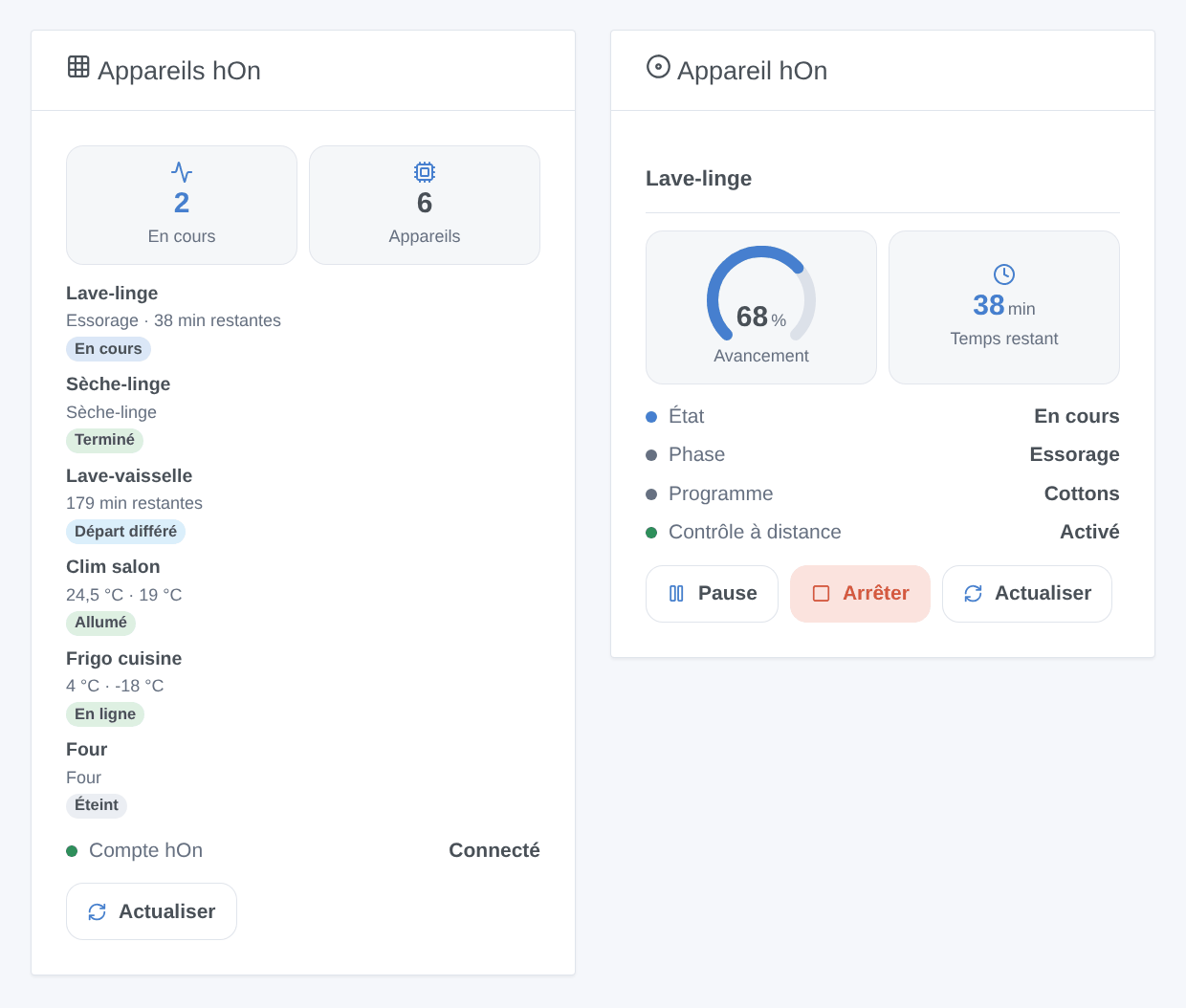
- 2 widgets: “hOn Devices” and “hOn Device” (cycle progress, buttons).
Scene examples:
- when the washing machine cycle is finished → send “The laundry is ready” to the family;
- when the dishwasher is out of salt → notify me;
- on weekdays at 1:00 PM, during off-peak hours → start
eco_40_60on the washing machine loaded in the morning.
[Screenshot to come: the Discovery tab with a real hOn device]
Installation
- From the store: search for “hOn”. Available within the day, pending indexing.
- Or from the repository URL:
https://github.com/William-De71/gladys-hon.
Minimum version of Gladys: 5.1.1.
- Enter the hOn email and password, save, “Test connection”.
- Discovery tab: add your devices.
- To start a program, enable remote control on the device.
Known limitations
- Haier does not publish an API: I ported the pyhon-revived library to JavaScript, which is used by the Home Assistant integration. Haier changed its connection in June 2026 and may do so again.
- I couldn’t test with a real hOn account, only with anonymized data from real devices published by the pyhOn project: your feedback is essential.
- The states are queried (no push yet). Accounts with email two-factor authentication are not supported.
Technical details
- One Gladys device per hOn device, identified by its MAC address; the features follow what the model reports.
- The session (never the password) is kept in
/data: a restart does not reconnect, as hOn blocks accounts that connect too often. A refused connection pauses attempts (15 min, then more). - A cycle started or stopped by a scene action does not trigger triggers (no loop); the first state read after a startup produces no event.
- Cloud badge per device, unreachable when it is no longer connected to hOn.
- The program names are those of the hOn cloud, in English; the “List programs” button gives those of the “Start program” action.
- The fridge modes (super cold…) remain read-only if the model does not expose them in its settings.
Provide feedback
Via a GitHub issue (Issues · William-De71/gladys-hon · GitHub) or by replying here, with the version of Gladys, the version of the integration, the type and model of the device, and the logs with DEBUG=gladys-integration-sdk (without email or password).
Thanks to the authors of pyhOn / pyhon-revived.


