Mea culpa, you’re right.
I took the liberty of making those changes because it wasn’t working for me, and changing line 29 misled me and made me mistakenly believe it worked!
However, what I don’t understand is the result of the change block on my side:
if I do :
set msg.topic -\u003e sensor I get the payload of the device
whereas if I do :
set msg.payload -\u003e sensor I correctly get sensor in return, which is exactly what we expect.
It seems that on your side it’s the opposite, which explains my change; yet I used the same blocks as you!
I’ll keep looking for my mistake.
Can you add a debug before and after the change and take a screenshot of the results of both debug logs?
Yes, I’ll do that tonight.
@_Will_71
Here are my screenshots :
1 - with msg.topic :
2 - then with msg.payload :
Ok so the topic is indeed transformed into a sensor in the first case.
In your modification you change the payload so that changes the payload. But in the Timeout function, originally it’s the topic that is modified.
At worst, if you prefer the payload you only change line 19 by replacing the topic with the payload.
But for me it’s not necessary because the change block works fine.
Can you now add a debug after the timeout function and also take a screenshot.
Can you also take a screenshot of the function’s code?
What is the timeout value you set in the function?
What is the interval between two sends from your sensor?
@_Will_71
So that’s it, I’ve finally understood the source of the problem, thanks to your last questions.
I had set a 2 min timeout for the tests and I realized that my sensor was communicating over a longer period, which triggered the alert message despite a 100% battery.
If I force the sending of data by pressing the initialization button on my sensor, the timeout is indeed reset to the set value (2 min in my tests) so everything is fine.
I’ll therefore increase the timeout value and try to check the sensor’s sending interval; I had mistakenly thought it was < 1 min
Thanks again for your help — in any case, it’s an absolutely indispensable alert for our home automation monitoring
To be continued…
Ok perfect.
I’ve set mine to 24 hours.
Anyway, it’s clear that it’s useful.
At first I had created scenes
Hello,
I’d like to set it up on my side.
Could you share your Node-RED flow here or send it to me privately please?  @jparbel @_Will_71
Thanks 
Hi,
You have the explanation and the flow in the first post.
Oops, sorry, I didn’t see that 
Thanks
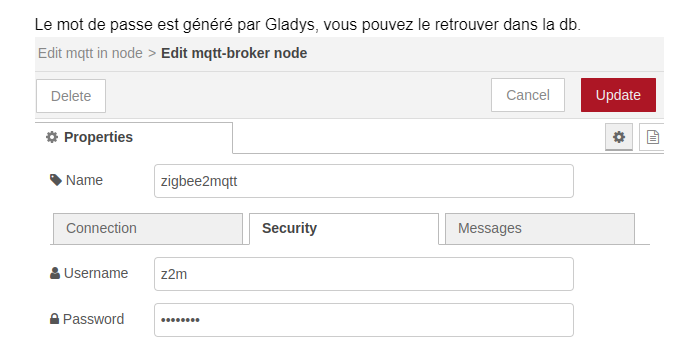
How did you recover this password? :
In the database
SELECT value FROM t_variable WHERE name = 'Z2M_MQTT_PASSWORD';
I’m going to be annoying, but how do you access the DB?
I think it’s simpler to get that from the Zigbee2mqtt config file, right?
On the command line on your Gladys machine:
cat /var/lib/gladysassistant/zigbee2mqtt/z2m/configuration.yaml
Normally inside you’ll have the MQTT password
(I’m saying this off the top of my head, I might be wrong)
Yes, the password is also available in the configuration file.
Yes, it is indeed available
Thanks to both of you