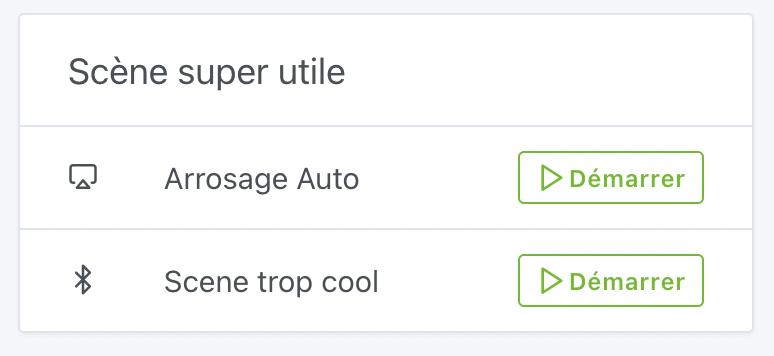
Would it be possible to add a button to manually run a scene from the dashboard?
I agree it would be great to have virtual buttons in the Dashboard to control the scenes.
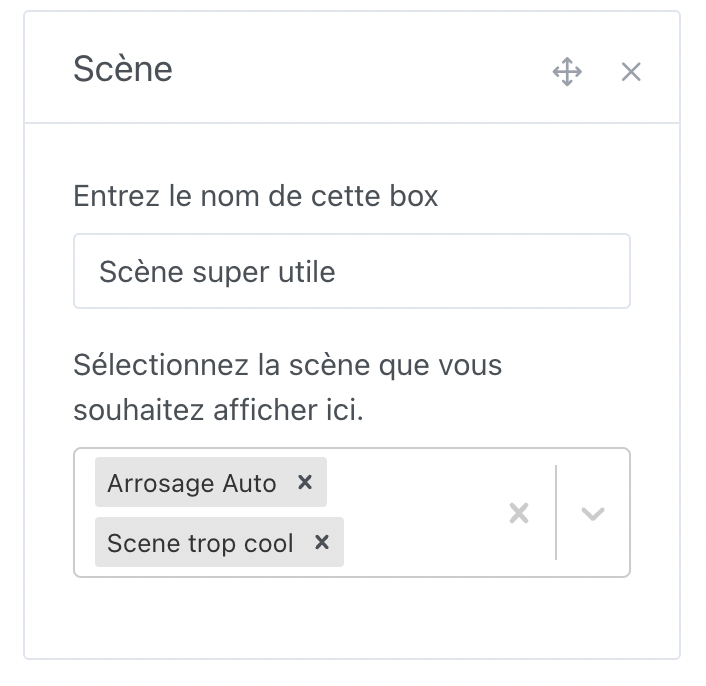
I agree! We should have a dashboard box where the user can select the scenes they display in the configuration.
b3n.0
August 6, 2023, 1:00pm
6
Thanks for this work (super useful, too)
Excellent @Lokkye , I’m finishing going through the forum and I’ll check that out
I’ve just reviewed the PR, for me the code is perfect, I just have a small UX feedback: I find the « clicked » state insufficient to make it clear that something is happening, I’d like to see a small spinner in the button, something like that, what do you think?
Thanks for the PR!
The review:
master ← callemand:box-scene-with-start
ouvert 07:51AM - 02 Aug 23 UTC
### Pull Request check-list
- [x] If your changes affects code, did your writ… e the tests?
- [x] Are tests passing? (`npm test` on both front/server)
- [x] Is the linter passing? (`npm run eslint` on both front/server)
- [x] Did you run prettier? (`npm run prettier` on both front/server)
- [x] If you are adding a new features/services, did you run integration comparator? (`npm run compare-translations` on front)
NOTE: these things are not required to open a PR and can be done afterwards / while the PR is open.
### Description of change
Add a new box to display selected scenes with run button
<img width="387" alt="Screenshot 2023-08-02 at 09 31 16" src="https://github.com/GladysAssistant/Gladys/assets/11317212/fe130275-cd45-49be-a976-f65b59d53434">
<img width="353" alt="Screenshot 2023-08-02 at 09 31 11" src="https://github.com/GladysAssistant/Gladys/assets/11317212/96ac0d7b-d131-4e4c-baad-c40ff0b7c2ce">
Hi @Lokkye , just a quick follow-up about my review, I don’t know if you had time to look at it
Lokkye
September 4, 2023, 1:21pm
10
@pierre-gilles : I hadn’t seen your feedback, I just made the change
Thanks for the fix, that’s perfect as is!
Merged, it will go to production in the next version of Gladys.
This feature is available in Gladys Assistant 4.28!
Salut à tous !
C’est lundi, c’est l’heure d’une nouvelle release Gladys [Screenshot 2023-09-11 at 15.55.56]
Pratique pour trouver les capteurs qui n’envoient plus de valeurs !
La délai par défaut est de 48 heures et peut-être modif…