Feature description
Currently, the ‹ room temperature › widget changes color based on standard or custom thresholds.
Unfortunately, only a minimum difference of 10°C
I thought it was a bug, but it’s intentional. So very good idea.
@Lokkye Do you remember why you set a minimum distance of 10? 
@pierre-gilles On small screens the values were displayed on top of each other and it didn’t look very nice
Ok! Is there any way to do it differently so that it’s possible?
I had noticed the same thing and I feel that, to avoid too much of a headache, this single slider should be changed into two:
Lower threshold: from -20 to X (defined by the user by moving the slider)
This slider would be blue on the left and green on the right
And upper threshold: from X to 50
This slider would be green on the left and red on the right.
What do you think? Otherwise it’ll still be unreadable in my opinion.
It would be a shame because it’s really visually appealing.
Ideally, it would be possible to set the minDistance, min and max yourself.
Yes, but that doesn’t solve the readability problem. Because if the buttons are close, one will overlap the other.
Or we’d have to display one value above the slider bar and the other below… but I’m not sure that’s very clean UI-wise.
https://dribbble.com/shots/13915508-Range-Slider-interaction
After this kind of issue, leboncoin or SeLoger (examples among others) handle it using dual inputs
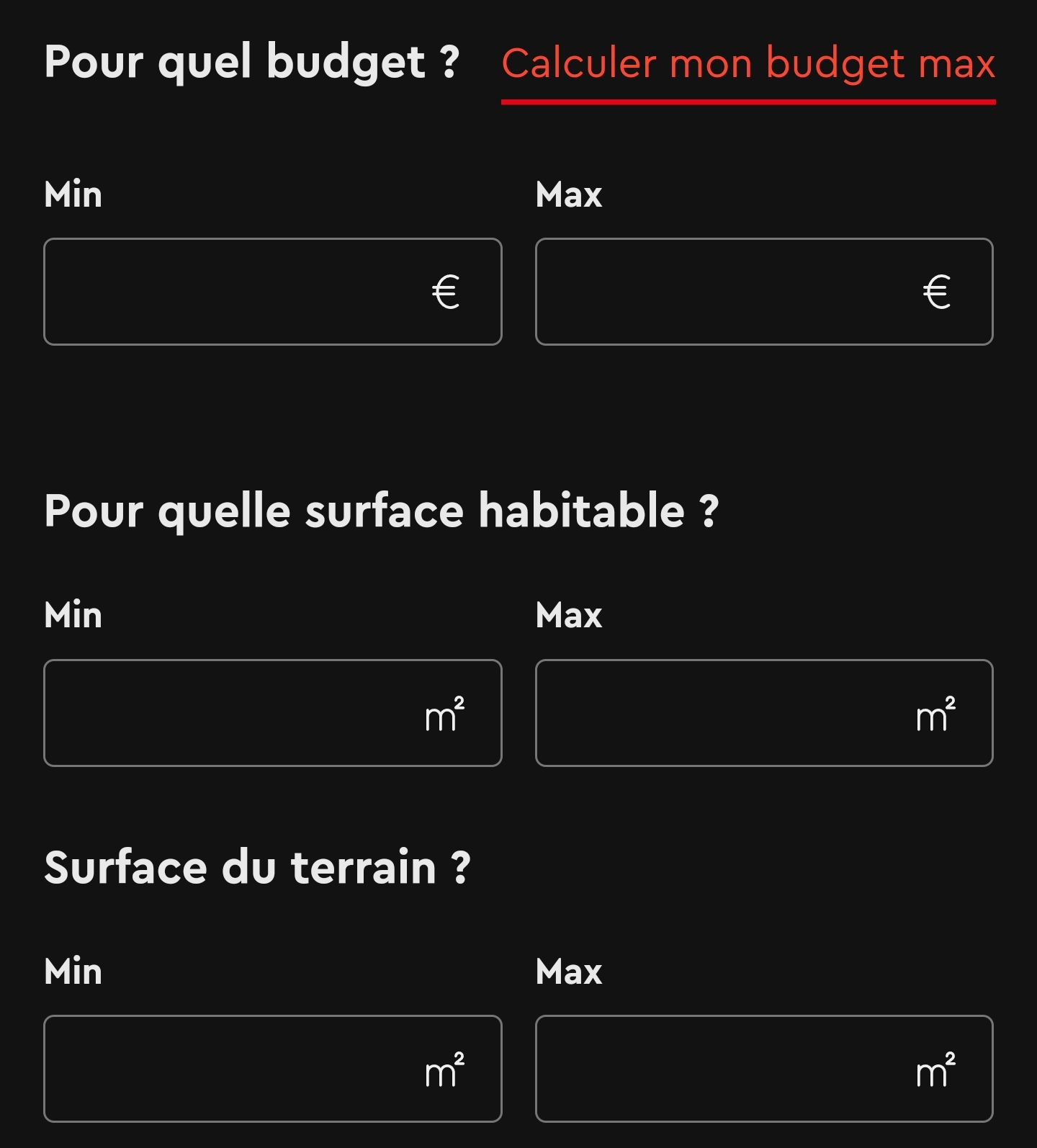

But I haven’t gotten my hands dirty with Gladys…
After that, it’s like everything else — it depends on everyone’s time, but don’t hesitate: if you want to try implementing it, there are competent people to help you
Whoa, for now I’m getting familiar with the environment and it’s a lot of work (my first websites date back a bit…1998 using FrontPage 98, no kidding!  ) but I’ll try anyway — it can’t be harder than assembly on the ZX81!
Fixed in Gladys Assistant 4.52.0: