I have a small issue with my Sonoff Dual which arrived today after 2 months of daily use to control my radiators without any problems.
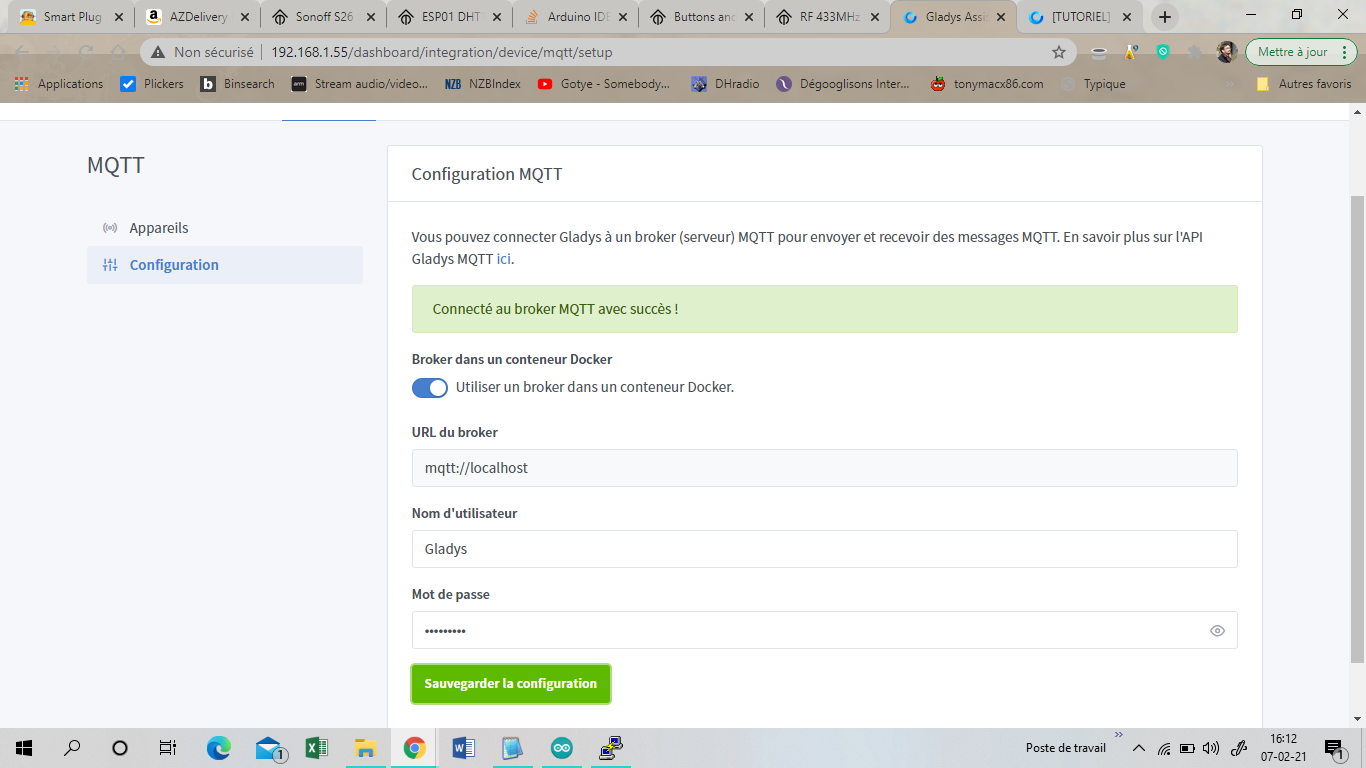
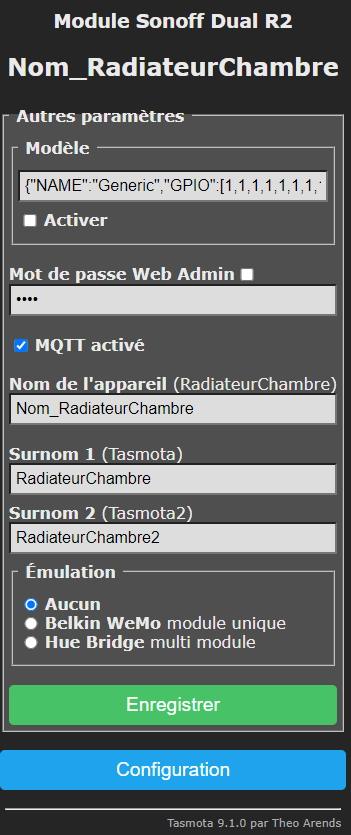
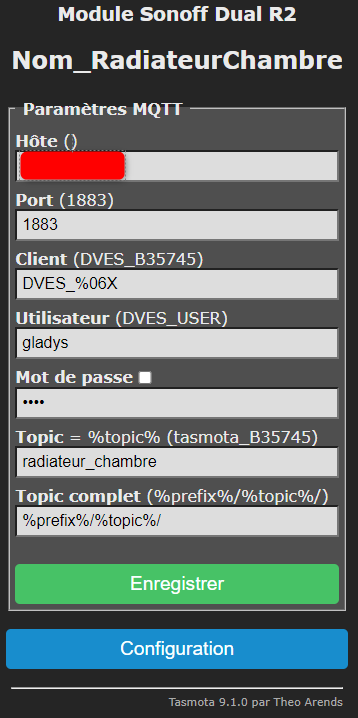
I had configured them on Gladys via MQTT and HTTP.
In the Tasmota interface console, I see:
18:56:40 MQT: Connect failed to « MonIP »:1883, rc -2. Retry in 10 sec
I hadn’t changed anything in my configuration for a long time, and today I can no longer control them via MQTT or receive their status.
However, I can control them via HTTP and receive their status.
Today I noticed that all my Sonoff are flashing blue.
The 5 Tasmota devices in the apartment are in the same state, they are however well connected to the WiFi.
In the documentation, it seems that this means they are not connected to the WiFi and/or MQTT.
The Tasmota configuration has not changed and neither has Gladys’s.
However, I have no idea where this could come from.
Does anyone have an idea?
Thank you in advance.
Edit: I changed all my scenes and dashboard displays to switch to HTTP. It works but it seems there is a problem with MQTT.
I disabled MQTT on the Tasmota so they stop flashing blue.
Well, I’ve had the same problem for a few hours, just after an ‹ apt upgrade › command and a reboot via SSH that installed, I think, a new rpi-firmware among other things.
No Tasmota responds anymore…
Coincidence?
CONTAINER ID   IMAGE                                COMMAND                  CREATED       STATUS       PORTS      NAMES
9e9a56caf879   eclipse-mosquitto:latest             "/docker-entrypoint.…"   5 hours ago   Up 2 hours              eclipse-mosquitto
0087650424a3   containrrr/watchtower:armhf-latest   "/watchtower --clean…"   3 weeks ago   Up 2 hours   8080/tcp   watchtower
7959384793d9   gladysassistant/gladys:v4-arm        "docker-entrypoint.s…"   4 weeks ago   Up 2 hours              gladys
And the Tasmota console says:
01:02:54 MQT: Attempting connection...
01:02:54 MQT: Connect failed to 192.168.1.55:1883, rc -2. Retry in 10 sec
01:02:55 QPC: Reset
01:03:07 MQT: Attempting connection...
01:03:07 MQT: Connect failed to 192.168.1.55:1883, rc -2. Retry in 20 sec
01:03:28 MQT: Attempting connection...
01:03:28 MQT: Connect failed to 192.168.1.55
1612550948: mosquitto version 2.0.7 starting
1612550948: Config loaded from /mosquitto/config/mosquitto.conf.
1612550948: Starting in local only mode. Connections will only be possible from clients running on this machine.
1612550948: Create a configuration file which defines a listener to allow remote access.
1612550948: Opening ipv4 listen socket on port 1883.
1612550948: Opening ipv6 listen socket on port 1883.
1612550948: mosquitto version 2.0.7 running
1612561344: mosquitto version 2.0.7 terminating
1612561486: mosquitto version 2.0.7 starting
1612561486: Config loaded from /mosquitto/config/mosquitto.conf.
1612561486: Starting in local only mode. Connections will only be possible from clients running on this machine.
1612561486: Create a configuration file which defines a listener to allow remote access.
1612561486: Opening ipv4 listen socket on port 1883.
1612561486: Opening ipv6 listen socket on port 1883.
1612561486: mosquitto version 2.0.7 running
1612562801: mosquitto version 2.0.7 terminating
1612562937: mosquitto version 2.0.7 starting
1612562937: Config loaded from /mosquitto/config/mosquitto.conf.
1612562937: Starting in local only mode. Connections will only be possible from clients running on this machine.
1612562937: Create a configuration file which defines a listener to allow remote access.
1612562937: Opening ipv4 listen socket on port 1883.
1612562937: Opening ipv6 listen socket on port 1883.
1612562937: mosquitto version 2.0.7 running
Not very interesting, right?
Unless it’s due to the ‹ local only mode ›…
npm ERR! code ELIFECYCLE
npm ERR! errno 1
npm ERR! gladys-server@ start:prod: `cross-env NODE_ENV=production node index.js`
npm ERR! Exit status 1
npm ERR!

npm ERR! Failed at the gladys-server@ start:prod script.
npm ERR! This is probably not a problem with npm. There is likely additional logging output above.

npm ERR! A complete log of this run can be found in:
npm ERR!     /root/.npm/_logs/2021-02-05T21_42_24_248Z-debug.log

> gladys-server@ start:prod /src/server
> cross-env NODE_ENV=production node index.js

Initialising OpenZWave 1.6.1051 binary addon for Node.JS.
        OpenZWave Security API is ENABLED
        ZWave device db    : /usr/local/etc/openzwave
        User settings path : /src/server/services/zwave/node_modules/openzwave-shared/build/Release/../../
        Option Overrides : --Logging false --ConsoleOutput false --SaveConfiguration true
2021-02-05T22:45:08+0100 <info> service.startAll.js:30 () Service example was manually stopped, so it is ignored at startup
2021-02-05T22:45:08+0100 <info> service.startAll.js:30 () Service philips-hue was manually stopped, so it is ignored at startup
2021-02-05T22:45:08+0100 <info> service.startAll.js:30 () Service xiaomi was manually stopped, so it is ignored at startup
2021-02-05T22:45:08+0100 <info> service.startAll.js:30 () Service zwave was manually stopped, so it is ignored at startup
2021-02-05T22:45:08+0100 <info> service.startAll.js:30 () Service ewelink was manually stopped, so it is ignored at startup
2021-02-05T22:45:08+0100 <info> service.startAll.js:30 () Service tp-link was manually stopped, so it is ignored at startup
2021-02-05T22:45:08+0100 <info> index.js:13 (Object.start) Starting usb service
2021-02-05T22:45:09+0100 <info> connect.js:38 (MqttClient.<anonymous>) Connected to MQTT server mqtt://localhost
2021-02-05T22:45:09+0100 <info> subscribe.js:12 (MqttHandler.subscribe) Subscribing to MQTT topic gladys/master/#
2021-02-05T22:45:09+0100 <info> index.js:20 (Object.start) Starting Open Weather service
2021-02-05T22:45:09+0100 <info> index.js:19 (Object.start) Starting telegram service
2021-02-05T22:45:09+0100 <info> index.js:15 (Object.start) Starting Bluetooth service
2021-02-05T22:45:10+0100 <info> subscribe.js:12 (MqttHandler.subscribe) Subscribing to MQTT topic stat/+/+
2021-02-05T22:45:10+0100 <info> subscribe.js:12 (MqttHandler.subscribe) Subscribing to MQTT topic tele/+/+
2021-02-05T22:45:10+0100 <info> index.js:63 (Server.<anonymous>) Server listening on port 80
2021-02-05T22:54:48+0100 <info> unsubscribe.js:10 (MqttHandler.unsubscribe) Unsubscribing to MQTT topic stat/+/+
2021-02-05T22:54:48+0100 <info> unsubscribe.js:10 (MqttHandler.unsubscribe) Unsubscribing to MQTT topic tele/+/+
2021-02-05T22:54:50+0100 <info> subscribe.js:12 (MqttHandler.subscribe) Subscribing to MQTT topic stat/+/+
2021-02-05T22:54:50+0100 <info> subscribe.js:12 (MqttHandler.subscribe) Subscribing to MQTT topic tele/+/+
2021-02-05T22:59:56+0100 <info> unsubscribe.js:10 (MqttHandler.unsubscribe) Unsubscribing to MQTT topic tele/+/+
2021-02-05T22:59:56+0100 <info> subscribe.js:12 (MqttHandler.subscribe) Subscribing to MQTT topic tele/+/+
2021-02-05T23:00:58+0100 <info> unsubscribe.js:10 (MqttHandler.unsubscribe) Unsubscribing to MQTT topic stat/+/+
2021-02-05T23:00:58+0100 <info> unsubscribe.js:10 (MqttHandler.unsubscribe) Unsubscribing to MQTT topic tele/+/+
2021-02-05T23:01:05+0100 <info> subscribe.js:12 (MqttHandler.subscribe) Subscribing to MQTT topic stat/+/+
2021-02-05T23:01:05+0100 <info> subscribe.js:12 (MqttHandler.subscribe) Subscribing to MQTT topic tele/+/+
2021-02-05T23:02:00+0100 <info> unsubscribe.js:10 (MqttHandler.unsubscribe) Unsubscribing to MQTT topic tele/+/+
2021-02-05T23:02:00+0100 <info> subscribe.js:12 (MqttHandler.subscribe) Subscribing to MQTT topic tele/+/+
2021-02-05T23:06:41+0100 <warn> connect.js:60 (MqttClient.<anonymous>) Disconnected from MQTT server
npm ERR! code ELIFECYCLE
npm ERR! errno 1
npm ERR! gladys-server@ start:prod: `cross-env NODE_ENV=production node index.js`
npm ERR! Exit status 1
npm ERR!

npm ERR! Failed at the gladys-server@ start:prod script.
npm ERR! This is probably not a problem with npm. There is likely additional logging output above.

npm ERR! A complete log of this run can be found in:
npm ERR!     /root/.npm/_logs/2021-02-05T22_06_41_570Z-debug.log

> gladys-server@ start:prod /src/server
> cross-env NODE_ENV=production node index.js

Initialising OpenZWave 1.6.1051 binary addon for Node.JS.
        OpenZWave Security API is ENABLED
        ZWave device db    : /usr/local/etc/openzwave
        User settings path : /src/server/services/zwave/node_modules/openzwave-shared/build/Release/../../
        Option Overrides : --Logging false --ConsoleOutput false --SaveConfiguration true
2021-02-05T23:09:18+0100 <info> service.startAll.js:30 () Service example was manually stopped, so it is ignored at startup
2021-02-05T23:09:18+0100 <info> service.startAll.js:30 () Service xiaomi was manually stopped, so it is ignored at startup
2021-02-05T23:09:18+0100 <info> service.startAll.js:30 () Service zwave was manually stopped, so it is ignored at startup
2021-02-05T23:09:18+0100 <info> service.startAll.js:30 () Service ewelink was manually stopped, so it is ignored at startup
2021-02-05T23:09:18+0100 <info> service.startAll.js:30 () Service tp-link was manually stopped, so it is ignored at startup
2021-02-05T23:09:18+0100 <info> service.startAll.js:30 () Service philips-hue was manually stopped, so it is ignored at startup
2021-02-05T23:09:18+0100 <info> index.js:13 (Object.start) Starting usb service
2021-02-05T23:09:19+0100 <info> index.js:19 (Object.start) Starting telegram service
2021-02-05T23:09:19+0100 <info> connect.js:38 (MqttClient.<anonymous>) Connected to MQTT server mqtt://localhost
2021-02-05T23:09:19+0100 <info> subscribe.js:12 (MqttHandler.subscribe) Subscribing to MQTT topic gladys/master/#
2021-02-05T23:09:19+0100 <info> index.js:20 (Object.start) Starting Open Weather service
2021-02-05T23:09:19+0100 <info> index.js:15 (Object.start) Starting Bluetooth service
2021-02-05T23:09:20+0100 <info> subscribe.js:12 (MqttHandler.subscribe) Subscribing to MQTT topic stat/+/+
2021-02-05T23:09:20+0100 <info> subscribe.js:12 (MqttHandler.subscribe) Subscribing to MQTT topic tele/+/+
2021-02-05T23:09:20+0100 <info> index.js:63 (Server.<anonymous>) Server listening on port 80
Well, I found a solution but there’s something odd.
I installed the external Mosquitto broker (outside Docker) and disabled Gladys’s one.
Everything works again (MQTT devices weren’t working either)! But it would be interesting to know if it’s my fault or if this might happen to others!
I can provide all the logs you want if you want to investigate
Oh, that’s clearly it, everything connecting from another machine is refused.
In my opinion, it’s a new default option.
EDIT:
After some reading and experimentation on my side, I managed to reproduce it.
A new option has recently appeared. Well, it already existed but the default behavior has changed.
By default, Mosquitto containers only listen on localhost.
To change this behavior, you need to add this to the Mosquitto config
Well…
The command always returns a « Permission not granted » to me. So I added it manually.
But also, I can’t disable the installed mosquitto anymore
Anyway, it works, but I don’t know how (it’s Gladys’ philosophy, right? )
Well, I finally managed to disable my « second » broker and run the proposed command.
Here’s what the log from docker says:
1612709888: mosquitto version 2.0.7 starting
1612709888: Config loaded from /mosquitto/config/mosquitto.conf.
1612709888: Opening ipv4 listen socket on port 1883.
1612709888: Opening ipv6 listen socket on port 1883.
1612709888: mosquitto version 2.0.7 running
1612710037: mosquitto version 2.0.7 terminating
1612710038: mosquitto version 2.0.7 starting
1612710038: Config loaded from /mosquitto/config/mosquitto.conf.
1612710038: Opening ipv4 listen socket on port 1883.
1612710038: Opening ipv6 listen socket on port 1883.
1612710038: mosquitto version 2.0.7 running
1612710090: mosquitto version 2.0.7 terminating
1612710157: mosquitto version 2.0.7 starting
1612710157: Config loaded from /mosquitto/config/mosquitto.conf.
1612710157: Opening ipv4 listen socket on port 1883.
1612710157: Opening ipv6 listen socket on port 1883.
1612710157: mosquitto version 2.0.7 running
Great!
But actually, it doesn’t work. Despite several reboots, no access to my mqtt devices
And yet:
Will this eventually be a problem if I use eclipse-mosquitto as a service outside of Docker or can I leave it as is without any issues?
Is it possible that I now have latency that didn’t exist before or am I being paranoid?
Hello everyone, I have the same symptoms: no additional configuration or settings on an installation that was working fine and no more mqtt communication on the sonoff radiators. I am on Gladys 4.0.8 on a rasp installed via the Gladys Assistant image.
Following the advice above.
I connected via ssh to the rasp
Using vi, I added « listener 1883 » to the file /var/lib/gladysassistant/mosquitto/mosquitto.conf
I then restarted my rasp
In Gladys Assistant, I had to reconfigure my mqtt service.
For information, the issue has been resolved with Gladys v4.1.0.
@AlexTrovato coded a routine that automatically updates the configuration file and locks the container version to mosquitto 2.0 to prevent any issues in the future.


 )
)