Hello @elfedagger
Which ports are your devices connected to?
On USB0 I have my Zigbee dongle, on USB1 I have my RFlink and on USB2 my Bluetooth dongle.
Hello,
I corrected some comments to remove the accents.
let input = msg.payload; // message received by the Serial node ; exemple : 20;26;Oregon TempHygro;ID=2D6D;TEMP=800f;HUM=61;HSTATUS=0;BAT=LOW; . Temperature is equal to -1.5deg
var Sign = input.substring(36,37); // read the 1st character of the temperature, to know if the temperature is \u003c 0
var Neg = 0; // digit to add at the beginning if temperature \u003c 0
var Temp = input.substring(36, 40); // read the temperature as an integer over 4 characters, the 1st being the positive (0) or negative (8) indicator
var TempNeg = input.substring(37, 40); // read the last 3 digits, those relevant for the temperature value

// Handling negative temperatures
if (Sign == 8) { // if the first character is 8, we are dealing with a negative temperature
var CreationTempNeg = Neg.toString() + TempNeg; // transform the temperature to have it over 4 relevant characters ; replace the first character with a 0
var NouvelleTempNeg = parseInt(CreationTempNeg, 16); // convert the temperature value from hex to decimal
msg.payload = -1 * (NouvelleTempNeg / 10); // divide the decimal temperature value by 10, because it arrives 10 times larger, but above all multiply by -1 to make it negative
}
// Handling positive temperatures
if (Sign == 0) { // if the 1st character of the temperature value is 0, the temperature is positive
Temp = parseInt(Temp, 16);
msg.payload = Temp / 10;
}
return msg;
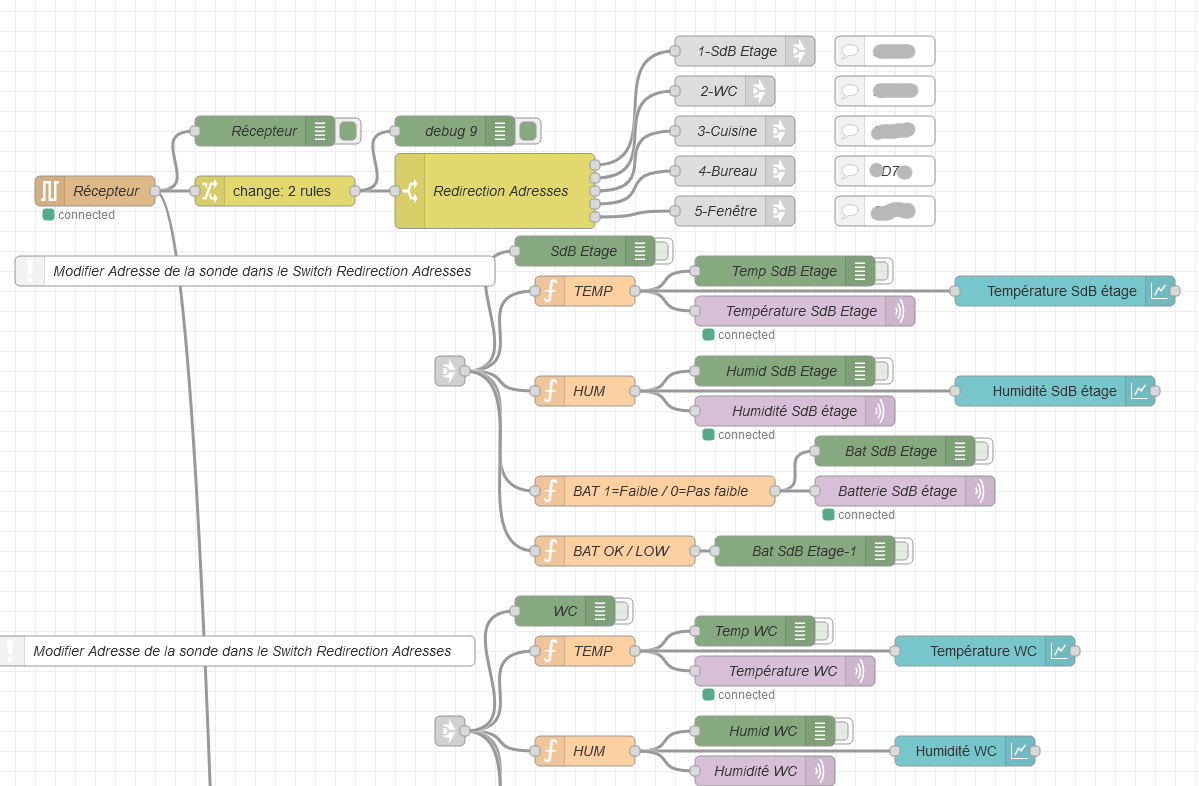
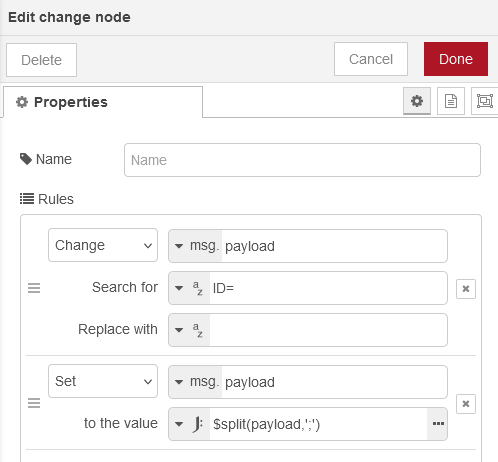

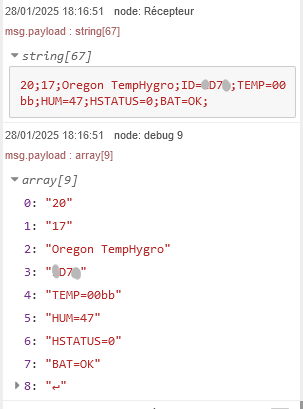
Thanks @gaetanb76
I thank you for your correction, I hope I didn’t write anything stupid. One small clarification, you can’t modify the tutorial yourself? I have to copy/paste, right?
Je te remercie, je vais etudier ta methode
Thank you very much, have a good evening.
Exactly.
You’re welcome.
Have a good evening
Hi everyone!
To keep this thread clear and structured, I did two things:
-
I created a new thread dedicated to development: Intégration Node-RED: Donner accès aux ports USB au container Docker
-
I deleted about fifty messages that were not essential to this tutorial.
In the future, please keep this thread reserved only for discussions about the tutorial 
 For any development request, create a thread in Demande de fonctionnalités
For any questions or debugging help, open a thread in Configuration
A forum remains readable when one thread = one specific topic.
Don’t hesitate to create new threads instead of reusing old discussion threads; this avoids confusion and makes it easier to follow the conversations!
It would be nice to have a guide to orient us when posting messages. I often wonder whether I’m in the right topic, 