Did you do this?
You need to restart the application afterwards.
I just « uploaded » my code. result:
Executable segment sizes:
ICACHE : 32768 - flash instruction cache
IROM : 249268 - code in flash (default or ICACHE_FLASH_ATTR)
IRAM : 27369 / 32768 - code in IRAM (IRAM_ATTR, ISRs…)
DATA : 1496 ) - initialized variables (global, static) in RAM/HEAP
RODATA : 1316 ) / 81920 - constants (global, static) in RAM/HEAP
BSS : 25864 ) - zeroed variables (global, static) in RAM/HEAPThe sketch uses 279449 bytes (26%) of program storage space. Maximum is 1044464 bytes.
Global variables use 28676 bytes (35%) of dynamic memory, leaving 53244 bytes for local variables. Maximum is 81920 bytes.
esptool.py v3.0
Serial port COM6
Connecting…
Chip is ESP8266EX
Features: WiFi
Crystal is 26MHz
MAC: dc:4f:22:43:5b:f3
Uploading stub…
Running stub…
Stub running…
Changing baud rate to 460800
Changed.
Configuring flash size…
Auto-detected Flash size: 4MB
Compressed 283600 bytes to 207837…
Writing at 0x00000000… (7 %)
Writing at 0x00004000… (15 %)
Writing at 0x00008000… (23 %)
Writing at 0x0000c000… (30 %)
Writing at 0x00010000… (38 %)
Writing at 0x00014000… (46 %)
Writing at 0x00018000… (53 %)
Writing at 0x0001c000… (61 %)
Writing at 0x00020000… (69 %)
Writing at 0x00024000… (76 %)
Writing at 0x00028000… (84 %)
Writing at 0x0002c000… (92 %)
Writing at 0x00030000… (100 %)
Wrote 283600 bytes (207837 compressed) at 0x00000000 in 4.9 seconds (effective 465.2 kbit/s)…
Hash of data verified.
Leaving…
Hard resetting via RTS pin…
I don’t see any

After flashing, you need to reset/restart the Arduino for the code to be executed.
Are you actually looking for that in the serial monitor?
Yes indeed.
So, I searched the internet for how to reset/restart and found this:
https://techtutorialsx.com/2017/12/29/esp8266-arduino-software-restart/
intcnt=10;
voidsetup() {
Serial.begin(115200);
}
voidloop() {
Serial.println(cnt);
if(cnt==0){
Serial.println(\"Reset..\");
ESP.restart();
}
cnt--;
delay(1000);
}
But nothing changes!
Result in the « Serial Monitor » :
ets Jan 8 2013,rst cause:4, boot mode:(3,6)
wdt reset
load 0x4010f000, len 3460, room 16
tail 4
chksum 0xcc
load 0x3fff20b8, len 40, room 4
tail 4
chksum 0xc9
csum 0xc9
v000453d0
~ld
Any idea?

You’re overcomplicating it  , either you have a reset button and you press it, or you unplug and replug it.
After pressing the RST button in the « Serial Monitor » I get this :
rll�r\u0002$\u0012�n\f\f\f�\fl�\fb|��\u0002\u0007\u0012�r\u0012b�\fb\u0004�nn\u0002lnn2b\fb\u001cp�$b\u000elrlp�n0\u0002\f\f�\fl\f�\u0002\f\f\fb\fn�n�\f�\u0004\fb��nn’l�\u0004l
\u0002�\u0012\u0012nn\f$\u0002\u000e\u0002nr���n\f\frr�\u0002p�n0\u0002\f\fr�\u001c\u001cb\f\u0004\u0002\fb\fn�n\f\u0004\fb��nn'\f\u0004l\u0002�\u0012\u0012nn\f$\u0002\u000e\u0002nr���n\f\fr\u0012l\u0002\u000er��n\f\fr\u0012l\u0002�\u0002\f\f\f$�\f\u0002l\u0002��n�`\u0002
ets Jan ets Jan 8 2013,r
Did you remove your reset in the 'code and set your baud rate to 115200?
For the speed I do have 115200
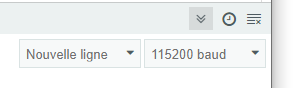
But I don’t understand « You removed your reset in the code » !
Sorry
[quote=« Doudy, post:67, topic:6272 »]
Well, I searched the internet for how to do a reset/restart and I found this:
\u003e int cnt=10;
\u003e void setup() {
\u003e `
I replaced ESP.restart(); with ESP.reset();
But nothing changes
Found here :https://www.pieterverhees.nl/sparklesagarbage/esp8266/130-difference-between-esp-reset-and-esp-restart
ESP.reset()is a hardware reset and can leave some of the registers in the old state, which can cause problems, it’s more or less like the reset button on a PC.
ESP.restart()tells the SDK to restart, so it’s a cleaner reboot, use that one if possible.
Restore your code to match the tutorial — you don’t need the lines you added/modified for the reset.
For the baud rate, set it to 9600.
It’s noted in the code
I’m set to 9600 in the code
However in the « Serial Monitor » when I set 9600 baud I get this:
������������������������
If I set 115200 baud I get this:
ets Jan 8 2013,rst cause:4, boot mode:(3,6)
wdt reset
load 0x4010f000, len 3460, room 16
tail 4
chksum 0xcc
load 0x3fff20b8, len 40, room 4
tail 4
chksum 0xc9
csum 0
Well, I’m making some progress
After some research on testing ESP8266 I found this
https://www.emi.ac.ma/oumnad/ESP8266/ESP8266.html
Here is the code :
// Program connect_IP_auto.ino A. Oumnad
//==============================================================
#include <ESP8266WiFi.h>
// Modify according to your WIFI access point
const char* mySSID = « Txxxx-xxxx-xxxx »;
const char* mypassword = « xxxxxxxxxxxxxxx »;void setup() {
Serial.begin(115200); // for the serial monitor
Serial.println(« \r\n\r\n============================================ »);
// Connection to the access point
Serial.print(" Connexion à « );
Serial.println(mySSID);
WiFi.disconnect();
WiFi.mode(WIFI_STA);
WiFi.begin(mySSID, mypassword);
while (WiFi.status() != WL_CONNECTED) {
delay(500);
Serial.print( ».« );
}
Serial.println();
Serial.print( » Connecté à « );
Serial.println(mySSID);
// Display the IP address assigned by the access point
Serial.print( » L’adresse IP du ESP8266 est: « );
Serial.println(WiFi.localIP());
Serial.println( »==================================================");
}
void loop() {
}
Result :
…
Connected to Txxxxx-xxxx-xxxx
The IP address of the ESP8266 is: 192.168.1.59==========================================================
So the WiFi connection works!
Is your sensor connected when you run this test code?
If so, it would seem that the problem comes from the initial code?
If not, a power supply problem?
No, the sensor is not connected.
@GBoulvin
If the sensor isn’t connected, the program crashes, doesn’t it?
0 divided by 2 * the speed of sound