Hello.
Thanks for this tutorial, but after implementation nothing works
in the serial monitor I get question marks
thanks to whoever takes the time to reply
Hi @oli
Did your upload go well? Are you set to 9600 baud in your serial monitor? Are you only seeing question marks or lots of different characters?
bonjour @jerome
voici mon televersement
. Variables and constants in RAM (global, static), used 28728 / 80192 bytes (35%)
║ SEGMENT BYTES DESCRIPTION
╠══ DATA 1496 initialized variables
╠══ RODATA 1312 constants
╚══ BSS 25920 zeroed variables
. Instruction RAM (IRAM_ATTR, ICACHE_RAM_ATTR), used 60363 / 65536 bytes (92%)
║ SEGMENT BYTES DESCRIPTION
╠══ ICACHE 32768 reserved space for flash instruction cache
╚══ IRAM 27595 code in IRAM
. Code in flash (default, ICACHE_FLASH_ATTR), used 250036 / 1048576 bytes (23%)
║ SEGMENT BYTES DESCRIPTION
╚══ IROM 250036 code in flash
esptool.py v3.0
Serial port COM3
Connecting…
Chip is ESP8266EX
Features: WiFi
Crystal is 26MHz
MAC: 34:94:54:8e:17:ce
Uploading stub…
Running stub…
Stub running…
Changing baud rate to 460800
Changed.
Configuring flash size…
Auto-detected Flash size: 4MB
Compressed 284592 bytes to 208993…
Writing at 0x00000000… (7 %)
Writing at 0x00004000… (15 %)
Writing at 0x00008000… (23 %)
Writing at 0x0000c000… (30 %)
Writing at 0x00010000… (38 %)
Writing at 0x00014000… (46 %)
Writing at 0x00018000… (53 %)
Writing at 0x0001c000… (61 %)
Writing at 0x00020000… (69 %)
Writing at 0x00024000… (76 %)
Writing at 0x00028000… (84 %)
Writing at 0x0002c000… (92 %)
Writing at 0x00030000… (100 %)
Wrote 284592 bytes (208993 compressed) at 0x00000000 in 4.9 seconds (effective 461.9 kbit/s)…
Hash of data verified.
Leaving…
Hard resetting via RTS pin…
hello @jerome
I am indeed set to 9600 baud, here are the messages

hello @jerome
here is my code I have replaced the ssid and wifi password as well as Gladys
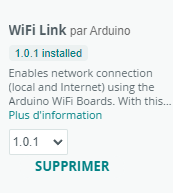
there is only the ESP8266WiFi that I could not find in the library
so I installed it
#include <ESP8266WiFi.h>
#include <PubSubClient.h>
/* WIFI */
#define wifi_ssid « … » // your wifi ssid
#define wifi_password « … » // your wifi password
/* MQTT */
#define mqtt_server « 192.168.0.10 »
#define mqtt_user « » // username
#define mqtt_password « » // MQTT password
#define gladys_topic « gladys/master/device/mqtt:garage:capteur-ultrason/feature/mqtt: garage:capteur-ultrason:quantite/state »
#define mqtt_cuve « mqtt:garage:capteur-ultrason » // Tank sensor topic
/* Buffer used to decode received MQTT messages */
char message_buff[100];
long lastMsg = 0; // Timestamp of the last message published to MQTT
long lastRecu = 0;
bool debug = false; // Prints to console if True
/* Constants for pins */
const byte TRIGGER_PIN = 6; // TRIGGER pin
const byte ECHO_PIN = 7; // ECHO pin
/* Constants for timeout */
const unsigned long MEASURE_TIMEOUT = 25000UL; // 25ms = ~8m at 340m/s
/* Speed of sound in air in mm/us */
const float SOUND_SPEED = 340.0 / 1000;
// Create objects
WiFiClient espClient;
PubSubClient client(espClient);
void setup() {
/* Initialize serial port */
Serial.begin(9600); // Optional for debugging
/* Initialize pins */
pinMode(TRIGGER_PIN, OUTPUT);
digitalWrite(TRIGGER_PIN, LOW); // The TRIGGER pin must be LOW at rest
pinMode(ECHO_PIN, INPUT);
setup_wifi(); // Connect to the WiFi network
client.setServer(mqtt_server, 1883); // Configure connection to the MQTT server
}
// Connect to the WiFi network
void setup_wifi() {
delay(10);
Serial.println();
Serial.print("Connexion a ");
Serial.println(wifi_ssid);
WiFi.begin(wifi_ssid, wifi_password);
while (WiFi.status() != WL_CONNECTED) {
delay(500);
Serial.print(« . »);
}
Serial.println(« »);
Serial.println("Connexion WiFi etablie « );
Serial.print( »=> Addresse IP : ");
Serial.print(WiFi.localIP());
}
// Reconnect
void reconnect() {
// Loop until reconnected
while (!client.connected()) {
Serial.print(« Connexion au serveur MQTT… »);
if (client.connect(« ESP8266Client », mqtt_user, mqtt_password)) {
Serial.println(« OK »);
} else {
Serial.print(« KO, erreur : « );
Serial.print(client.state());
Serial.println( » On attend 5 secondes avant de recommencer »);
delay(5000);
}
}
}
void loop() {
if (!client.connected()) {
reconnect();
}
client.loop();
long now = millis();
/* Send a message every minute */
if (now - lastMsg > 1000 * 60) {
lastMsg = now;
/* 1. Start a distance measurement by sending a 10µs HIGH pulse on the TRIGGER pin */

digitalWrite(TRIGGER_PIN, HIGH);
delayMicroseconds(10);
digitalWrite(TRIGGER_PIN, LOW);

/* 2. Measure the time between sending the ultrasonic pulse and its echo (if any) */

long measure = pulseIn(ECHO_PIN, HIGH, MEASURE_TIMEOUT);

/* 3. Calculate the distance from the measured time */

int distance_mm = measure / 2.0 * SOUND_SPEED;
float c = 1750 - distance_mm; // VERY IMPORTANT Replace 2000 with the height of your tank
c = c / 2000;
c = c * 100;

// No need to go further if the sensor doesn't return anything
if ( isnan(c)) {
  Serial.println("Echec de lecture ! Verifiez votre capteur HRC-04");
  return;
}

if ( debug ) {
  Serial.print("Cuve : ");
  Serial.print(c);
}
client.publish(gladys_topic, String(c).c_str(), true);   // Publish the tank percentage to the Gladys topic
}
}
I think the problem does indeed come from the library.
Looking on Google, the issue appears to be known.
However, I’m not very experienced with Arduino, and I think the code should be reconfigured; otherwise you need to find the library’s zip folder to integrate it directly.
Hello @pierre-gilles
Are there people in the community who are good with Arduino code and who could take a look to possibly modify or extend the original code? My skills are too limited.
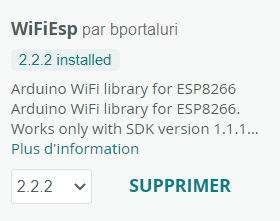
And with this one?
I was planning to look into it because the Arduino I was using for this function got water-damaged and since I was going to replace it, I intended to put a Wemos. I can look into it…
However, if I may, Tasmota natively supports this kind of sensor on a Wemos but will only return a value in cm and not in %:
This allows you to easily test the setup itself
By adding a rule it could provide the % on the MQTT broker if needed
Thank you for your reply.
I’ll follow the news thread; my skills are also too limited to modify your code.