Hello,
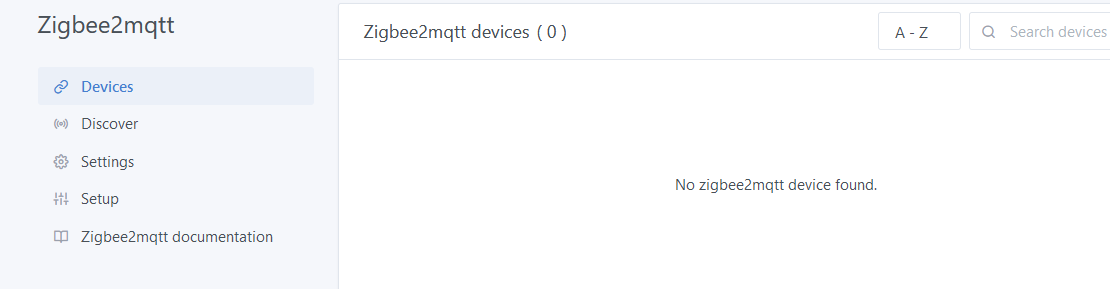
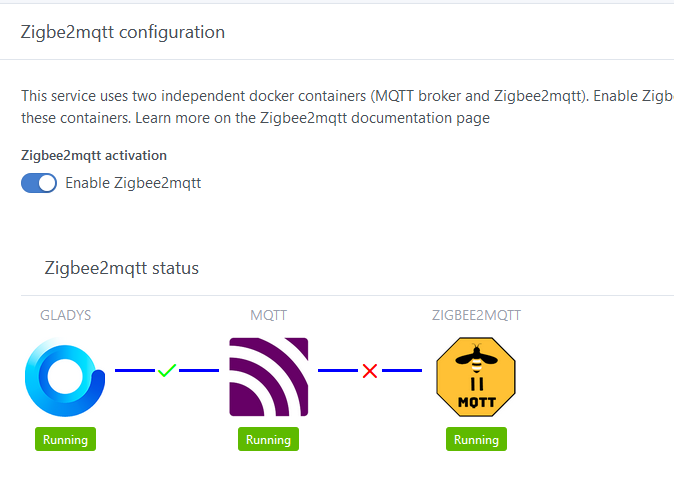
I think I found a bug. My smart plug is detected by Zigbee2mqtt but not displayed in Gladys.
I checked, the model is officially supported by the Zigbee2Mqtt project: Lonsonho 4000116784070 control via MQTT | Zigbee2MQTT
Zigbee2Mqtt logs:
Zigbee2MQTT:info  2021-02-05 09:18:30: MQTT publish: topic 'zigbee2mqtt/bridge/config', payload '{"commit":"99274c7","coordinator":{"meta":{"maintrel":1,"majorrel":2,"minorrel":7,"product":1,"revision":20201026,"transportrev":2},"type":"zStack3x0"},"log_level":"info","network":{"channel":11,"extendedPanID":"0xdddddddddddddddd","panID":6754},"permit_join":true,"version":"1.17.1"}'
Zigbee2MQTT:info  2021-02-05 09:18:34: MQTT publish: topic 'zigbee2mqtt/0x60a423fffe685063', payload '{"current":0.5,"energy":3.91,"linkquality":111,"power":81,"state":"ON","voltage":211}'
Zigbee2MQTT:info  2021-02-05 09:18:38: MQTT publish: topic 'zigbee2mqtt/bridge/config/devices', payload '[{"dateCode":"20201026","friendly_name":"Coordinator","ieeeAddr":"0x00124b0021cc41df","lastSeen":1612516718278,"networkAddress":0,"softwareBuildID":"zStack3x0","type":"Coordinator"},{"dateCode":"20170627","description":"Aqara human body movement and illuminance sensor","friendly_name":"0x00158d00044e9780","hardwareVersion":1,"ieeeAddr":"0x00158d00044e9780","lastSeen":1612516457300,"manufacturerID":4151,"manufacturerName":"LUMI","model":"RTCGQ11LM","modelID":"lumi.sensor_motion.aq2","networkAddress":6910,"powerSource":"Battery","softwareBuildID":"3000-0001","type":"EndDevice","vendor":"Xiaomi"},{"dateCode":"20161128","description":"Aqara door & window contact sensor","friendly_name":"0x00158d0003f26e95","hardwareVersion":2,"ieeeAddr":"0x00158d0003f26e95","lastSeen":1612516597980,"manufacturerID":4151,"manufacturerName":"LUMI","model":"MCCGQ11LM","modelID":"lumi.sensor_magnet.aq2","networkAddress":48897,"powerSource":"Battery","softwareBuildID":"3000-0001","type":"EndDevice","vendor":"Xiaomi"},{"dateCode":"20161128","description":"Aqara door & window contact sensor","friendly_name":"0x00158d0003173fdd","hardwareVersion":2,"ieeeAddr":"0x00158d0003173fdd","lastSeen":1612515745207,"manufacturerID":4151,"manufacturerName":"LUMI","model":"MCCGQ11LM","modelID":"lumi.sensor_magnet.aq2","networkAddress":28257,"powerSource":"Battery","softwareBuildID":"3000-0001","type":"EndDevice","vendor":"Xiaomi"},{"dateCode":"20170627","description":"Aqara human body movement and illuminance sensor","friendly_name":"0x00158d0004843eb4","hardwareVersion":1,"ieeeAddr":"0x00158d0004843eb4","lastSeen":1612516353652,"manufacturerID":4151,"manufacturerName":"LUMI","model":"RTCGQ11LM","modelID":"lumi.sensor_motion.aq2","networkAddress":59336,"powerSource":"Battery","softwareBuildID":"3000-0001","type":"EndDevice","vendor":"Xiaomi"},{"dateCode":"20170627","description":"Aqara human body movement and illuminance sensor","friendly_name":"0x00158d000460bf42","hardwareVersion":1,"ieeeAddr":"0x00158d000460bf42","lastSeen":1612516094548,"manufacturerID":4151,"manufacturerName":"LUMI","model":"RTCGQ11LM","modelID":"lumi.sensor_motion.aq2","networkAddress":45788,"powerSource":"Battery","softwareBuildID":"3000-0001","type":"EndDevice","vendor":"Xiaomi"},{"dateCode":"","description":"10A UK or 16A EU smart plug","friendly_name":"0x60a423fffe685063","hardwareVersion":1,"ieeeAddr":"0x60a423fffe685063","lastSeen":1612516714348,"manufacturerID":4098,"manufacturerName":"_TZ3000_rdtixbnu","model":"TS0121_plug","modelID":"TS0121","networkAddress":42938,"powerSource":"Mains (single phase)","type":"Router","vendor":"TuYa"}]'
Zigbee2MQTT:info  2021-02-05 09:18:38: MQTT publish: topic 'zigbee2mqtt/bridge/log', payload '{"message":[{"dateCode":"20201026","friendly_name":"Coordinator","ieeeAddr":"0x00124b0021cc41df","lastSeen":1612516718287,"networkAddress":0,"softwareBuildID":"zStack3x0","type":"Coordinator"},{"dateCode":"20170627","description":"Aqara human body movement and illuminance sensor","friendly_name":"0x00158d00044e9780","hardwareVersion":1,"ieeeAddr":"0x00158d00044e9780","lastSeen":1612516457300,"manufacturerID":4151,"manufacturerName":"LUMI","model":"RTCGQ11LM","modelID":"lumi.sensor_motion.aq2","networkAddress":6910,"powerSource":"Battery","softwareBuildID":"3000-0001","type":"EndDevice","vendor":"Xiaomi"},{"dateCode":"20161128","description":"Aqara door & window contact sensor","friendly_name":"0x00158d0003f26e95","hardwareVersion":2,"ieeeAddr":"0x00158d0003f26e95","lastSeen":1612516597980,"manufacturerID":4151,"manufacturerName":"LUMI","model":"MCCGQ11LM","modelID":"lumi.sensor_magnet.aq2","networkAddress":48897,"powerSource":"Battery","softwareBuildID":"3000-0001","type":"EndDevice","vendor":"Xiaomi"},{"dateCode":"20161128","description":"Aqara door & window contact sensor","friendly_name":"0x00158d0003173fdd","hardwareVersion":2,"ieeeAddr":"0x00158d0003173fdd","lastSeen":1612515745207,"manufacturerID":4151,"manufacturerName":"LUMI","model":"MCCGQ11LM","modelID":"lumi.sensor_magnet.aq2","networkAddress":28257,"powerSource":"Battery","softwareBuildID":"3000-0001","type":"EndDevice","vendor":"Xiaomi"},{"dateCode":"20170627","description":"Aqara human body movement and illuminance sensor","friendly_name":"0x00158d0004843eb4","hardwareVersion":1,"ieeeAddr":"0x00158d0004843eb4","lastSeen":1612516353652,"manufacturerID":4151,"manufacturerName":"LUMI","model":"RTCGQ11LM","modelID":"lumi.sensor_motion.aq2","networkAddress":59336,"powerSource":"Battery","softwareBuildID":"3000-0001","type":"EndDevice","vendor":"Xiaomi"},{"dateCode":"20170627","description":"Aqara human body movement and illuminance sensor","friendly_name":"0x00158d000460bf42","hardwareVersion":1,"ieeeAddr":"0x00158d000460bf42","lastSeen":1612516094548,"manufacturerID":4151,"manufacturerName":"LUMI","model":"RTCGQ11LM","modelID":"lumi.sensor_motion.aq2","networkAddress":45788,"powerSource":"Battery","softwareBuildID":"3000-0001","type":"EndDevice","vendor":"Xiaomi"},{"dateCode":"","description":"10A UK or 16A EU smart plug","friendly_name":"0x60a423fffe685063","hardwareVersion":1,"ieeeAddr":"0x60a423fffe685063","lastSeen":1612516714348,"manufacturerID":4098,"manufacturerName":"_TZ3000_rdtixbnu","model":"TS0121_plug","modelID":"TS0121","networkAddress":42938,"powerSource":"Mains (single phase)","type":"Router","vendor":"TuYa"}],"type":"devices"}'
When I manually turn off the plug:
Zigbee2MQTT:info  2021-02-05 09:24:34: MQTT publish: topic 'zigbee2mqtt/0x60a423fffe685063', payload '{"current":0.22,"energy":3.92,"linkquality":114,"power":22,"state":"ON","voltage":212}'
Zigbee2MQTT:info  2021-02-05 09:24:36: MQTT publish: topic 'zigbee2mqtt/0x60a423fffe685063', payload '{"current":0.22,"energy":3.92,"linkquality":126,"power":22,"state":"OFF","voltage":212}'
Zigbee2MQTT:info  2021-02-05 09:24:44: MQTT publish: topic 'zigbee2mqtt/0x60a423fffe685063', payload '{"current":0.22,"energy":3.92,"linkquality":105,"power":22,"state":"ON","voltage":212}'
We can see that the information is sent to Gladys, which does not display it in the interface.
Gladys logs:
2021-02-05T10:27:34+0100 <warn> handleMqttMessage.js:87 () Zigbee2mqtt device 0x60a423fffe685063, feature current not found.
2021-02-05T10:27:34+0100 <warn> handleMqttMessage.js:87 () Zigbee2mqtt device 0x60a423fffe685063, feature energy not found.
2021-02-05T10:27:34+0100 <warn> handleMqttMessage.js:87 () Zigbee2mqtt device 0x60a423fffe685063, feature linkquality not found.
2021-02-05T10:27:34+0100 <warn> handleMqttMessage.js:87 () Zigbee2mqtt device 0x60a423fffe685063, feature power not found.
2021-02-05T10:27:34+0100 <warn> handleMqttMessage.js:87 () Zigbee2mqtt device 0x60a423fffe685063, feature state not found.
2021-02-05T10:27:34+0100 <warn> handleMqttMessage.js:87 () Zigbee2mqtt device 0x60a423fffe685063, feature voltage not found.


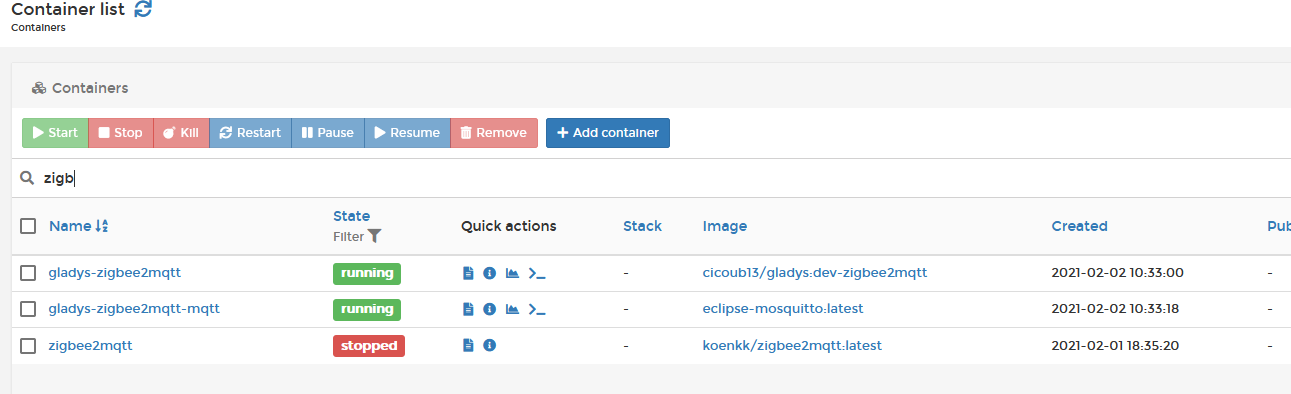
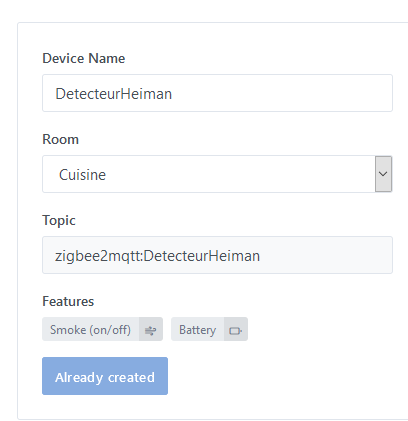
 of course the name is already taken.