Hizo
1
Hello,
I just received a Tuya TS0021 2-button wireless switch that is not recognized by zigbee2mqtt but I found the code that would make it work here: Tuya TS0021 2 button wireless switch - adding support · Koenkk/zigbee2mqtt · Discussion #19765 · GitHub
What should I do with this file? Where should I put it?
I tried to follow https://www.zigbee2mqtt.io/advanced/support-new-devices/01_support_new_devices.htm but didn’t fully understand…
Thanks 
Hello. We use the library zigbee2mqtt and as long as the device is not supported in that library, there is nothing to do in Gladys.
You can contribute to the project GitHub - Koenkk/zigbee2mqtt: Zigbee 🐝 to MQTT bridge 🌉, get rid of your proprietary Zigbee bridges 🔨 if you want to speed things up.
Hizo
3
I suspected as much…
Does that mean I can’t even test before participating…
So would I have to install zigbee2mqtt outside the container?
You can find the procedure here Support new devices | Zigbee2MQTT
This requires modifying configuration files. You can do it with the Gladys container but the risk of breaking something is very high.
Hizo
5
Yes, I had seen it; I tried to understand it but wasn’t confident enough…
Thanks anyway
The converter must be added to z2m, not Gladys proper:
Warning: this operation is not for everyone!
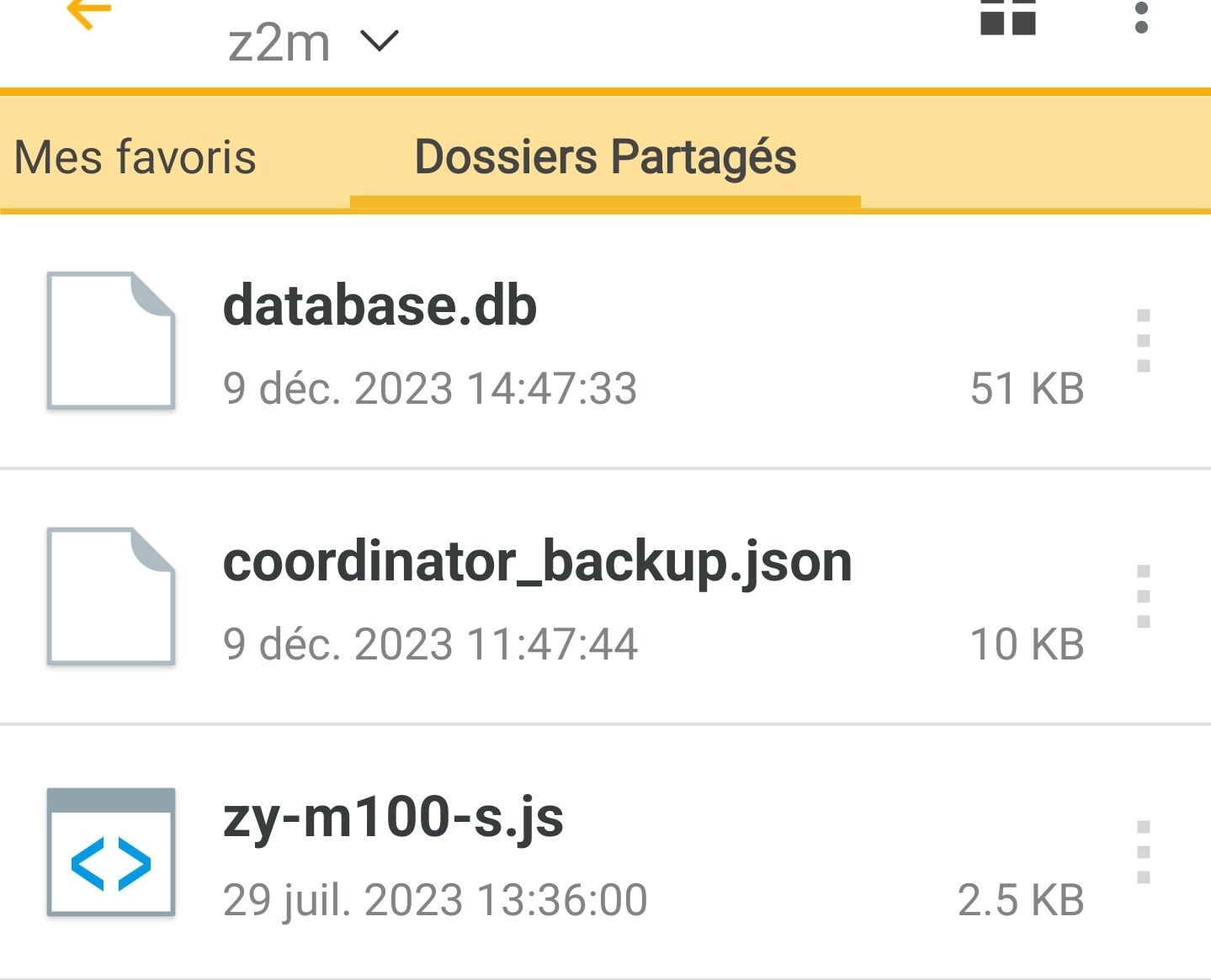
You can drop your converter into the zigbee2mqtt/z2m folder
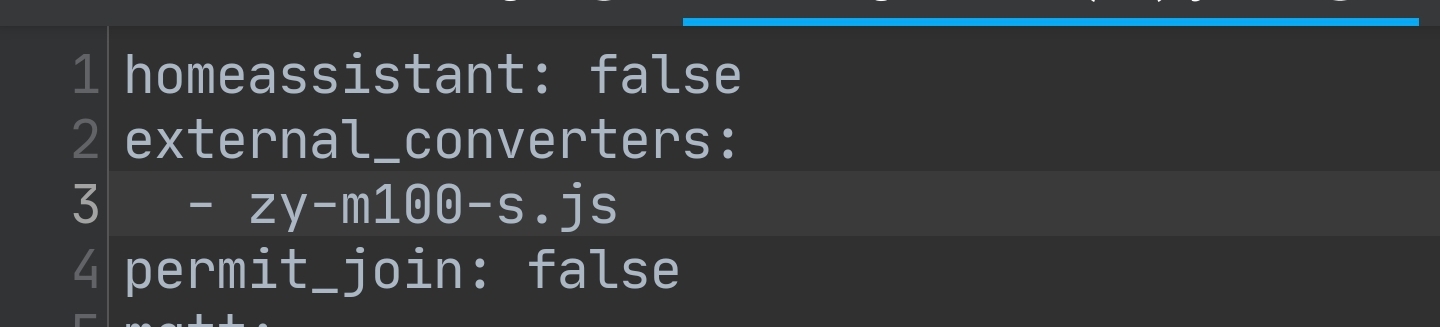
Then in configuration.yaml you add your line:
external_converters:
  - ton_converteur
Then restart the z2m container
For my part I added a converter while waiting for the release for my millimeter-wave presence sensor:
Hizo
7
Great
Thanks!! z2m detects button presses well!
And it displays correctly on Gladys.
Thanks