Hello there
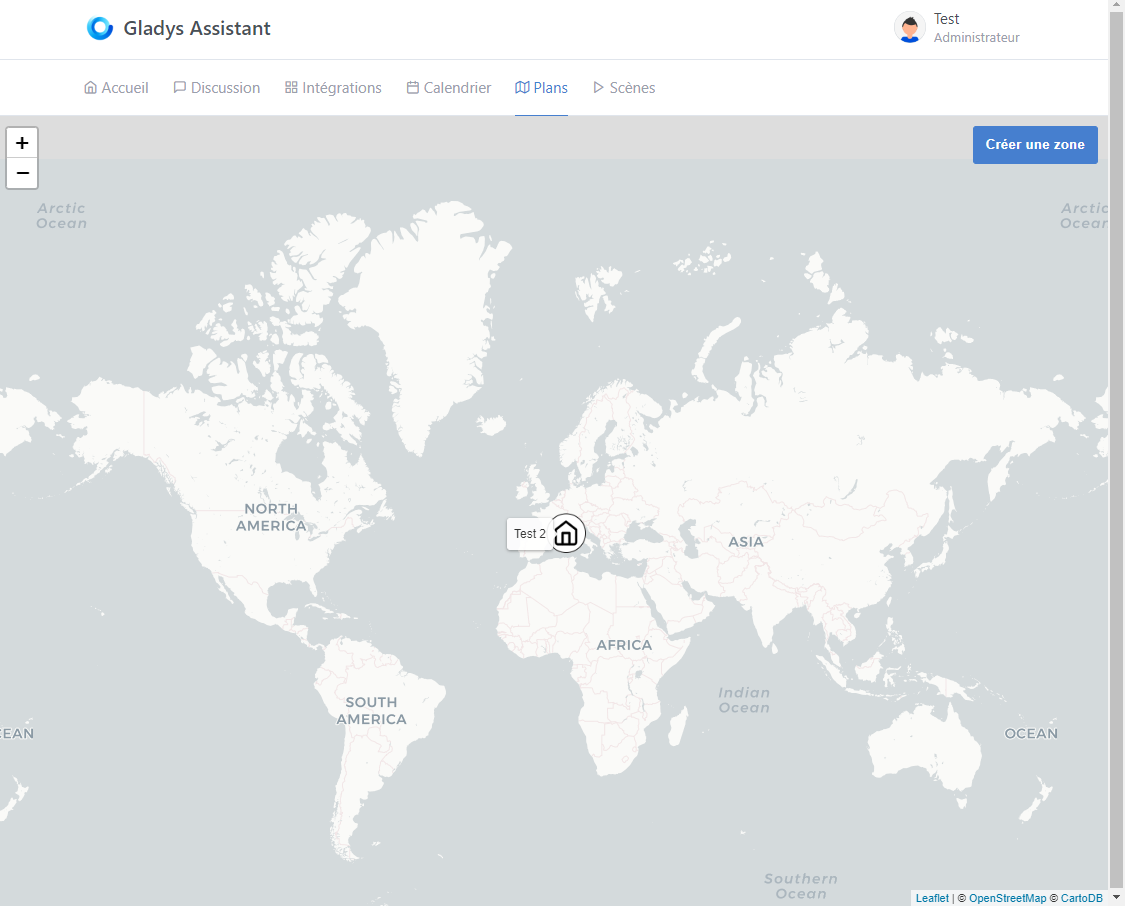
On a fresh installation, when we’ve set the location of our house + one or more other areas, and then open the map, it displays at the minimum zoom level:
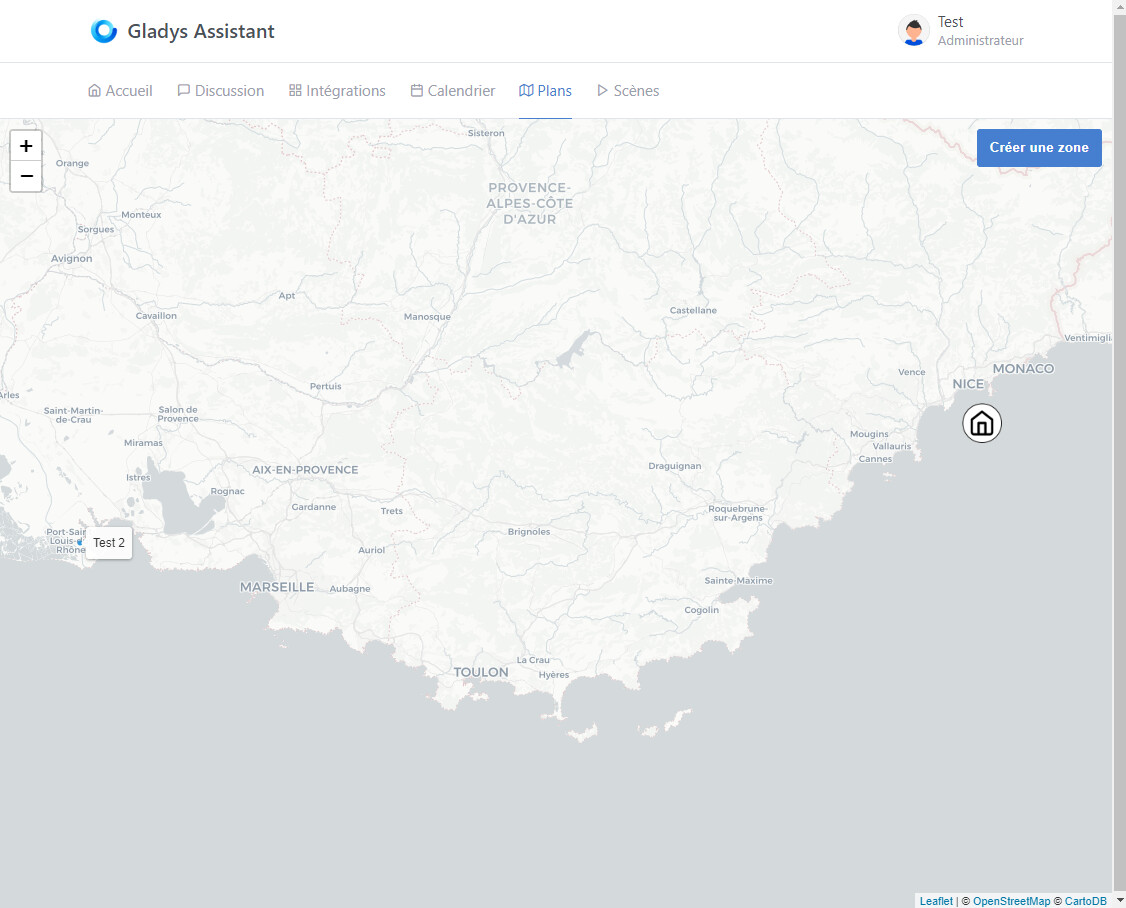
Here, I would have found it useful if the zoom adjusted to display my points as clearly as possible:
Is this intentional or an oversight?
In the first case, I would be very happy to know the rationale behind this choice.
Best regards,
Hi @GziAzman and welcome to Gladys
It seems to me it should do as you describe… (zoom in on the created points)
Absolutely, I’d be happy to have an issue and a PR
Thanks!
@pierre-gilles Thank you for your reply.
master ← GziAzman:fix-map-initial-bounding
ouvert 09:01AM - 18 Mar 24 UTC
### Pull Request check-list
To ensure your Pull Request can be accepted as fa… st as possible, make sure to review and check all of these items:
- [ ] If your changes affects code, did your write the tests?
- [x] Are tests passing? (`npm test` on both front/server)
- [x] Is the linter passing? (`npm run eslint` on both front/server)
- [x] Did you run prettier? (`npm run prettier` on both front/server)
- [ ] If you are adding a new features/services, did you run integration comparator? (`npm run compare-translations` on front)
- [x] Did you test this pull request in real life? With real devices? If this development is a big feature or a new service, we recommend that you provide a Docker image to the community ([french forum](https://community.gladysassistant.com/)/[english forum](https://en-community.gladysassistant.com/)) for testing before merging.
- [ ] If your changes modify the API (REST or Node.js), did you modify the API documentation? (Documentation is based on comments in code)
- [ ] If you are adding a new features/services which needs explanation, did you modify the user documentation? See [the GitHub repo](https://github.com/GladysAssistant/v4-website) and the [website](https://gladysassistant.com).
- [ ] Did you add fake requests data for the demo mode (`front/src/config/demo.js`) so that the demo website is working without a backend? (if needed) See [https://demo.gladysassistant.com](https://demo.gladysassistant.com).
NOTE: these things are not required to open a PR and can be done afterwards / while the PR is open.
### Description of change
CF #2041
**Note:**
This is my first pull request ever, if I made a mistake, I'd be glad if you direct me 🙂
(Note that this is my very first PR on GitHub, so if I did it wrong, please don’t hesitate to let me know).
Regarding the feature, I initially thought it was a simple oversight. But looking at the code, everything was already in place. However, only the « users » markers were taken into account. That’s why I opened this discussion, thinking there was a justification for that.
Thanks for the PR @GziAzman , I just tested it and it works perfectly
It’s merged and it’ll be included in the next Gladys release!
It’s available in Gladys Assistant 4.38.1:
Salut à tous !
Nouvelle version de Gladys aujourd’hui : Gladys Assistant 4.38.1
I’m closing this thread!

 )
)