Actually, we have the choice, but once saved the toggle automatically switches back to the Docker version in Gladys.
Hello @pierre-gilles shall we create an issue?
I’d be curious to know how long this bug has existed… I vote for at least 10 versions
It’s done, it is indeed a Frontend bug (I’d say for about 6 months).
If you don’t want to or can’t wait for the fix, I can guide you through configuring the external broker manually (in the database or with a curl request).
Well, that reassures me lol
I’m up for setting up Gladys with curl. How do we do it?
Thanks @cicoub13 for creating the issue 
Would anyone like to take on a PR for the fix?
I’m interested too.
Because it’s blocking me in my exploration, since I already have a home automation setup.
Thank you
I tried to reproduce it this morning without success; I tested many cases and everything works 
I added lots of logs at every step (updating the config in the front-end + saving the config), and everything is fine :
@cicoub13 did you see anything in particular? The code looks fine to me. I don’t understand your feedback on the issue, the config variable does exist.
@McFlyPartages can you describe what you did? On the screen you have « Connected to the MQTT broker successfully », did you start by testing the MQTT integration with a broker launched by Gladys? I think we’re clearly dealing with a frontend state bug, and to reproduce it I need to be able to get into the same state as you.
@bong101 for your case, I’m not convinced it’s the same bug. Do you have the same symptom as @McFlyPartages? When you click save, does it move the toggle and replace « mqtt://jakku.openwarp.lan:1883 » with « mqtt://localhost »?
In my tests, the Gladys MQTT container was installed.
C’est mon point de départ, je reproduis encore ce matin. Mais oui, le code a l’air OK 
I can take a look this afternoon locally to debug in more detail.
@cicoub13 what’s the procedure to get this result? I spent a good hour trying on my side, it works every time  I delete everything each time to start from a clean slate
Hi @pierre-gilles and thanks for your feedback.
Well, I just deleted my instance, emptied the folders, and restarted an instance, starting with the mosquitto integration, and the same thing happens. From the start, it activates the toggle for me and when I deactivate it, I can enter my information, but upon validation it switches back to the internal broker which is not installed.
I can access it from MQTT Explorer
I’m fairly available if needed.
Here is a GIF image
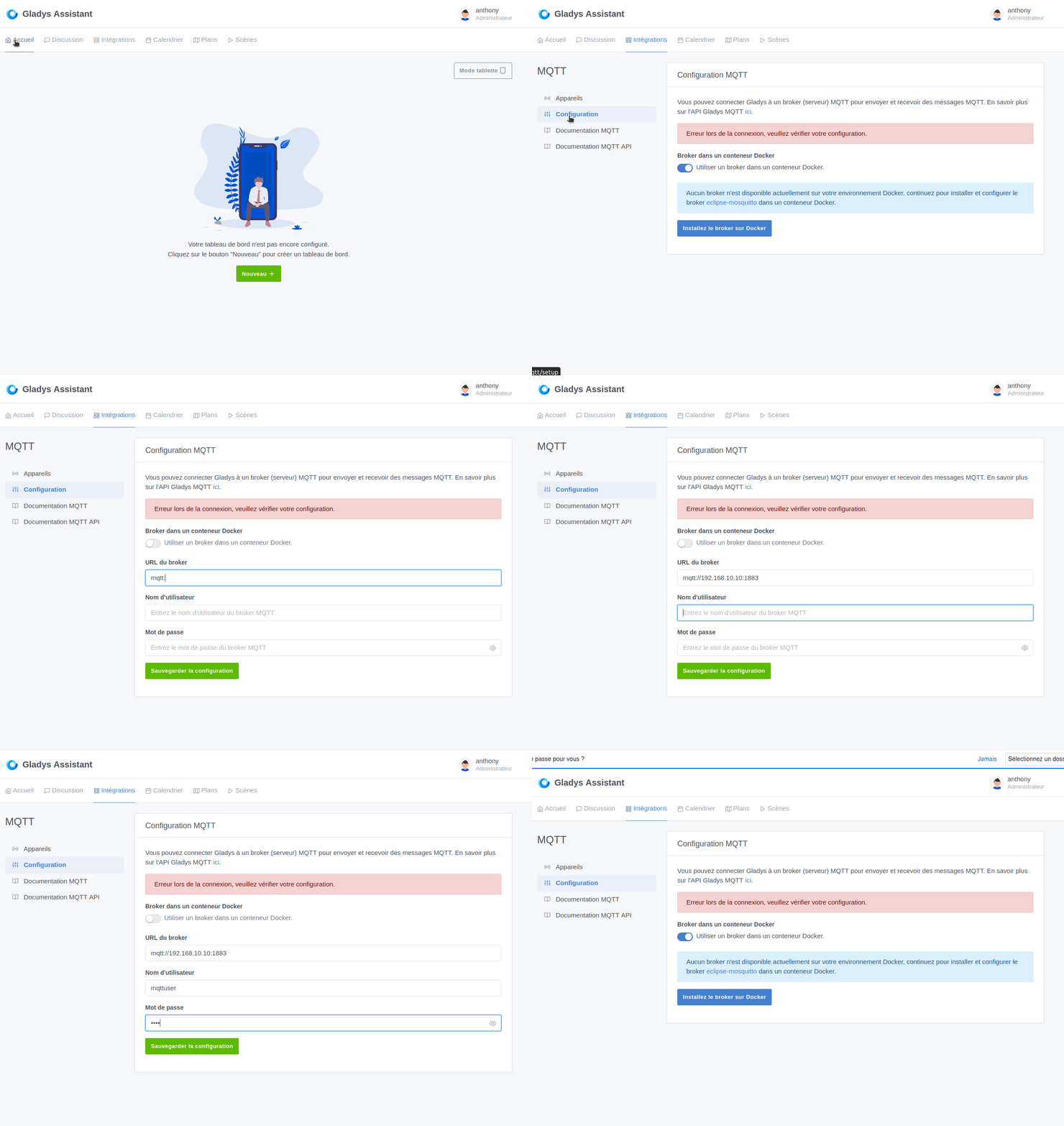
So, coming back, out of curiosity, I retested with Brave and it worked. So:
On Firefox, when refreshing, my external broker is correctly activated.
If I deactivate and reactivate the toggle, it shows me the error but accepts the external broker.
- Brave version
Version 1.64.109 Chromium: 123.0.6312.58 (Official Build) (64-bit)
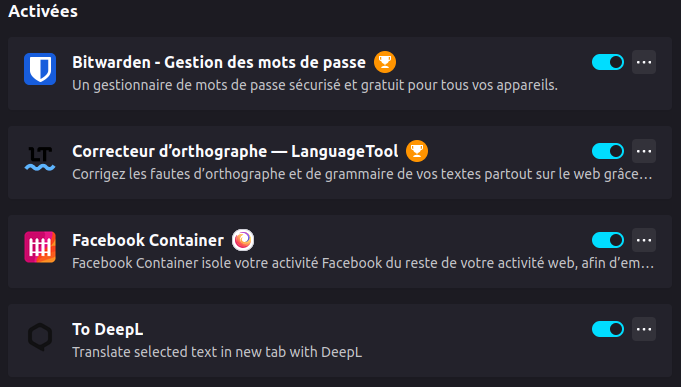
with only Bitwarden as an extension - Could it be that the first time I clicked around a bit and therefore installed the internal broker and it’s impossible to switch to an external broker?
- For Firefox, I’m on Ubuntu with version 124.0 and
the following extensions(tested by disabling them and it’s the same)
- No problem on Brave after installing the internal broker and switching to the external broker.
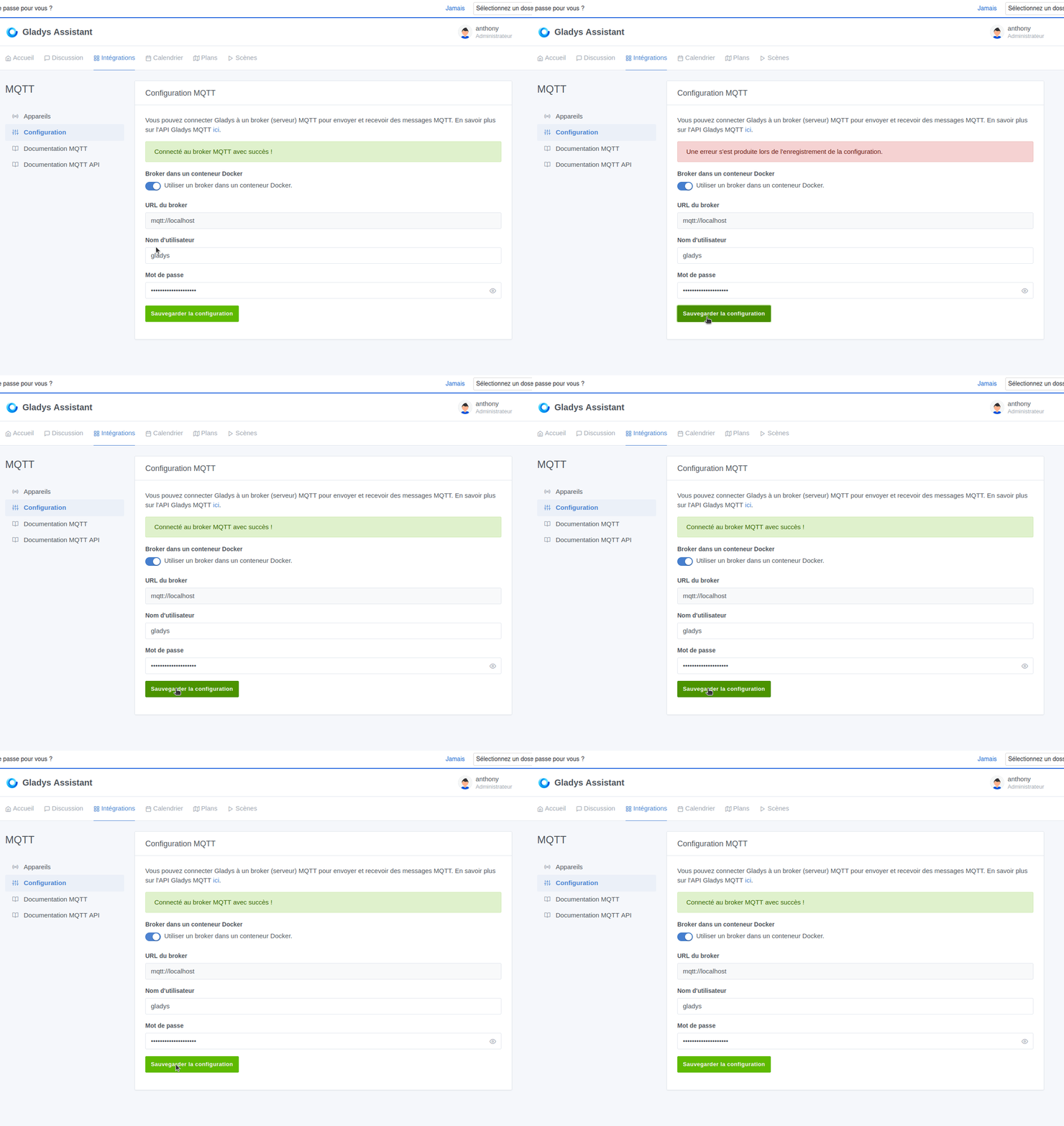
Here is the common error when saving the external or internal broker
Can someone test with Firefox on Windows? (the same version if possible).
@pierre-gilles , yes, it’s the same problem.
ah, this is getting complicated.
I’m also using Firefox on Ubuntu, version 123.1
I just tested with Brave, it works!!
I don’t know what to do about this, I don’t use Brave on a daily basis
Thanks for the time spent, and for all your efforts
Olivier
Ok, so it’s a Firefox-only issue! Thanks for testing!
@cicoub13 if you have time to take a look, otherwise I’ll check next week
I didn’t have time to look, sorry.
I tested this morning on Firefox, and indeed I can reproduce it
I made a PR to fix the issue on Firefox, it was really one line of code 
On Firefox, the « submit » button caused a page refresh which did not save the data. On all Chromium-based browsers, this behavior does not occur
Excellent, Firefox is fairly widely used.
The fix is available in Gladys Assistant 4.38.1!
I’m closing this thread. Don’t hesitate to create another thread if there are other bugs 