Use an external Zigbee2mqtt in Gladys

Hello,

I am creating this feature request here regarding the following post:

The goal is to do auto-discovery via an external MQTT :wink:

It’s much easier to test the Gladys solution, for example for people coming from haos or Jeedom, without having to create everything manually in Gladys :wink:

Thanks :slight_smile:

Hi!

I continued the work that had been started by @AlexTrovato on this topic :slight_smile:

Some screenshots:

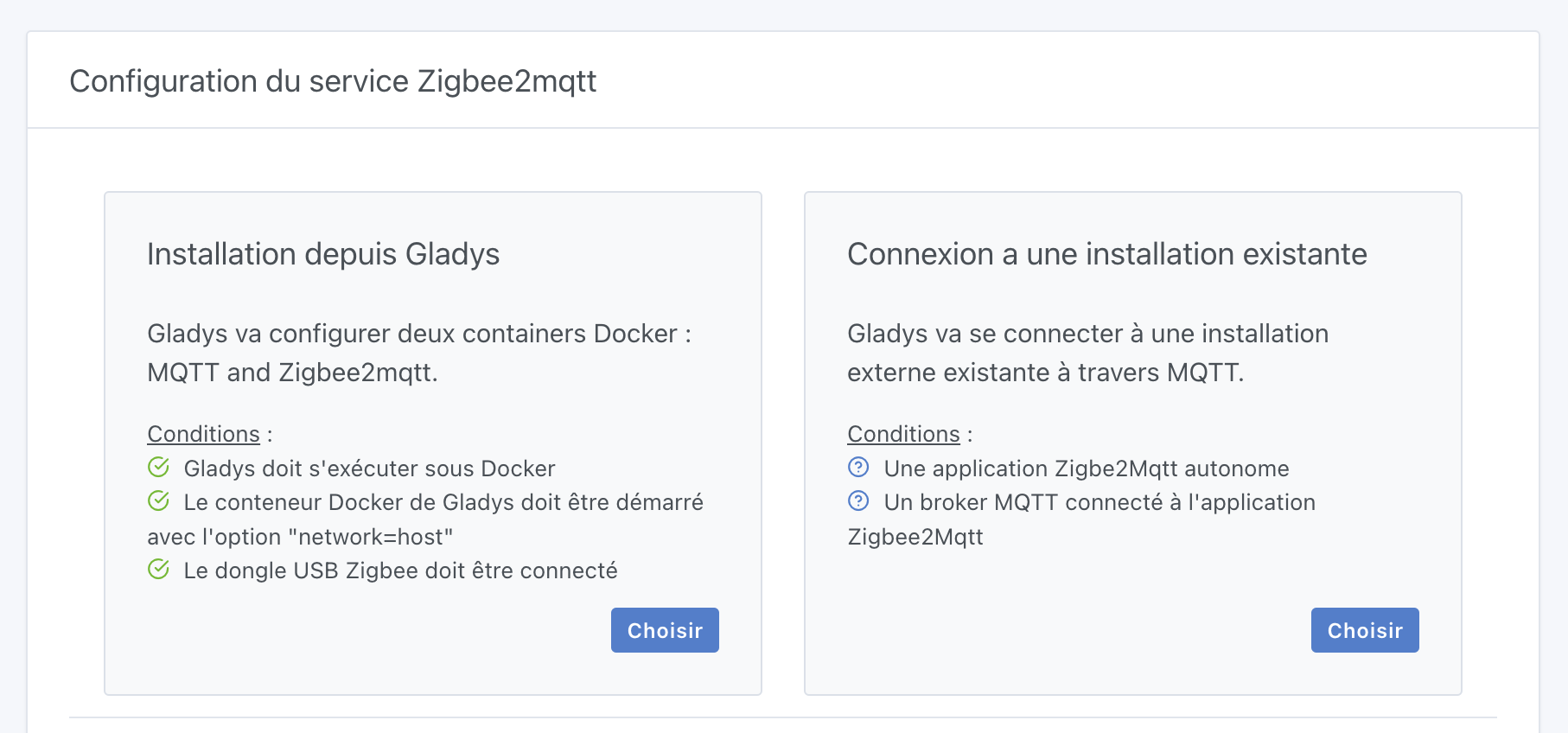
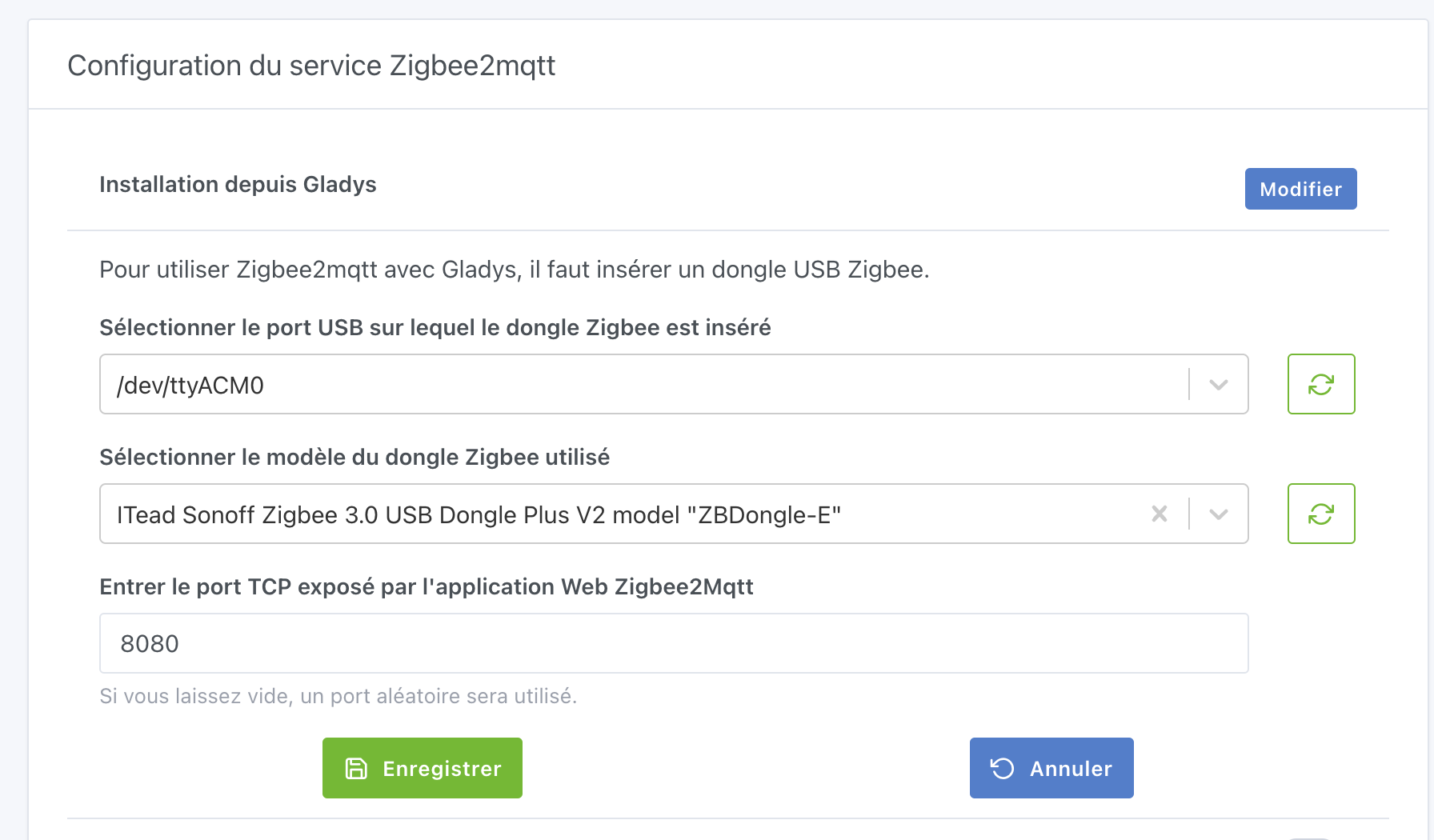
For the basic mode (launching a local container):

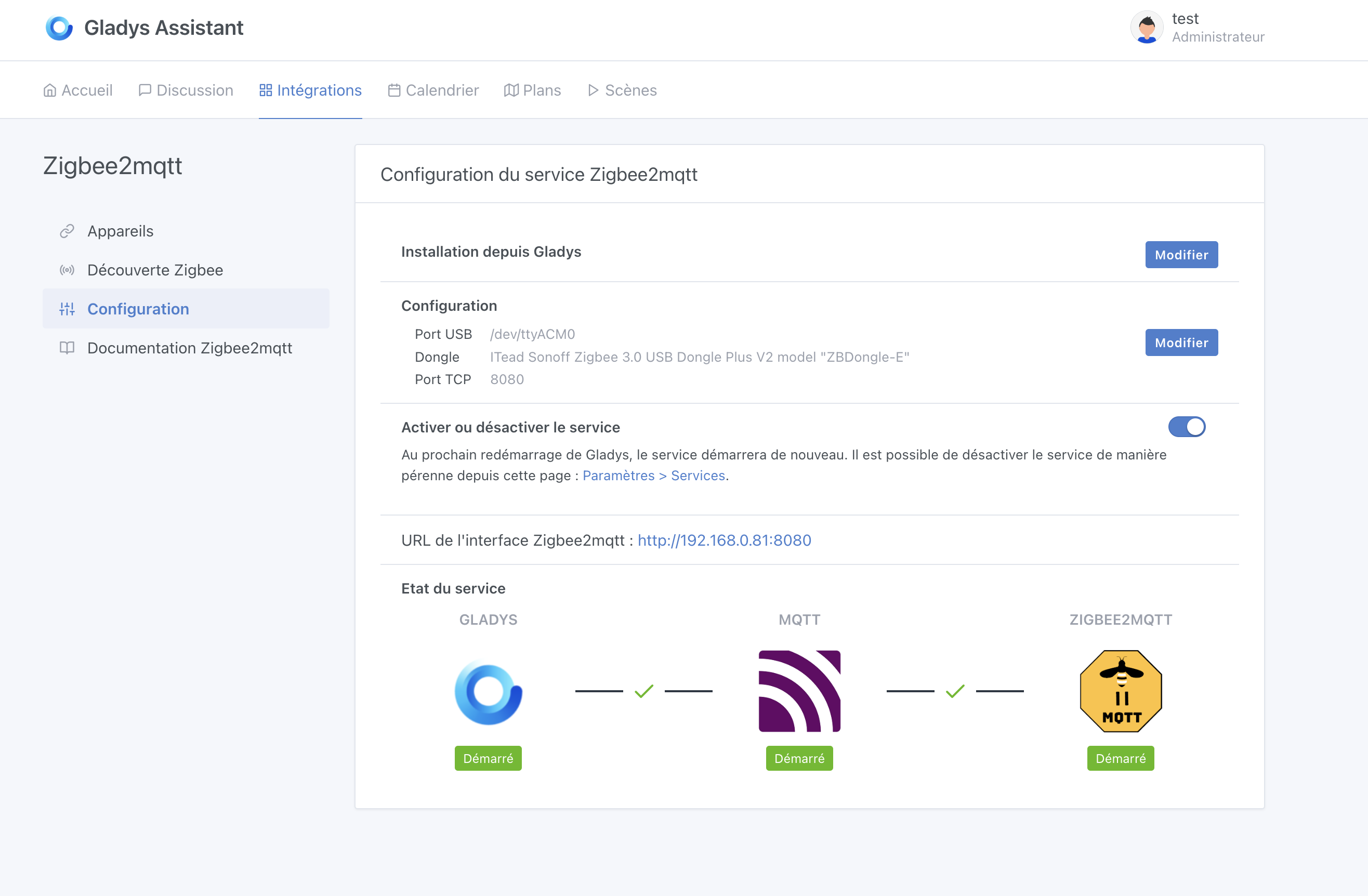
View once the service is up and running:

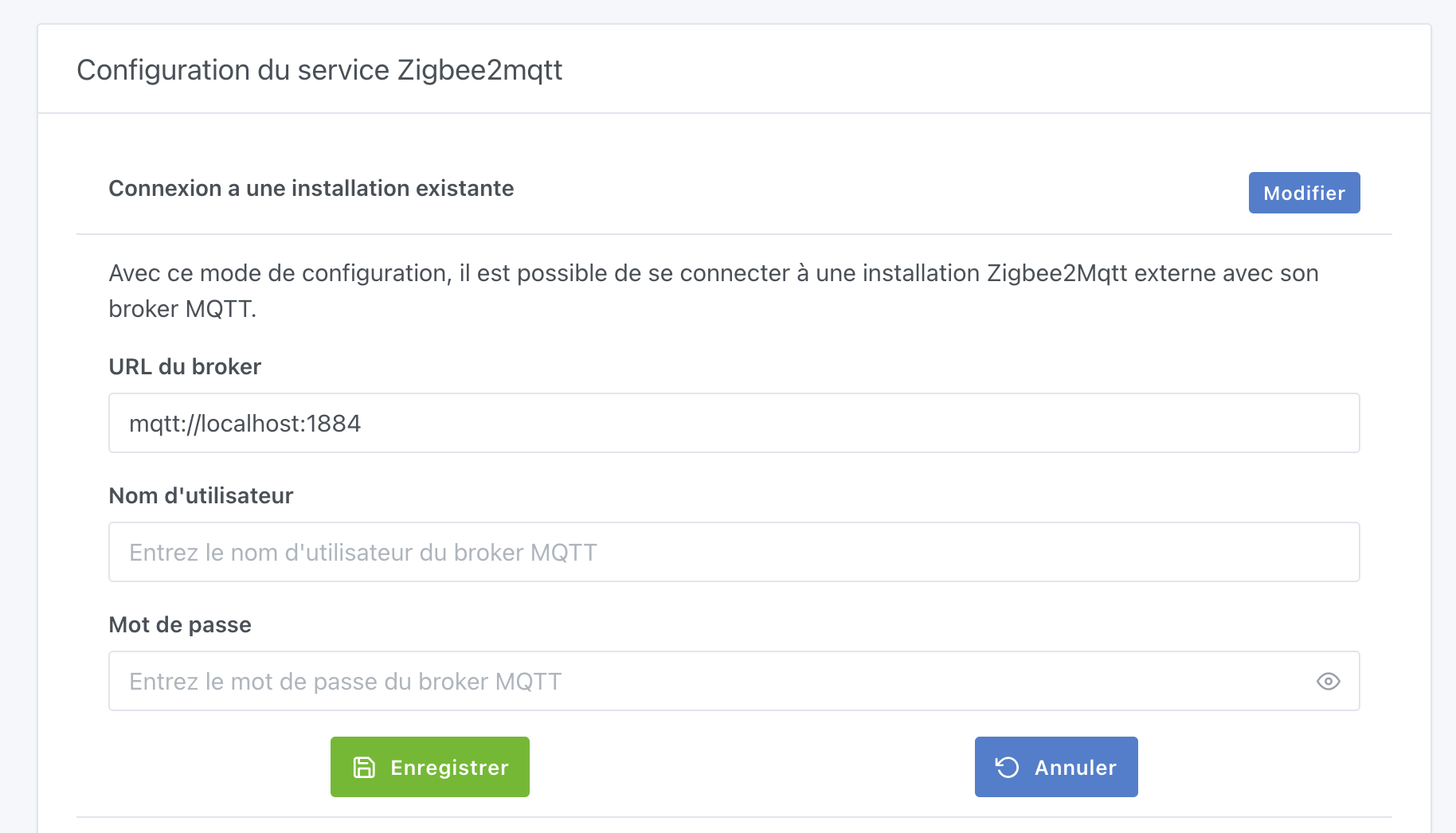
For the new mode (connecting to an existing broker):

I’m building a Docker image:

gladysassistant/gladys:z2m-setup-external

Available in about 45 minutes :slight_smile:

The PR:

(@McFlyPartages you’re going to like this :stuck_out_tongue: )

5 Likes

Great job @pierre-gilles.

So if I understand correctly, we’ll be able to connect an external MQTT broker as well as an external zigbee2mqtt?

PS: I’ve already moved everything to Gladys’ Z2M lol but I’ll only have to re-pair all my devices to test hahah

Uh I’m not sure I understand the question but yes the idea of the feature is to be able to use Gladys with an existing Zigbee2MQTT instance

Great, thanks for the work :wink:
Unfortunately I no longer have my external instance to test, but I think this will bring people to Gladys :wink:

Maybe specify that it’s a ‹ simple › mode (or beginner, automatic, or default) or an ‹ expert › mode (manual or ‹ if you know what you’re doing › or ‹ if you already have an existing configuration ›…) because right now, if I don’t know what it’s about, I give up immediately!

@pierre-gilles

Great dev — he brings extra configuration flexibility and will have the advantage of being applicable to other needs! :+1:

Since I fixed my network problems and reconnected my NUC this afternoon I’m eager to get the update to see the new features added since! :crazy_face:

On rereading, I found my answer.

So

  • either we go through Gladys which will install z2mqtt and its broker
  • or we use an external MQTT and an external Z2MQTT.

Since you’re adding the option to change the port, do you think you could add the channel? At worst as an advanced mode hidden by default?

Because changing the channel can be useful to get out of the French Wi‑Fi channels (11 by default).

Moreover, the latter requires deleting the backup.JSON file to take effect, so choosing it before launch is a very good thing.

(Yes, I’m greedy)

Small translation that slipped past the and

Not in this release in any case; my goal right now is to ship this release as-is as soon as the functionality is rock-solid and properly tested :slight_smile:

In development you need to stay focused on a single feature and not spread out, otherwise the feature never ships (we’ve seen that several times in the project’s history), and above all it makes the PR complicated to test because you’re mixing lots of concepts.

Thanks, I’ll fix it!
Translation-wise it’s still in progress; I’m missing English and German.

2 Likes

I’ll try to test at the beginning of the week… I’ll let you know.

I saw a couple of tutorials on the forum for testing the images, so I might try this afternoon if my son lets me have a bit of time. And I’d also like to finish my article on Gladys before giving it to you to read :wink:

1 Like

Thank you both :folded_hands:

Don’t break your production for this either :sweat_smile:

If you ever want to help with the Zigbee2mqtt integration and only have one dongle, I can buy you an extra dongle so you can help with these kinds of tests without breaking your prod :blush:

Don’t worry, I have a Sonoff P and a CC2531, but I need to buy a Sonoff E that allows using Matter and Z2MQTT on Home Assistant (HA).

And then there’s just the re-pairing to do if I need to change my Z2MQTT setup.

« What » :joy:

For me, absolutely everything at home is Zigbee; it would be a nightmare to re-pair everything :sweat_smile:

Mine is all Zigbee too, but apart from my Legrand pilot-wire outlets, the rest is accessible and it’s pretty fast, since there’s no need to rename them.

1 Like

@pierre-gilles

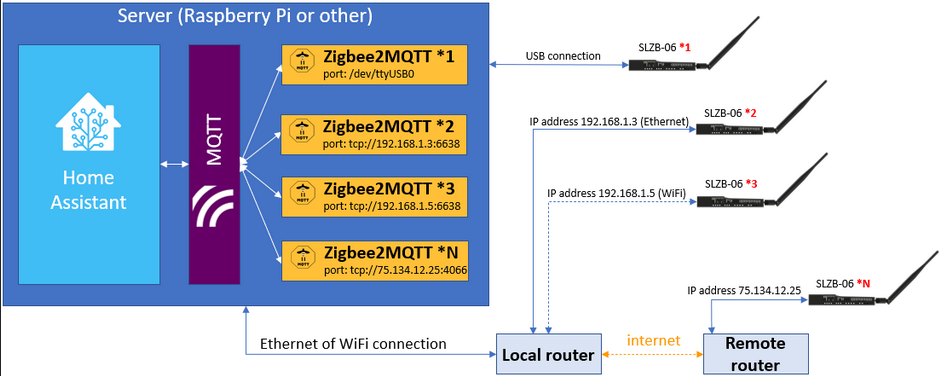
That fits with the news with this article about the standalone SLZB-06 network dongle which can therefore be plugged directly into the router!

@McFlyPartages since we’re at it we might as well switch to this model maybe!

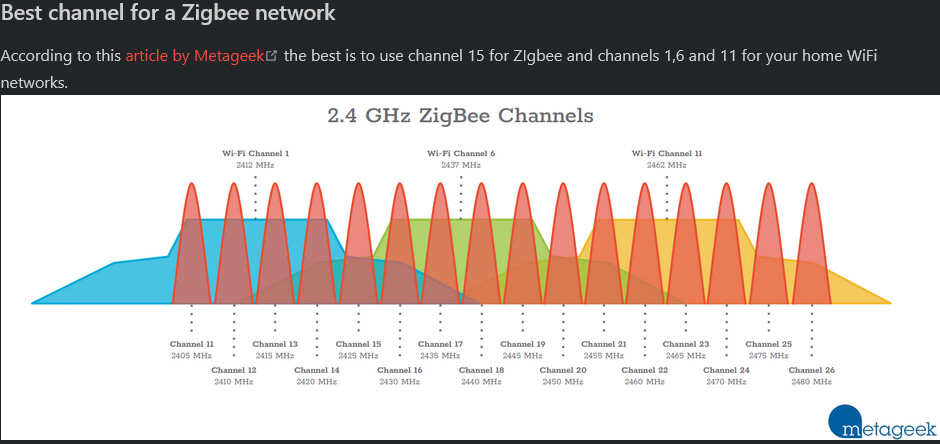
By the way this point about choosing channel 15 or 20 for Zigbee to avoid interference! :slight_smile:

@pierre-gilles would it be complicated for a dev to manage multiple keys like Home Assistant (HA)?

1 Like

Very good this possibility of using an existing Z2M instance. It offers quite a few advantages for people hesitant to migrate and/or who are fairly proficient with the zigbee2MQTT configuration or who would like to test the integration of a new device (external converter).
I will test the feature when it’s available on unRAID.
In the longer term I think Gladys would be well advised to use [

1 Like

Be careful: multiple keys (coordinators) implies multiple distinct Zigbee networks, that seems much more specific than sharing a z2m (Zigbee2MQTT) instance. If the need is to use the keys as routers, logically no additional dev work is needed — you just need to integrate them

yes, the idea was to be able to reuse the existing key, among other things, if we want to go through this new network key!
But at the same time there can be a use case where it makes sense to have multiple keys (this network key in this particular case) when you have remote buildings, for example! :wink: