You need to erase the ESP8266 flash memory as indicated in my tutorial. If you don’t do that, you won’t be able to install the French version.
It’s not obvious, but if you follow the described procedure carefully, you should be able to do it.
If your Sonoff is not detected, check the wiring of your wires. Remember to press the button before connecting the USB port.
Hello,
I’m new to the Gladys community, it’s quite pleasant and nice to use, congratulations to everyone.
I was able to connect several of my devices without any problems so far.
I tackled the Sonoff Dual R2 on MQTT on Gladys V4.0.2.
The tutorial is great, thank you very much!
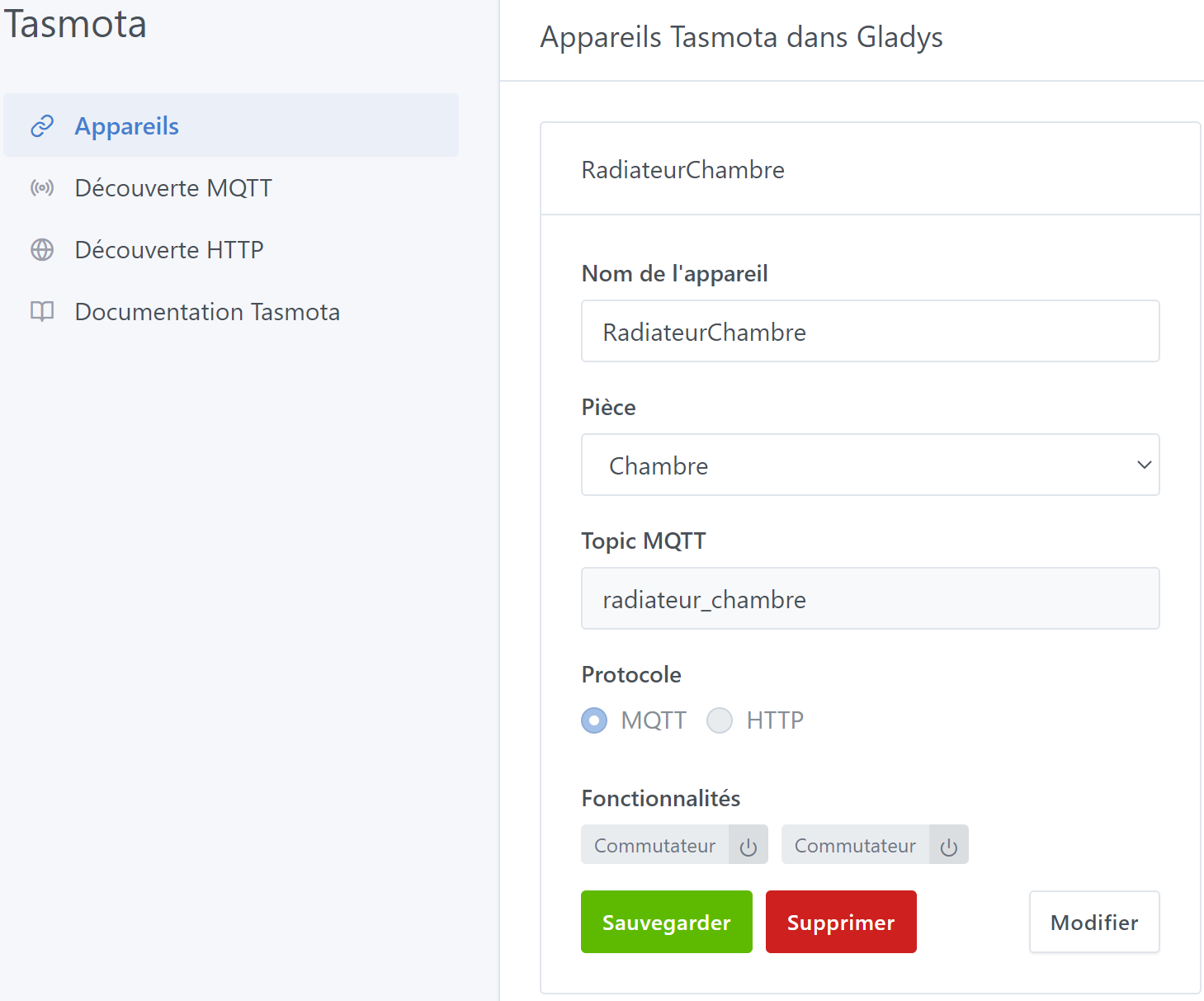
No problem, I can control it from the Dashboard
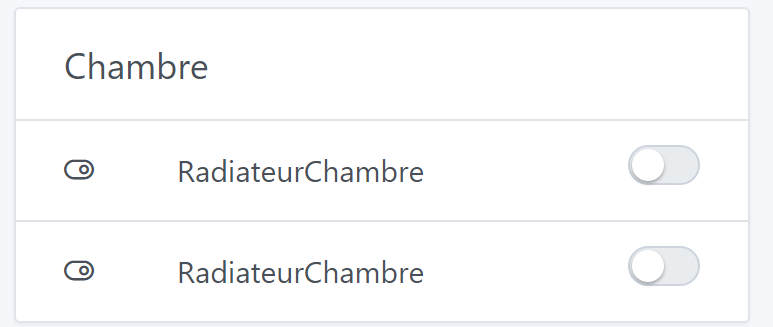
However, as you can see, I can’t distinguish between relay 1 and relay 2
Do you know how to do this?
Moreover, when I want to deal with scenes, it seems that I only have one switch that comes up in the possible actions
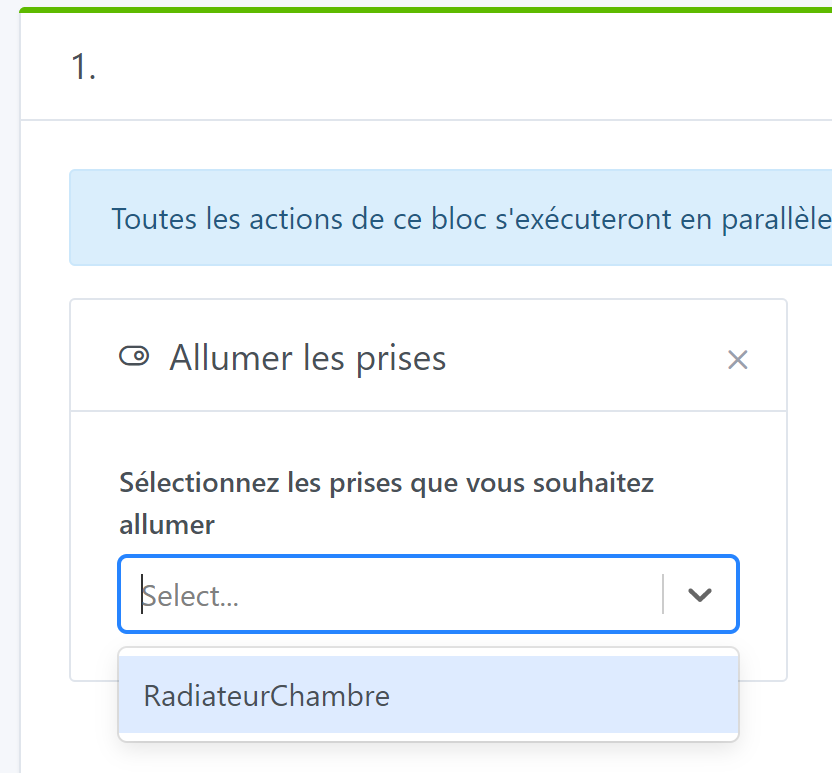
Can you help me out or guide me?
Thank you!
I can’t remember exactly.
I think I had changed the name in MQTT when connecting directly to the relay.
I will reconnect mine tonight if I have time and I will keep you informed.
I will also test the scenes.
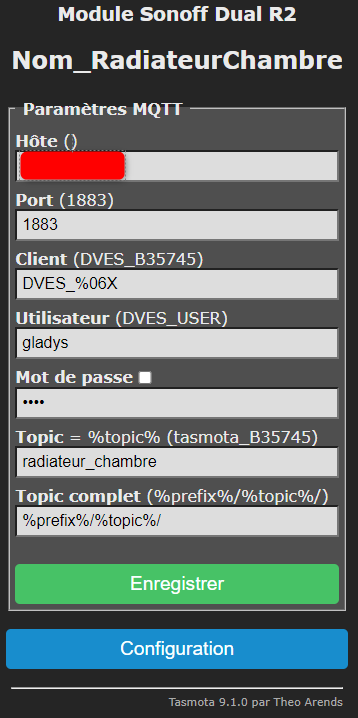
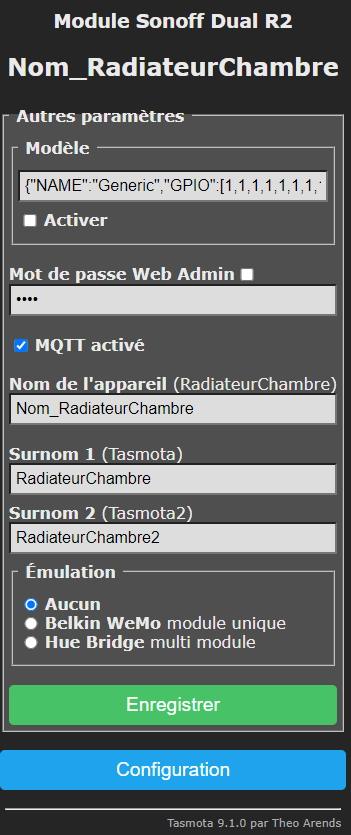
No, unfortunately it does not retrieve the nicknames. I have the same problem with my 4CH and 4CH PRO. The discussion was ongoing to be able to display the names we put in the device options in the Tasmota integration.
@AlexTrovato, had this possibility not been validated in the relevant topic?
On my side to address this, I had to intervene directly in the sqlite DB to separate the 4 features of each device into 4 independent devices.
This is not normal, I don’t even think it used to do that before. Moreover, for the triggers the problem is not present, we find all the sonoff of the same device even in case of identical name
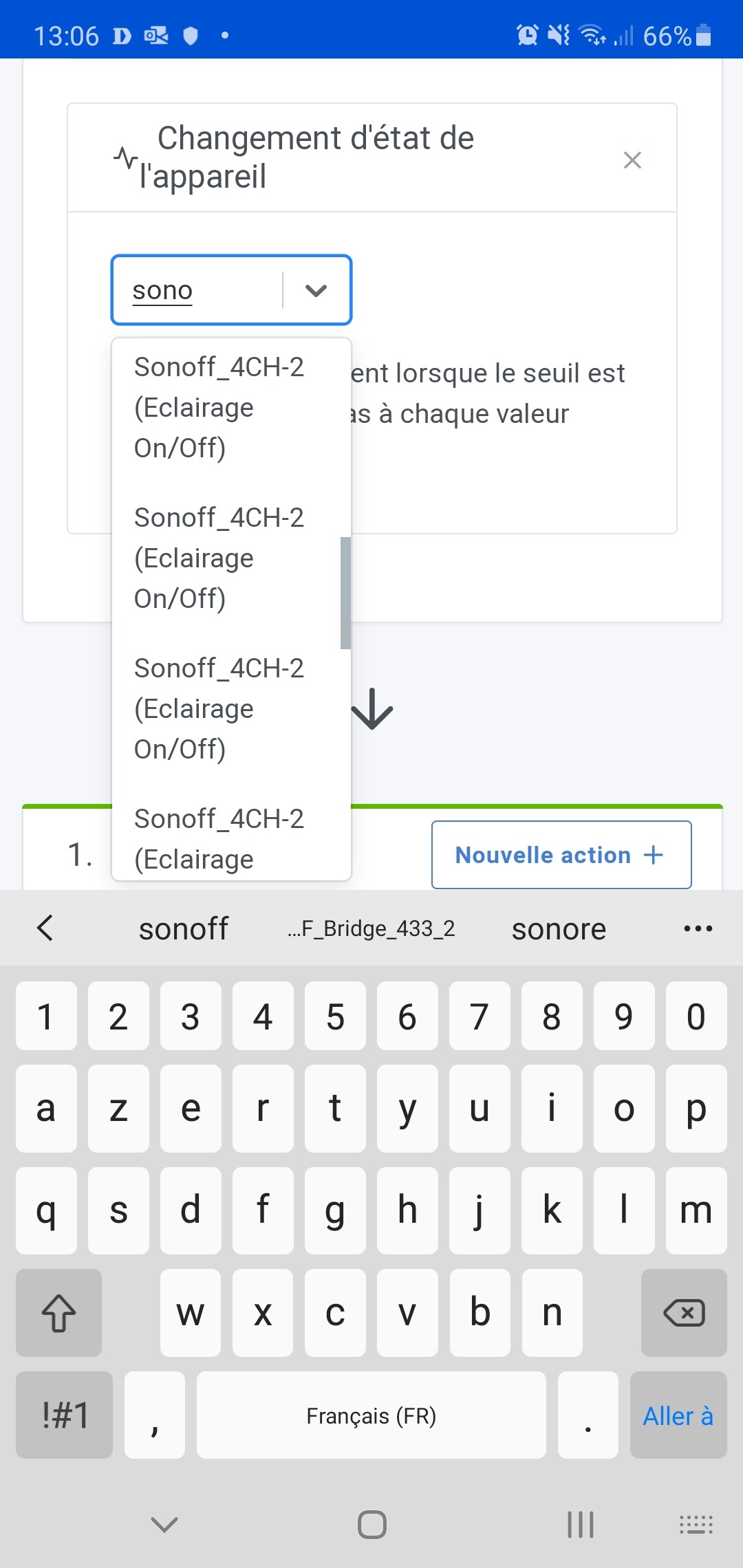
In the list of devices on the Tasmota integration page, is there no possibility to rename the features?
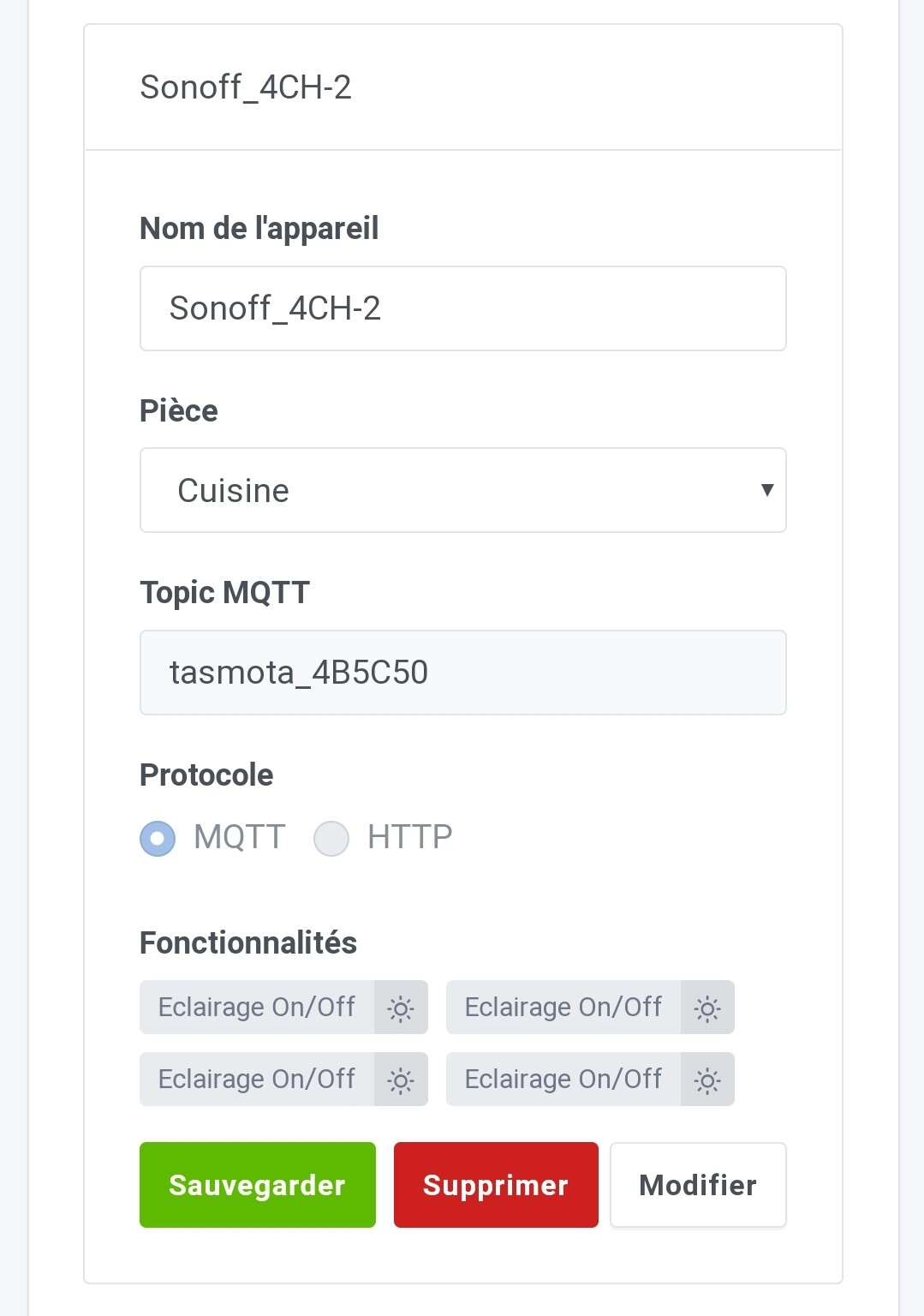
Of course @AlexTrovato, we can rename the device on the devices page:
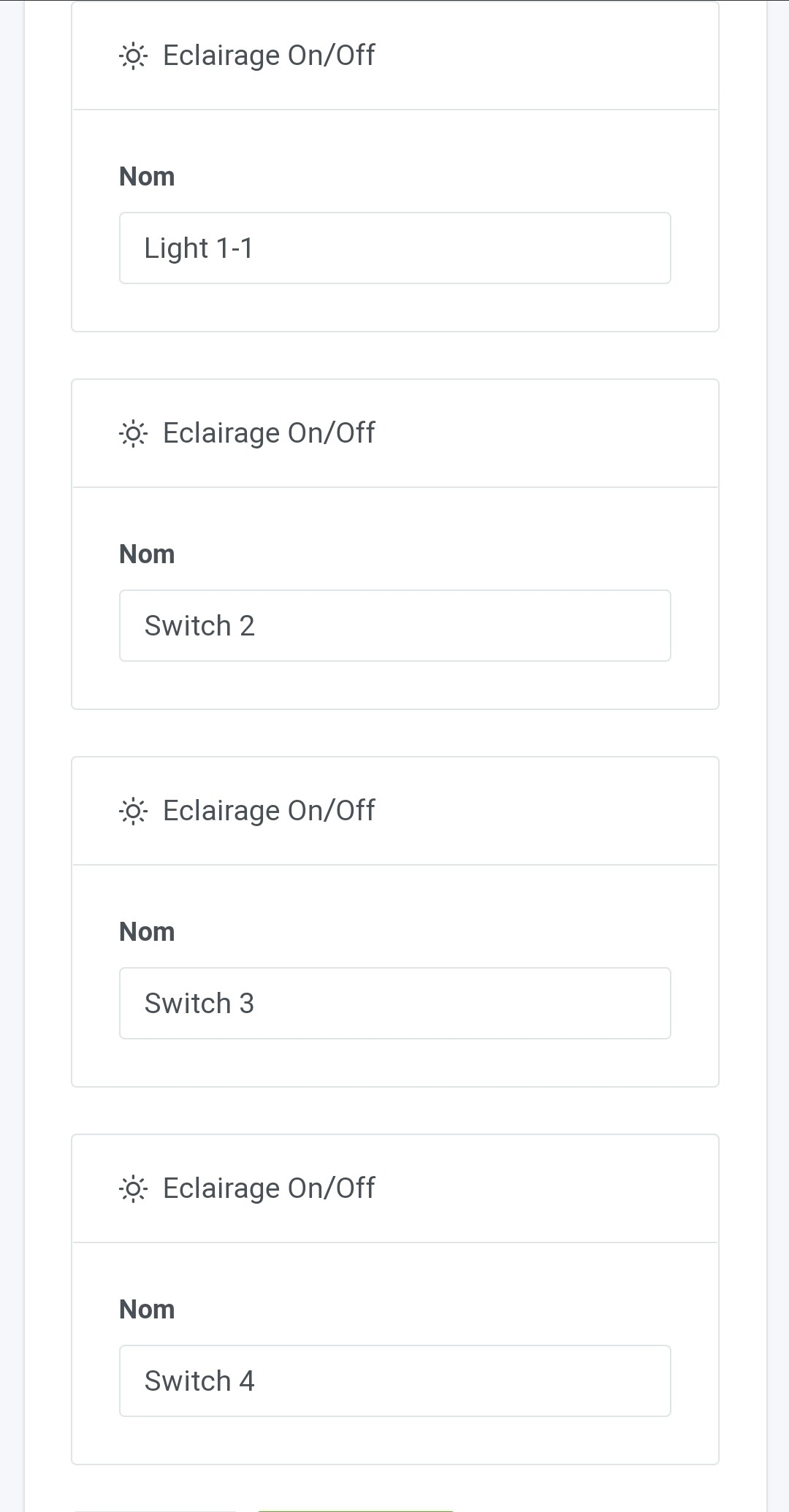
As well as the features on the device modification page:
But for devices with multiple features, on the dashboard and in the scenes, it is the device name that is used for the multiple features:
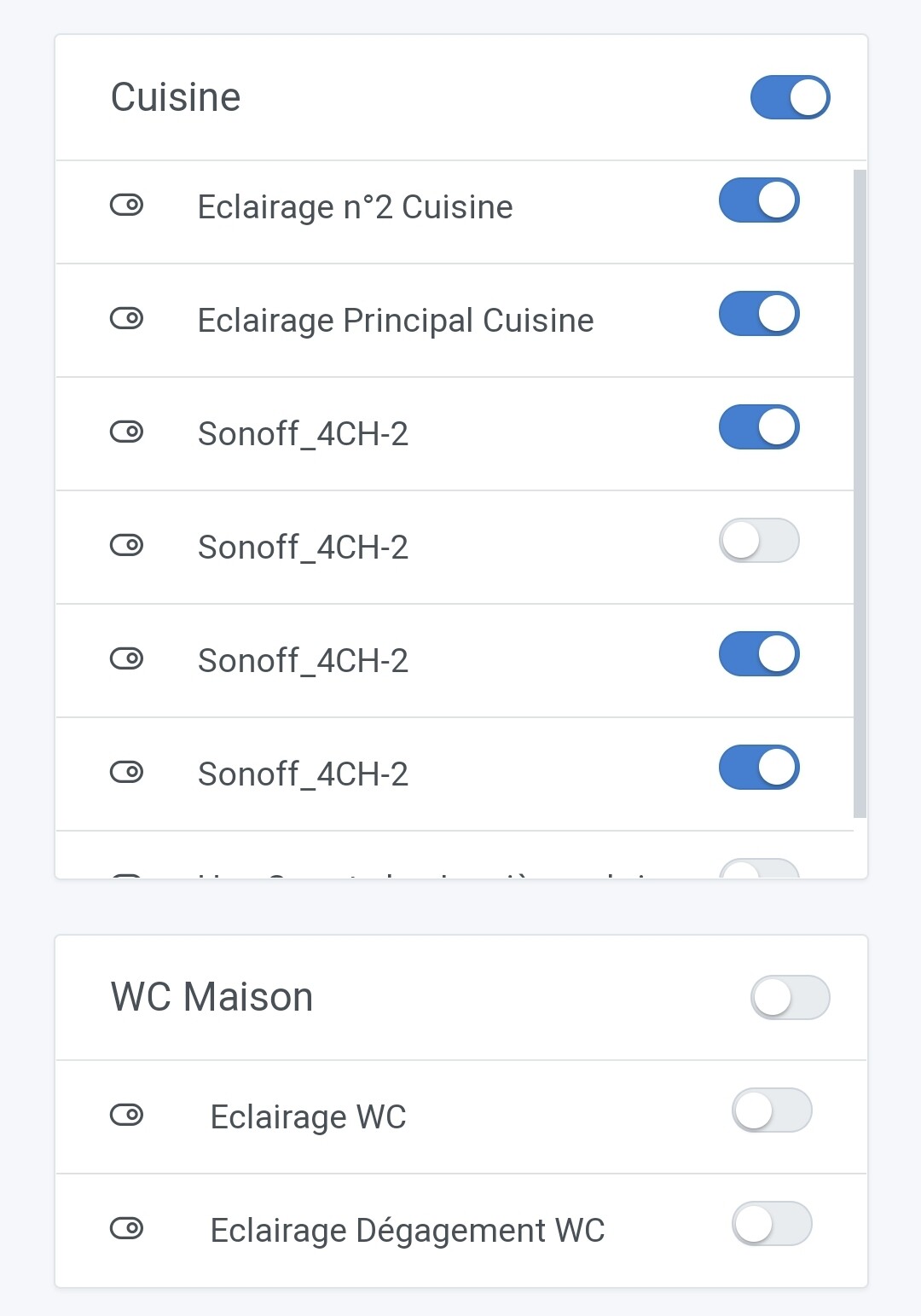
Also, there is still the issue of not being able to modify the Category of the features. This causes problems for example for 4ch or dual devices, which can control for example a socket + 1 lighting. Therefore not controllable by the global switch of the card on the dashboard. But this is another topic than the one mentioned by @Flitch33
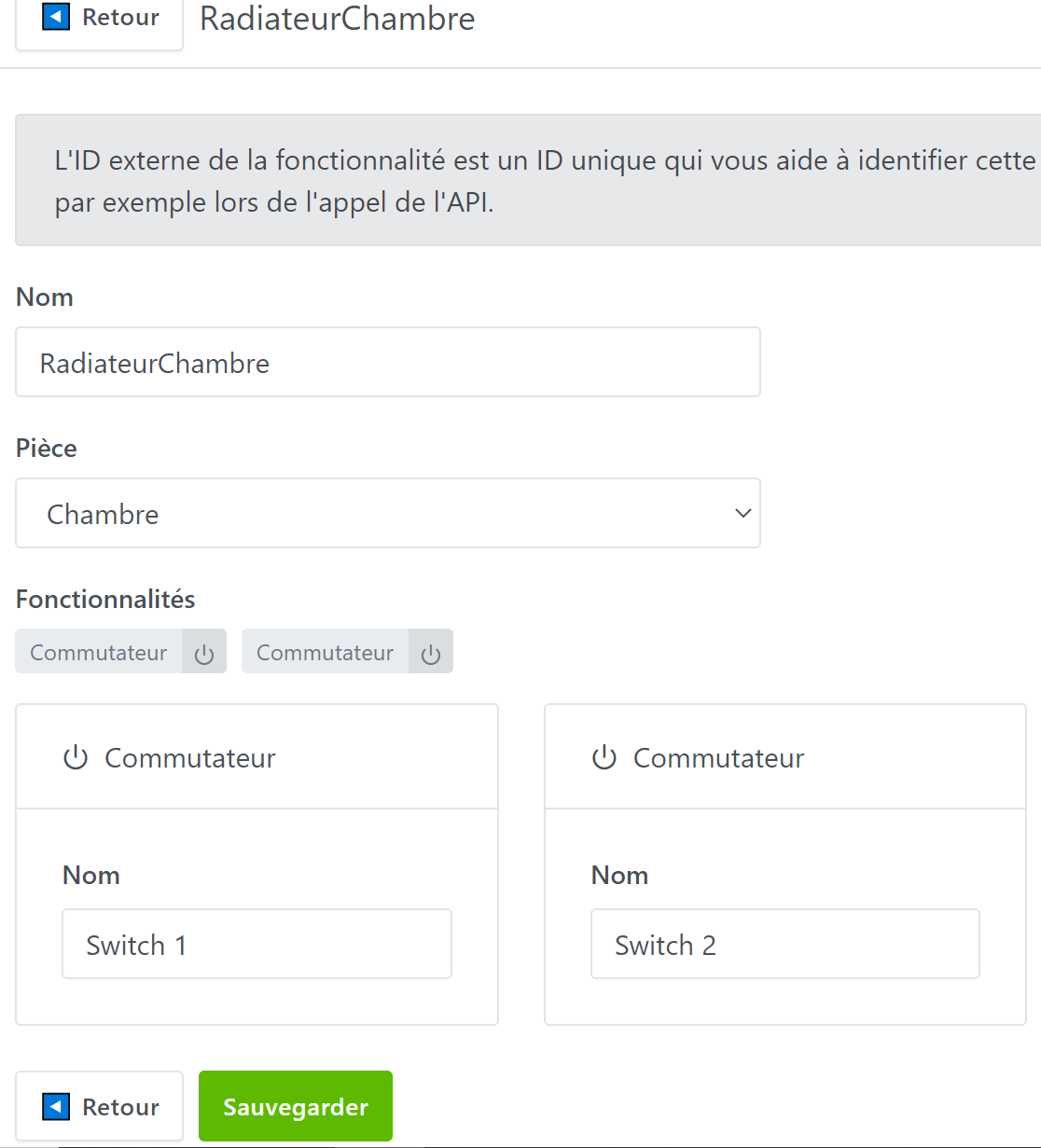
Ok, so we can consider displaying the feature name on the dashboard first. We already do this for MQTT devices.
Can you create a ticket on GitHub for this?
(I’m on my mobile, so I’m delegating  )
)
You’re doing the right thing, you’re doing the right thing
Unfortunately, I’m on my phone too, but I’ll take care of it as soon as tomorrow if @Flitch33 hasn’t done it by then.
Hello,
I might be a bit of a beginner, but as I have never made a ticket on GitHub before, I wouldn’t want to do it wrong…
Hello,
For information, I just tried the Sonoff Tasmota integration in http and I have exactly the same problem:
Only one relay out of the two available in the scene actions (however, both are available in the triggers)
And they have the same name… but we can live with that
Hello
I have used the POST requests that have just been made available to be able to create actions in the scenes for the Sonoff Dual R2
Thanks for the 4.0.3 update!
It works great
You just have to avoid forgetting « http:// » like me in front of the ip otherwise you get an error message…
If this can help:
Select « Post »
To turn relay 1 Off:
http://yourIP/cm?cmnd=Power1%20off
To turn relay 2 On:
http://yourIP/cm?cmnd=Power2%20on
aha yes it’s nice to see that I barely have time to release a new version and the features are already being used!! 
Don’t hesitate if you have feedback on the feature

I was waiting to see if it would unlock my case and it worked well
I use it like this
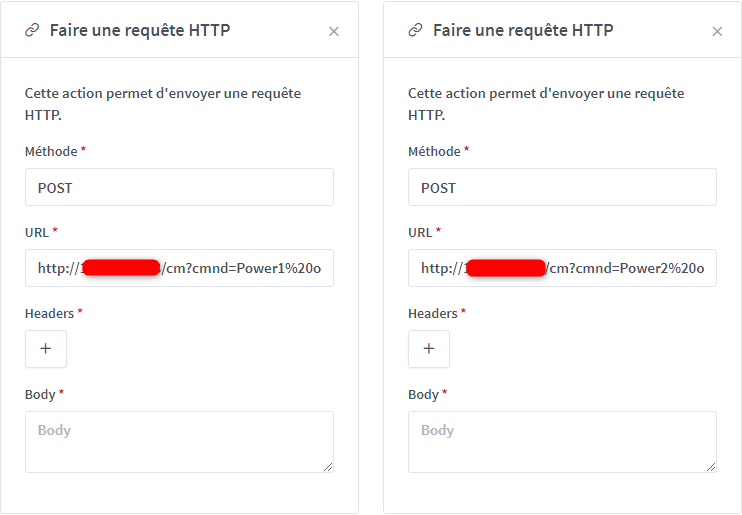
I don’t use the Header and the Body (I’m not sure how to use them…)
Edit: I just saw that you put documentation, it’s perfect thank you
However, if I had a suggestion: there are * before Headers and Body while they are not mandatory to work.
I thought so, I missed something because this weekend, I reconnected my Sonoff Dual, and I hadn’t seen this improvement.
He just put the documentation online, I haven’t had time to look at it yet.