Using the presence feature via LANmanager

Hello,

After searching and doing several tests I couldn’t find it; I would like to know whether, with the LAN Manager integration, what value is returned by the presence feature, and whether it is possible to use it with « continue only if » in scenes.

Thank you in advance

Hi,

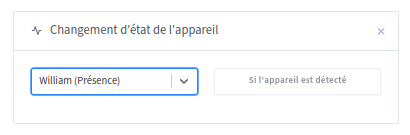
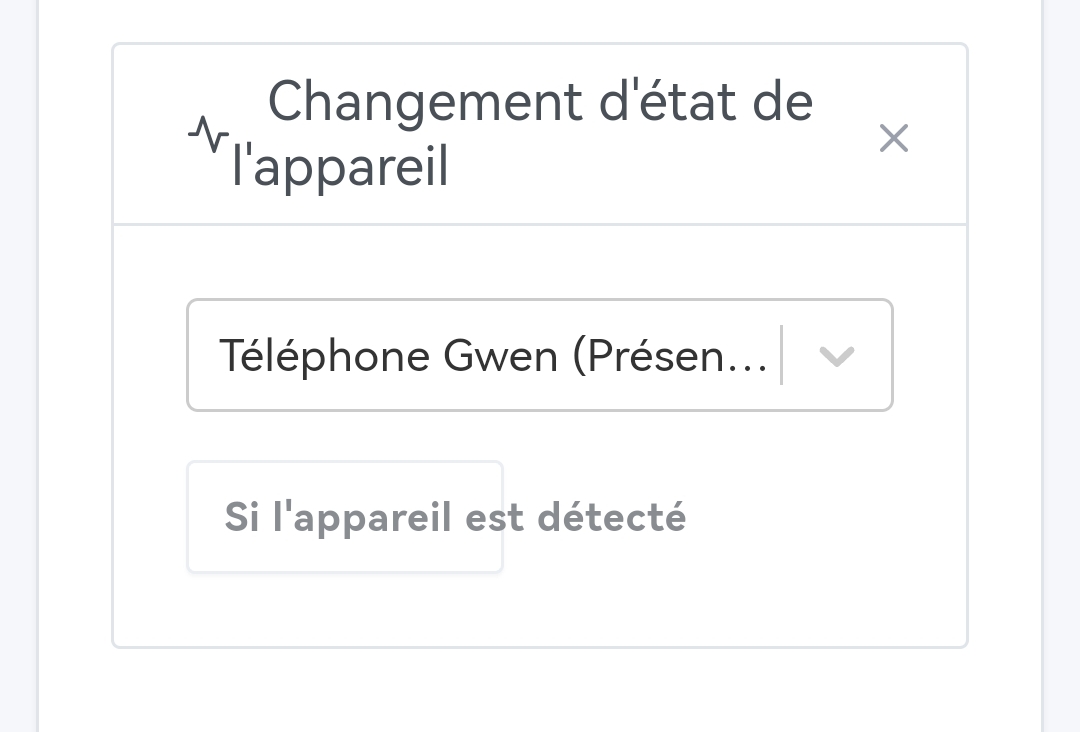
In the scenes you have this trigger

Yes it’s possible but I’ve never tested it.

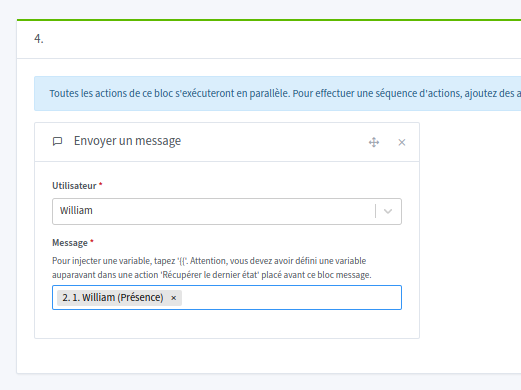
And if you want to know the value a variable returns you can send the variable as a message

1 Like

Thanks @_Will_71 for your reply, well spotted I forgot to send the message for the variable.
For the trigger — OK, that’s what I had done to indicate if seen at home.
However, for using the variable in the scenes that’s what I also tested, but unfortunately not functional because the value of the presence function of LANmanager is always 1 even if the phone is not connected to the LAN.

@AlexTrovato I couldn’t find it in the various threads, but is this the expected behavior?

Thanks

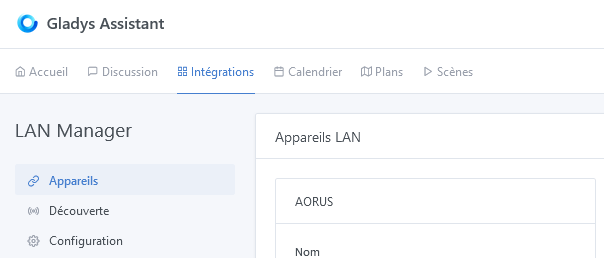
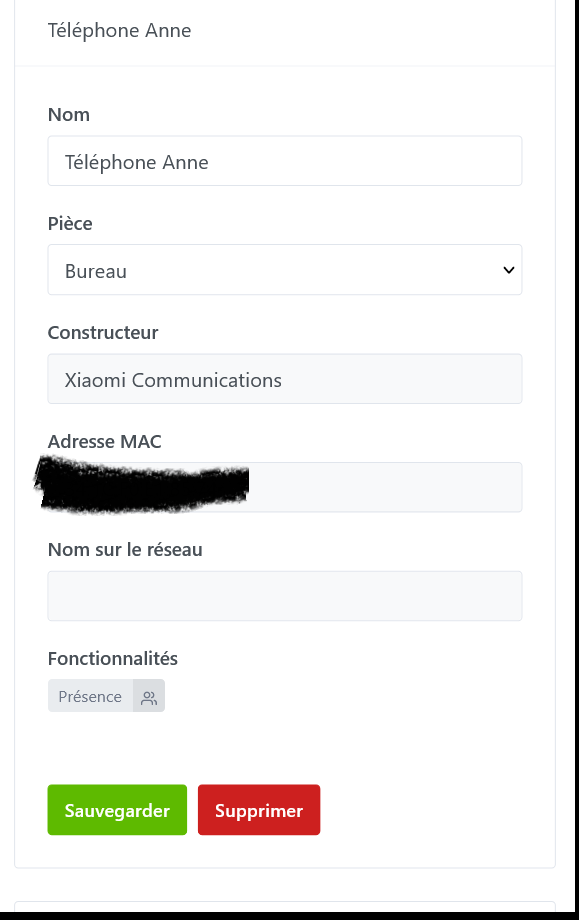
I can see my devices on the LAN

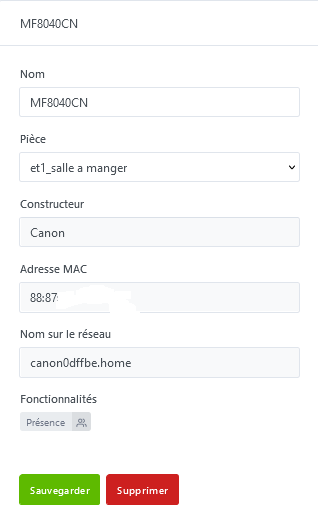
I have this printer

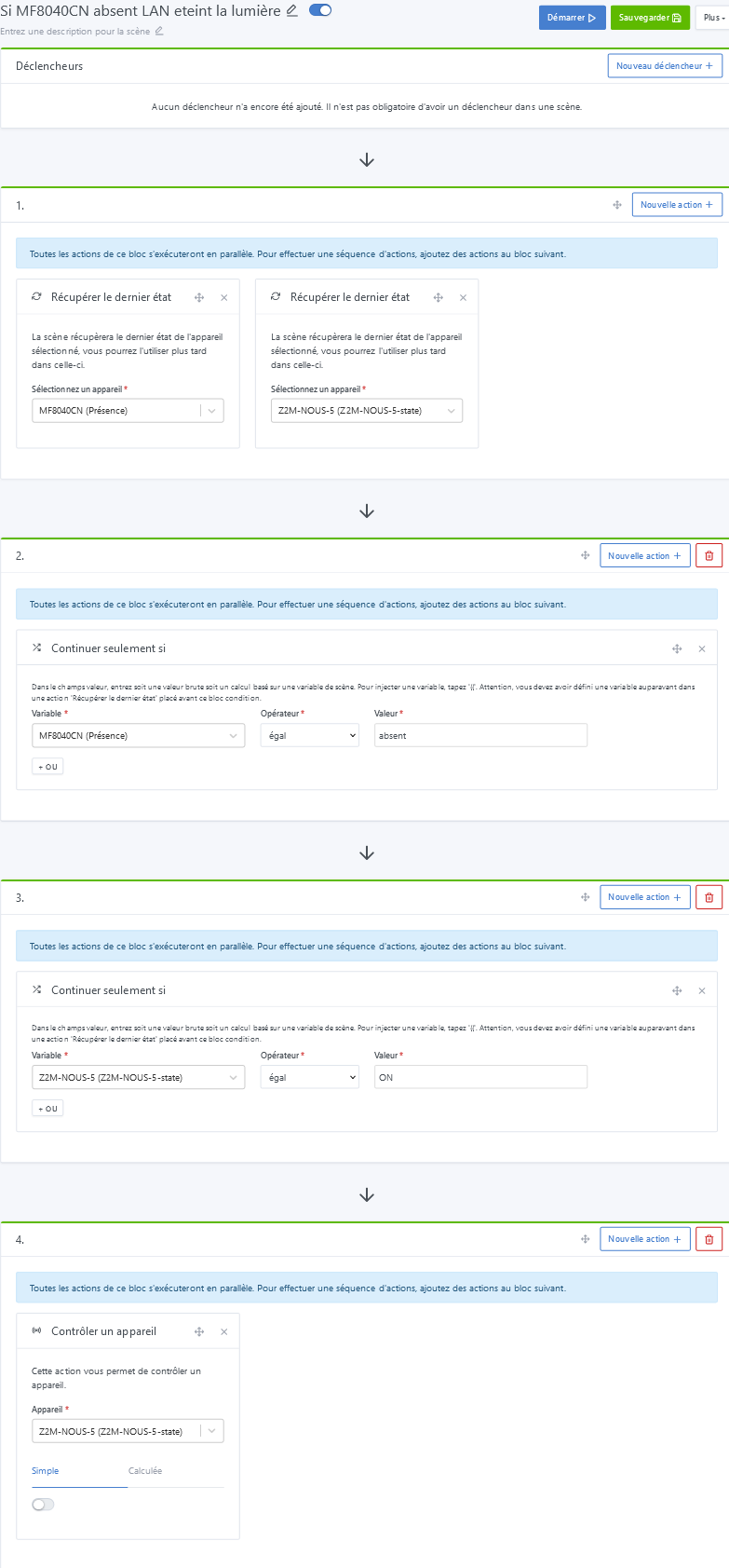
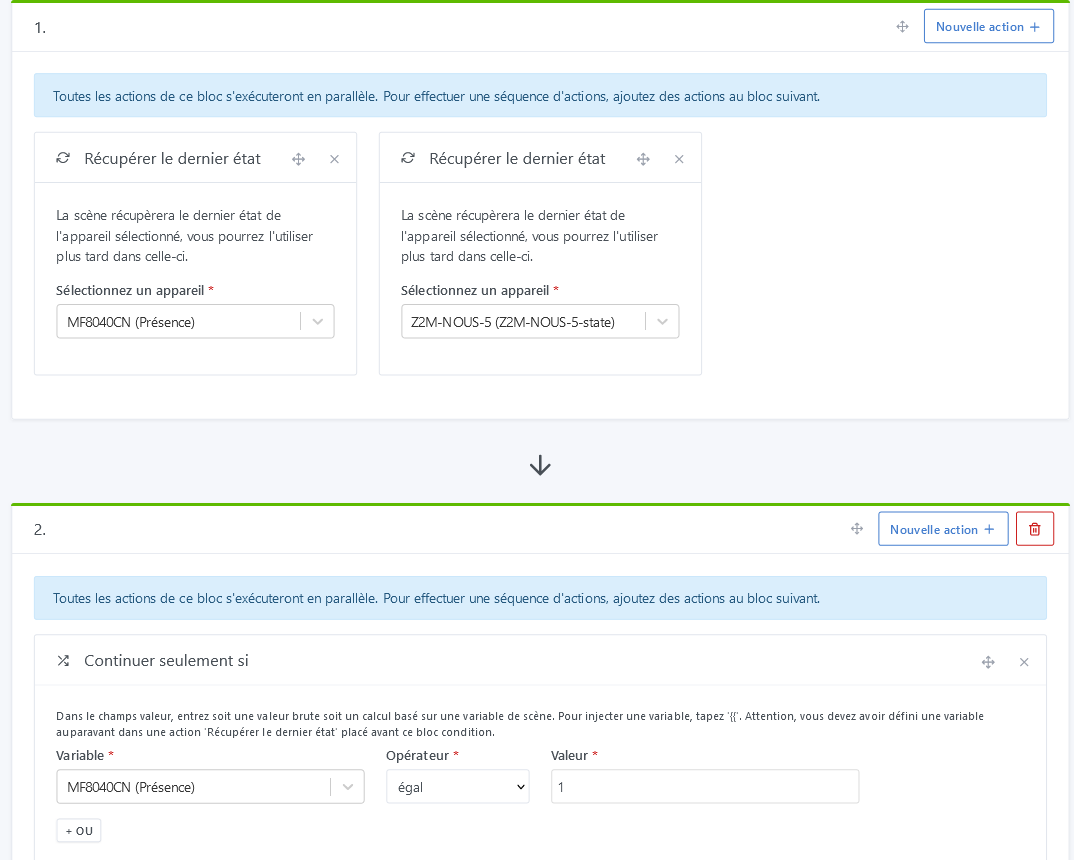
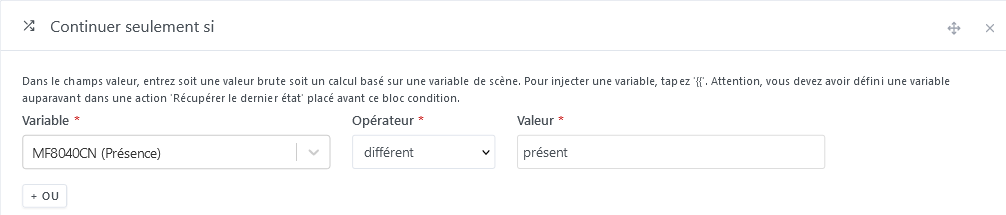
I create a scene « If MF8040CN absent LAN turn off the light »

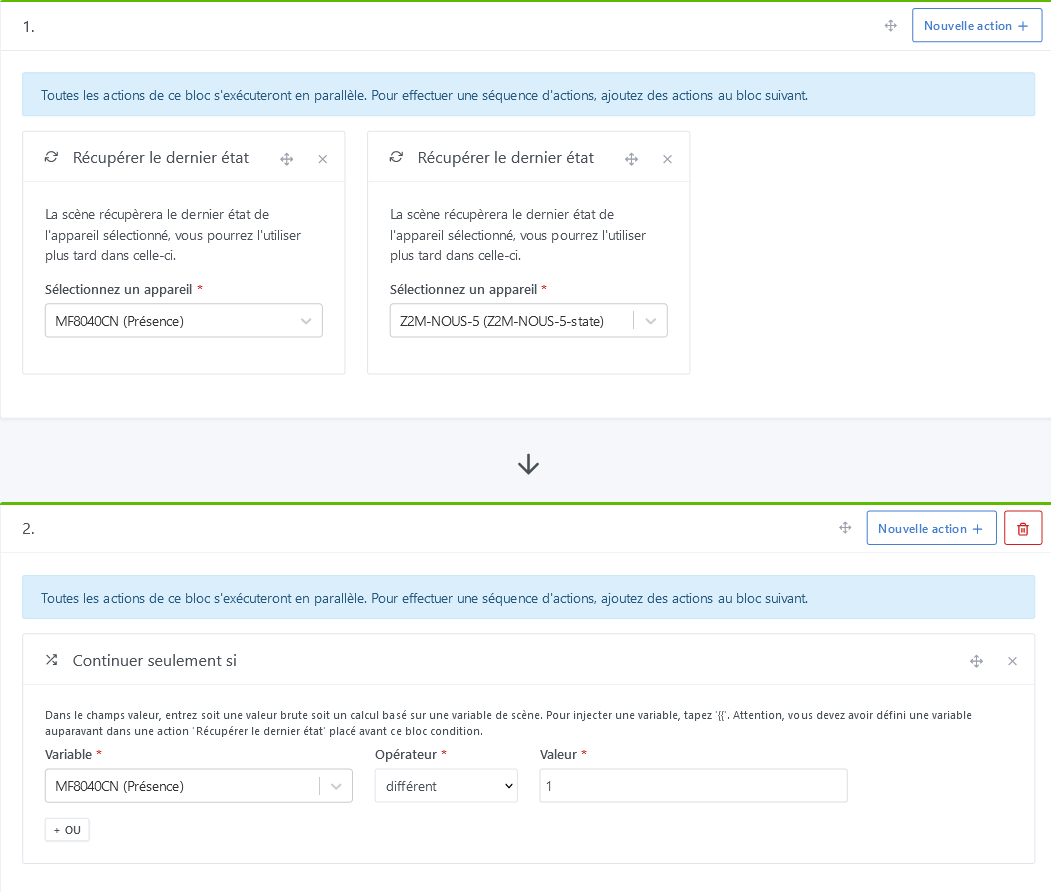
I create a scene « If MF8040CN present LAN turn on the light »

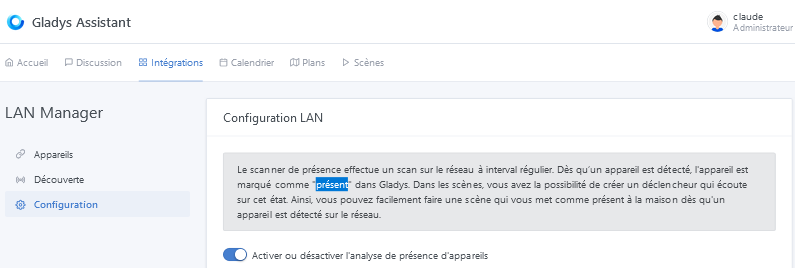
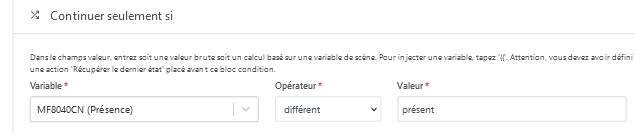
Using « present » as in the screenshot

This should work but the problem is knowing how or with which value the device is marked as present

Looking in the GitHub code Gladys/server/services/lan-manager/lib/lan-manager.constants.js at master · GladysAssistant/Gladys · GitHub
I found
const PRESENCE_STATUS = {
ENABLED: ‹ enabled ›,
DISABLED: ‹ disabled ›,
};

I tried with ‹ enabled › ‹ disabled › but it doesn’t work…

However, when launching the scenes the plug turns on or off depending on the scene called… :thinking:

If you can help I think you’re the one who developed this integration @AlexTrovato

1 Like

I notice 2 things :

  • you don’t have a Trigger in your scene (maybe it’s planned, I’m mentioning it just in case)
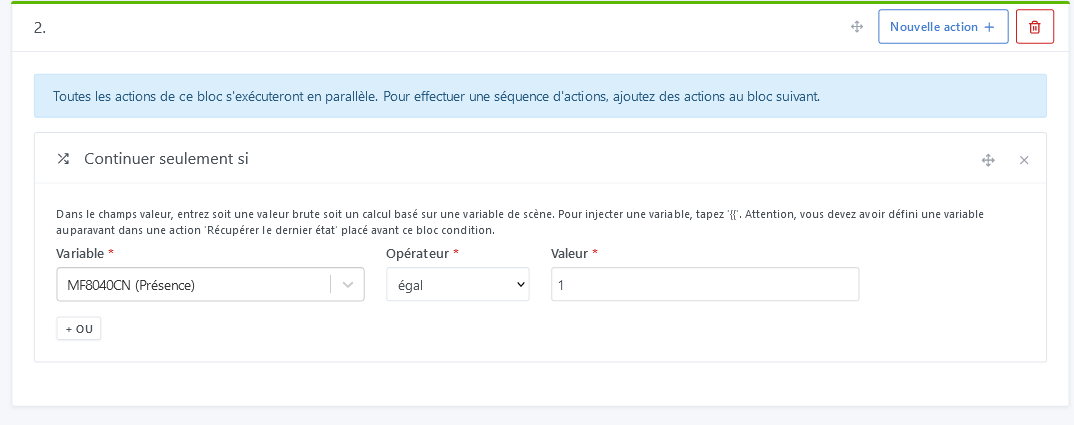
  • I think you should set either the value 1 for « present » or 0 for « absent »

yes I haven’t put one for now I trigger the scene by hand it goes faster to « debug » the part below :wink

2 Likes

Like @cce66 I also tried but it doesn’t work, and when sending me the variable I always get « 1 » in return even when not logged in.

1 Like

I just tested and I confirm that the value is still == 1

@AlexTrovato looking at the code

I think the state value isn’t being set to 0 if the device is not found

37      if (discoveredDevicesByMAC[deviceMAC]) {
38       this.gladys.event.emit(EVENTS.DEVICE.NEW_STATE, {
39          device_feature_external_id: externalId,
40         state: 1,
 41      });

If I’m not mistaken it should be this

if (discoveredDevicesByMAC[deviceMAC]) {
    this.gladys.event.emit(EVENTS.DEVICE.NEW_STATE, {
        device_feature_external_id: externalId,
        state: 1,
    });
} else {
    this.gladys.event.emit(EVENTS.DEVICE.NEW_STATE, {
        device_feature_external_id: externalId,
        state: 0,
    });
}

I’m not sure about my suggestion :thinking: so don’t make fun of me :blush:

Hi,

I notice the same thing. My phone disappears from the Wi‑Fi and despite minutes passing (with a default scan of 2 min), the presence of my phone stays at 1 Ad Vitam…

However, I may be doing

I don’t think you’re doing it wrong. In my opinion, there’s a bug to fix! :+1:

1 Like

At my place, it’s worked from the start!
The two scenes:

  • Interval 8 minutes (trigger)
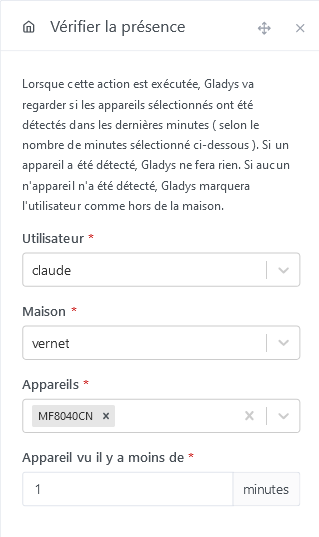
  • Check user presence (device seen within the last 3 minutes)
  • Get the last state (of the phone)
  • Continue only if phone = 1
  • User LEFT the house

Second scene:

In LANmanager, the scan is set to 2 minutes
I have very few false departures, except at night when phones go into power-saving mode and are therefore disconnected from the Wi-Fi, obviously.
The scan intervals and triggers certainly need to be reviewed, but since it was working like that…


(Yes, they’re still asleep :innocent:, those ones)

So the trigger for « Phone device change » only fires when the phone becomes present, and not when it becomes absent. This should be improved to make scenes easier (for example, like a contact sensor).

Hi,
If presence = 1, that means the phone is seen, so we should be seen in the house and not have left the house, right?

I know very well that it’s not logical, but it works. If I put 0, I’m marked as present all the time.

Hi @francois :slight_smile:

I recommend you read the Bluetooth integration tutorial for presence management ( Gérer la présence avec la détection Bluetooth | Gladys Assistant )

It works the same way with LAN Manager.

Basically, what you need to remember is that you need 2 scenes:

  • A scene « device state change » → « If the device is detected » that marks your user as « seen at home ». It looks like you already have this scene.

  • A scene « Scheduled trigger », every 5 minutes for example, that uses the scene action « Check presence ».

The idea behind the « Check presence » action is to fetch the last time your device(s) were seen at home. If it was more than XX minutes ago, then Gladys will mark you as away.

Hello @pierre-gilles

So in short, to detect presence or non-presence it’s:

We test presence by checking if it’s equal = 1

We test absence by checking if it’s different <> 1 (and not if = 0)

This should be specified on that page because it leads one to think that

Actually, no

We test for absence if the last time the device was seen was more than X minutes ago.

Sorry to be a pain but I don’t see how to use this feature in scene creation and I think there’s confusion not just for me!
I understand that X minutes is determined by the scan we configured in the lan-manager module but I don’t understand what is needed to test presence or to test absence (which is a non-presence for X minutes to detect in this case)

Could you attach a screenshot of what should be set to test the presence
of a device because I’m totally confused about this if what I put above is not correct!

Could you attach a screenshot of what should be set to test non-presence for X minutes (i.e., absence at the time of testing)

Because the problem is that you may want a scene to test the presence of a device on the network

  • user returned home so alarm disarmed, lights turned on, etc.
  • camera functional so send an image
  • box that responds — everything’s fine

Or you may want a scene to test the absence of a device on the network

  • user absent so alarm activated if house empty, lights turned off, etc.
  • camera malfunctioning send a message, etc.
  • box no longer responding so if plugged into a switched outlet reboot the outlet, etc.

I think you think we’re talking about that which links user and device (with ‹ seen X minutes ›)

Whereas here we’re just talking about device presence not linked to any user

And for this we don’t really know how to use this feature and especially which values to use. Also, to inject a variable you have to search the forum to know that you need to put a space after the two braces to get the list of variables whereas it’s shown as ‹ {{ › without a space:
image
So either it’s not the intended effect or there’s a bug, but putting myself in the shoes of a new user who wants to try Gladys before adopting it, they try things and it doesn’t work: two possibilities — they search the forum to find out why it doesn’t work as shown, or they consider the product unstable or non-functional and switch to another home automation solution, which is a shame when it’s over details like this!
I’d like to understand so that afterwards it’s possible to make mini-tutorials with concrete usage examples of features that can help people adopt Gladys. :slight_smile: because I think a mini-tutorial with a concrete example is illustrative and sometimes better than documentation!

Hi @pierre-gilles,

I must admit that detecting presence via the LAN, rather than using Bluetooth or OwnsTracks, seems simpler in my situation.

The goal is to avoid having to touch my daughters’ phones, which spend their time turning off all the « unnecessary » services in their eyes. Geolocation is among those unnecessary services.
And the likelihood of seeing a NUT key fob end up at the bottom of a cupboard seems extremely high…

Since the phone and Wi-Fi are the base of their Maslow’s pyramid, I know I’ll get the right info by relying on Wi‑Fi…

You choose your friends but rarely your family :slightly_smiling_face:

PS : but I just realized that I misread your reply and that the link you suggested does indeed talk about both scenarios. thanks :slight_smile:
1 Like