Hello everyone,
I have a connection problem from the Node-RED integration to the MQTT integration.
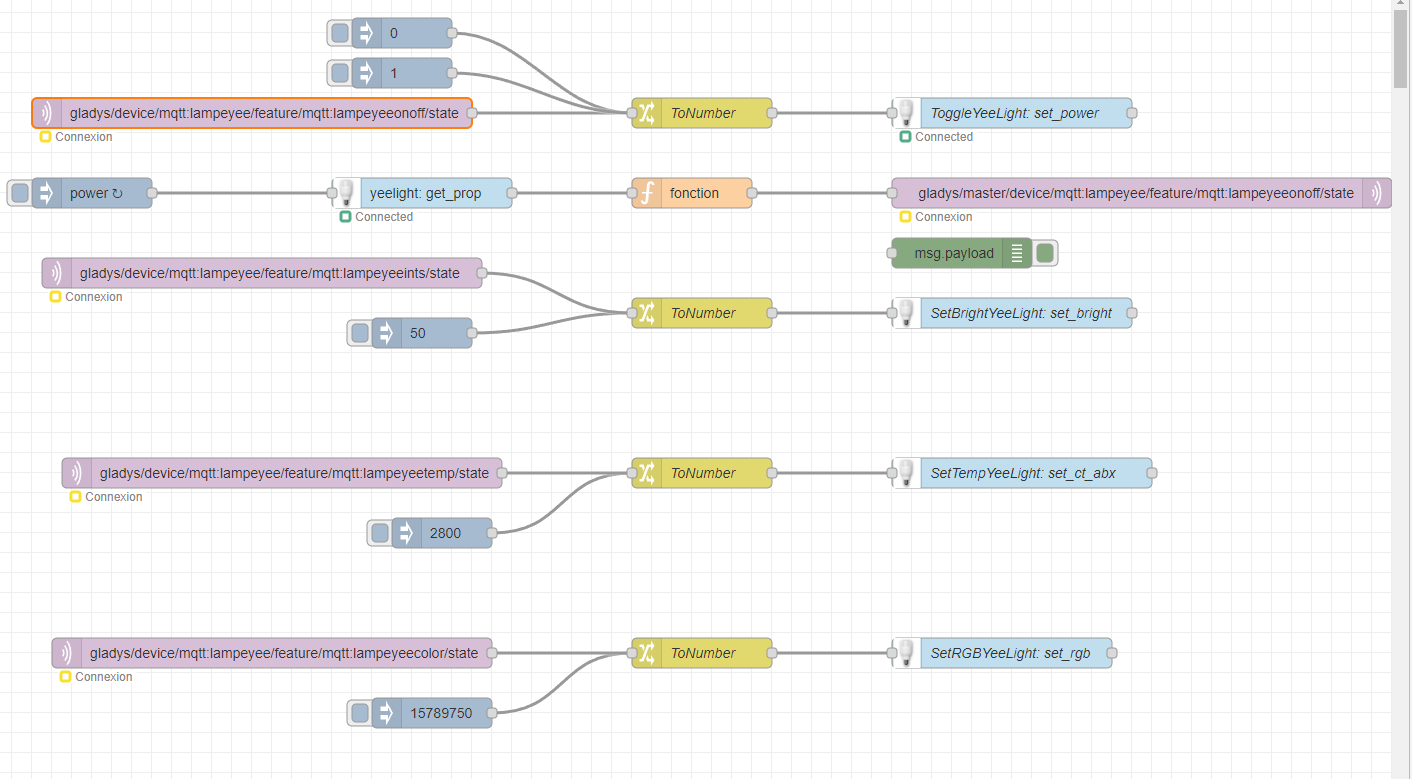
My MQTT topics in Node-RED are not connecting:
I can connect to Gladys’ MQTT with MQTTX without any problem.
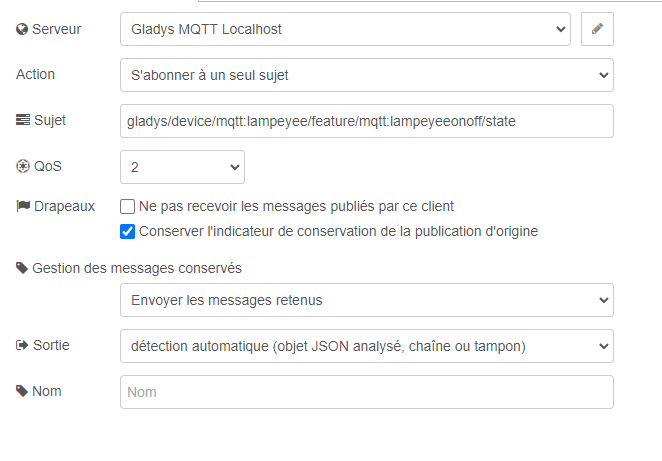
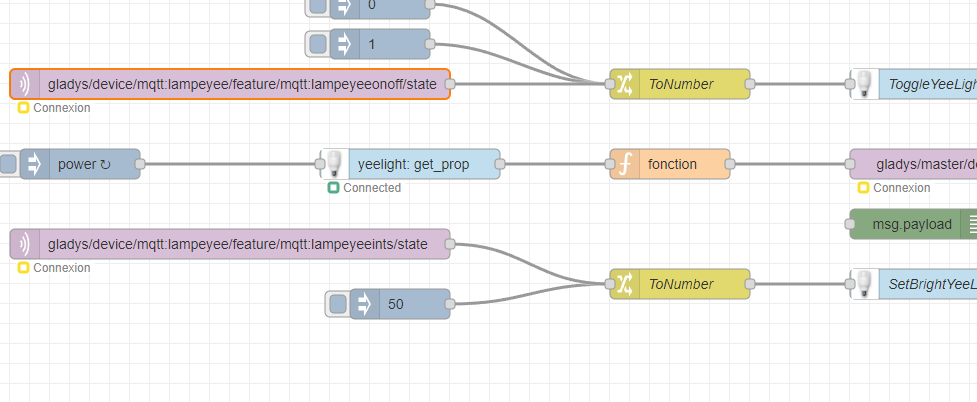
An example of a topic on Node-RED:
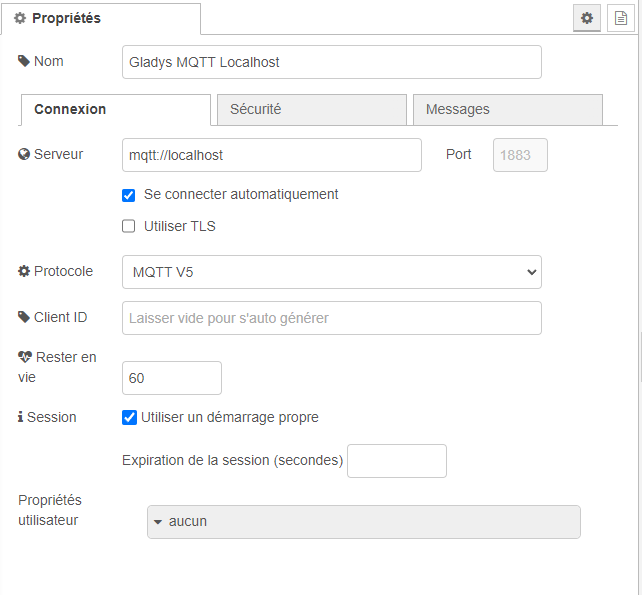
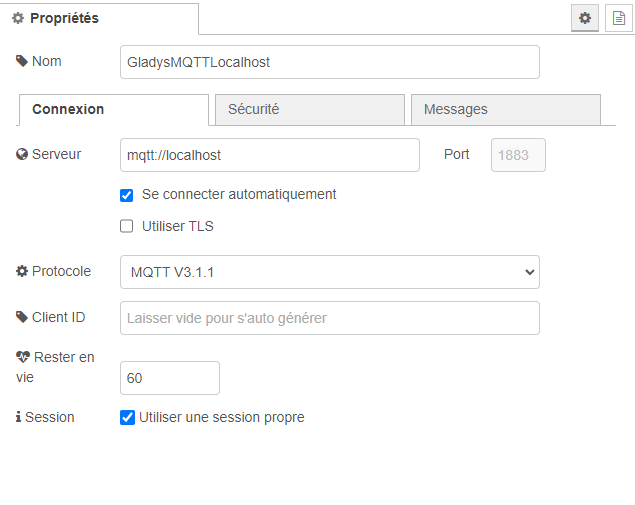
The MQTT broker config in Node-RED:
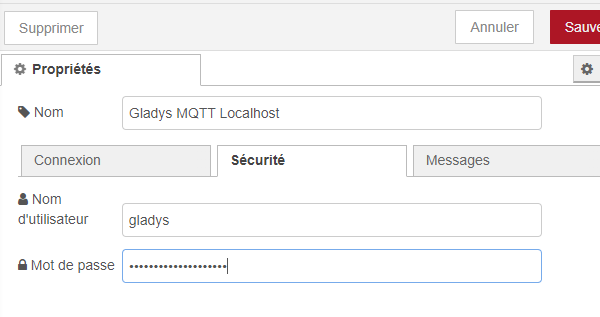
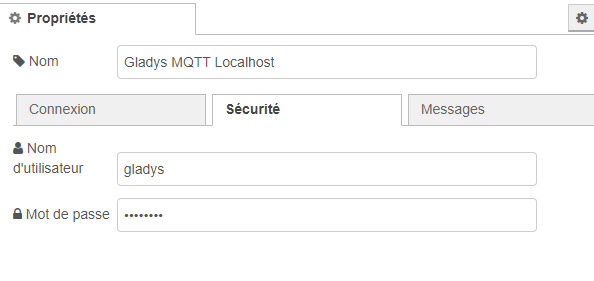
I may be mistaken but I noticed that in Security the password length is not the same after deployment:
Before:
After deployment:
Is that the problem?
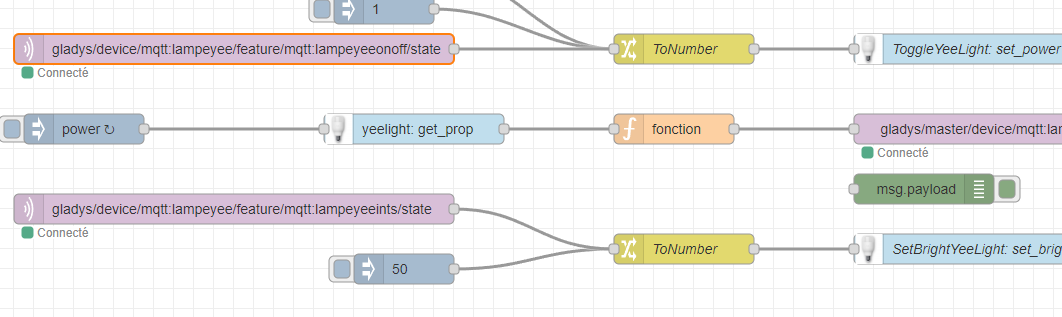
For those who might be interested, here’s what the flow looks like:
For more info, feel free to ask!
Hi @Xenicle !
[quote=« Xenicle, post:1, topic:8699 »]
I tried with the MQTT V3.1.1 protocol:
And, after deployment, still no connection…
If in doubt about the password, can you try to re-save the password by following:
Il arrive que les navigateurs intercepte les données entrées (mot de passe du container mqtt entre autre) et les remplace à la volée et sans prévenir par celles qu’il a en mémoire quand on essaie de sauvegarder ce qui fait que l’on croit que quelque chose ne marches pas alors que c’est les données stockées qui faussent l’authentification.
Voici comment désactiver les informations de saisie automatique dans certains navigateurs pour éviter que ces informations ne soient enregistrées ou utilisées…
Xenicle
January 31, 2024, 10:24am
6
I tried disabling that in Brave, but also in Firefox with no saved passwords and the same login problem…
Xenicle
January 31, 2024, 10:44am
7
I can even see that nice try at saving the correct password.
Xenicle
January 31, 2024, 11:01am
8
Is it normal that in the Docker bridge there is no eclipse-mosquitto:
docker network inspect bridge
"...
Containers": {
            "07047a22b4ce0d70099c959d957516813b41c7d726431c16f7e0104af363c924": {
                "Name": "gladys-node-red",
                "EndpointID": "6f225535c88d71a8f3e81eb2d09e111e0d409b532840012ecbbf0a9e540d268d",
                "MacAddress": "02:42:ac:11:00:03",
                "IPv4Address": "172.17.0.3/16",
                "IPv6Address": ""
            },
            "d5ee1ba9aad7331016b95a42c8d9f7d7e3639bdf257d1aaed8ec20f54411bbc0": {
                "Name": "watchtower",
                "EndpointID": "e7ebe4ca4c4ac1945884afd65f0598517b0e25dc1c12678c2ca6e6383528bec2",
                "MacAddress": "02:42:ac:11:00:02",
                "IPv4Address": "172.17.0.2/16",
                "IPv6Address": ""
            }
        },
...
And that eclipse-mosquitto has no IP?
docker inspect eclipse-mosquitto
"...
Networks": {
                "host": {
                    "IPAMConfig": null,
                    "Links": null,
                    "Aliases": null,
                    "NetworkID": "c52c79bdb90384fdc2b909c0d7db9432c5ae7cd45bcaf68ecb70122e5cd783cf",
                    "EndpointID": "b16e687927eff9372ac097d230233212444024c23a3a7b04e8f40aaae3878c58",
                    "Gateway": "",
                    "IPAddress": "",
                    "IPPrefixLen": 0,
                    "IPv6Gateway": "",
                    "GlobalIPv6Address": "",
                    "GlobalIPv6PrefixLen": 0,
                    "MacAddress": "",
                    "DriverOpts": null
                }
            }
...
Xenicle
January 31, 2024, 11:17am
9
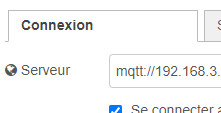
With the URL on the Pi’s external IP it works!!!
Xenicle
January 31, 2024, 11:19am
10
What can I do to fix this mosquito that’s going bbzzzzzzzzzzzz ?
Ah, in that case I can’t help you, I don’t use eclipse-mosquitto but a mosquitto installed next to Gladys on a different Pi^^. Same for node-red!!
Strange indeed…
Well, that’s already something
Xenicle
January 31, 2024, 11:32am
12
Yes that’s already something, in the meantime thanks for your help!
cce66
January 31, 2024, 2:42pm
13
@Xenicle
Xenicle
January 31, 2024, 8:13pm
14
Thanks @cce66 , I tried that solution and it didn’t change anything: still no connection on localhost…
(on the other hand the flows.json file wasn’t recreated afterwards…)
Xenicle
February 1, 2024, 11:55am
16
Yes, I did reimport my flow via the Node-RED interface…
You’d think the file was recreated elsewhere ^^
cce66
February 1, 2024, 12:33pm
17
Did you deploy? Did you restart the streams?
Xenicle
February 1, 2024, 12:44pm
18
Yes, several times…
But I must have broken something with Docker a few weeks ago…
I think I’ll take advantage of Gladys Plus to reinstall the Pi!
cce66
February 1, 2024, 1:00pm
19
Back up your flows to your email
Un mini-tuto pour envoyer par mail les flows et package (palette) de node-red chaque jour à 00h00
les node-modules ne sont pas backuper mais le json package contient la liste des nodes et la recharge
Importer le node « node-red-node-email » en cliquant sur « Gérer la palette »
[image]
Cliquez sur l’onglet latéral « Palette »
Entrez le nom du node « node-red-node-email » et cliquez sur « Installer »
[image]
Importer le flow ci-dessous dans node-red en cliquant sur « Importer »
[image]
[
…
But it’s surprising that
Xenicle
February 1, 2024, 1:08pm
20
Thanks for the tutorial on backing up the flows!
Reinstallation is in progress…